Block 1 - Receive appointment request
- Type / Role
- n8n-nodes-base.webhook - webhook
- Config choices
- Version 2.1


 Early Deal
Tired of automated booking tools cluttering your calendar with spam or overlapping meetings? SyncPoint is a “Smart Gatekeeper” that checks your availability and asks fo...
n8n-nodes-base.webhook, n8n-nodes-base.set, n8n-nodes-base.googlecalendar, n8n-nodes-base.if, n8n-nodes-base.gmail, n8n-nodes-base.respondtowebhook, n8n-nodes-base.noop, n8n-nodes-base.stickynote
This workflow is cataloged by N8N Workflows and links back to its original n8n.io source page by Shubham Mathur.
Original n8n.io sourceTired of automated booking tools cluttering your calendar with spam or overlapping meetings? SyncPoint is a “Smart Gatekeeper” that checks your availability and asks for your manual approval via email before a single event is booked. Once approved, it schedules the meeting automatically and notifies all stakeholders.
While most schedulers are fully automatic, they lack human intuition. SyncPoint bridges the gap. It automates the tedious parts (checking availability, generating meeting links, sending confirmations) but keeps you in control. If you're not feeling a specific meeting request, you can reject it with one click from your inbox.
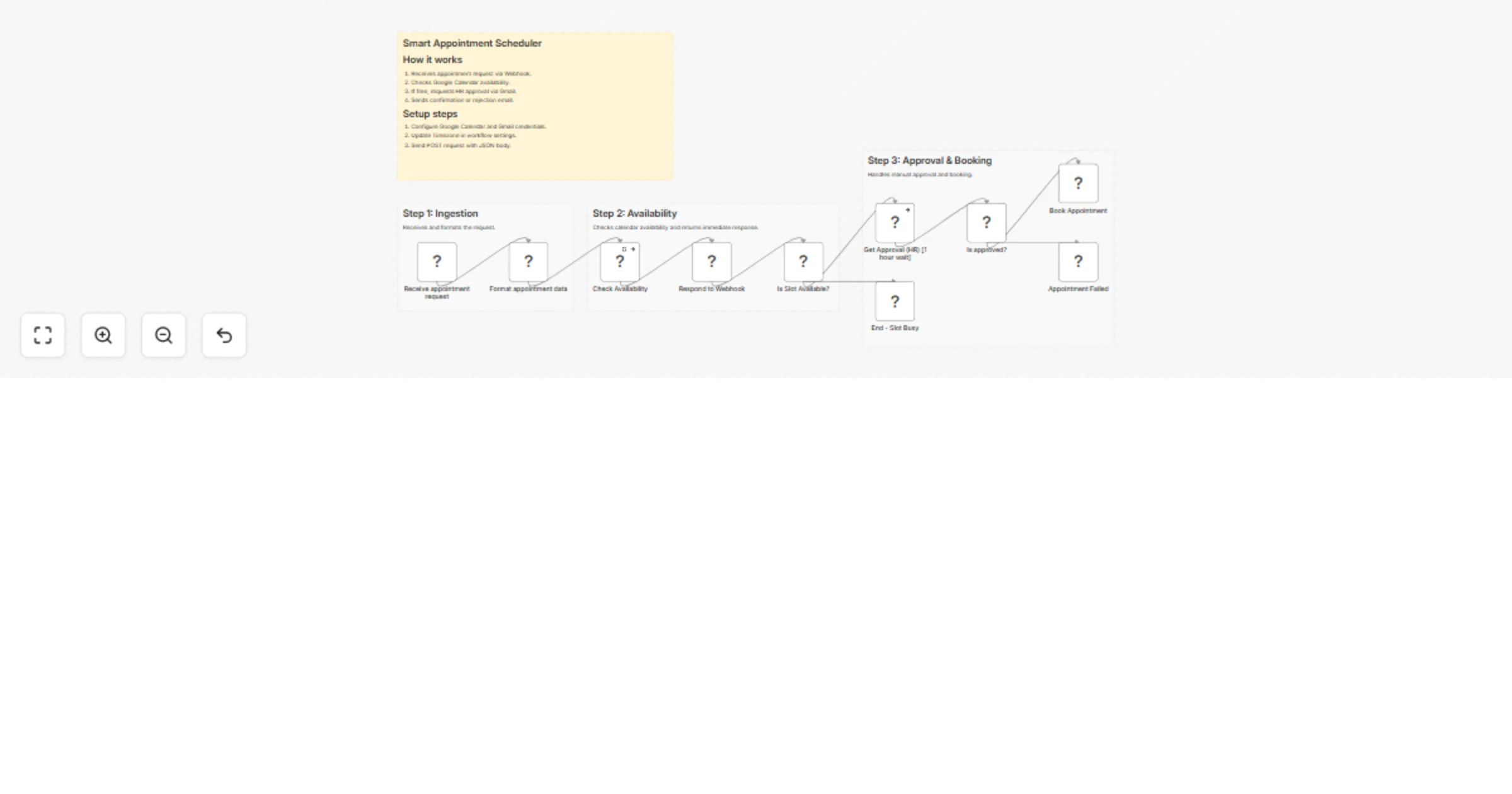
++Webhook Trigger:++ Receives the appointment request (Name, Email, Organization, and Requested Time).
++Instant Response:++ Immediately responds to the requester via webhook (without waiting for approval), confirming the request is under review.
++Availability Check:++ The workflow automatically queries your Google Calendar for a 1-hour window starting at the requested time.
++Smart Branching:++
If Busy: It immediately ends the process (or can be configured to send a "Slot Taken" email).
If Free: It sends an Approval Email to your inbox using the Gmail sendAndWait node.
Human-in-the-Loop: You receive an email with "Approve" and "Reject" buttons. The workflow pauses safely (up to 1 hour) using an async wait mechanism and resumes automatically once a decision is made.
++Final Execution:++
Approved: It creates the Google Calendar event, generates a Google Meet link, and sends a confirmation email to the client.
Rejected: It sends a polite "Not available" email to the client and clears the workflow.
To get this workflow running, you will need:
Google Calendar OAuth2 API: To verify availability and create the final event.
Gmail OAuth2 API: To send the approval request to yourself and the final status to the client.
Publicly accessible n8n instance: Since this uses a Webhook and the Wait for Link functionality, your n8n instance must be reachable from the internet. It could be self hosted or n8n cloud itself.
[
 {
 "params": {

 },
 "query": {

 },
 "body": {
 "name": "Jon Doe",
 "organization": "Test Org",
 "email": "[email protected]",
 "phone": "9999999999",
 "appointmentDateTime": "2026-01-20T20:00:00+05:30",
 "optionalMessage": "I'm interested in the AI-Powered Systems plan."
 },
 "webhookUrl": "https://america-gavialoid-claudio.ngrok-free.dev/webhook-test/appointment-request",
 "executionMode": "test"
 }
]
This catalog entry is organized from the workflow JSON. The node-level section below shows the executable blocks available for review before importing the template.
| Workflow | Schedule appointments with manual approval using Google Calendar and Gmail |
|---|---|
| Complexity | intermediate |
| Nodes | 14 |
| Categories | Support Chatbot |
| Author | Shubham Mathur |
| Published | 03 Jan 2026 |
Use the JSON export at /data/workflows/12419/12419.json as the source template for this automation.
Open n8n, import the downloaded JSON, and review each node before activating the workflow.
Replace placeholder credentials, API keys, webhook URLs, account IDs, and environment-specific values with your own settings.
Run the workflow manually or in a staging workspace, inspect node output, and confirm downstream systems receive the expected data.
Enable the workflow only after testing, then monitor executions, errors, and rate limits during the first production runs.
Review imported nodes carefully before activation. This catalog entry is intended to help you inspect the workflow structure, understand required services, and find related templates faster.
Node names, credentials, schedules, webhook paths, and external service limits may need adjustment for your workspace.
Tired of automated booking tools cluttering your calendar with spam or overlapping meetings? SyncPoint is a “Smart Gatekeeper” that checks your availability and asks fo...
Review the workflow JSON, configure any required credentials in n8n, and test the automation in a safe workspace before using it in production.
Yes. Use the block-by-block analysis and the downloadable JSON to inspect each node, then adjust credentials, prompts, schedules, filters, or destinations for your Support Chatbot use case.