Block 1 - Weekly Schedule
- Type / Role
- n8n-nodes-base.scheduleTrigger - scheduleTrigger
- Config choices
- Version 1.2


 Early Deal
What it does Automated weekly WAF security assessments with Slack reporting. Detects your WAF vendor, runs a security assessment, grades your protection, and alerts your team when the grade drops b...
n8n-nodes-base.scheduletrigger, n8n-nodes-base.httprequest, n8n-nodes-base.wait, n8n-nodes-base.if, n8n-nodes-base.slack, n8n-nodes-base.stickynote
This workflow is cataloged by N8N Workflows and links back to its original n8n.io source page by Qandil.
Original n8n.io sourceAutomated weekly WAF security assessments with Slack reporting. Detects your WAF vendor, runs a security assessment, grades your protection, and alerts your team when the grade drops below threshold.
WAFtester is an open-source CLI for testing Web Application Firewalls. It ships 27 MCP tools, 2,800+ attack payloads across 18 categories (SQLi, XSS, SSRF, SSTI, command injection, XXE, and more), detection signatures for 26 WAF vendors and 9 CDNs, and enterprise-grade assessment with F1/MCC scoring and letter grades (A+ through F).
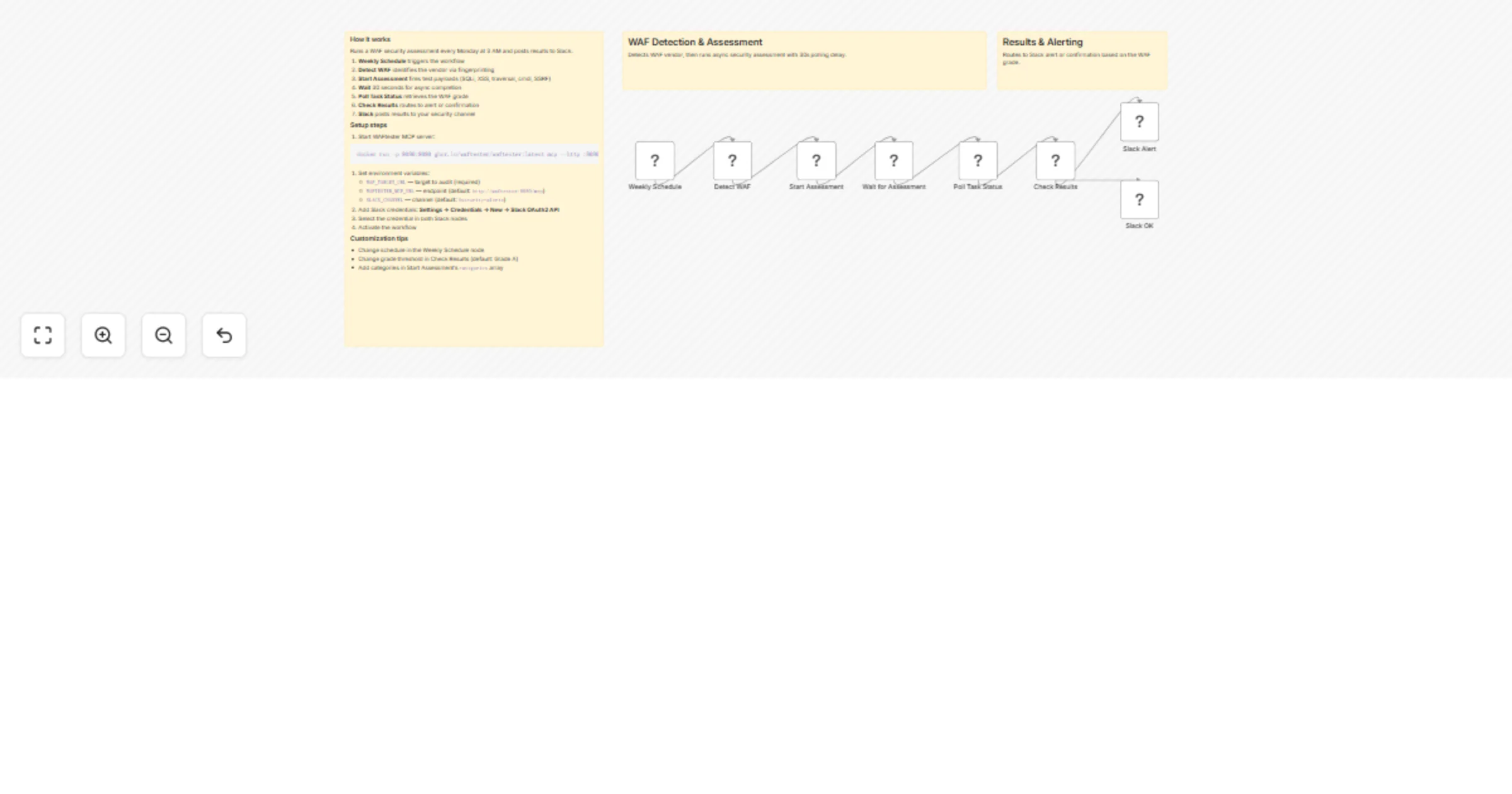
The workflow has seven nodes:
detect_waf tool to fingerprint the WAF vendor and CDNassess task testing SQLi, XSS, traversal, cmdi, and SSRFget_task_status to retrieve completed resultsdocker run -p 8080:8080 ghcr.io/waftester/waftester:latest mcp --http :8080WAF_TARGET_URL (required), WAFTESTER_MCP_URL, SLACK_CHANNELAlternatively, use the included docker-compose.yml to run both n8n and WAFtester together.
| Requirement | Details |
|---|---|
| WAFtester MCP server | Docker image (ghcr.io/waftester/waftester:latest) or binary install |
| Slack | Workspace with OAuth2 bot credentials |
| Authorization | Only test targets you have explicit written permission to test |
categories arrayThis catalog entry is organized from the workflow JSON. The node-level section below shows the executable blocks available for review before importing the template.
| Workflow | Run weekly WAF security audits with WAFtester and Slack alerts |
|---|---|
| Complexity | intermediate |
| Nodes | 11 |
| Categories | SecOps |
| Author | Qandil |
| Published | 16 Feb 2026 |
Use the JSON export at /data/workflows/13444/13444.json as the source template for this automation.
Open n8n, import the downloaded JSON, and review each node before activating the workflow.
Replace placeholder credentials, API keys, webhook URLs, account IDs, and environment-specific values with your own settings.
Run the workflow manually or in a staging workspace, inspect node output, and confirm downstream systems receive the expected data.
Enable the workflow only after testing, then monitor executions, errors, and rate limits during the first production runs.
Review imported nodes carefully before activation. This catalog entry is intended to help you inspect the workflow structure, understand required services, and find related templates faster.
Node names, credentials, schedules, webhook paths, and external service limits may need adjustment for your workspace.
What it does Automated weekly WAF security assessments with Slack reporting. Detects your WAF vendor, runs a security assessment, grades your protection, and alerts your team when the grade drops b...
Review the workflow JSON, configure any required credentials in n8n, and test the automation in a safe workspace before using it in production.
Yes. Use the block-by-block analysis and the downloadable JSON to inspect each node, then adjust credentials, prompts, schedules, filters, or destinations for your SecOps use case.