Route AI tasks between Anthropic Claude models with Postgres policies and SLA

Workflow preview

Workflow preview
100%
Route AI tasks between Anthropic Claude models with Postgres policies and SLA preview
Open on n8n.io

1. Workflow Overview

Overview This workflow implements a policy driven LLM orchestration system that dynamically routes AI tasks to different language models based on task complexity, policies, and performance constrai...

Best for

  • Engineering automation workflows
  • AI Summarization automation workflows
  • advanced n8n builders looking for reusable templates

Tools used

n8n-nodes-base.webhook, n8n-nodes-base.set, @n8n/n8n-nodes-langchain.agent, n8n-nodes-base.postgres, n8n-nodes-base.code, n8n-nodes-base.switch, n8n-nodes-base.respondtowebhook, n8n-nodes-base.scheduletrigger

Source and attribution

This workflow is cataloged by N8N Workflows and links back to its original n8n.io source page by ResilNext.

Original n8n.io source

1.1 Workflow description

Title
Route AI tasks between Anthropic Claude models with Postgres policies and SLA
Workflow name
Route AI tasks between Anthropic Claude models with Postgres policies and SLA

Overview

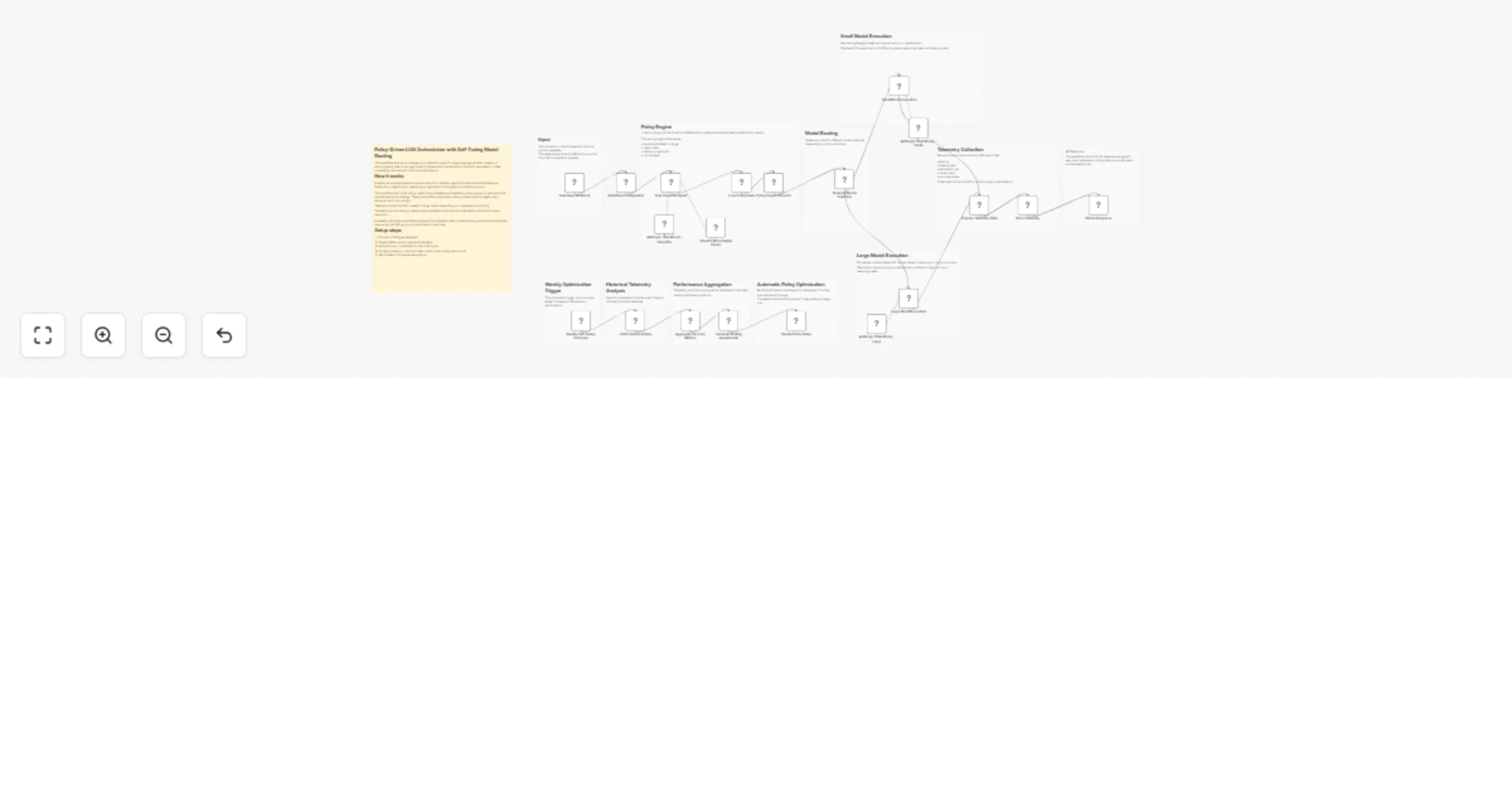
This workflow implements a policy-driven LLM orchestration system that dynamically routes AI tasks to different language models based on task complexity, policies, and performance constraints.

Instead of sending every request to a single model, the workflow analyzes each task, applies policy rules, and selects the most appropriate model for execution. It also records telemetry data such as latency, token usage, and cost, enabling continuous optimization.

A built-in self-tuning mechanism runs weekly to analyze historical telemetry and automatically update routing policies. This allows the system to improve cost efficiency, performance, and reliability over time without manual intervention.

This architecture is useful for teams building AI APIs, agent platforms, or multi-model LLM systems where intelligent routing is needed to balance cost, speed, and quality.


How It Works

  1. Webhook Task Input
  • The workflow begins when a request is sent to the webhook endpoint.
  • The request contains a task and optional priority metadata.
  1. Task Classification
  • A classifier agent analyzes the task and categorizes it into:
  • extraction
  • classification
  • reasoning
  • generation
  • The agent also returns a confidence score.
  1. Policy Engine
  • Policy rules are loaded from a database.
  • These rules define execution constraints such as:
  • preferred model size
  • latency limits
  • token budgets
  • retry strategies
  • cost ceilings.
  1. Model Routing
  • A decision engine evaluates classification results and policy rules.
  • Tasks are routed to either a small model (fast and cost-efficient) or a large model (higher reasoning capability).
  1. Task Execution
  • The selected LLM processes the task and generates the response.
  1. Telemetry Collection
  • Execution metrics are captured including:
  • latency
  • tokens used
  • estimated cost
  • model used
  • success status.
  • These metrics are stored in a database.
  1. Weekly Self-Optimization
  • A scheduled workflow analyzes telemetry from the past 7 days.
  • If performance trends change, routing policies are automatically updated.

Setup Instructions

  1. Configure a Postgres database
  • Create two tables:
  • policy_rules
  • telemetry
  1. Add LLM credentials
  • Configure Anthropic credentials for the language model nodes.
  1. Configure policy rules
  • Define preferred models, cost limits, and latency thresholds in the policy_rules table.
  1. Configure workflow settings
  • Adjust parameters in the Workflow Configuration node:
  • maximum latency
  • cost ceiling
  • token limits
  • retry behavior.
  1. Deploy the API endpoint
  • Send requests to the webhook endpoint:

Use Cases

AI API Gateway

Route requests to different models based on complexity and cost constraints.

Multi-Model AI Platforms

Automatically choose the best model for each task without manual configuration.

Cost-Optimized AI Systems

Prefer smaller models for simple tasks while reserving larger models for complex reasoning.

LLM Observability

Track token usage, latency, and cost for each AI request.

Self-Optimizing AI Infrastructure

Automatically improve routing policies using real execution telemetry.


Requirements

  • n8n with LangChain nodes enabled
  • Postgres database
  • Anthropic API credentials
  • Tables:
  • policy_rules
  • telemetry

Optional:

  • Monitoring dashboards connected to telemetry data
  • External policy management systems

1.2 Logical Blocks

This catalog entry is organized from the workflow JSON. The node-level section below shows the executable blocks available for review before importing the template.

2. Block-by-Block Analysis

Block 1 - Task Input Webhook

Type / Role
n8n-nodes-base.webhook - webhook
Config choices
Version 2.1

Block 2 - Workflow Configuration

Type / Role
n8n-nodes-base.set - set
Config choices
Version 3.4

Block 3 - Task Classifier Agent

Type / Role
@n8n/n8n-nodes-langchain.agent - agent
Config choices
Version 3

Block 4 - Load Policy Rules

Type / Role
n8n-nodes-base.postgres - postgres
Config choices
Version 2.6

Block 5 - Policy Engine Decision

Type / Role
n8n-nodes-base.code - code
Config choices
Version 2

Block 6 - Route by Model Selection

Type / Role
n8n-nodes-base.switch - switch
Config choices
Version 3.4

Block 7 - Large Model Execution

Type / Role
@n8n/n8n-nodes-langchain.agent - agent
Config choices
Version 3

Block 8 - Store Telemetry

Type / Role
n8n-nodes-base.postgres - postgres
Config choices
Version 2.6

Block 9 - Return Response

Type / Role
n8n-nodes-base.respondToWebhook - respondToWebhook
Config choices
Version 1.5

Block 10 - Weekly Self-Tuning Schedule

Type / Role
n8n-nodes-base.scheduleTrigger - scheduleTrigger
Config choices
Version 1.3

Block 11 - Fetch Historical Data

Type / Role
n8n-nodes-base.postgres - postgres
Config choices
Version 2.6

Block 12 - Aggregate Success Metrics

Type / Role
n8n-nodes-base.aggregate - aggregate
Config choices
Version 1

Block 13 - Calculate Routing Adjustments

Type / Role
n8n-nodes-base.code - code
Config choices
Version 2

Block 14 - Update Policy Rules

Type / Role
n8n-nodes-base.postgres - postgres
Config choices
Version 2.6

Block 15 - Anthropic Chat Model - Classifier

Type / Role
@n8n/n8n-nodes-langchain.lmChatAnthropic - lmChatAnthropic
Config choices
Version 1.3

Block 16 - Classification Output Parser

Type / Role
@n8n/n8n-nodes-langchain.outputParserStructured - outputParserStructured
Config choices
Version 1.3

Block 17 - Anthropic Chat Model - Small

Type / Role
@n8n/n8n-nodes-langchain.lmChatAnthropic - lmChatAnthropic
Config choices
Version 1.3

Block 18 - Anthropic Chat Model - Large

Type / Role
@n8n/n8n-nodes-langchain.lmChatAnthropic - lmChatAnthropic
Config choices
Version 1.3

Block 19 - Prepare Telemetry Data

Type / Role
n8n-nodes-base.set - set
Config choices
Version 3.4

Block 20 - Sticky Note1

Type / Role
n8n-nodes-base.stickyNote - stickyNote
Config choices
Version 1

Block 21 - Sticky Note2

Type / Role
n8n-nodes-base.stickyNote - stickyNote
Config choices
Version 1

Block 22 - Sticky Note3

Type / Role
n8n-nodes-base.stickyNote - stickyNote
Config choices
Version 1

Block 23 - Sticky Note4

Type / Role
n8n-nodes-base.stickyNote - stickyNote
Config choices
Version 1

Block 24 - Sticky Note5

Type / Role
n8n-nodes-base.stickyNote - stickyNote
Config choices
Version 1

Showing the first 24 of 32 workflow blocks. Download the JSON for the full node graph.

3. Summary Table

Workflow Route AI tasks between Anthropic Claude models with Postgres policies and SLA
Complexity advanced
Nodes 32
Categories Engineering, AI Summarization
Author ResilNext
Published 14 Mar 2026

4. Reproducing the Workflow from Scratch

  1. 1. Download the workflow JSON

    Use the JSON export at /data/workflows/14039/14039.json as the source template for this automation.

  2. 2. Import the template into n8n

    Open n8n, import the downloaded JSON, and review each node before activating the workflow.

  3. 3. Configure credentials and variables

    Replace placeholder credentials, API keys, webhook URLs, account IDs, and environment-specific values with your own settings.

  4. 4. Test with sample data

    Run the workflow manually or in a staging workspace, inspect node output, and confirm downstream systems receive the expected data.

  5. 5. Activate and monitor

    Enable the workflow only after testing, then monitor executions, errors, and rate limits during the first production runs.

5. General Notes & Resources

Review imported nodes carefully before activation. This catalog entry is intended to help you inspect the workflow structure, understand required services, and find related templates faster.

Node names, credentials, schedules, webhook paths, and external service limits may need adjustment for your workspace.

Frequently asked questions

What does Route AI tasks between Anthropic Claude models with Postgres policies and SLA do?

Overview This workflow implements a policy driven LLM orchestration system that dynamically routes AI tasks to different language models based on task complexity, policies, and performance constrai...

What do I need before importing this workflow?

Review the workflow JSON, configure any required credentials in n8n, and test the automation in a safe workspace before using it in production.

Can I customize this workflow?

Yes. Use the block-by-block analysis and the downloadable JSON to inspect each node, then adjust credentials, prompts, schedules, filters, or destinations for your Engineering, AI Summarization use case.