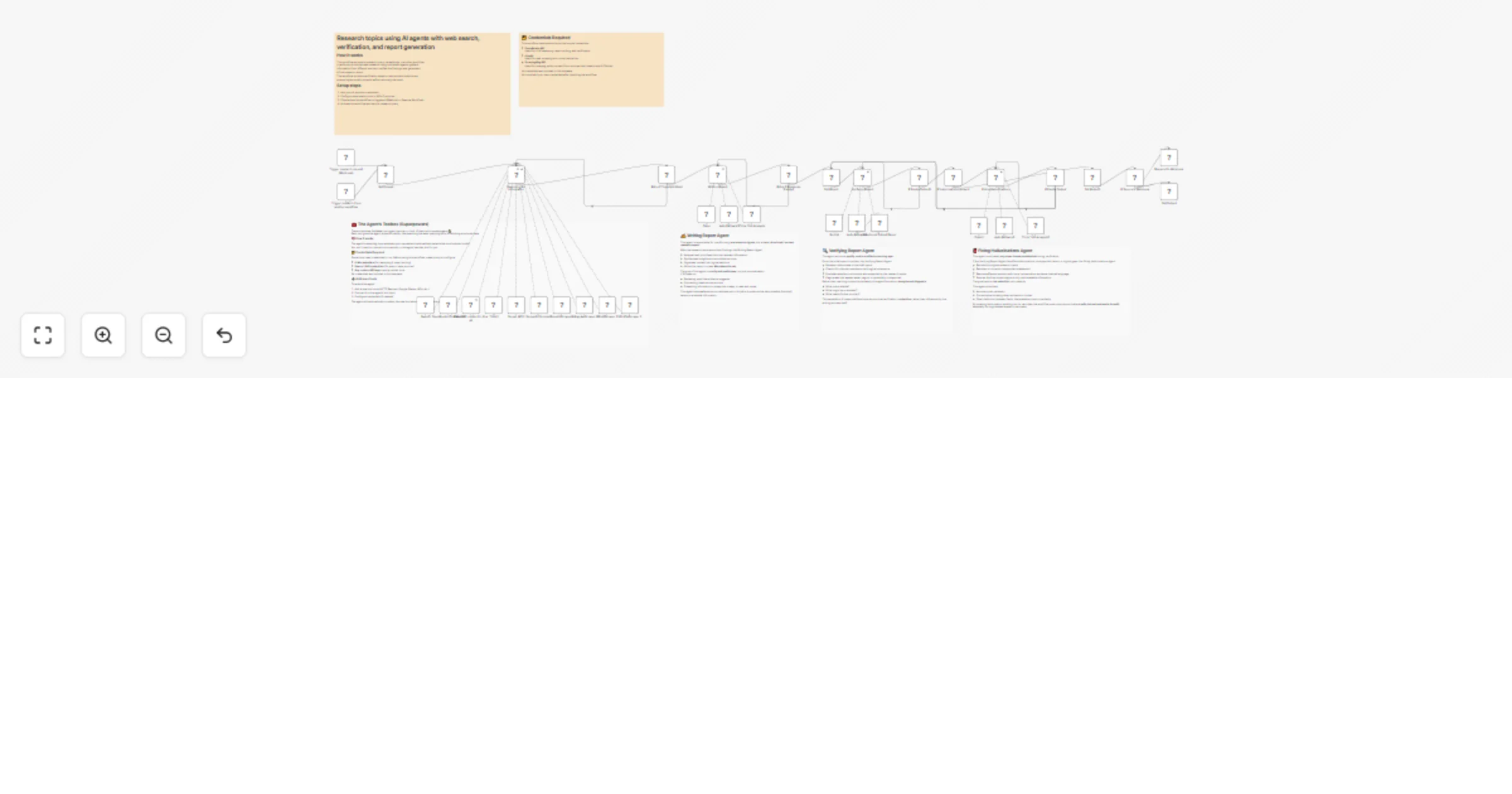
Research topics using OpenRouter AI agents with Serper search and Jina AI reports

Workflow preview

Workflow preview
100%
Research topics using OpenRouter AI agents with Serper search and Jina AI reports preview
Open on n8n.io

1. Workflow Overview

Who is this for This workflow is designed for researchers, analysts, and knowledge workers who need to: Gather comprehensive information on complex topics from multiple web sources Get AI synthesiz...

Best for

  • Market Research automation workflows
  • AI RAG automation workflows
  • advanced n8n builders looking for reusable templates

Tools used

n8n-nodes-base.jinaaitool, @n8n/n8n-nodes-langchain.toolthink, @n8n/n8n-nodes-langchain.lmchatopenrouter, n8n-nodes-base.if, n8n-nodes-base.httprequesttool, n8n-nodes-base.set, @n8n/n8n-nodes-langchain.agent, n8n-nodes-base.stickynote

Source and attribution

This workflow is cataloged by N8N Workflows and links back to its original n8n.io source page by Open Paws.

Original n8n.io source

1.1 Workflow description

Title
Research topics using OpenRouter AI agents with Serper search and Jina AI reports
Workflow name
Research topics using OpenRouter AI agents with Serper search and Jina AI reports

Who is this for

This workflow is designed for researchers, analysts, and knowledge workers who need to:

  • Gather comprehensive information on complex topics from multiple web sources
  • Get AI-synthesized insights rather than raw search results
  • Ensure factual accuracy with built-in hallucination detection
  • Automate research workflows that would otherwise take hours

It's ideal for animal advocacy researchers, campaign strategists investigating corporate practices, policy analysts tracking animal welfare legislation, and activists conducting due diligence on factory farms, testing labs, or agricultural companies.

What it does

This multi-agent research system orchestrates a complete research workflow:

  1. Accepts a research prompt via webhook or sub-workflow call
  2. Uses Serper API to perform multiple strategic web searches
  3. Extracts full content from discovered URLs using Jina AI reader
  4. Applies AI "thinking" tools for strategic analysis and planning
  5. Synthesizes findings into a coherent research report
  6. Verifies the report against retrieved documents to detect hallucinations
  7. Retries with corrections if fabricated content is detected
  8. Returns a verified, source-grounded research report

The workflow includes automatic retry logic if the AI doesn't use its tools properly or produces empty responses, ensuring reliable output.

How to set up

  1. Import the workflow into your n8n instance
  2. Configure the required API credentials:
  • OpenRouter API for AI analysis (uses auto model selection)
  • Serper API for web searches
  • Jina AI API for content extraction
  1. Test with a simple research prompt
  2. Activate the workflow for production use

Example usage

Call the workflow with a research prompt:

{
 "prompt": "Research the current state of cage-free egg commitments among major food service companies, focusing on compliance deadlines and enforcement mechanisms"
}

Requirements

  • OpenRouter API key
  • Serper API key (for Google search)
  • Jina AI API key (for web content extraction)
  • n8n instance with AI/Langchain nodes enabled

How to customize

  • Adjust AI model: Change the OpenRouter model from "auto" to a specific model for consistent behavior
  • Modify temperature: Lower temperature (0.2-0.4) for factual research, higher (0.6-0.8) for creative analysis
  • Add source types: Integrate additional research tools like academic databases or specialized APIs
  • Change verification strictness: Adjust the hallucination detection prompt for your accuracy requirements
  • Extend retry logic: Modify the retry conditions and maximum attempts based on your needs
  • Add caching: Implement caching for frequently researched topics to reduce API costs

1.2 Logical Blocks

This catalog entry is organized from the workflow JSON. The node-level section below shows the executable blocks available for review before importing the template.

2. Block-by-Block Analysis

Block 1 - Read URL content in Jina AI

Type / Role
n8n-nodes-base.jinaAiTool - jinaAiTool
Config choices
Version 1

Block 2 - Think1

Type / Role
@n8n/n8n-nodes-langchain.toolThink - toolThink
Config choices
Version 1

Block 3 - OpenRouter Chat Model

Type / Role
@n8n/n8n-nodes-langchain.lmChatOpenRouter - lmChatOpenRouter
Config choices
Version 1

Block 4 - Think Tool Analysis

Type / Role
@n8n/n8n-nodes-langchain.toolThink - toolThink
Config choices
Version 1

Block 5 - Retry if Tools Not Used

Type / Role
n8n-nodes-base.if - if
Config choices
Version 2.2

Block 6 - Retry if Response Empty1

Type / Role
n8n-nodes-base.if - if
Config choices
Version 2.2

Block 7 - Auto Fallback3

Type / Role
@n8n/n8n-nodes-langchain.lmChatOpenRouter - lmChatOpenRouter
Config choices
Version 1

Block 8 - Serper API 2

Type / Role
n8n-nodes-base.httpRequestTool - httpRequestTool
Config choices
Version 4.3

Block 9 - Semantic Scholar 2

Type / Role
n8n-nodes-base.httpRequestTool - httpRequestTool
Config choices
Version 4.3

Block 10 - LinkedinScraper 2

Type / Role
n8n-nodes-base.httpRequestTool - httpRequestTool
Config choices
Version 4.3

Block 11 - InstagramScraper 2

Type / Role
n8n-nodes-base.httpRequestTool - httpRequestTool
Config choices
Version 4.3

Block 12 - XPostScraper 2

Type / Role
n8n-nodes-base.httpRequestTool - httpRequestTool
Config choices
Version 4.3

Block 13 - XProfileScraper 2

Type / Role
n8n-nodes-base.httpRequestTool - httpRequestTool
Config choices
Version 4.3

Block 14 - Qwen3

Type / Role
@n8n/n8n-nodes-langchain.lmChatOpenRouter - lmChatOpenRouter
Config choices
Version 1

Block 15 - Opus

Type / Role
@n8n/n8n-nodes-langchain.lmChatOpenRouter - lmChatOpenRouter
Config choices
Version 1

Block 16 - Set Prompt

Type / Role
n8n-nodes-base.set - set
Config choices
Version 3.4

Block 17 - Searching For Information

Type / Role
@n8n/n8n-nodes-langchain.agent - agent
Config choices
Version 3

Block 18 - Writing Report

Type / Role
@n8n/n8n-nodes-langchain.agent - agent
Config choices
Version 2.2

Block 19 - Sticky Note12

Type / Role
n8n-nodes-base.stickyNote - stickyNote
Config choices
Version 1

Block 20 - Sticky Note5

Type / Role
n8n-nodes-base.stickyNote - stickyNote
Config choices
Version 1

Block 21 - Sticky Note6

Type / Role
n8n-nodes-base.stickyNote - stickyNote
Config choices
Version 1

Block 22 - Trigger research request (Webhook)

Type / Role
n8n-nodes-base.webhook - webhook
Config choices
Version 2.1

Block 23 - Trigger research from another workflow

Type / Role
n8n-nodes-base.executeWorkflowTrigger - executeWorkflowTrigger
Config choices
Version 1.1

Block 24 - Structured Output Parser

Type / Role
@n8n/n8n-nodes-langchain.outputParserStructured - outputParserStructured
Config choices
Version 1.3

Showing the first 24 of 42 workflow blocks. Download the JSON for the full node graph.

3. Summary Table

Workflow Research topics using OpenRouter AI agents with Serper search and Jina AI reports
Complexity advanced
Nodes 42
Categories Market Research, AI RAG
Author Open Paws
Published 06 Jan 2026

4. Reproducing the Workflow from Scratch

  1. 1. Download the workflow JSON

    Use the JSON export at /data/workflows/12504/12504.json as the source template for this automation.

  2. 2. Import the template into n8n

    Open n8n, import the downloaded JSON, and review each node before activating the workflow.

  3. 3. Configure credentials and variables

    Replace placeholder credentials, API keys, webhook URLs, account IDs, and environment-specific values with your own settings.

  4. 4. Test with sample data

    Run the workflow manually or in a staging workspace, inspect node output, and confirm downstream systems receive the expected data.

  5. 5. Activate and monitor

    Enable the workflow only after testing, then monitor executions, errors, and rate limits during the first production runs.

5. General Notes & Resources

Review imported nodes carefully before activation. This catalog entry is intended to help you inspect the workflow structure, understand required services, and find related templates faster.

Node names, credentials, schedules, webhook paths, and external service limits may need adjustment for your workspace.

Frequently asked questions

What does Research topics using OpenRouter AI agents with Serper search and Jina AI reports do?

Who is this for This workflow is designed for researchers, analysts, and knowledge workers who need to: Gather comprehensive information on complex topics from multiple web sources Get AI synthesiz...

What do I need before importing this workflow?

Review the workflow JSON, configure any required credentials in n8n, and test the automation in a safe workspace before using it in production.

Can I customize this workflow?

Yes. Use the block-by-block analysis and the downloadable JSON to inspect each node, then adjust credentials, prompts, schedules, filters, or destinations for your Market Research, AI RAG use case.