Report spam and phishing URLs from IMAP mailboxes to Spamhaus

Workflow preview

Workflow preview
100%
Report spam and phishing URLs from IMAP mailboxes to Spamhaus preview
Open on n8n.io

1. Workflow Overview

This workflow automates URL reporting to Spamhaus based on incoming spam/phishing sample emails. It watches one or more IMAP folders, extracts URLs from each email body, removes duplicates and comm...

Best for

  • SecOps automation workflows
  • advanced n8n builders looking for reusable templates

Tools used

n8n-nodes-base.emailreadimap, n8n-nodes-base.set, n8n-nodes-base.code, n8n-nodes-base.httprequest, n8n-nodes-base.splitinbatches, n8n-nodes-base.aggregate, n8n-nodes-base.noop, n8n-nodes-base.stickynote

Source and attribution

This workflow is cataloged by N8N Workflows and links back to its original n8n.io source page by Vitali.

Original n8n.io source

1.1 Workflow description

Title
Report spam and phishing URLs from IMAP mailboxes to Spamhaus
Workflow name
Report spam and phishing URLs from IMAP mailboxes to Spamhaus

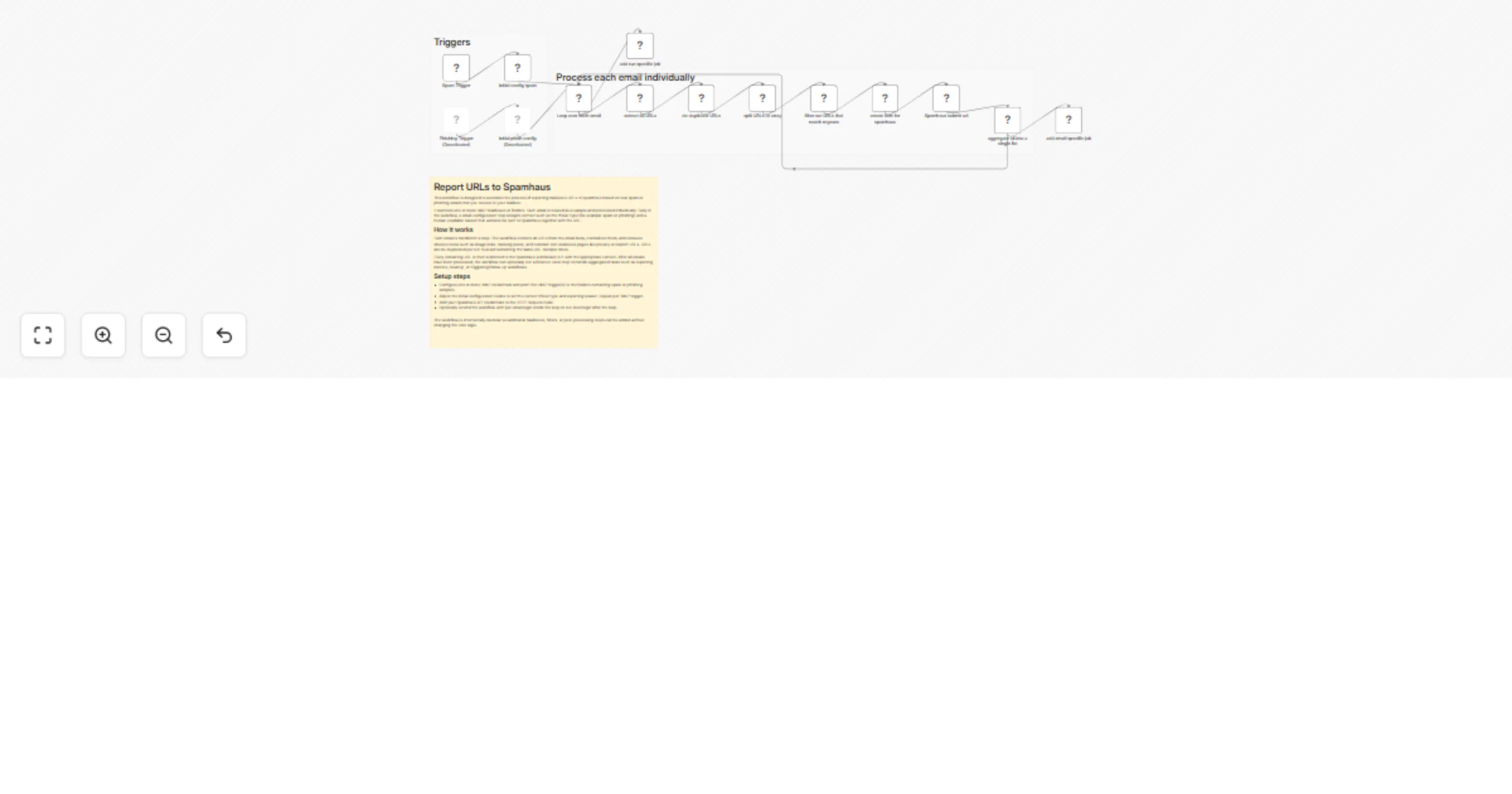
This workflow automates URL reporting to Spamhaus based on incoming spam/phishing sample emails. It watches one or more IMAP folders, extracts URLs from each email body, removes duplicates and common noise, and submits the remaining URLs to the Spamhaus submission API with the appropriate threat context.

What it does

  • Monitors one or more IMAP mailboxes/folders containing abuse samples (spam/phish).
  • Processes each email individually in a loop.
  • Extracts and normalizes URLs from the email text.
  • De-duplicates URLs (per run) and filters out common false positives (images, tracking pixels, privacy/imprint pages).
  • Submits each URL to Spamhaus via POST /portal/api/v1/submissions/add/url.
  • Optionally runs:
  • mail-specific jobs (per email) for enrichment, logging, ticketing, notifications, etc.
  • run-specific jobs (once per workflow execution) for summaries, metrics, cleanup, or follow-up workflows.

How it works (high level)

  1. IMAP triggers fetch new messages from configured folders.
  2. An initial Set node attaches metadata such as:
  • threat_type (e.g., spam or phish)
  • reason.url (human-readable reason for the submission)
  1. SplitInBatches loops over each email.
  2. A Code node extracts all URLs from the email body, normalizes them, and removes obvious noise (e.g., trailing punctuation).
  3. Remove Duplicates clears dedupe history and ensures only unique URLs are processed per run.
  4. URLs are split into single items, filtered, and then packaged into the Spamhaus request body.
  5. HTTP Request submits each URL to Spamhaus.
  6. Aggregate collects results, enabling optional per-run actions at the end.

Extending with more IMAP triggers

You can add as many additional IMAP triggers as needed. To do so, connect each new IMAP trigger to the same initial Set node (or duplicate that Set node per trigger) to define the correct threat_type and reason.url. The downstream flow stays unchanged.

Customization points

  • Threat classification: Adjust threat_type and reason.url in the initial Set nodes.
  • URL extraction rules: Update the regex and normalization logic in extract all URLs.
  • Filtering: Extend the filter regex to exclude additional benign paths/domains.
  • Per-email actions: Add nodes or call a sub-workflow from add mail specific job.
  • Per-run actions: Add nodes after the loop to add run specific job (summaries/metrics/cleanup).

Requirements

  • An IMAP account with access to the folders containing sample emails.
  • A Spamhaus API credential (configured as an HTTP Header Auth credential in n8n).
  • n8n credentials set up for:
  • IMAP
  • HTTP Header Auth (Spamhaus)

Notes

  • Ensure run-specific logic is connected to the loop’s done / “No items left” output so it runs once after all emails are processed (not per email).
  • This workflow only extracts URLs from the email text content. If you need URL extraction from HTML parts or attachments, extend the extraction step accordingly.

1.2 Logical Blocks

This catalog entry is organized from the workflow JSON. The node-level section below shows the executable blocks available for review before importing the template.

2. Block-by-Block Analysis

Block 1 - Phishing Trigger

Type / Role
n8n-nodes-base.emailReadImap - emailReadImap
Config choices
Version 2.1

Block 2 - Spam Trigger

Type / Role
n8n-nodes-base.emailReadImap - emailReadImap
Config choices
Version 2.1

Block 3 - initial config spam

Type / Role
n8n-nodes-base.set - set
Config choices
Version 3.4

Block 4 - extract all URLs

Type / Role
n8n-nodes-base.code - code
Config choices
Version 2

Block 5 - create item for spamhaus

Type / Role
n8n-nodes-base.set - set
Config choices
Version 3.4

Block 6 - Spamhaus submit url

Type / Role
n8n-nodes-base.httpRequest - httpRequest
Config choices
Version 4.3

Block 7 - Loop over each email

Type / Role
n8n-nodes-base.splitInBatches - splitInBatches
Config choices
Version 3

Block 8 - initial phish config

Type / Role
n8n-nodes-base.set - set
Config choices
Version 3.4

Block 9 - aggregate all into a single list

Type / Role
n8n-nodes-base.aggregate - aggregate
Config choices
Version 1

Block 10 - add run specific job

Type / Role
n8n-nodes-base.noOp - noOp
Config choices
Version 1

Block 11 - Sticky Note1

Type / Role
n8n-nodes-base.stickyNote - stickyNote
Config choices
Version 1

Block 12 - Sticky Note

Type / Role
n8n-nodes-base.stickyNote - stickyNote
Config choices
Version 1

Block 13 - Sticky Note2

Type / Role
n8n-nodes-base.stickyNote - stickyNote
Config choices
Version 1

Block 14 - add email specific job

Type / Role
n8n-nodes-base.noOp - noOp
Config choices
Version 1

Block 15 - de-duplicate URLs

Type / Role
n8n-nodes-base.removeDuplicates - removeDuplicates
Config choices
Version 2

Block 16 - split URLs to array

Type / Role
n8n-nodes-base.splitOut - splitOut
Config choices
Version 1

Block 17 - filter out URLs that match regexes

Type / Role
n8n-nodes-base.filter - filter
Config choices
Version 2.3

3. Summary Table

Workflow Report spam and phishing URLs from IMAP mailboxes to Spamhaus
Complexity advanced
Nodes 17
Categories SecOps
Author Vitali
Published 20 Jan 2026

4. Reproducing the Workflow from Scratch

  1. 1. Download the workflow JSON

    Use the JSON export at /data/workflows/12846/12846.json as the source template for this automation.

  2. 2. Import the template into n8n

    Open n8n, import the downloaded JSON, and review each node before activating the workflow.

  3. 3. Configure credentials and variables

    Replace placeholder credentials, API keys, webhook URLs, account IDs, and environment-specific values with your own settings.

  4. 4. Test with sample data

    Run the workflow manually or in a staging workspace, inspect node output, and confirm downstream systems receive the expected data.

  5. 5. Activate and monitor

    Enable the workflow only after testing, then monitor executions, errors, and rate limits during the first production runs.

5. General Notes & Resources

Review imported nodes carefully before activation. This catalog entry is intended to help you inspect the workflow structure, understand required services, and find related templates faster.

Node names, credentials, schedules, webhook paths, and external service limits may need adjustment for your workspace.

Frequently asked questions

What does Report spam and phishing URLs from IMAP mailboxes to Spamhaus do?

This workflow automates URL reporting to Spamhaus based on incoming spam/phishing sample emails. It watches one or more IMAP folders, extracts URLs from each email body, removes duplicates and comm...

What do I need before importing this workflow?

Review the workflow JSON, configure any required credentials in n8n, and test the automation in a safe workspace before using it in production.

Can I customize this workflow?

Yes. Use the block-by-block analysis and the downloadable JSON to inspect each node, then adjust credentials, prompts, schedules, filters, or destinations for your SecOps use case.