Block 1 - Code
- Type / Role
- n8n-nodes-base.code - code
- Config choices
- Version 2
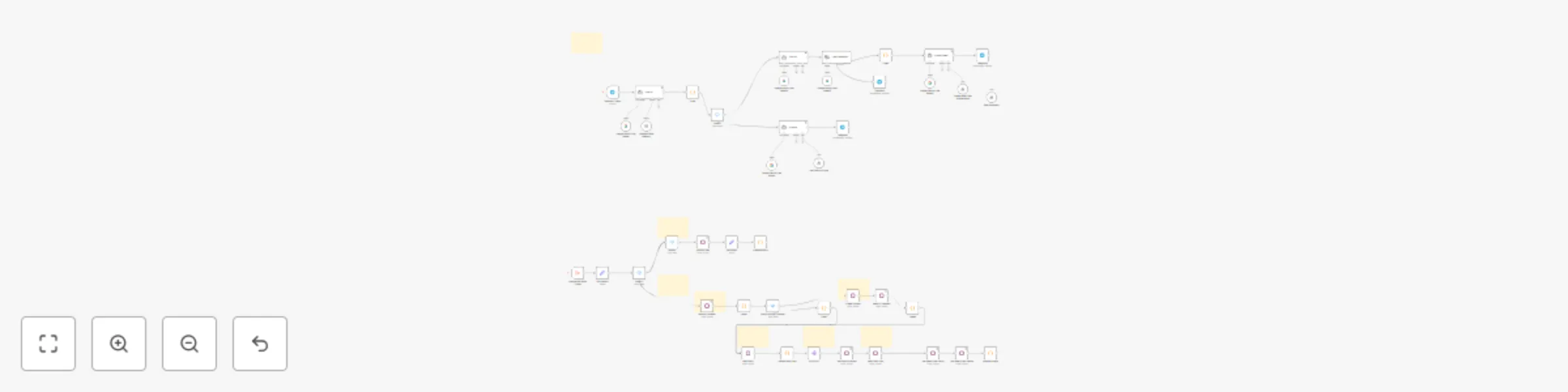


 Early Deal
This workflow is provided as-is. Please review and test before using in production.
Overview This template connects Telegram with Odoo to let your sales team create sales quotes and check product availability in real time — just by sending chat messages. It’s designed for sales re...
n8n-nodes-base.code, n8n-nodes-base.switch, @n8n/n8n-nodes-langchain.lmchatgooglegemini, @n8n/n8n-nodes-langchain.agent, n8n-nodes-base.telegramtrigger, n8n-nodes-base.telegram, @n8n/n8n-nodes-langchain.toolworkflow, @n8n/n8n-nodes-langchain.textclassifier
This workflow is cataloged by N8N Workflows and links back to its original n8n.io source page by Evozard.
Original n8n.io sourceOverview
This template connects Telegram with Odoo to let your sales team create sales quotes and check product availability in real-time — just by sending chat messages.
It’s designed for sales representatives, distributors, and small business owners who want to manage quotes and product information quickly without logging into Odoo.
⚙️ How It Works
Once configured, this workflow listens to your Telegram bot for incoming messages. Based on the message text, it performs different actions in Odoo:
“What’s the price of Product B?” “How many units of Product A are available?”
The workflow fetches real-time data from Odoo and replies instantly.
“My customer Amazon, his email address is [email protected] wants to buy 10 pcs of Product A and 15 pcs of Product B.”
The workflow extracts relevant details, creates a sales quote in Odoo, and sends confirmation back in Telegram.
🧰 Setup Instructions
Create a Telegram Bot
Go to @BotFather on Telegram.
Create a new bot and copy the API Token.
Prepare Odoo
Enable the Sales and Product modules.
Generate an API Key from your Odoo user account.
Note your Odoo URL (e.g., https://yourcompany.odoo.com).
Import Workflow
Open your n8n instance (self-hosted or cloud).
Click Import Workflow and upload the provided JSON file.
Add Credentials
Configure your Telegram credentials (Bot Token).
Configure your Odoo credentials (Base URL + API Key).
Activate the Workflow
Set the workflow to active to start listening for Telegram messages.
Send a sample message to your bot to test.
🧠 Use Cases Sales reps capturing orders in the field SMEs managing customer inquiries directly from Telegram Real-time price and stock lookups without opening Odoo Automation of repetitive sales quote tasks
🎛️ Customization Options
This workflow can be easily adapted to your business needs:
Change trigger platform: Replace Telegram with WhatsApp, Slack, or Discord using the respective n8n nodes.
Extend data fields: Add fields like delivery date, salesperson, or payment terms.
Auto-confirm orders: Add a node to automatically confirm a Sales Quote once approved.
✅ Requirements Odoo v14 or later (with Sales module enabled) Telegram Bot Token n8n instance (Cloud or self-hosted)
💬 Example Prompts
Product Query: “What’s the price of Product B?” “How many units of Product A are available?”
Order Entry: “My customer Amazon, his email address is [email protected] wants to buy 10 pcs of Product A and 15 pcs of Product B.”
This catalog entry is organized from the workflow JSON. The node-level section below shows the executable blocks available for review before importing the template.
Showing the first 24 of 51 workflow blocks. Download the JSON for the full node graph.
| Workflow | Real-time sales quote creation in Odoo via Telegram with Google Gemini AI |
|---|---|
| Complexity | advanced |
| Nodes | 51 |
| Categories | CRM, AI Chatbot |
| Author | Evozard |
| Published | 01 Oct 2025 |
Use the JSON export at /data/workflows/9148/9148.json as the source template for this automation.
Open n8n, import the downloaded JSON, and review each node before activating the workflow.
Replace placeholder credentials, API keys, webhook URLs, account IDs, and environment-specific values with your own settings.
Run the workflow manually or in a staging workspace, inspect node output, and confirm downstream systems receive the expected data.
Enable the workflow only after testing, then monitor executions, errors, and rate limits during the first production runs.
Review imported nodes carefully before activation. This catalog entry is intended to help you inspect the workflow structure, understand required services, and find related templates faster.
Node names, credentials, schedules, webhook paths, and external service limits may need adjustment for your workspace.
Overview This template connects Telegram with Odoo to let your sales team create sales quotes and check product availability in real time — just by sending chat messages. It’s designed for sales re...
Review the workflow JSON, configure any required credentials in n8n, and test the automation in a safe workspace before using it in production.
Yes. Use the block-by-block analysis and the downloadable JSON to inspect each node, then adjust credentials, prompts, schedules, filters, or destinations for your CRM, AI Chatbot use case.