Publish LinkedIn posts from tech trends with Ollama AI quality checks

Workflow preview

Workflow preview
100%
Publish LinkedIn posts from tech trends with Ollama AI quality checks preview
Open on n8n.io

1. Workflow Overview

Who is this for? This workflow is for solopreneurs, founders, creators, and marketers who want a consistent LinkedIn presence without spending hours writing posts. Ideal for anyone in tech, SaaS, o...

Best for

  • Social Media automation workflows
  • AI Summarization automation workflows
  • advanced n8n builders looking for reusable templates

Tools used

n8n-nodes-base.stickynote, n8n-nodes-base.scheduletrigger, n8n-nodes-base.httprequest, n8n-nodes-base.code, n8n-nodes-base.merge, n8n-nodes-base.if, @n8n/n8n-nodes-langchain.agent, n8n-nodes-base.googlesheets

Source and attribution

This workflow is cataloged by N8N Workflows and links back to its original n8n.io source page by Tony Adijah.

Original n8n.io source

1.1 Workflow description

Title
Publish LinkedIn posts from tech trends with Ollama AI quality checks
Workflow name
Publish LinkedIn posts from tech trends with Ollama AI quality checks

Who is this for?

This workflow is for solopreneurs, founders, creators, and marketers who want a consistent LinkedIn presence without spending hours writing posts. Ideal for anyone in tech, SaaS, or AI who wants trend-aware content on autopilot.

What it does

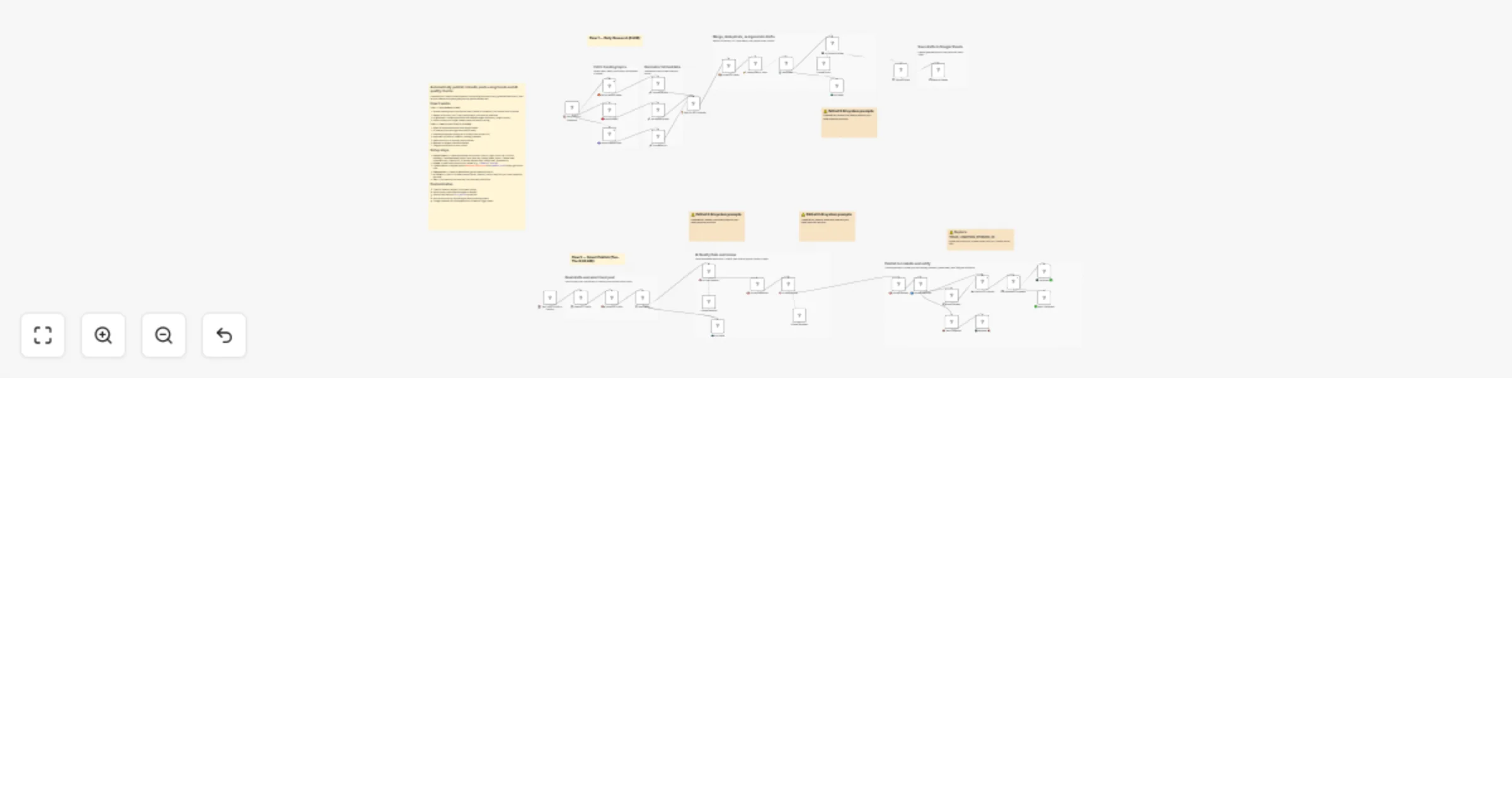
Flow 1 — Daily Research (6 AM):

  • Fetches trending topics from Hacker News, Reddit (8 subreddits), and Product Hunt in parallel
  • Merges all sources, runs 7-layer deduplication, and ranks by relevance
  • AI generates 3 LinkedIn post drafts with different angles
  • Saves all drafts to a Google Sheets queue with status tracking

Flow 2 — Smart Publish (Tue/Wed/Thu at 9:30 AM):

  • Reads all unpublished drafts from Google Sheets
  • AI Selector picks the single best draft for today
  • Selected post passes through an AI Quality Gate (scored 1–10)
  • Approved posts publish to LinkedIn with a hashtag comment
  • Posts needing revision get auto-rewritten, then published
  • Rejected posts are skipped; Telegram notifications on every action

Setup steps

  1. Google Sheets — Create a spreadsheet with columns: Post ID, Angle, Hook Line, Full Post, Hashtags, Trend Referenced, Word Count, Best Day, Posting Notes, Status, Created Date, Published Date, LinkedIn URL, AI Review, Revised Post, Dedup Stats, Generated At
  2. Ollama — Install locally and pull your preferred model (e.g., ollama pull mistral)
  3. LinkedIn OAuth — Register an app at developer.linkedin.com with w_member_social scope, get your Person URN
  4. Telegram Bot — Create via @BotFather, get your bot token and chat ID
  5. AI Prompts — Edit the system prompts in AI Writer, AI Selector, and AI Quality Gate nodes to match your persona and brand voice
  6. Test — Run the research flow manually first, verify drafts appear in your sheet, then test the publish flow

Requirements

  • Self-hosted n8n (uses Ollama nodes)
  • Ollama running locally with at least one model installed
  • Google Sheets OAuth2 credentials
  • LinkedIn OAuth2 credentials with w_member_social permission
  • Telegram Bot credentials

How to customize

  • Tweak AI Selector weights in its system prompt (day alignment, angle variety, engagement potential)
  • Adjust Quality Gate thresholds (hook strength, value density, authenticity, engagement, brand safety)
  • Set any draft status to force_publish in Google Sheets to override AI selection
  • Add more sources by duplicating the fetch/normalize pattern
  • Change posting schedule by editing the cron expressions in the Schedule Trigger nodes

1.2 Logical Blocks

This catalog entry is organized from the workflow JSON. The node-level section below shows the executable blocks available for review before importing the template.

2. Block-by-Block Analysis

Block 1 - Sticky Note

Type / Role
n8n-nodes-base.stickyNote - stickyNote
Config choices
Version 1

Block 2 - Sticky Note1

Type / Role
n8n-nodes-base.stickyNote - stickyNote
Config choices
Version 1

Block 3 - Sticky Note8

Type / Role
n8n-nodes-base.stickyNote - stickyNote
Config choices
Version 1

Block 4 - Sticky Note2

Type / Role
n8n-nodes-base.stickyNote - stickyNote
Config choices
Version 1

Block 5 - Sticky Note9

Type / Role
n8n-nodes-base.stickyNote - stickyNote
Config choices
Version 1

Block 6 - Sticky Note10

Type / Role
n8n-nodes-base.stickyNote - stickyNote
Config choices
Version 1

Block 7 - Sticky Note11

Type / Role
n8n-nodes-base.stickyNote - stickyNote
Config choices
Version 1

Block 8 - Sticky Note12

Type / Role
n8n-nodes-base.stickyNote - stickyNote
Config choices
Version 1

Block 9 - Sticky Note6

Type / Role
n8n-nodes-base.stickyNote - stickyNote
Config choices
Version 1

Block 10 - ⏰ Daily 6 AM — Research

Type / Role
n8n-nodes-base.scheduleTrigger - scheduleTrigger
Config choices
Version 1.2

Block 11 - 🟠 Fetch Hacker News

Type / Role
n8n-nodes-base.httpRequest - httpRequest
Config choices
Version 4.2

Block 12 - 🔴 Fetch Reddit

Type / Role
n8n-nodes-base.code - code
Config choices
Version 2

Block 13 - 🟣 Fetch Product Hunt

Type / Role
n8n-nodes-base.httpRequest - httpRequest
Config choices
Version 4.2

Block 14 - 🔧 Normalize HN

Type / Role
n8n-nodes-base.code - code
Config choices
Version 2

Block 15 - 🔧 Normalize Reddit

Type / Role
n8n-nodes-base.code - code
Config choices
Version 2

Block 16 - 🔧 Normalize PH

Type / Role
n8n-nodes-base.code - code
Config choices
Version 2

Block 17 - ⏳ Wait for ALL Sources

Type / Role
n8n-nodes-base.merge - merge
Config choices
Version 3.1

Block 18 - 📦 Collect All Items

Type / Role
n8n-nodes-base.code - code
Config choices
Version 2

Block 19 - 🧹 Deduplicate + Rank

Type / Role
n8n-nodes-base.code - code
Config choices
Version 2

Block 20 - 📊 Has Items?

Type / Role
n8n-nodes-base.if - if
Config choices
Version 2.2

Block 21 - 🤖 AI LinkedIn Writer

Type / Role
@n8n/n8n-nodes-langchain.agent - agent
Config choices
Version 2.1

Block 22 - 📝 Extract Posts

Type / Role
n8n-nodes-base.code - code
Config choices
Version 2

Block 23 - 📋 Save to Queue

Type / Role
n8n-nodes-base.googleSheets - googleSheets
Config choices
Version 4.6

Block 24 - 💤 No Items

Type / Role
n8n-nodes-base.code - code
Config choices
Version 2

Showing the first 24 of 49 workflow blocks. Download the JSON for the full node graph.

3. Summary Table

Workflow Publish LinkedIn posts from tech trends with Ollama AI quality checks
Complexity advanced
Nodes 49
Categories Social Media, AI Summarization
Author Tony Adijah
Published 17 Feb 2026

4. Reproducing the Workflow from Scratch

  1. 1. Download the workflow JSON

    Use the JSON export at /data/workflows/13465/13465.json as the source template for this automation.

  2. 2. Import the template into n8n

    Open n8n, import the downloaded JSON, and review each node before activating the workflow.

  3. 3. Configure credentials and variables

    Replace placeholder credentials, API keys, webhook URLs, account IDs, and environment-specific values with your own settings.

  4. 4. Test with sample data

    Run the workflow manually or in a staging workspace, inspect node output, and confirm downstream systems receive the expected data.

  5. 5. Activate and monitor

    Enable the workflow only after testing, then monitor executions, errors, and rate limits during the first production runs.

5. General Notes & Resources

Review imported nodes carefully before activation. This catalog entry is intended to help you inspect the workflow structure, understand required services, and find related templates faster.

Node names, credentials, schedules, webhook paths, and external service limits may need adjustment for your workspace.

Frequently asked questions

What does Publish LinkedIn posts from tech trends with Ollama AI quality checks do?

Who is this for? This workflow is for solopreneurs, founders, creators, and marketers who want a consistent LinkedIn presence without spending hours writing posts. Ideal for anyone in tech, SaaS, o...

What do I need before importing this workflow?

Review the workflow JSON, configure any required credentials in n8n, and test the automation in a safe workspace before using it in production.

Can I customize this workflow?

Yes. Use the block-by-block analysis and the downloadable JSON to inspect each node, then adjust credentials, prompts, schedules, filters, or destinations for your Social Media, AI Summarization use case.