Publish Instagram Reels from Notion with Claude captions and UploadToUrl

Workflow preview

Workflow preview
100%
Publish Instagram Reels from Notion with Claude captions and UploadToUrl preview
Open on n8n.io

1. Workflow Overview

Streamline your content pipeline by bridging Notion and Instagram with a professional "review before publish" safeguard. This workflow allows team members to submit content via a simple form, gener...

Best for

  • Social Media automation workflows
  • Multimodal AI automation workflows
  • advanced n8n builders looking for reusable templates

Tools used

n8n-nodes-base.stickynote, n8n-nodes-base.formtrigger, n8n-nodes-base.httprequest, n8n-nodes-base.code, n8n-nodes-uploadtourl.uploadtourl, n8n-nodes-base.gmail, n8n-nodes-base.wait, n8n-nodes-base.if

Source and attribution

This workflow is cataloged by N8N Workflows and links back to its original n8n.io source page by Jitesh Dugar.

Original n8n.io source

1.1 Workflow description

Title
Publish Instagram Reels from Notion with Claude captions and UploadToUrl
Workflow name
Publish Instagram Reels from Notion with Claude captions and UploadToUrl

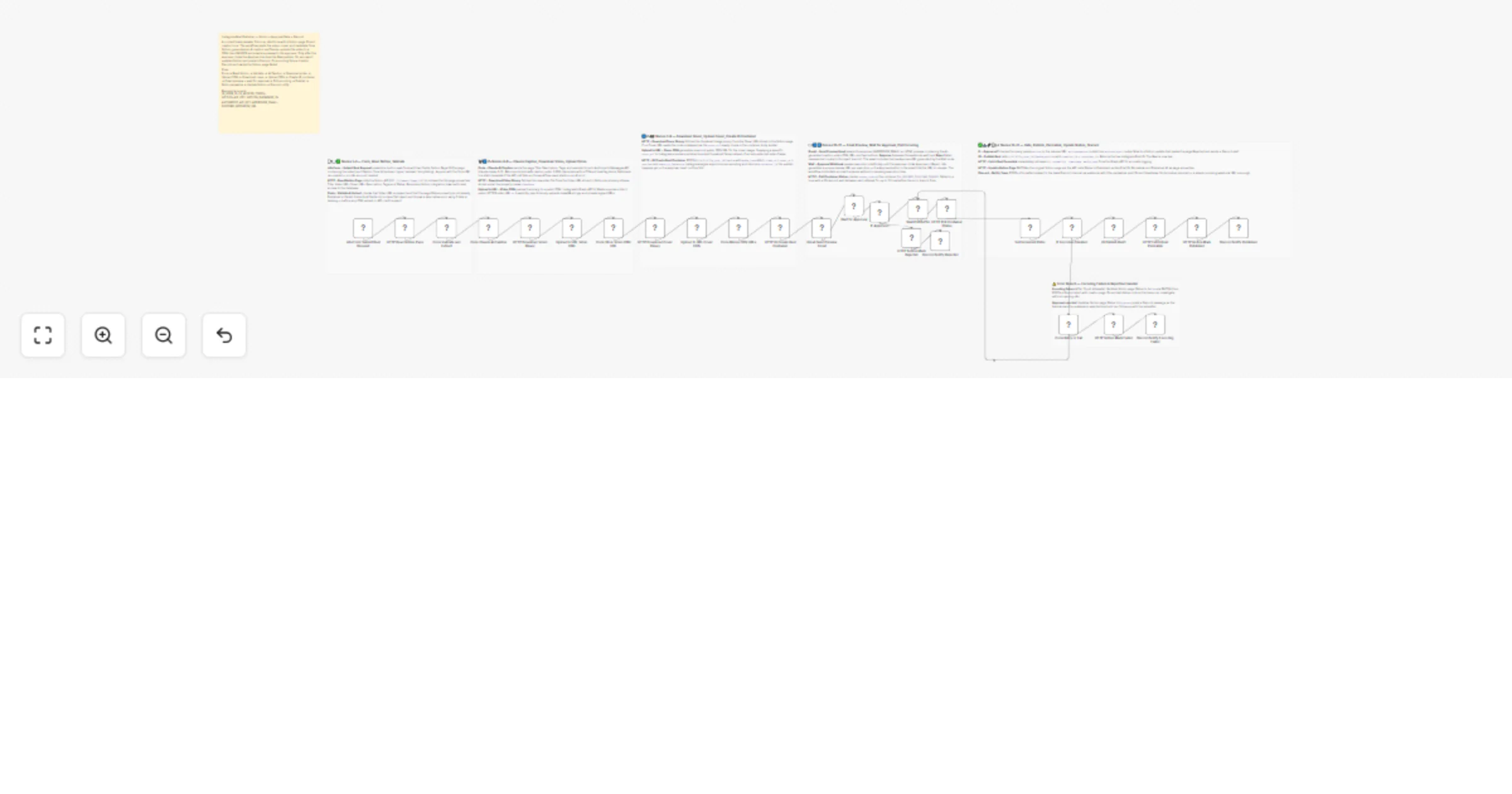
Streamline your content pipeline by bridging Notion and Instagram with a professional "review-before-publish" safeguard. This workflow allows team members to submit content via a simple form, generates AI-optimized captions, and pauses for human approval before going live.


🎯 What This Workflow Does

This template manages the end-to-end lifecycle of a Reel, from submission to final community notification:


📝 Submission & Notion Integration

  • n8n Form Trigger: Public form to submit a Notion Page ID and select caption tone (Hype, Minimal, Storytelling).
  • Data Extraction: Pulls video file, cover image, and metadata (Title, Description, Tags) from Notion.
  • Validation: Ensures content is not already published or failed.

🤖 AI Creative & Media Hosting

  • Claude AI Captions: Uses Anthropic Claude-Haiku to generate brand-safe, tone-specific captions under 2,200 characters.
  • Mandatory CDN Hosting: Uses UploadToURL to convert Notion files into public HTTPS URLs required by Instagram.

📧 The Approval Gate

  • Email Approval Step: Sends preview email with:
  • AI-generated caption
  • Video preview link
  • Approve / Reject buttons

🚀 Publication & Multi-Channel Sync

  • Instagram Publishing: Polls encoding status before publishing Reel.
  • Notion Audit Trail: Updates page with Permalink, Post ID, and Published status.
  • Discord Alerts: Sends notifications for success, rejection, or failure.

✨ Key Features

  • Human-in-the-Loop: Combines AI automation with manual approval.
  • High-Quality AI Captions: Uses Claude for nuanced storytelling.
  • CDN Media Bridge: UploadToURL ensures valid public media URLs.
  • Error Resiliency: Handles encoding failures with retries and alerts.

🔧 Setup Requirements

Required Credentials

  • Notion: Integration token
  • Instagram Graph API: Business/Creator account token
  • Anthropic API: For Claude captions
  • UploadToURL: API key

Environment Variables

  • IG_USER_ID
  • IG_ACCESS_TOKEN
  • NOTION_API_KEY
  • ANTHROPIC_API_KEY
  • APPROVER_EMAIL
  • DISCORD_WEBHOOK_URL

Empower your content team today. Import this template to turn your Notion database into a high-powered social media command center!

1.2 Logical Blocks

This catalog entry is organized from the workflow JSON. The node-level section below shows the executable blocks available for review before importing the template.

2. Block-by-Block Analysis

Block 1 - Sticky Nodes 1 to 3

Type / Role
n8n-nodes-base.stickyNote - stickyNote
Config choices
Version 1

Block 2 - Sticky Nodes 4 to 6

Type / Role
n8n-nodes-base.stickyNote - stickyNote
Config choices
Version 1

Block 3 - Sticky Nodes 7 to 9

Type / Role
n8n-nodes-base.stickyNote - stickyNote
Config choices
Version 1

Block 4 - Sticky Nodes 10 to 12

Type / Role
n8n-nodes-base.stickyNote - stickyNote
Config choices
Version 1

Block 5 - Sticky Nodes 13 to 17

Type / Role
n8n-nodes-base.stickyNote - stickyNote
Config choices
Version 1

Block 6 - Sticky Error Branch

Type / Role
n8n-nodes-base.stickyNote - stickyNote
Config choices
Version 1

Block 7 - n8n Form Submit Reel Request

Type / Role
n8n-nodes-base.formTrigger - formTrigger
Config choices
Version 2.2

Block 8 - HTTP Read Notion Page

Type / Role
n8n-nodes-base.httpRequest - httpRequest
Config choices
Version 4.2

Block 9 - Code Validate and Extract

Type / Role
n8n-nodes-base.code - code
Config choices
Version 2

Block 10 - Code Claude AI Caption

Type / Role
n8n-nodes-base.code - code
Config choices
Version 2

Block 11 - HTTP Download Video Binary

Type / Role
n8n-nodes-base.httpRequest - httpRequest
Config choices
Version 4.2

Block 12 - Upload to URL Video CDN

Type / Role
n8n-nodes-uploadtourl.uploadToUrl - uploadToUrl
Config choices
Version 1

Block 13 - Code Store Video CDN URL

Type / Role
n8n-nodes-base.code - code
Config choices
Version 2

Block 14 - HTTP Download Cover Binary

Type / Role
n8n-nodes-base.httpRequest - httpRequest
Config choices
Version 4.2

Block 15 - Upload to URL Cover CDN

Type / Role
n8n-nodes-uploadtourl.uploadToUrl - uploadToUrl
Config choices
Version 1

Block 16 - Code Merge CDN URLs

Type / Role
n8n-nodes-base.code - code
Config choices
Version 2

Block 17 - HTTP IG Create Reel Container

Type / Role
n8n-nodes-base.httpRequest - httpRequest
Config choices
Version 4.2

Block 18 - Gmail Send Preview Email

Type / Role
n8n-nodes-base.gmail - gmail
Config choices
Version 2.1

Block 19 - Wait for Approval

Type / Role
n8n-nodes-base.wait - wait
Config choices
Version 1.1

Block 20 - IF Approved

Type / Role
n8n-nodes-base.if - if
Config choices
Version 2.2

Block 21 - HTTP Notion Mark Rejected

Type / Role
n8n-nodes-base.httpRequest - httpRequest
Config choices
Version 4.2

Block 22 - Discord Notify Rejected

Type / Role
n8n-nodes-base.httpRequest - httpRequest
Config choices
Version 4.2

Block 23 - Wait Poll Buffer

Type / Role
n8n-nodes-base.wait - wait
Config choices
Version 1

Block 24 - HTTP Poll Container Status

Type / Role
n8n-nodes-base.httpRequest - httpRequest
Config choices
Version 4.2

Showing the first 24 of 34 workflow blocks. Download the JSON for the full node graph.

3. Summary Table

Workflow Publish Instagram Reels from Notion with Claude captions and UploadToUrl
Complexity advanced
Nodes 34
Categories Social Media, Multimodal AI
Author Jitesh Dugar
Published 02 Apr 2026

4. Reproducing the Workflow from Scratch

  1. 1. Download the workflow JSON

    Use the JSON export at /data/workflows/14658/14658.json as the source template for this automation.

  2. 2. Import the template into n8n

    Open n8n, import the downloaded JSON, and review each node before activating the workflow.

  3. 3. Configure credentials and variables

    Replace placeholder credentials, API keys, webhook URLs, account IDs, and environment-specific values with your own settings.

  4. 4. Test with sample data

    Run the workflow manually or in a staging workspace, inspect node output, and confirm downstream systems receive the expected data.

  5. 5. Activate and monitor

    Enable the workflow only after testing, then monitor executions, errors, and rate limits during the first production runs.

5. General Notes & Resources

Review imported nodes carefully before activation. This catalog entry is intended to help you inspect the workflow structure, understand required services, and find related templates faster.

Node names, credentials, schedules, webhook paths, and external service limits may need adjustment for your workspace.

Frequently asked questions

What does Publish Instagram Reels from Notion with Claude captions and UploadToUrl do?

Streamline your content pipeline by bridging Notion and Instagram with a professional "review before publish" safeguard. This workflow allows team members to submit content via a simple form, gener...

What do I need before importing this workflow?

Review the workflow JSON, configure any required credentials in n8n, and test the automation in a safe workspace before using it in production.

Can I customize this workflow?

Yes. Use the block-by-block analysis and the downloadable JSON to inspect each node, then adjust credentials, prompts, schedules, filters, or destinations for your Social Media, Multimodal AI use case.