Block 1 - Overview
- Type / Role
- n8n-nodes-base.stickyNote - stickyNote
- Config choices
- Version 1


 Early Deal
Receive orders via webhook with automatic payment verification, stock checking, inventory reservation, shipping label generation, confirmation emails, and Slack notifications. WHAT IT DOES: Accepts...
n8n-nodes-base.stickynote, n8n-nodes-base.webhook, n8n-nodes-base.code, n8n-nodes-base.if, n8n-nodes-base.respondtowebhook, n8n-nodes-base.httprequest, n8n-nodes-base.gmail, n8n-nodes-base.slack
This workflow is cataloged by N8N Workflows and links back to its original n8n.io source page by Manu.
Original n8n.io sourceReceive orders via webhook with automatic payment verification, stock checking, inventory reservation, shipping label generation, confirmation emails, and Slack notifications.
WHAT IT DOES:
Accepts order data (customer info, items array, payment ID, shipping address) via webhook POST Validates all required fields and email format Verifies payment status through your payment processor API Checks stock availability for all ordered items simultaneously Reserves inventory via REST API to prevent overselling Creates order record with unique ID (ORD-timestamp-random) Generates shipping label via carrier API with tracking number Sends styled HTML confirmation email with item table, totals, and tracking number Notifies fulfillment team via Slack #orders channel Logs audit trail entry for every order attempt
INCLUDED FLOWS:
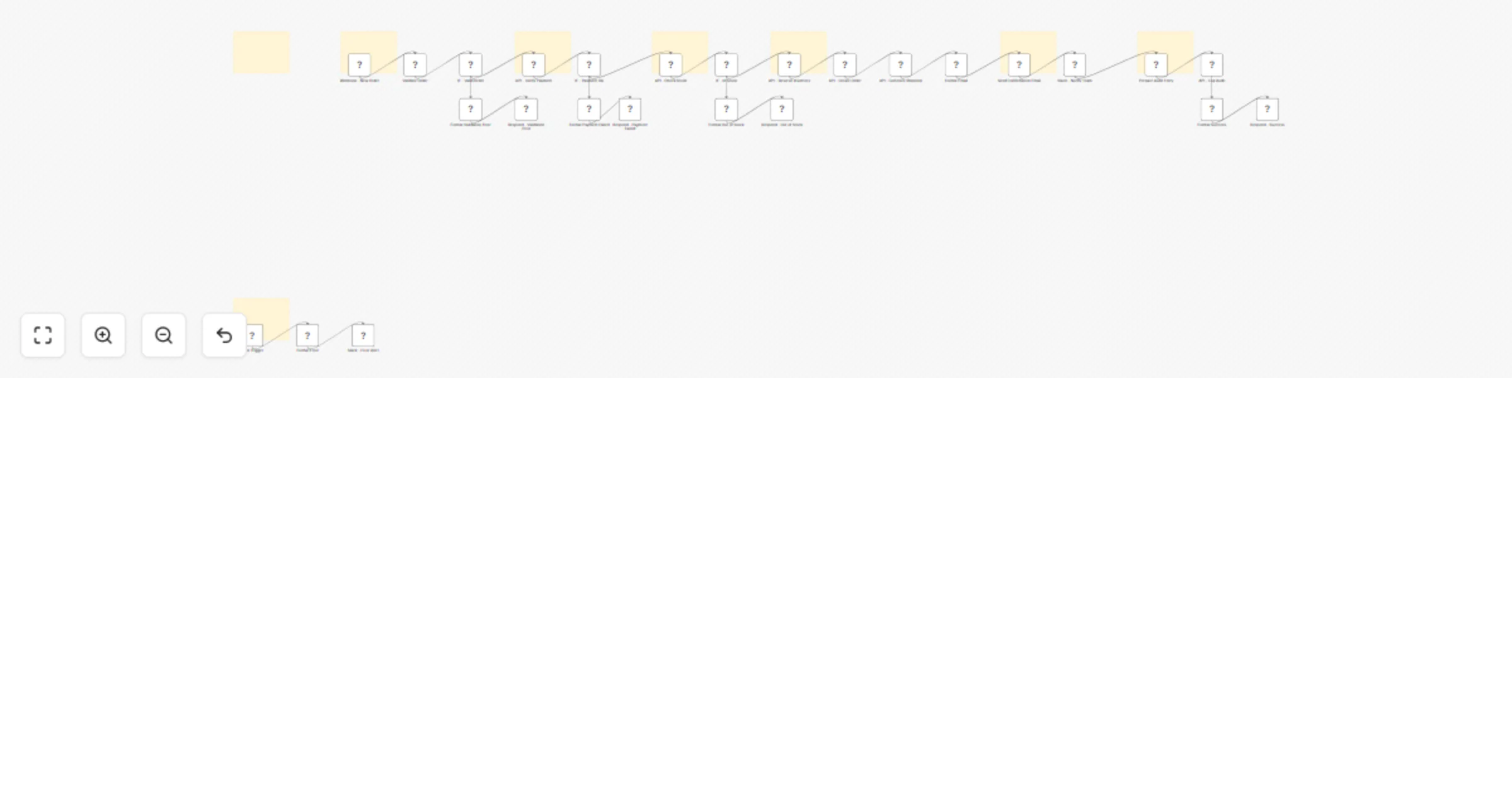
Valid order: Webhook receives POST → Validate fields → Verify payment → Check stock → Reserve inventory → Create order → Generate shipping label → Send confirmation email → Notify Slack → Log audit → Return 201 with tracking number and estimated delivery Invalid order: Missing required fields → Return 400 with specific validation errors Payment failed: Payment status is not "paid" → Return 402 with payment status details Out of stock: Insufficient stock for one or more items → Return 409 with unavailable items list Workflow error: Any node fails → Error trigger → Slack alert to #errors channel
RESPONSE CODES:
201 Created: Order processed with orderId, itemCount, total, currency, trackingNumber, estimatedDelivery, and confirmationSent flag 400 Bad Request: Validation failed with list of specific errors and received data 402 Payment Required: Payment verification failed with payment status and paymentId 409 Conflict: Insufficient stock with list of unavailable items and availability details
ORDER DATA:
Each order generates a unique ID (ORD-timestamp-random) Normalizes items array with SKU, name, quantity, price, and line total Calculates subtotal, tax (default 19%), shipping cost, and grand total Supports customer name, email, phone, shipping address, billing address, payment method, currency (default USD), and source tracking
SETUP:
HTTP Header Auth credential with API key and base URL for your order REST API Payment processor API credentials for payment verification Shipping carrier API credentials for label generation Gmail credential for sending HTML confirmation emails to customers Slack credential with access to #orders and #errors channels Backend API with endpoints: POST /api/orders, GET /api/payments/:paymentId, POST /api/inventory/check, POST /api/inventory/reserve, POST /api/shipping/label, POST /api/orders/audit
CUSTOMIZABLE:
Validation rules are adjustable in the Validate Order code node (add or remove required fields) Tax rate can be modified in the Validate Order node (default: 19%) Payment verification logic is editable in the IF - Payment OK node (default: status equals "paid") Confirmation email HTML template is fully editable in the Format Email code node (item table, totals, tracking, styling) Slack notification format and channel are editable in the Slack - Notify Team node Currency, shipping cost defaults, and order source tracking can be adjusted in the Validate Order code node
IDEAL FOR:
E-commerce stores, online retailers, and marketplace sellers that need automated order processing with payment verification, inventory management, and shipping integration.
This catalog entry is organized from the workflow JSON. The node-level section below shows the executable blocks available for review before importing the template.
Showing the first 24 of 34 workflow blocks. Download the JSON for the full node graph.
| Workflow | Process e-commerce orders with payment verification, inventory, Gmail, and Slack |
|---|---|
| Complexity | advanced |
| Nodes | 34 |
| Categories | CRM |
| Author | Manu |
| Published | 03 Feb 2026 |
Use the JSON export at /data/workflows/13197/13197.json as the source template for this automation.
Open n8n, import the downloaded JSON, and review each node before activating the workflow.
Replace placeholder credentials, API keys, webhook URLs, account IDs, and environment-specific values with your own settings.
Run the workflow manually or in a staging workspace, inspect node output, and confirm downstream systems receive the expected data.
Enable the workflow only after testing, then monitor executions, errors, and rate limits during the first production runs.
Review imported nodes carefully before activation. This catalog entry is intended to help you inspect the workflow structure, understand required services, and find related templates faster.
Node names, credentials, schedules, webhook paths, and external service limits may need adjustment for your workspace.
Receive orders via webhook with automatic payment verification, stock checking, inventory reservation, shipping label generation, confirmation emails, and Slack notifications. WHAT IT DOES: Accepts...
Review the workflow JSON, configure any required credentials in n8n, and test the automation in a safe workspace before using it in production.
Yes. Use the block-by-block analysis and the downloadable JSON to inspect each node, then adjust credentials, prompts, schedules, filters, or destinations for your CRM use case.