Block 1 - Run
- Type / Role
- n8n-nodes-base.manualTrigger - manualTrigger
- Config choices
- Version 1


 Early Deal
This workflow is provided as-is. Please review and test before using in production.
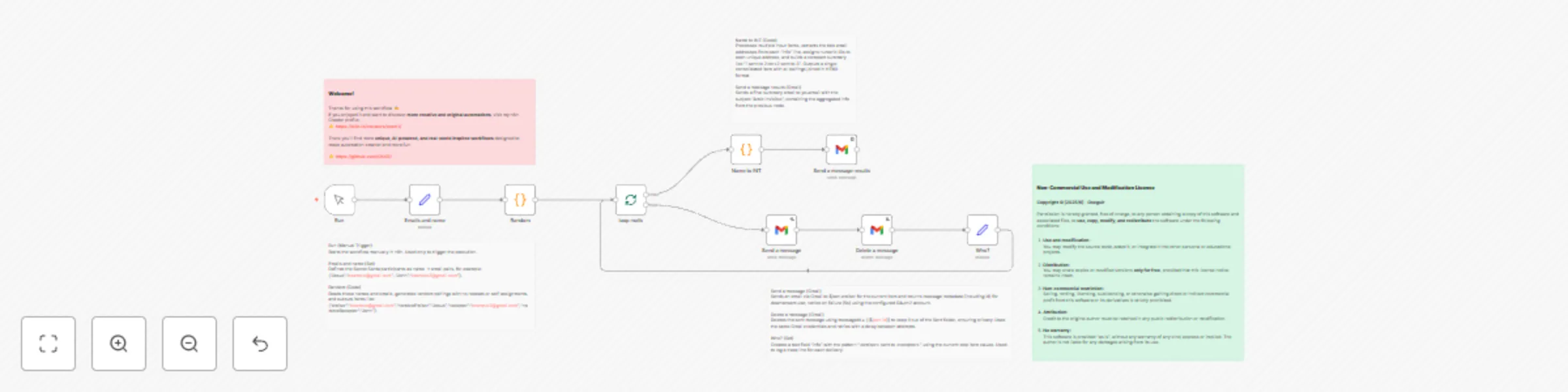
Secret Santa (Amigo Invisible) Automation This workflow fully automates a Secret Santa (Amic Invisible) event — perfect for friends, families, or office teams who want to make their gift exchang...
n8n-nodes-base.manualtrigger, n8n-nodes-base.gmail, n8n-nodes-base.code, n8n-nodes-base.set, n8n-nodes-base.splitinbatches, n8n-nodes-base.stickynote
This workflow is cataloged by N8N Workflows and links back to its original n8n.io source page by Oriol Seguí.
Original n8n.io sourceThis workflow fully automates a Secret Santa (Amic Invisible) event — perfect for friends, families, or office teams who want to make their gift exchange fun, fair, and completely private.
It takes a simple list of participant names and emails, then automatically pairs everyone using a non-repeating random assignment system (derangement algorithm) — meaning no one is ever assigned to themselves and every participant both gives and receives a gift exactly once.
Once the pairs are generated, the workflow sends each participant a beautifully formatted email revealing only their assigned recipient. After each email is sent, it is automatically deleted from the “Sent” folder to ensure the organizer cannot see or trace who got whom, keeping the surprise intact.
At the end of the process, the workflow generates a numerical summary like “1 sent to 2, 2 sent to 3…” — allowing the organizer to verify that everything worked correctly without revealing the actual names or emails of the participants.
This automation combines creativity, privacy, and transparency — making it perfect for anyone who wants to manage a Secret Santa game with ease, fairness, and a touch of automation magic.
Created by oxsr11 — explore more original and innovative workflows on my n8n profile.
This catalog entry is organized from the workflow JSON. The node-level section below shows the executable blocks available for review before importing the template.
| Workflow | Private secret santa assignment & notification system with Gmail & verification |
|---|---|
| Complexity | intermediate |
| Nodes | 14 |
| Categories | Personal Productivity |
| Author | Oriol Seguí |
| Published | 14 Oct 2025 |
Use the JSON export at /data/workflows/9609/9609.json as the source template for this automation.
Open n8n, import the downloaded JSON, and review each node before activating the workflow.
Replace placeholder credentials, API keys, webhook URLs, account IDs, and environment-specific values with your own settings.
Run the workflow manually or in a staging workspace, inspect node output, and confirm downstream systems receive the expected data.
Enable the workflow only after testing, then monitor executions, errors, and rate limits during the first production runs.
Review imported nodes carefully before activation. This catalog entry is intended to help you inspect the workflow structure, understand required services, and find related templates faster.
Node names, credentials, schedules, webhook paths, and external service limits may need adjustment for your workspace.
Secret Santa (Amigo Invisible) Automation This workflow fully automates a Secret Santa (Amic Invisible) event — perfect for friends, families, or office teams who want to make their gift exchang...
Review the workflow JSON, configure any required credentials in n8n, and test the automation in a safe workspace before using it in production.
Yes. Use the block-by-block analysis and the downloadable JSON to inspect each node, then adjust credentials, prompts, schedules, filters, or destinations for your Personal Productivity use case.