Block 1 - Parse Quotes
- Type / Role
- n8n-nodes-base.function - function
- Config choices
- Version 1


 Early Deal
This n8n template demonstrates how to use AI to automatically generate and post content to Twitter/X on a schedule. It combines AI generated text with workflow automation to help creators and busin...
n8n-nodes-base.function, n8n-nodes-base.wait, n8n-nodes-base.twitter, @n8n/n8n-nodes-langchain.lmchatgooglegemini, n8n-nodes-base.scheduletrigger, @n8n/n8n-nodes-langchain.chainllm, n8n-nodes-base.splitinbatches, n8n-nodes-base.stickynote
This workflow is cataloged by N8N Workflows and links back to its original n8n.io source page by Muhammad Tauqeer Aslam.
Original n8n.io sourceThis n8n template demonstrates how to use AI to automatically generate and post content to Twitter/X on a schedule. It combines AI-generated text with workflow automation to help creators and businesses stay consistent on social media without manual posting.
Use cases include posting motivational quotes, daily tips, brand updates, announcements, or any short-form text content. The workflow is flexible and can be easily customized to fit different tones, niches, and posting frequencies.
This workflow uses an AI text model, so usage may incur costs depending on your provider’s pricing.
Rate limits apply when posting to Twitter/X. Posting frequency should be kept within platform guidelines.
The template uses official n8n nodes and is compatible with n8n Cloud.
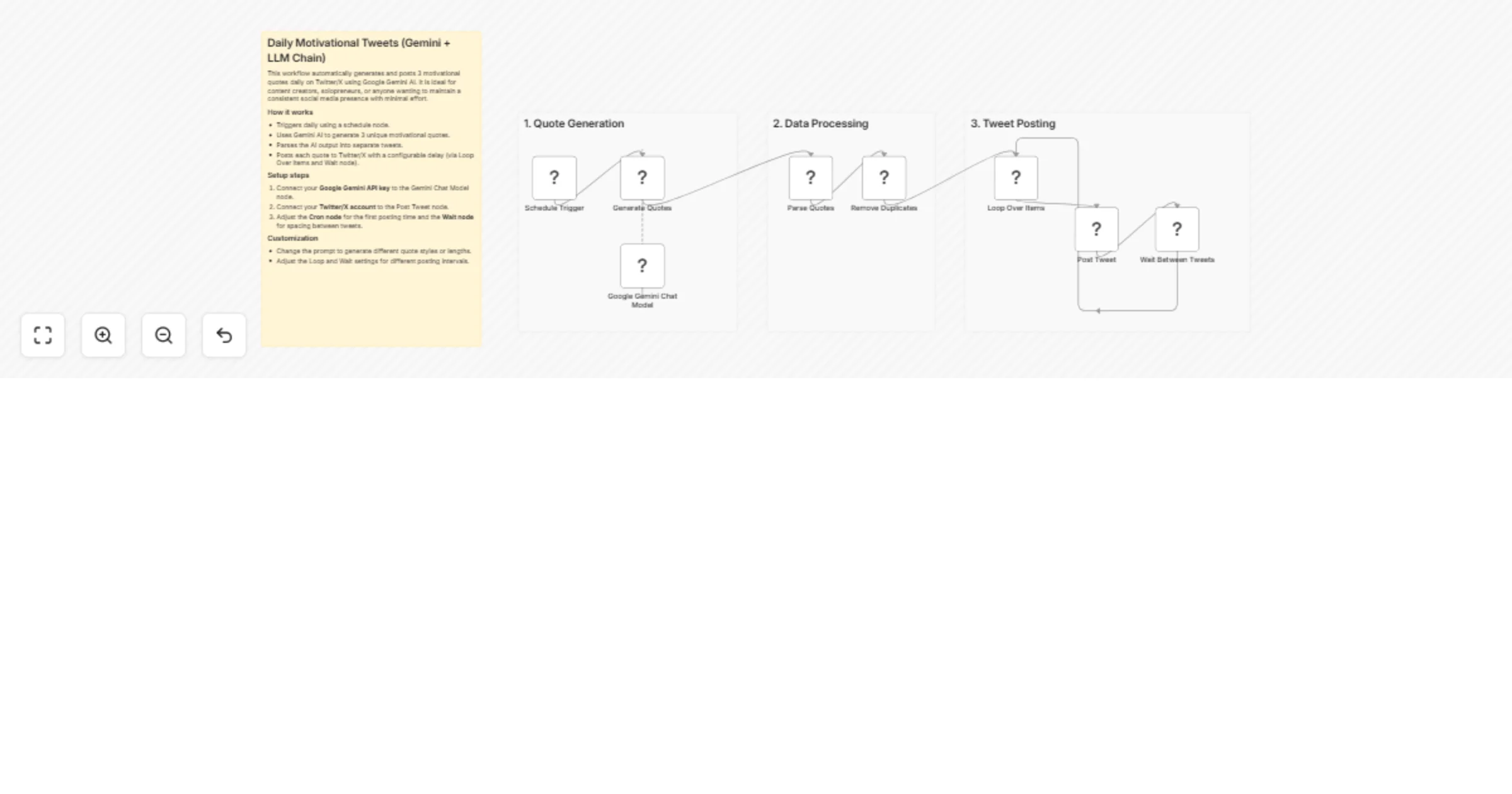
The workflow is triggered on a schedule using a schedule trigger.
An AI model generates multiple pieces of tweet-ready text in a single run.
The generated content is processed and split into individual tweets.
Tweets are posted one by one with a configurable delay between each post.
Replace the trigger if needed (for example, use a webhook instead of a schedule).
Adjust the AI prompt to control tone, topic, or length of tweets.
Modify the delay to control how often tweets are posted.
An AI provider account (for example, Google Gemini)
A connected Twitter/X account
This template can be adapted for many use cases, such as posting educational threads, curated content, or scheduled announcements. You can also extend it to support other platforms like LinkedIn or Threads with minimal changes.
This catalog entry is organized from the workflow JSON. The node-level section below shows the executable blocks available for review before importing the template.
| Workflow | Post daily motivational tweets to Twitter/X with Google Gemini AI |
|---|---|
| Complexity | intermediate |
| Nodes | 12 |
| Categories | Social Media, Multimodal AI |
| Author | Muhammad Tauqeer Aslam |
| Published | 21 Jan 2026 |
Use the JSON export at /data/workflows/12881/12881.json as the source template for this automation.
Open n8n, import the downloaded JSON, and review each node before activating the workflow.
Replace placeholder credentials, API keys, webhook URLs, account IDs, and environment-specific values with your own settings.
Run the workflow manually or in a staging workspace, inspect node output, and confirm downstream systems receive the expected data.
Enable the workflow only after testing, then monitor executions, errors, and rate limits during the first production runs.
Review imported nodes carefully before activation. This catalog entry is intended to help you inspect the workflow structure, understand required services, and find related templates faster.
Node names, credentials, schedules, webhook paths, and external service limits may need adjustment for your workspace.
This n8n template demonstrates how to use AI to automatically generate and post content to Twitter/X on a schedule. It combines AI generated text with workflow automation to help creators and busin...
Review the workflow JSON, configure any required credentials in n8n, and test the automation in a safe workspace before using it in production.
Yes. Use the block-by-block analysis and the downloadable JSON to inspect each node, then adjust credentials, prompts, schedules, filters, or destinations for your Social Media, Multimodal AI use case.