Place products on AI generated backgrounds with Google Imagen, Ideogram & Placid

Workflow preview

Workflow preview
100%
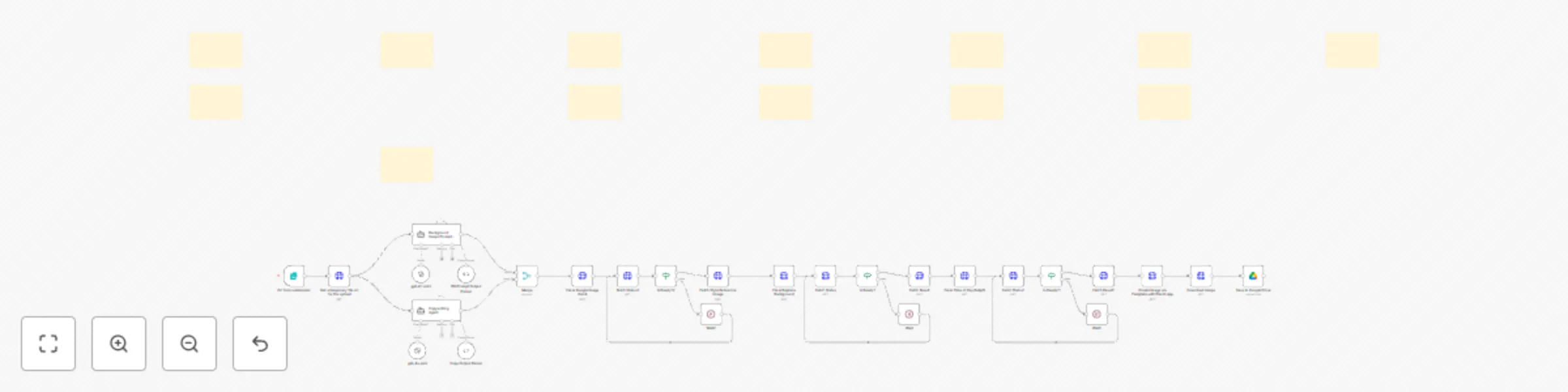
Place products on AI generated backgrounds with Google Imagen, Ideogram & Placid preview
Open on n8n.io

Important notice

This workflow is provided as-is. Please review and test before using in production.

1. Workflow Overview

This workflow transforms product images into professional marketing visuals by combining AI background generation , intelligent copywriting , and automated design templating . Upload a product phot...

Best for

  • Content Creation automation workflows
  • Multimodal AI automation workflows
  • advanced n8n builders looking for reusable templates

Tools used

n8n-nodes-base.httprequest, n8n-nodes-base.wait, n8n-nodes-base.if, n8n-nodes-base.merge, @n8n/n8n-nodes-langchain.agent, @n8n/n8n-nodes-langchain.lmchatopenai, @n8n/n8n-nodes-langchain.outputparserstructured, n8n-nodes-base.googledrive

Source and attribution

This workflow is cataloged by N8N Workflows and links back to its original n8n.io source page by Daniel Setzermann.

Original n8n.io source

1.1 Workflow description

Title
Place products on AI generated backgrounds with Google Imagen, Ideogram & Placid
Workflow name
Place products on AI generated backgrounds with Google Imagen, Ideogram & Placid

This workflow transforms product images into professional marketing visuals by combining AI background generation, intelligent copywriting, and automated design templating. Upload a product photo, describe your desired scene, and get publication-ready assets for Meta ads, email campaigns, social media, and more.

The system uses fal.ai's advanced AI models (Google Imagen 4, Ideogram v3, Time-of-Day relighting) to create stunning product scenes while Placid handles professional text overlay and final composition.

Watch a quick video walkthrough of the workflow

Benefits of this Workflow

  • 🎯 Product-Focused: Preserves product details while completely transforming backgrounds
  • 🤖 Multi-AI Pipeline: Combines 4 different AI models for optimal results:
  • Google Imagen 4 for style reference generation
  • Ideogram v3 for precise background replacement
  • Time-of-Day AI for realistic lighting adjustment
  • GPT-4 for intelligent copywriting
  • 📱 Multi-Platform Ready: Creates assets for Meta ads, email headers, social posts, newsletters
  • ✍️ Smart Copywriting: Analyzes your website to generate compelling headlines and bullet points
  • 🎨 Template Control: Uses Placid for professional text placement and branding
  • ⚡ Form-Based Interface: Simple web form input - no technical knowledge required
  • ☁️ Cloud Storage: Automatically saves final assets to Google Drive

How It Works

  1. Input Collection: Web form captures product image, scene description, website URL, and lighting preference
  2. AI Content Generation:
  • Background prompt agent creates detailed scene descriptions
  • Copywriting agent analyzes your website and generates marketing copy
  1. Multi-Stage Image Processing:
  • Creates style reference image with Google Imagen 4
  • Replaces background while preserving product with Ideogram v3
  • Enhances lighting realism with Time-of-Day AI
  1. Professional Composition: Placid overlays marketing copy using customizable templates
  2. Delivery: Final marketing asset saved to Google Drive, ready for immediate use

Setup Requirements

  1. API Credentials:
  • fal.ai account (for AI image generation models)
  • OpenAI API (for copywriting intelligence)
  • Placid account (for template-based composition)
  • Google Drive (for asset storage)
  1. Placid Template:
  • Create custom template matching your brand
  • Configure layer names: subtitle, bullet1, bullet2, bullet3, image
  1. Form Customization:
  • Adjust form fields for your specific use cases
  • Modify AI prompts for your industry/brand voice

Perfect for: E-commerce brands, marketing agencies, content creators, small businesses wanting professional product visuals without expensive photography.

Follow on LinkedIn or on my website if you want to keep updated on new workflows.

1.2 Logical Blocks

This catalog entry is organized from the workflow JSON. The node-level section below shows the executable blocks available for review before importing the template.

2. Block-by-Block Analysis

Block 1 - Fetch Status

Type / Role
n8n-nodes-base.httpRequest - httpRequest
Config choices
Version 4.2

Block 2 - Wait

Type / Role
n8n-nodes-base.wait - wait
Config choices
Version 1.1

Block 3 - Is Ready?

Type / Role
n8n-nodes-base.if - if
Config choices
Version 2.2

Block 4 - Fetch Result

Type / Role
n8n-nodes-base.httpRequest - httpRequest
Config choices
Version 4.2

Block 5 - Merge

Type / Role
n8n-nodes-base.merge - merge
Config choices
Version 3.1

Block 6 - Fetch Status1

Type / Role
n8n-nodes-base.httpRequest - httpRequest
Config choices
Version 4.2

Block 7 - Wait1

Type / Role
n8n-nodes-base.wait - wait
Config choices
Version 1.1

Block 8 - Is Ready?1

Type / Role
n8n-nodes-base.if - if
Config choices
Version 2.2

Block 9 - Fetch Result1

Type / Role
n8n-nodes-base.httpRequest - httpRequest
Config choices
Version 4.2

Block 10 - Download Image

Type / Role
n8n-nodes-base.httpRequest - httpRequest
Config choices
Version 4.2

Block 11 - Background Image Prompt Agent

Type / Role
@n8n/n8n-nodes-langchain.agent - agent
Config choices
Version 2

Block 12 - Copywriting Agent

Type / Role
@n8n/n8n-nodes-langchain.agent - agent
Config choices
Version 2

Block 13 - gpt-4o-mini

Type / Role
@n8n/n8n-nodes-langchain.lmChatOpenAi - lmChatOpenAi
Config choices
Version 1.2

Block 14 - gpt-4.1-mini

Type / Role
@n8n/n8n-nodes-langchain.lmChatOpenAi - lmChatOpenAi
Config choices
Version 1.2

Block 15 - BG Prompt Output Parser

Type / Role
@n8n/n8n-nodes-langchain.outputParserStructured - outputParserStructured
Config choices
Version 1.2

Block 16 - Copy Output Parser

Type / Role
@n8n/n8n-nodes-langchain.outputParserStructured - outputParserStructured
Config choices
Version 1.2

Block 17 - Fal.ai Replace Background

Type / Role
n8n-nodes-base.httpRequest - httpRequest
Config choices
Version 4.2

Block 18 - Fal.ai Time of Day Relight

Type / Role
n8n-nodes-base.httpRequest - httpRequest
Config choices
Version 4.2

Block 19 - Create Image via Template with Placid.app

Type / Role
n8n-nodes-base.httpRequest - httpRequest
Config choices
Version 4.2

Block 20 - Save to Google Drive

Type / Role
n8n-nodes-base.googleDrive - googleDrive
Config choices
Version 3

Block 21 - On form submission

Type / Role
n8n-nodes-base.formTrigger - formTrigger
Config choices
Version 2.2

Block 22 - Get a temporary file url for the upload

Type / Role
n8n-nodes-base.httpRequest - httpRequest
Config choices
Version 4.2

Block 23 - Fetch Status2

Type / Role
n8n-nodes-base.httpRequest - httpRequest
Config choices
Version 4.2

Block 24 - Wait2

Type / Role
n8n-nodes-base.wait - wait
Config choices
Version 1.1

Showing the first 24 of 40 workflow blocks. Download the JSON for the full node graph.

3. Summary Table

Workflow Place products on AI generated backgrounds with Google Imagen, Ideogram & Placid
Complexity advanced
Nodes 40
Categories Content Creation, Multimodal AI
Author Daniel Setzermann
Published 18 Jun 2025

4. Reproducing the Workflow from Scratch

  1. 1. Download the workflow JSON

    Use the JSON export at /data/workflows/5017/5017.json as the source template for this automation.

  2. 2. Import the template into n8n

    Open n8n, import the downloaded JSON, and review each node before activating the workflow.

  3. 3. Configure credentials and variables

    Replace placeholder credentials, API keys, webhook URLs, account IDs, and environment-specific values with your own settings.

  4. 4. Test with sample data

    Run the workflow manually or in a staging workspace, inspect node output, and confirm downstream systems receive the expected data.

  5. 5. Activate and monitor

    Enable the workflow only after testing, then monitor executions, errors, and rate limits during the first production runs.

5. General Notes & Resources

Review imported nodes carefully before activation. This catalog entry is intended to help you inspect the workflow structure, understand required services, and find related templates faster.

Node names, credentials, schedules, webhook paths, and external service limits may need adjustment for your workspace.

Frequently asked questions

What does Place products on AI generated backgrounds with Google Imagen, Ideogram & Placid do?

This workflow transforms product images into professional marketing visuals by combining AI background generation , intelligent copywriting , and automated design templating . Upload a product phot...

What do I need before importing this workflow?

Review the workflow JSON, configure any required credentials in n8n, and test the automation in a safe workspace before using it in production.

Can I customize this workflow?

Yes. Use the block-by-block analysis and the downloadable JSON to inspect each node, then adjust credentials, prompts, schedules, filters, or destinations for your Content Creation, Multimodal AI use case.