Block 1 - Sticky Note5
- Type / Role
- n8n-nodes-base.stickyNote - stickyNote
- Config choices
- Version 1


 Early Deal
This workflow is provided as-is. Please review and test before using in production.
Complete AI Graphic Design Suite with OpenAI, Replicate & Google Drive Categories: AI Agents, Design Automation, Business Tools This workflow creates a complete AI powered graphic design system tha...
n8n-nodes-base.stickynote, @n8n/n8n-nodes-langchain.toolworkflow, n8n-nodes-base.httprequesttool, @n8n/n8n-nodes-langchain.memorybufferwindow, @n8n/n8n-nodes-langchain.lmchatopenai, @n8n/n8n-nodes-langchain.chattrigger, @n8n/n8n-nodes-langchain.agent, n8n-nodes-base.googledrive
This workflow is cataloged by N8N Workflows and links back to its original n8n.io source page by Nick Saraev.
Original n8n.io sourceCategories: AI Agents, Design Automation, Business Tools
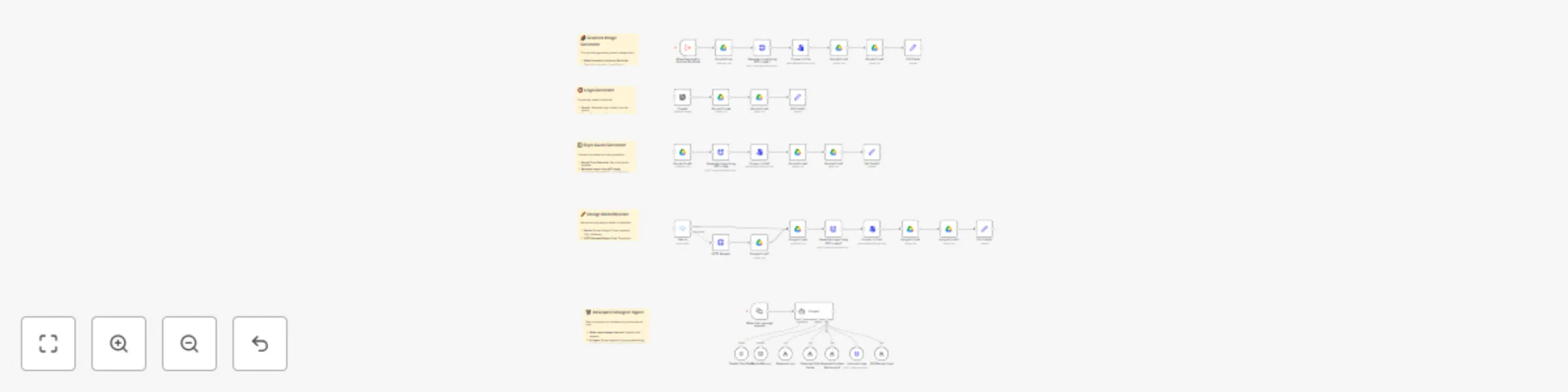
This workflow creates a complete AI-powered graphic design system that replaces expensive designers with intelligent automation. Featuring a conversational AI agent that orchestrates 5 specialized design tools, this suite can generate logos, style guides, gradients, and revisions on demand. Built by someone who's scaled automation agencies to $72K/month, this system demonstrates how AI agents can deliver real business value beyond simple chatbots.
AI Agent Orchestration:
Logo Generation System:
Style Guide Creation:
Gradient Background Generator:
Design Editor & Revision System:
Advanced Upscaling Integration:
OpenAI API Setup: Connect your OpenAI API for:
Google Drive Integration:
Replicate API Configuration:
<your-replicate-api-key-here> with actual API keyAI Agent System Message: Configure the agent with business context:
You are a helpful, intelligent design assistant. You generate high-quality designs using the provided tools (generate logo, generate style guide, and generate gradient background). Then you can also upscale them, and finally, you can revise them. When you receive an image from a tool, wrap it in nice looking Markdown (atx) format and present it to the user. The only things you can generate are logos, style guides, and gradient backgrounds. Make sure to clarify which (as well as any additional information needed) so the prompt you send to the image model is optimal. If you are asked to adjust or revise an image, ask the user to define their changes as explicitly as possible.
Chat Integration Options:
This system transforms design service economics:
Difficulty Level: Intermediate
Estimated Build Time: 2-3 hours
Monthly Operating Cost: ~$30 (OpenAI + Replicate APIs)
Want to see exactly how I built this entire AI design system from scratch? I walk through the complete development process, including AI agent setup, tool integration, and the business strategy behind replacing expensive designers with intelligent automation.
🎥 Watch My Live Build: "This AI Agent Replaces an $82k/yr Graphic Designer (N8N)"
This comprehensive tutorial shows the real development approach - including agent design patterns, tool orchestration, and the exact prompting strategies that deliver professional-quality results.
Core AI Agent Configuration:
Design Tool Integration:
Template and Asset Management:
Quality Control Setup:
Client Integration Options:
Scale the system with additional capabilities:
The competitive advantage lies in intelligent automation combined with professional quality:
For more advanced AI automation systems that generate real business results, explore my YouTube channel where I share the exact strategies used to build successful automation agencies and scale to $72K+ monthly revenue.
This catalog entry is organized from the workflow JSON. The node-level section below shows the executable blocks available for review before importing the template.
Showing the first 24 of 40 workflow blocks. Download the JSON for the full node graph.
| Workflow | OpenAI models template: GPT-4 and DALL-E services overview |
|---|---|
| Complexity | advanced |
| Nodes | 40 |
| Categories | Content Creation, AI Chatbot |
| Author | Nick Saraev |
| Published | 26 Jun 2025 |
Use the JSON export at /data/workflows/5390/5390.json as the source template for this automation.
Open n8n, import the downloaded JSON, and review each node before activating the workflow.
Replace placeholder credentials, API keys, webhook URLs, account IDs, and environment-specific values with your own settings.
Run the workflow manually or in a staging workspace, inspect node output, and confirm downstream systems receive the expected data.
Enable the workflow only after testing, then monitor executions, errors, and rate limits during the first production runs.
Review imported nodes carefully before activation. This catalog entry is intended to help you inspect the workflow structure, understand required services, and find related templates faster.
Node names, credentials, schedules, webhook paths, and external service limits may need adjustment for your workspace.
Complete AI Graphic Design Suite with OpenAI, Replicate & Google Drive Categories: AI Agents, Design Automation, Business Tools This workflow creates a complete AI powered graphic design system tha...
Review the workflow JSON, configure any required credentials in n8n, and test the automation in a safe workspace before using it in production.
Yes. Use the block-by-block analysis and the downloadable JSON to inspect each node, then adjust credentials, prompts, schedules, filters, or destinations for your Content Creation, AI Chatbot use case.