Nick Saraev
Workflows by Nick Saraev

Automate personalized Upwork proposals with GPT-4, Google Docs & Mermaid diagrams
# AI Upwork Application Agent with OpenAI & Google Docs **Categories:** AI Agents, Freelance Automation, Proposal Generation This workflow creates an intelligent AI agent that automates Upwork job applications by generating highly personalized proposals, professional Google Doc presentations, and visual workflow diagrams. Built by someone who earned over $500,000 on Upwork, this system demonstrates the exact templates and strategies that achieve superior response rates through perceived customization and value demonstration. ## **Benefits** - **Complete Application Automation** - Transform job descriptions into custom proposals, documents, and diagrams in minutes - **Proven Templates** - Based on $500K+ in Upwork earnings using exact strategies for high-converting applications - **Intelligent Personalization** - AI analyzes job requirements and customizes responses with relevant social proof - **Professional Asset Generation** - Creates Google Doc proposals and Mermaid workflow diagrams for enhanced perceived value - **Modular Architecture** - Three specialized sub-workflows handle different aspects of proposal generation - **High Response Rates** - Focuses on perceived customization and value demonstration over generic applications ## **How It Works** **AI Agent Orchestration:** - Receives Upwork job descriptions through chat interface - Maintains conversation context with window buffer memory - Coordinates three specialized sub-workflows for comprehensive proposal generation - Automatically integrates generated assets into cohesive application packages **Application Copy Generation:** - Uses proven templates based on $500K+ Upwork success - Follows structure: "Hi, I do [thing] all the time. So confident I created a demo: [link]" - Incorporates personal social proof and achievements automatically - Generates concise, spartan-toned applications that avoid generic AI language **Google Doc Proposal Creation:** - Copies professional proposal template from Google Drive - Generates structured content including system title, explanation, scope, and timeline - Uses find-and-replace to populate template with AI-generated, personalized content - Creates shareable documents with proper permissions for immediate client access **Mermaid Diagram Visualization:** - Analyzes job requirements to create relevant workflow diagrams - Generates Mermaid.js code for professional flowchart visualization - Provides visual representation of proposed solutions - Enhances perceived value through custom diagram creation **Smart Template Integration:** - Automatically replaces placeholder text with generated Google Doc links - Maintains consistent messaging across all generated assets - Ensures cohesive presentation of application, proposal, and supporting materials ## **Required Setup Configuration** **Personal Information Setup:** Update the "aboutMe" variable in both Set Variable nodes with your credentials: - Professional background and specializations - Notable client achievements with specific revenue numbers - Social proof elements (community size, subscriber count, etc.) - Relevant project examples with quantified results **Google Services Integration:** 1. **Google Drive API Setup:** - Enable Google Drive API in Google Cloud Console - Create OAuth2 credentials (Client ID and Client Secret) - Connect n8n to Google Drive with proper permissions 2. **Google Docs Template:** - Copy the provided Google Docs proposal template to your Drive - Update the template ID in the Google Drive node - Customize template with your branding and standard language 3. **Google Docs API:** - Ensure Google Docs API is enabled in your Google Cloud project - Test document creation and sharing permissions **OpenAI API Configuration:** - Set up OpenAI API credentials across all OpenAI nodes - Configure appropriate models (GPT-4O-mini recommended for speed) - Set temperature to 0.7 for optimal personalization balance - Monitor API usage to control costs **Template Customization:** - **Application Template**: Modify the proposal structure in OpenAI prompts to match your services - **Google Doc Template**: Update the document template with your standard proposal format - **Personal Details**: Replace all placeholder information with your actual achievements and social proof ## **Business Use Cases** - **Freelance Professionals** - Automate high-quality Upwork applications across multiple job categories - **Automation Specialists** - Demonstrate capabilities through automated proposal generation itself - **Service Providers** - Scale application volume while maintaining personalization quality - **Agency Owners** - Offer proposal automation services to freelance clients - **Consultants** - Streamline business development with automated custom proposals - **Content Creators** - Generate professional project proposals with visual workflow representations ## **Revenue Potential** This system transforms freelance business development: - **10x Application Speed**: Generate comprehensive proposals in minutes vs. hours - **Higher Response Rates**: Perceived customization and value demonstration increase client engagement - **Scalable Outreach**: Apply to more jobs with maintained quality through automation - **Professional Positioning**: Visual diagrams and structured proposals demonstrate expertise - **Competitive Advantage**: Deliver proposals faster than competitors through intelligent automation **Difficulty Level:** Advanced **Estimated Build Time:** 3-4 hours **Monthly Operating Cost:** ~$30 (OpenAI + Google APIs) ## **Watch My Complete Live Build** Want to see me build this entire system from scratch? I walk through every component live - including the AI agent setup, prompt engineering strategies, Google Docs integration, and all the debugging that goes into creating a production-ready freelance automation system. 🎥 **See My Live Build Process:** "[I Built An AI Agent That Automates Upwork ($500K+ Earned)](https://www.youtube.com/watch?v=0LVTTv9zxwE&t=17s&ab_channel=NickSaraev)" This comprehensive tutorial shows the real development process - including advanced prompt engineering, modular workflow design, and the exact business strategies that generated $500K+ in Upwork revenue. ## **Set Up Steps** **AI Agent Foundation:** - Configure chat trigger and AI agent node with OpenAI integration - Set up window buffer memory for conversation context - Define system message with clear agent instructions and behavior rules **Sub-Workflow Creation:** - Build three specialized workflows: Application Copy, Google Doc Proposal, Mermaid Code - Configure execute workflow triggers for each sub-workflow - Set up proper data passing between agent and sub-workflows **Google Services Configuration:** - Create Google Cloud Console project with Drive and Docs APIs enabled - Set up OAuth2 credentials and connect to n8n - Copy and customize the proposal template document **Personalization Setup:** - Update all "aboutMe" variables with your specific achievements and social proof - Customize prompt templates to match your service offerings and communication style - Test individual sub-workflows with sample job descriptions **Agent Tool Integration:** - Connect sub-workflows as tools in the main AI agent - Configure proper tool descriptions and response property names - Test complete agent functionality with realistic job posting scenarios **Template Optimization:** - Refine proposal templates based on your specific service offerings - Adjust AI prompts for optimal personalization and response quality - Test with various job types to ensure consistent quality output ## **Advanced Optimizations** Scale the system with: - **Job Scraping Integration:** Automatically discover and apply to relevant Upwork jobs - **Response Tracking:** Monitor application success rates and optimize templates - **Multi-Platform Support:** Extend to other freelance platforms (Fiverr, Freelancer, etc.) - **Client Communication:** Automate follow-up sequences for proposal responses - **Portfolio Integration:** Automatically include relevant portfolio pieces based on job requirements ## **Important Considerations** - **Template Authenticity:** Customize templates significantly to avoid detection as automated - **Upwork Compliance:** Ensure applications meet platform guidelines and quality standards - **Personal Branding:** Maintain consistent voice and positioning across all generated content - **Response Management:** Be prepared to handle increased application volume and client responses - **Quality Control:** Regularly review and refine generated content for accuracy and relevance ## **Why This System Works** The competitive advantage lies in proven strategies: - **Perceived Customization:** AI generates content that appears manually crafted for each job - **Value Demonstration:** Visual diagrams and structured proposals show immediate value - **Speed Advantage:** Deliver comprehensive proposals before competitors finish reading job posts - **Professional Presentation:** Consistent quality and formatting across all applications - **Scalable Personalization:** Maintain individual attention at volume through intelligent automation ## **Check Out My Channel** For more advanced automation systems and proven freelance business strategies that generate real revenue, explore [my YouTube channel](https://www.youtube.com/@nicksaraev) where I share the exact methodologies used to build successful automation agencies and scale to $72K+ monthly revenue.
Competitive ad research & image generator with Apify, GPT-4o & Facebook Ad Library
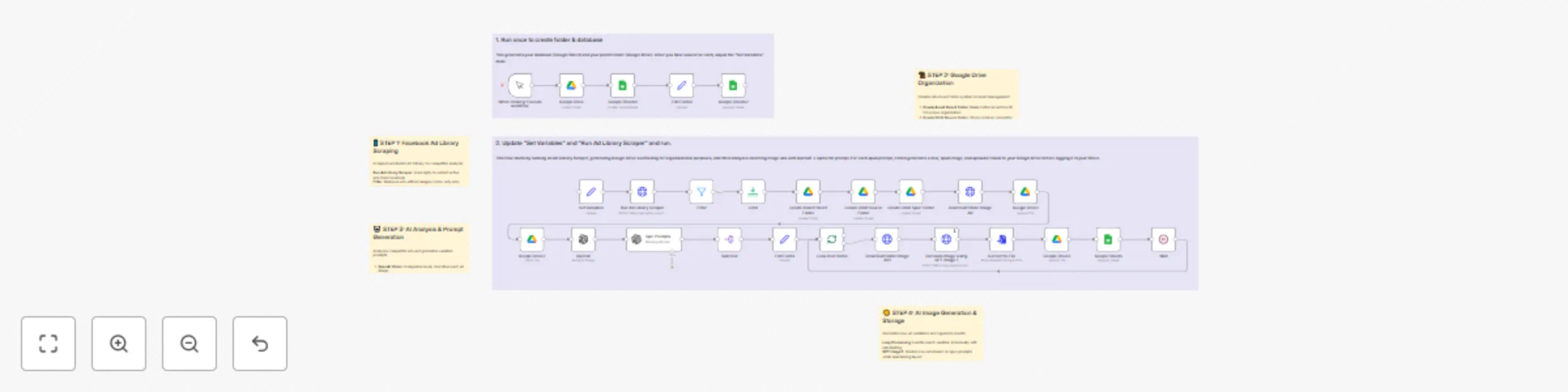
# AI Ad Scraper & Image Generator with Facebook Ad Library **Categories:** PPC Automation, Creative Generation, Competitive Intelligence This workflow creates an end-to-end ad library scraper and AI image spinner system that automatically discovers competitor ads, analyzes their design elements, and generates multiple unique variations ready for your own campaigns. Built to eliminate 60-70% of manual creative work for PPC agencies, this system transforms competitor research into actionable ad variants in minutes. ## **Benefits** - **Automated Competitor Research** - Scrapes Facebook Ad Library for active competitor campaigns automatically - **AI-Powered Creative Analysis** - Uses OpenAI vision to comprehensively analyze ad design elements and copy - **Intelligent Image Generation** - Creates 3+ unique variations per source ad while maintaining effective layouts - **Complete Asset Organization** - Automatically organizes source ads and generated variations in structured Google Drive folders - **Campaign-Ready Output** - Generates Google Sheets database with direct links to all assets for immediate campaign deployment - **Massive Time Savings** - Replaces hours of manual creative work with automated competitive intelligence and generation ## **How It Works** **Facebook Ad Library Scraping:** - Connects to Facebook's Ad Library through Apify scraper integration - Searches active ads based on keywords, industries, or competitor targeting - Filters for image-based ads and removes video-only content for processing **Intelligent Asset Organization:** - Creates unique Google Drive folder structure for each scraped ad campaign - Separates source competitor ads from AI-generated variations - Maintains organized asset library for easy campaign management and iteration **AI-Powered Creative Analysis:** - Uses OpenAI's vision model to comprehensively describe each competitor ad - Identifies design elements, color schemes, layout patterns, and messaging approaches - Generates detailed creative briefs for intelligent variation generation **Smart Image Variation System:** - Creates 3 unique style variations per source ad using advanced AI prompting - Maintains effective layout structures while changing colors, fonts, and styling - Customizes messaging and branding to match your business requirements **Campaign Database Integration:** - Logs all source ads and generated variations in organized Google Sheets - Provides direct links to all assets for immediate campaign deployment - Tracks performance data and creative iterations for ongoing optimization ## **Required Setup Configuration** **Google Drive Structure:** The workflow automatically creates this folder organization: PPC Thievery (Parent Folder) ├── [Ad Archive ID] (Per Campaign) │ ├── 1. Source Assets (Original competitor ads) │ └── 2. Spun Assets (AI-generated variations) **Google Sheets Database Columns:** - `timestamp` - Unique record identifier - `ad_archive_id` - Facebook's internal ad identifier - `page_id` - Advertiser's Facebook page ID - `original_image_url` - Direct link to source competitor ad - `page_name` - Advertiser's business name - `ad_body` - Original ad copy text - `date_scraped` - When the ad was discovered - `spun_prompts` - AI-generated variation instructions - `asset_folder` - Link to campaign's Google Drive folder - `source_folder` - Link to original ads folder - `spun_folder` - Link to generated variations folder - `direct_spun_image_link` - Direct link to generated ad image **Set Variables Configuration:** Update these values in the "Set Variables" node: - `googleDriveFolderId` - Your parent Google Drive folder ID - `changeRequest` - Your brand-specific variation instructions - `spreadsheetId` - Your Google Sheets database ID **Apify API Setup:** 1. Create Apify account and obtain API key 2. Replace `<your-apify-api-key-here>` with actual credentials 3. Customize search terms in the JSON body for your target competitors 4. Adjust scraping count (default: 20 ads per run) ## **Business Use Cases** - **PPC Agencies** - Automate competitive research and creative generation for client campaigns - **E-commerce Brands** - Monitor competitor advertising strategies and generate response campaigns - **Marketing Teams** - Scale creative production with AI-powered competitive intelligence - **Freelance Marketers** - Offer advanced competitive analysis and creative services to clients - **SaaS Companies** - Track competitor messaging and generate differentiated ad variations - **Agency Teams** - Replace manual creative research with automated competitive intelligence systems ## **Revenue Potential** This system revolutionizes PPC agency economics: - **60-70% reduction** in manual creative work and competitive research time - **3-5x faster** campaign launch times with ready-to-use creative assets - **$2,000-$5,000 service value** for comprehensive competitive intelligence and creative generation - **Scalable competitive advantage** through automated monitoring of competitor campaigns - **Premium positioning** offering AI-powered creative intelligence that competitors can't match manually **Difficulty Level:** Advanced **Estimated Build Time:** 2-3 hours **Monthly Operating Cost:** ~$100 (Apify + OpenAI + Google APIs) ## **Watch My Complete Live Build** Want to see me build this entire system from scratch? I walk through every component live - including the ad library integration, AI analysis setup, image generation pipeline, and all the debugging that goes into creating a production-ready competitive intelligence system. 🎥 **See My Live Build Process:** "[Ad Library Scraper & AI Image Spinner System (N8N Build)](https://www.youtube.com/watch?v=GNmlnt52aSM&ab_channel=NickSaraev)" This comprehensive tutorial shows the real development process - including advanced AI prompting for image generation, competitive analysis strategies, and the organizational systems that make this scalable for agency use. ## **Set Up Steps** **Initial Database Setup:** - Run the initialization flow once to create your Google Drive folder and Sheets database - Copy the generated folder ID and spreadsheet ID into the "Set Variables" node - Configure your brand-specific change request template for consistent output **Apify Integration:** - Set up Apify account with Facebook Ad Library scraper access - Configure API credentials and test with small ad batches - Customize search parameters for your target competitors and industries **AI Service Configuration:** - Connect OpenAI API for vision analysis and image generation - Set up appropriate rate limiting to control processing costs - Test the complete AI pipeline with sample competitor ads **Google Services Setup:** - Configure Google Drive API credentials for automated folder creation - Set up Google Sheets integration for campaign database management - Test the complete asset organization and tracking workflow **Campaign Customization:** - Define your brand guidelines and messaging requirements in the change request - Set up variation templates for different campaign types and industries - Configure batch processing limits based on your API usage requirements **Production Optimization:** - Remove the limit node for full-scale competitive monitoring - Set up automated scheduling for regular competitive intelligence gathering - Monitor and optimize AI prompts based on generated creative quality ## **Advanced Optimizations** Scale the system with: - **Multi-Platform Scraping:** Extend to LinkedIn, Twitter, and Google Ads for comprehensive competitive intelligence - **Performance Tracking:** Integrate with ad platforms to track performance of generated variations - **Style Guide Automation:** Create industry-specific variation templates for consistent brand application - **A/B Testing Integration:** Automatically test generated variations against source ads for performance optimization - **CRM Integration:** Connect competitive intelligence data with sales and marketing systems ## **Important Considerations** - **API Rate Limits:** Built-in delays prevent service overload and ensure reliable operation - **Creative Quality:** System generates multiple variations to account for AI generation variability - **Legal Compliance:** Use generated variations as inspiration while respecting intellectual property rights - **Cost Management:** Monitor OpenAI image generation costs and adjust batch sizes accordingly - **Competitive Ethics:** Focus on learning from successful patterns rather than direct copying ## **Why This System Works** The competitive advantage lies in speed and scale: - **Minutes vs. Hours:** Generate campaign-ready creative variations in minutes instead of hours of manual work - **Systematic Analysis:** AI vision provides consistent, comprehensive analysis that humans might miss - **Organized Intelligence:** Structured asset management enables rapid campaign deployment and iteration - **Scalable Monitoring:** Automated competitive research that scales beyond manual capacity - **Quality Variations:** Multiple AI-generated options ensure high-quality creative output ## **Check Out My Channel** For more advanced automation systems and proven agency-building strategies that generate real revenue, explore [my YouTube channel](https://www.youtube.com/@nicksaraev) where I share the exact methodologies used to scale automation agencies to $72K+ monthly revenue.
AI Facebook ad spy tool with Apify, OpenAI, Gemini & Google Sheets
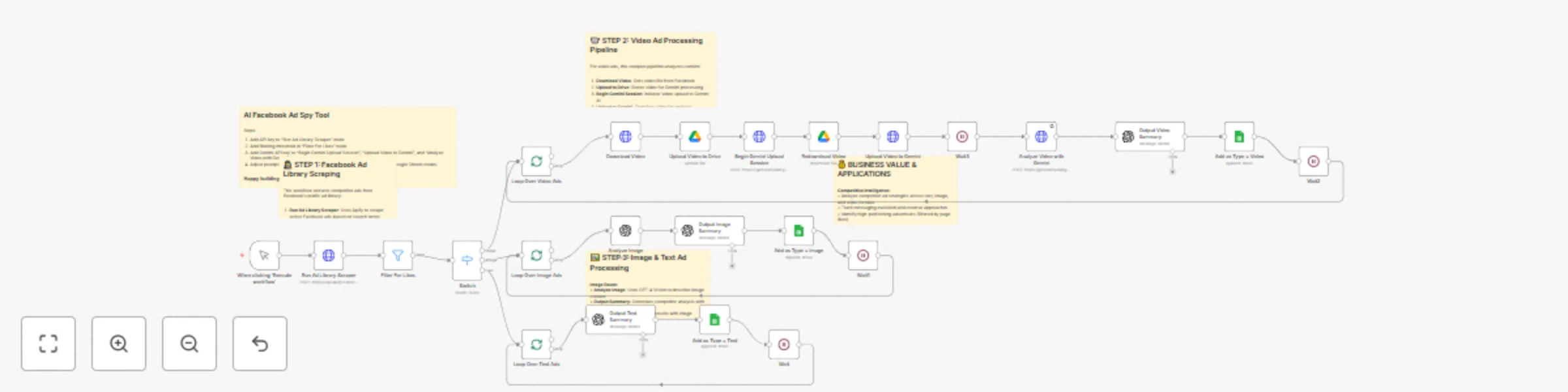
# AI Facebook Ad Spy Tool with Apify, OpenAI, Gemini & Google Sheets **Categories:** Competitive Intelligence, Marketing Automation, AI Analysis This workflow creates a comprehensive Facebook ad spy tool that scrapes competitor ads from Facebook's ad library and generates detailed analysis with rewritten versions. The system processes text, image, and video ads using different AI models, providing strategic intelligence for PPC agencies and marketers. Built to be sold as a premium service for $2,000+, this tool combines web scraping, multi-modal AI analysis, and competitor intelligence into one powerful automation. ## **Benefits** - **Complete Competitive Intelligence** - Analyze competitor strategies across all ad formats (text, image, video) - **Multi-Modal AI Analysis** - Uses GPT-4 Vision for images and Gemini for video content understanding - **Automated Ad Rewriting** - Generates inspired variations of successful competitor ads - **Quality Filtering** - Targets high-performing advertisers with significant page likes - **Scalable Processing** - Handle hundreds of competitor ads with detailed strategic analysis - **Premium Service Potential** - Easily sold to agencies and marketers for $2,000+ implementations ## **How It Works** **Facebook Ad Library Scraping:** - Connects to Facebook's public ad library through Apify's specialized scraper - Searches for active ads using customizable keywords and targeting parameters - Extracts comprehensive ad data including creative assets, targeting info, and engagement metrics - Filters results to focus on high-quality advertisers with substantial page followings **Intelligent Content Routing:** - Automatically categorizes ads into text-only, image-based, or video content types - Routes each ad type to specialized processing pipelines optimized for that content format - Ensures appropriate AI models are used for each type of creative analysis - Maintains data integrity while processing different content formats simultaneously **Advanced Video Analysis Pipeline:** - Downloads video ads directly from Facebook's content delivery network - Uploads videos to Google Drive for temporary storage and processing - Initiates Gemini AI video upload sessions for multi-modal analysis - Uses Gemini's advanced video understanding to generate detailed content descriptions - Processes video narrative, visual elements, messaging strategy, and target audience insights **Image and Text Processing:** - Analyzes image ads using GPT-4 Vision for comprehensive visual content understanding - Processes text-only ads using GPT-4 for messaging strategy and copywriting analysis - Identifies key persuasion techniques, target demographics, and messaging frameworks - Generates detailed competitive intelligence reports for each ad format **Strategic Intelligence Generation:** - Creates comprehensive summaries analyzing competitor messaging strategies and target audiences - Generates rewritten ad copy that captures successful elements while avoiding direct copying - Produces recreation prompts for images and videos that can be used with AI generation tools - Organizes all insights in structured Google Sheets database for easy analysis and reporting ## **Required Setup Configuration** **Apify Integration:** - Sign up for Apify account and obtain API key - Replace `<your-apify-api-key-here>` in "Run Ad Library Scraper" node - Customize Facebook Ad Library search URLs with your target keywords and regions **AI Service Configuration:** - **OpenAI API**: Set up for text analysis and image understanding with GPT-4 Vision - **Gemini API**: Configure for advanced video content analysis and description - Replace `<your-gemini-api-key-here>` in all Gemini-related nodes **Google Services Setup:** - **Google Drive**: Configure OAuth for temporary video storage during Gemini processing - **Google Sheets**: Create results database with proper column structure for ad intelligence storage **Facebook Ad Library Search Configuration:** Customize the search parameters in the Apify scraper # Google Sheets Database Structure: Create a sheet with these columns: ad_archive_id - Unique Facebook ad identifier page_id - Advertiser's Facebook page ID page_name - Advertiser's business name page_url - Link to advertiser's Facebook page type - Ad format (text, image, or video) date_added - When ad was analyzed summary - Detailed competitive intelligence analysis rewritten_ad_copy - AI-generated inspired version image_prompt - Description for recreating image ads video_prompt - Description for recreating video ads # Business Use Cases - PPC Agencies - Offer comprehensive competitor analysis services to clients for strategic advantage - Marketing Teams - Research competitor strategies and messaging before launching new campaigns - E-commerce Businesses - Analyze successful ads in your industry for creative inspiration - SaaS Companies - Study how competitors position their products and target audiences - Course Creators - Research educational content marketing approaches and messaging strategies - Affiliate Marketers - Identify successful promotional strategies and high-converting ad formats Difficulty Level: Advanced Estimated Build Time: 3-4 hours Monthly Operating Cost: ~$200 (Apify + OpenAI + Gemini + Google Workspace APIs) # Watch My Complete Build Process Want to see exactly how I built this entire Facebook ad spy system from scratch? I walk through the complete development process live, including API integrations, multi-modal AI setup, error handling, and the exact business strategy for selling this as a premium service. 🎥 Watch My Live Build: "[Build A Facebook Ads Spy Tool With N8N (Sell for $2k+)](https://www.youtube.com/watch?v=0PJNiDuihBg&t=251s)" This comprehensive tutorial shows the real development process - including complex API orchestration, multi-modal AI integration, and proven strategies for monetizing competitive intelligence systems. # Set Up Steps # Apify Scraper Configuration: - Set up Apify account and configure Facebook Ad Library scraper - Customize search parameters for your target industries and regions - Configure result limits and filtering parameters for quality control - Test scraper with sample searches to verify data quality # Multi-Modal AI Setup: - Configure OpenAI API credentials for text and image analysis - Set up Gemini API access for advanced video content understanding - Configure appropriate rate limits and error handling for API stability - Test AI analysis with sample ads to optimize prompt quality # Google Services Integration: - Set up Google Drive OAuth for temporary video storage during processing - Create Google Sheets database with proper column structure for intelligence storage - Configure sharing permissions and access controls for team collaboration - Test complete data flow from scraping to final intelligence reports # Quality Control and Filtering: - Configure page likes threshold in "Filter For Likes" node (recommend 1,000+ for quality) - Adjust content routing logic in Switch node based on your analysis needs - Set up error handling and retry logic for reliable large-scale processing - Test complete workflow with various ad types to ensure proper routing # Advanced Customization: - Customize AI prompts for your specific industry analysis needs - Configure additional filtering criteria beyond page likes - Set up automated scheduling for regular competitor monitoring - Add custom fields to database for tracking specific competitive metrics # Advanced Features Scale the system with additional capabilities: - Industry-Specific Analysis - Customize prompts and filters for different verticals - Trend Tracking - Monitor messaging changes over time for strategic insights - Performance Correlation - Cross-reference ad engagement with business outcomes - Alert Systems - Notify when competitors launch new campaign types - Custom Reporting - Generate client-ready intelligence reports automatically - Integration Extensions - Connect to CRM and marketing platforms for strategic workflow # Important Considerations - API Rate Limits - Built-in delays and error handling prevent service interruptions - Content Rights - System generates inspired variations, not direct copies, for legal compliance - Data Storage - Organize intelligence database for easy client reporting and analysis - Scalability - Batch processing handles hundreds of ads efficiently without blocking - Quality Assurance - Filtering logic ensures analysis focuses on successful, high-quality advertisers # Why This System Works The competitive advantage lies in comprehensive multi-modal analysis: - Complete format coverage - analyzes text, image, and video ads with appropriate AI models - Strategic depth - goes beyond basic scraping to provide actionable intelligence - Automation scale - processes competitor research that would take weeks manually - Premium positioning - advanced AI analysis justifies higher service pricing - Immediate value - clients receive actionable insights within hours of setup - Check Out My Channel For more advanced automation systems that generate real business results and premium service opportunities, explore my YouTube channel where I share proven strategies for building profitable automation businesses.
Smart invoice collection system with GPT-4.1, Gmail & Google Sheets
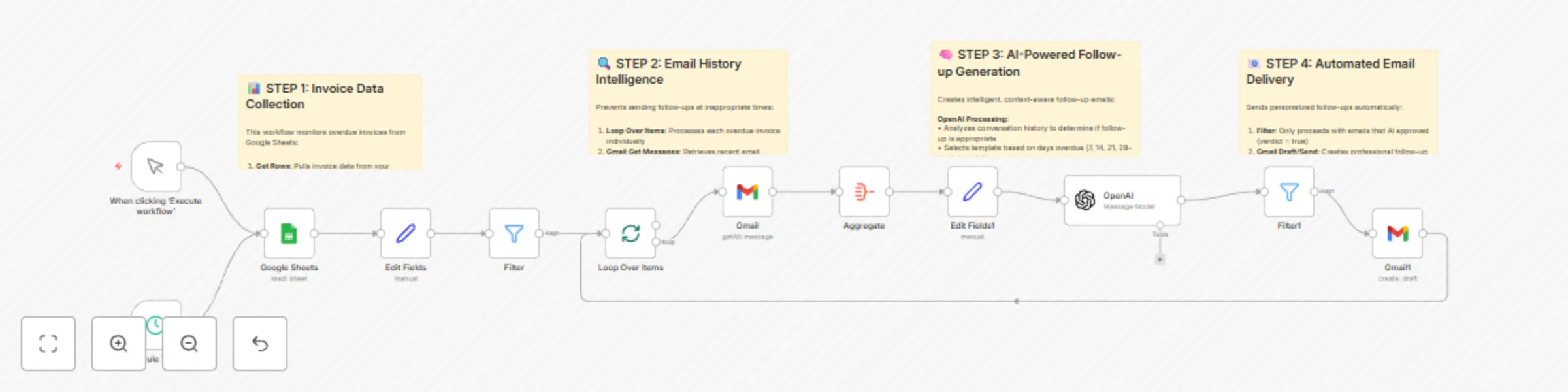
# Smart Invoice Collection System with OpenAI, Gmail & Google Sheets **Categories:** Financial Automation, AI Business Tools, Cash Flow Management This workflow creates an intelligent invoice collection system that automatically follows up on overdue invoices using AI-powered personalization. The system monitors your invoice database, analyzes email history to prevent inappropriate follow-ups, and sends increasingly urgent but professional reminders at precise intervals. Built to solve one of the biggest cash flow killers for small businesses, this automation can easily generate an additional $10-15K per year in recovered payments. ## **Benefits** - **Automated Cash Flow Recovery** - Generate $10-15K annually in previously forgotten invoice payments - **Intelligent Timing** - AI analyzes email history to prevent sending follow-ups at inappropriate times - **Escalating Urgency** - Four template levels from gentle reminders to firm collection notices - **Professional Communication** - Maintains business relationships while ensuring payment - **Zero Manual Work** - Complete automation from overdue detection to email delivery - **High-Value Service** - Easily sold to clients for $1,500-3,000 per implementation ## **How It Works** **Invoice Monitoring System:** - Connects to Google Sheets containing your invoice database with sent dates and client information - Automatically calculates days overdue using date difference calculations - Filters invoices to process only those at specific intervals (7, 14, 21, 28 days overdue) - Runs on schedule (daily recommended) to catch invoices as they become overdue **Email History Intelligence:** - Retrieves recent email conversations with each client using Gmail integration - Analyzes communication patterns to identify recent discussions about invoices - Prevents sending follow-ups within 72 hours of relevant email conversations - Aggregates email threads with timestamps for comprehensive context analysis **AI-Powered Follow-up Generation:** - Uses OpenAI to analyze conversation history and determine follow-up appropriateness - Selects appropriate template based on days overdue and escalation schedule - Generates personalized emails that reference specific client names and invoice details - Adapts tone from friendly reminders to more urgent payment requests over time **Professional Email Delivery:** - Creates properly formatted emails with personalized subject lines and content - Maintains professional tone while applying appropriate urgency levels - Includes clear next steps and payment instructions for clients - Optionally creates drafts for review or sends automatically based on your preference **Smart Template Escalation:** - **7 Days:** Gentle reminder with helpful tone ("Hope you're well, just checking on that invoice") - **14 Days:** Professional follow-up with assistance offer ("Here to help if anything's unclear") - **21 Days:** More direct approach with specific timeline expectations - **28 Days:** Firm but professional final notice before escalation ## **Required Google Sheets Setup** Create a Google Sheet with these exact column headers: **Invoice Tracking Sheet:** - `Client Name` - Full name of client/company for personalization - `Email` - Client's email address for follow-up communications - `Date Sent` - Date invoice was originally sent (format: YYYY-MM-DD) - `Invoice ID` - Unique identifier for tracking and reference - `Amount` - Invoice amount (optional, for internal tracking) - `Status` - Payment status (Pending, Paid, Overdue - optional) **Setup Instructions:** 1. Create Google Sheet with exact column headers listed above 2. Populate with your outstanding invoice data 3. Connect Google Sheets OAuth credentials in n8n 4. Update the Google Sheets document ID in the "Google Sheets" node 5. Configure Gmail OAuth for email access and sending 6. Set schedule trigger for daily execution (recommended 9 AM business hours) **Template Customization:** The system includes 4 pre-written templates that you can customize: - Modify sender name and signature in the AI prompt - Adjust urgency levels and escalation timing - Customize company-specific language and policies - Add payment links or specific instructions ## **Business Use Cases** - **Service-Based Businesses** - Agencies, consultants, and freelancers with NET30/60 payment terms - **B2B Companies** - Businesses with recurring invoice cycles and multiple clients - **Accounting Firms** - Offer automated collections as a premium service to clients - **Small Business Owners** - Eliminate manual follow-up work while improving cash flow - **Automation Agencies** - High-value service offering with clear ROI demonstration - **Professional Services** - Lawyers, architects, and consultants with project-based billing ## **Revenue Potential** This system transforms invoice collection economics: - **$10-15K annual recovery** for average small business with forgotten invoices - **$1,500-3,000 implementation fee** when sold as a service to clients - **40-60% reduction** in accounts receivable aging - **Zero ongoing labor costs** - replaces hours of manual follow-up work - **Improved client relationships** - consistent, professional communication - **Scalable business offering** - one-time setup serves clients indefinitely **Difficulty Level:** Intermediate **Estimated Build Time:** 1-2 hours **Monthly Operating Cost:** ~$15 (OpenAI + Google Workspace APIs) ## **Watch My Complete Build Process** Want to see exactly how I built this invoice collection system from scratch? I walk through the entire development process live, including the AI prompting strategies, email history analysis, and the exact business logic that generates thousands in recovered payments. 🎥 **Watch My Live Build:** "[THIS Smart Invoice System Will Make You an Additional $750/Month](https://www.youtube.com/watch?v=tXrssFdywgQ)" This comprehensive tutorial shows the real development process - including advanced filtering logic, AI prompt engineering, and the proven templates that maintain professional relationships while ensuring payment. ## **Set Up Steps** **Google Sheets Integration:** - Create invoice tracking spreadsheet with required column structure - Set up Google Sheets OAuth credentials and permissions - Configure document ID and sheet name in the workflow - Test data retrieval with sample invoice entries **Gmail Configuration:** - Set up Gmail OAuth for both reading and sending emails - Configure email search parameters for conversation history - Test email retrieval and draft creation functionality - Set appropriate sender name and signature **AI Follow-up Engine:** - Configure OpenAI API credentials with appropriate rate limits - Customize the 4 escalation templates for your business tone - Test AI decision-making with sample conversation histories - Optimize prompts for your specific industry and client types **Schedule and Automation:** - Set up daily schedule trigger (recommended 9 AM business hours) - Configure error handling for API failures and network issues - Test complete workflow with small batch of overdue invoices - Monitor initial runs and optimize timing/templates based on results **Quality Control:** - Start with draft mode to review AI-generated emails before sending - Monitor client responses and adjust templates for better results - Track payment recovery rates to demonstrate system effectiveness - Scale to full automation once confident in output quality ## **Advanced Optimizations** Enhance the system with additional capabilities: - **Multi-Currency Support** - Handle international invoices with proper formatting - **Payment Link Integration** - Include Stripe/PayPal links for immediate payment - **CRM Integration** - Sync with Salesforce, HubSpot, or other business systems - **Escalation Rules** - Automatically transfer to collections after final notice - **Performance Analytics** - Track recovery rates and optimize messaging - **Multi-Language Templates** - Support international clients with localized messaging ## **Important Considerations** - **Email Frequency** - Built-in 72-hour delays prevent overwhelming clients with follow-ups - **Professional Tone** - Templates maintain business relationships while ensuring payment - **Legal Compliance** - Follow local collection laws and regulations for your jurisdiction - **Client Communication** - System preserves conversation history for context and disputes - **Privacy Protection** - All email analysis happens securely within your n8n instance ## **Why This System Works** The key to successful automated invoice collection lies in intelligent timing and personalization: - **Context awareness** prevents follow-ups during ongoing payment discussions - **Graduated escalation** maintains professionalism while applying appropriate pressure - **Personalized messaging** makes automated emails feel human-written - **Consistent execution** ensures no invoices fall through the cracks - **Relationship preservation** maintains client trust while securing payments ## **Check Out My Channel** For more revenue-generating automation systems and proven business-building strategies, explore [my YouTube channel](https://www.youtube.com/@nicksaraev) where I share the exact systems used to scale automation agencies to $72K+ monthly revenue.
OpenAI models template: GPT-4 and DALL-E services overview
# Complete AI Graphic Design Suite with OpenAI, Replicate & Google Drive **Categories:** AI Agents, Design Automation, Business Tools This workflow creates a complete AI-powered graphic design system that replaces expensive designers with intelligent automation. Featuring a conversational AI agent that orchestrates 5 specialized design tools, this suite can generate logos, style guides, gradients, and revisions on demand. Built by someone who's scaled automation agencies to $72K/month, this system demonstrates how AI agents can deliver real business value beyond simple chatbots. ## **Benefits** - **Complete Design Automation** - Generate logos, style guides, gradients, and revisions through natural conversation - **Conversational AI Interface** - Chat-based interaction makes design accessible to non-designers - **Professional Quality Output** - Uses advanced AI models and proven templates for consistent results - **Instant Delivery** - Generate designs in seconds vs. days of traditional design processes - **Scalable Business Tool** - Deploy for clients, embed on websites, or use internally - **Cost-Effective Solution** - Replace $82K/year designers with $30/month automation ## **How It Works** **AI Agent Orchestration:** - Central conversational AI that understands design requests in natural language - Automatically selects the right tool based on user needs and context - Maintains conversation memory for iterative design improvements - Provides professional, helpful responses with design expertise **Logo Generation System:** - Creates professional logos using OpenAI's advanced image generation - Supports various styles: minimalistic, corporate, creative, and industry-specific - Automatically uploads to Google Drive with shareable links - Perfect for startups, rebranding projects, and client work **Style Guide Creation:** - Generates comprehensive brand guidelines using template-based approach - Includes color palettes, typography, logo usage, and brand elements - Uses AI to customize templates with client-specific information - Delivers presentation-ready style guides for professional use **Gradient Background Generator:** - Creates beautiful background gradients for websites and marketing materials - Uses proven design templates with AI-powered customization - Generates multiple variations and color combinations - Perfect for landing pages, social media, and brand materials **Design Editor & Revision System:** - Intelligently revises existing designs based on feedback - Handles both Google Drive files and external image URLs - Maintains design consistency while implementing requested changes - Supports iterative improvements and client feedback cycles **Advanced Upscaling Integration:** - Uses Replicate API to enhance image quality up to 4x resolution - Professional print-quality output for all generated designs - Seamlessly integrates with all design generation tools - Perfect for high-resolution marketing materials and presentations ## **Required Setup Configuration** **OpenAI API Setup:** Connect your OpenAI API for: - GPT-4 conversation handling and design guidance - DALL-E (4o) image generation for all design tools - Intelligent prompt processing and tool selection **Google Drive Integration:** - Create template files for style guides and examples - Set up OAuth credentials for file management - Configure sharing permissions for client access - Organize folders for different design categories **Replicate API Configuration:** - Set up account for image upscaling capabilities - Replace `<your-replicate-api-key-here>` with actual API key - Configure upscaling factors (2x or 4x options) **AI Agent System Message:** Configure the agent with business context: You are a helpful, intelligent design assistant. You generate high-quality designs using the provided tools (generate logo, generate style guide, and generate gradient background). Then you can also upscale them, and finally, you can revise them. When you receive an image from a tool, wrap it in nice looking Markdown (atx) format and present it to the user. The only things you can generate are logos, style guides, and gradient backgrounds. Make sure to clarify which (as well as any additional information needed) so the prompt you send to the image model is optimal. If you are asked to adjust or revise an image, ask the user to define their changes as explicitly as possible. **Chat Integration Options:** - Embedded website chat widget for client-facing design services - Direct chat interface for internal team use - Hosted chat endpoint for external integrations ## **Business Use Cases** - **Design Agencies** - Offer automated design services with instant delivery and unlimited revisions - **Marketing Teams** - Generate brand assets, social media graphics, and campaign materials on demand - **Startups** - Create professional branding without expensive design budgets - **Consultants** - Provide design services as value-added offerings to clients - **Web Developers** - Offer integrated design services alongside development projects - **E-commerce Businesses** - Generate product graphics, banners, and promotional materials ## **Revenue Potential** This system transforms design service economics: - **Replace $82K/year designers** with $30/month automation costs - **Instant delivery advantage** - complete designs in minutes vs. days - **Unlimited revisions** without additional designer time costs - **Premium service offering** - charge $1,500-5,000 per client implementation - **Scalable white-label solution** for agencies and consultants - **24/7 availability** for time-sensitive client requests **Difficulty Level:** Intermediate **Estimated Build Time:** 2-3 hours **Monthly Operating Cost:** ~$30 (OpenAI + Replicate APIs) ## **Watch My Complete Build Process** Want to see exactly how I built this entire AI design system from scratch? I walk through the complete development process, including AI agent setup, tool integration, and the business strategy behind replacing expensive designers with intelligent automation. 🎥 **Watch My Live Build:** "This AI Agent Replaces an $82k/yr Graphic Designer (N8N)" This comprehensive tutorial shows the real development approach - including agent design patterns, tool orchestration, and the exact prompting strategies that deliver professional-quality results. ## **Set Up Steps** **Core AI Agent Configuration:** - Set up chat trigger with embedded and hosted options - Configure OpenAI chat model with design-focused system prompts - Add memory buffer for conversation context and design iterations **Design Tool Integration:** - Configure all 5 specialized design workflows as callable tools - Set up proper data flow between agent and design generators - Test tool selection logic with various design requests **Template and Asset Management:** - Upload design templates to Google Drive for style guide generation - Configure file sharing permissions for client access - Set up organized folder structure for different design types **Quality Control Setup:** - Test complete design workflows from request to delivery - Validate AI output quality across all design categories - Optimize prompts and templates based on actual usage patterns **Client Integration Options:** - Embed chat widget on client websites for design services - Set up hosted endpoints for external system integration - Configure branding and messaging for client-facing interactions ## **Advanced Extensions** Scale the system with additional capabilities: - **Industry-Specific Templates** - Customize design styles for different verticals - **Brand Consistency Engine** - Maintain design standards across all generated assets - **Client Portal Integration** - Automated design delivery with approval workflows - **Multi-Language Support** - Generate designs with international text and cultural considerations - **Advanced Analytics** - Track design performance and client satisfaction metrics - **Print Production Tools** - Generate print-ready files with proper color profiles and dimensions ## **Why This System Works** The competitive advantage lies in intelligent automation combined with professional quality: - **Natural conversation interface** eliminates design tool complexity - **Template-based generation** ensures consistent, professional results - **Instant iteration capability** allows real-time design improvements - **Cost advantage** enables competitive pricing while maintaining margins - **24/7 availability** provides service levels impossible with human designers - **Scalable delivery** handles multiple clients simultaneously without quality degradation ## **Check Out My Channel** For more advanced AI automation systems that generate real business results, explore [my YouTube channel](https://www.youtube.com/@nicksaraev) where I share the exact strategies used to build successful automation agencies and scale to $72K+ monthly revenue.
Cold email icebreaker generator with Apify, GPT-4 & website scraping
# Deep Multiline Icebreaker System (AI-Powered Cold Email Personalization) **Categories:** Lead Generation, AI Marketing, Sales Automation This workflow creates an advanced AI-powered cold email personalization system that achieves 5-10% reply rates by generating deeply personalized multi-line icebreakers. The system scrapes comprehensive website data, analyzes multiple pages per prospect, and uses advanced AI prompting to create custom email openers that make recipients believe you've personally researched their entire business. ## **Benefits** - **Superior Response Rates** - Achieves 5-10% reply rates vs. 1-2% for standard cold email campaigns - **Deep Website Intelligence** - Scrapes and analyzes multiple pages per prospect, not just homepages - **Advanced AI Personalization** - Uses sophisticated prompting techniques with examples and formatting rules - **Complete Lead Pipeline** - From Apollo search to personalized icebreakers in Google Sheets - **Scalable Processing** - Handle hundreds of prospects with intelligent batching and error handling - **Revenue-Focused Approach** - System designed around proven $72K/month agency methodologies ## **How It Works** **Apollo Lead Acquisition:** - Integrates directly with Apollo.io search URLs through Apify scraper - Processes 500+ leads per search with comprehensive contact data - Filters for prospects with both email addresses and accessible websites **Multi-Page Website Scraping:** - Scrapes homepage to extract all internal website links - Processes relative URLs and filters out external/irrelevant links - Performs intelligent batching to prevent IP blocking during scraping **Comprehensive Content Analysis:** - Converts HTML to markdown for efficient AI processing - Uses GPT-4 to generate detailed abstracts of each webpage - Aggregates insights from multiple pages into comprehensive prospect profiles **Advanced AI Icebreaker Generation:** - Employs sophisticated prompting with system messages, examples, and formatting rules - Uses proven icebreaker templates that reference non-obvious website details - Generates personalized openers that imply deep manual research **Smart Data Processing:** - Removes duplicate URLs and handles scraping errors gracefully - Implements token limits to control AI processing costs - Organizes final output in structured Google Sheets format ## **Required Google Sheets Setup** Create a Google Sheet with these exact tab and column structures: **Search URLs Tab:** - `URL` - Contains Apollo.io search URLs for your target audiences **Leads Tab (Output):** - `first_name` - Contact's first name - `last_name` - Contact's last name - `email` - Contact's email address - `website_url` - Company website URL - `headline` - Job title/position - `location` - Geographic location - `phone_number` - Contact phone (if available) - `multiline_icebreaker` - AI-generated personalized opener **Setup Instructions:** 1. Create Google Sheet with "Search URLs" and "Leads" tabs 2. Add your Apollo search URLs to the first tab (one per row) 3. Connect Google Sheets OAuth credentials in n8n 4. Update the Google Sheets document ID in all sheet nodes 5. The workflow reads from Search URLs and outputs to Leads automatically **Apollo Search URL Format:** Your search URLs should look like: `https://app.apollo.io/#/people?personLocations[]=United%20States&personTitles[]=ceo&qKeywords=marketing%20agency&page=1` ## **Business Use Cases** - **AI Automation Agencies** - Generate high-converting prospect outreach for service-based businesses - **B2B Sales Teams** - Create personalized cold email campaigns that actually get responses - **Marketing Agencies** - Offer premium personalization services to clients - **Consultants** - Build authority through deeply researched prospect outreach - **SaaS Companies** - Improve demo booking rates through personalized messaging - **Professional Services** - Stand out from generic sales emails with custom insights ## **Revenue Potential** This system transforms cold email economics: - **5-10x Higher Response Rates** than standard cold email approaches - **$72K/month proven methodology** - exact system used to scale successful AI agency - **Premium Positioning** - prospects assume you've done extensive manual research - **Scalable Personalization** - process hundreds of prospects daily vs. manual research **Difficulty Level:** Advanced **Estimated Build Time:** 3-4 hours **Monthly Operating Cost:** ~$150 (Apollo + Apify + OpenAI + Email platform APIs) ## **Watch My Complete Live Build** Want to see me build this entire deep personalization system from scratch? I walk through every component live - including the AI prompting strategies, website scraping logic, error handling, and the exact techniques that generate 5-10% reply rates. 🎥 **See My Live Build Process:** "[I Deep-Personalized 1000+ Cold Emails Using THIS AI System (FREE TEMPLATE)](https://www.youtube.com/watch?v=oAWe5wFwHlo&t=1642s)" This comprehensive tutorial shows the real development process - including advanced AI prompting, multi-page scraping architecture, and the proven icebreaker templates that have generated over $72K/month in agency revenue. ## **Set Up Steps** **Apollo & Apify Integration:** - Configure Apify account with Apollo scraper access - Set up API credentials and test lead extraction - Define target audience parameters and lead qualification criteria **Google Sheets Database Setup:** - Create multi-sheet structure (Search URLs, Leads) - Configure proper column mappings for lead data - Set up Google Sheets API credentials and permissions **Website Scraping Infrastructure:** - Configure HTTP request nodes with proper redirect handling - Set up error handling for websites that can't be scraped - Implement intelligent batching with split-in-batches nodes **AI Content Processing:** - Set up OpenAI API credentials with appropriate rate limits - Configure dual-AI approach (page summarization + icebreaker generation) - Implement token limiting to control processing costs **Advanced Icebreaker Generation:** - Configure sophisticated AI prompting with system messages - Set up example-based learning with input/output pairs - Implement formatting rules for natural-sounding personalization **Quality Control & Testing:** - Test complete workflow with small prospect batches - Validate AI output quality and personalization accuracy - Monitor response rates and optimize messaging templates ## **Advanced Optimizations** Scale the system with: - **Industry-Specific Templates:** Customize icebreaker formats for different verticals - **A/B Testing Framework:** Test different AI prompt variations and templates - **CRM Integration:** Automatically add qualified responders to sales pipelines - **Response Tracking:** Monitor which personalization elements drive highest engagement - **Multi-Touch Sequences:** Create follow-up campaigns based on initial response data ## **Important Considerations** - **AI Token Management:** System includes intelligent token limiting to control OpenAI costs - **Scraping Ethics:** Built-in delays and error handling prevent website overload - **Data Quality:** Filtering logic ensures only high-quality prospects with accessible websites - **Scalability:** Batch processing prevents IP blocking during high-volume scraping ## **Why This System Works** The key to 5-10% reply rates lies in making prospects believe you've done extensive manual research: - Non-obvious details from deep website analysis - Natural language patterns that avoid template detection - Company name abbreviation (e.g., "Love AMS" vs "Love AMS Professional Services") - Multiple page insights aggregated into compelling narratives ## **Check Out My Channel** For more advanced automation systems and proven business-building strategies that generate real revenue, explore [my YouTube channel](https://www.youtube.com/@nicksaraev) where I share the exact methodologies used to build successful automation agencies.
Automate customer support & calendar bookings with OpenAI GPT and Google Calendar
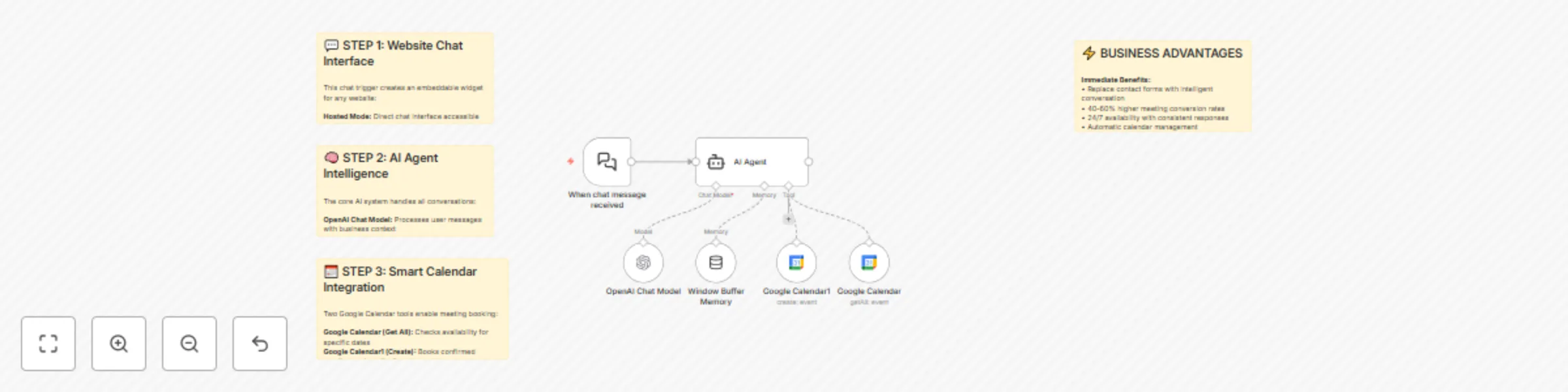
# Website AI Agent with Calendar Integration **Categories:** AI Agents, Website Integration, Calendar Automation This workflow creates a complete website AI agent that can be embedded on any website with just a few lines of code. The agent handles customer inquiries, provides business information, and automatically books meetings by checking calendar availability in real-time. Built for simplicity and business practicality, this system proves that effective AI agents don't need to be overcomplicated. ## **Benefits** - **Universal Website Integration** - Works with WordPress, Webflow, Squarespace, custom sites, or any platform that accepts HTML - **Intelligent Calendar Management** - Checks availability and books meetings automatically without double-booking - **Business-Ready Conversations** - Trained with specific business context and maintains professional, helpful interactions - **Real-Time Functionality** - All changes to the N8N workflow are immediately reflected on your live website - **No Technical Complexity** - Simple architecture that prioritizes reliability and consistent outputs over flashy features - **Customizable Branding** - Easy to modify appearance, messages, and behavior to match your brand ## **How It Works** **Embedded Chat Interface:** - Generates embeddable HTML code that creates a chat widget on any website - Provides both hosted and embedded modes for different use cases - Handles all communication between website visitors and the AI system **Intelligent Conversation Management:** - Uses sophisticated system prompts to maintain context about your business - Handles common inquiries about services, pricing, and company information - Gracefully redirects off-topic conversations back to business matters **Smart Calendar Integration:** - Connects to Google Calendar to check real-time availability - Automatically suggests meeting times based on your schedule - Collects all necessary information (name, email, preferred time) before booking **Meeting Booking Process:** - Validates meeting requests against existing calendar entries - Confirms all details with users before creating calendar events - Sends automatic invitations with proper timezone handling ## **Required Setup Configuration** **System Message Requirements:** Your AI agent needs a comprehensive system message that includes: - **Business Identity:** Company name, services, location, timezone - **Business Context:** What you offer, pricing information, key differentiators - **Conversation Rules:** How to handle inquiries, booking procedures, moderation guidelines - **Personality Instructions:** Tone of voice, response style, conversation length preferences **Example System Message Structure:** You are a helpful, intelligent website chatbot for [Company Name], a [business type]. The current date is [dynamic date]. You are in the [timezone] timezone. Business Context: - We offer [services] with [key benefits] - Our pricing is [pricing structure] - We work with [target customers] Your task is answering questions about the business & booking meetings. For meetings: use calendar function to check availability, collect name/email/preferred time, confirm details. Rules: - Keep responses short and conversational - Stay focused on business topics - Always confirm timezone when discussing meeting times **Google Calendar Setup:** 1. Enable Google Calendar API in Google Cloud Console 2. Create OAuth2 credentials for N8N 3. Connect your business calendar in the Google Calendar nodes 4. Set correct timezone in both nodes to match your business location **Website Integration:** 1. Switch chat trigger to "embedded" mode 2. Copy the provided CDN embed code 3. Paste code into your website's HTML (before closing body tag) 4. Replace webhook URL with your production URL ## **Business Use Cases** - **Service Businesses** - Automate initial consultations and lead qualification - **Agencies** - Handle project inquiries and schedule discovery calls - **Consultants** - Streamline the booking process for potential clients - **E-commerce** - Provide product support and schedule demos - **Any Business** - Replace contact forms with intelligent conversation ## **Revenue Potential** This system can replace expensive chatbot services that cost $100-500/month. The automated booking feature alone typically increases meeting conversion rates by 40-60% compared to traditional contact forms. **Difficulty Level:** Beginner **Estimated Build Time:** 15-20 minutes **Monthly Operating Cost:** ~$10 (OpenAI API usage) ## **Watch My 13-Minute Build** Want to see exactly how I built this from scratch? I walk through the complete setup process in real-time, including all the configuration, testing, and website integration. 🎥 **See My Complete Build Process:** "[How to Build a Website AI Agent in 13 Min (Free N8N Template)](https://www.youtube.com/watch?v=c2kaOwkkhpo)" This step-by-step tutorial shows you my exact process for creating business-ready AI agents that actually make money, not just impressive demos. ## **Set Up Steps** **Basic Agent Configuration:** - Create new N8N workflow with AI Agent node - Connect OpenAI Chat Model with your API credentials - Add Window Buffer Memory for conversation context **System Message Setup:** - Configure detailed business context and operating instructions - Set timezone and personality parameters for consistent responses - Define conversation rules and moderation guidelines **Google Calendar Integration:** - Set up Google Calendar credentials through Google Cloud Console - Configure "Get All Events" tool for availability checking - Set up "Create Event" tool for automated booking **Website Embedding:** - Switch chat trigger to "embedded" mode for website integration - Copy the provided CDN embed code - Paste code into your website's HTML with your webhook URL **Customization Options:** - Modify initial messages and branding in the embed code - Adjust colors and styling using CSS variables - Configure timezone settings to match your business location **Testing & Optimization:** - Test complete conversation flows from inquiry to booking - Verify calendar integration works correctly with your timezone - Optimize system prompts based on actual user interactions ## **Advanced Features** Extend this system with additional capabilities: - **CRM Integration** - Automatically add leads to your sales pipeline - **Multi-language Support** - Handle conversations in different languages - **Custom Business Logic** - Add specific qualification questions or routing - **Analytics Tracking** - Monitor conversation patterns and conversion rates ## **Check Out My Channel** For more practical automation systems that generate real business value, check out [my YouTube channel](https://www.youtube.com/@nicksaraev) where I share the exact strategies I used to scale my automation agency to $72K/month.
Lead generation system: Google Maps to email scraper with Google Sheets export
# Google Maps Email Scraper System **Categories:** Lead Generation, Web Scraping, Business Automation This workflow creates a completely free Google Maps email scraping system that extracts unlimited business emails without requiring expensive third-party APIs. Built entirely in N8N using simple HTTP requests and JavaScript, this system can generate thousands of targeted leads for any industry or location while operating at 99% free cost structure. ## **Benefits** - **Zero API Costs** - Operates entirely through free Google Maps scraping without expensive third-party services - **Unlimited Lead Generation** - Extract emails from thousands of Google Maps listings across any industry - **Geographic Targeting** - Search by specific cities, regions, or business types for precise lead targeting - **Complete Automation** - From search query to organized email list with minimal manual intervention - **Built-in Data Cleaning** - Automatic duplicate removal, filtering, and data validation - **Scalable Processing** - Handle hundreds of businesses per search with intelligent rate limiting ## **How It Works** **Google Maps Search Integration:** - Uses strategic HTTP requests to Google Maps search URLs - Processes search queries like "Calgary + dentist" to extract business listings - Bypasses API restrictions through direct HTML scraping techniques **Intelligent URL Extraction:** - Custom JavaScript regex patterns extract website URLs from Google Maps data - Filters out irrelevant domains (Google, schema, static files) - Returns clean list of actual business websites for processing **Smart Website Processing:** - Loop-based architecture prevents IP blocking through intelligent batching - Built-in delays and redirect handling for reliable scraping - Processes each website individually with error handling **Email Pattern Recognition:** - Advanced regex patterns identify email addresses within website HTML - Extracts contact emails, info emails, and administrative addresses - Handles multiple email formats and validation patterns **Data Aggregation & Cleaning:** - Automatically removes duplicate emails across all processed websites - Filters null entries and invalid email formats - Exports clean, organized email lists to Google Sheets ## **Required Google Sheets Setup** Create a Google Sheet with these exact column headers: **Search Tracking Sheet:** - `searches` - Contains your search queries (e.g., "Calgary dentist", "Miami lawyers") **Email Results Sheet:** - `emails` - Contains extracted email addresses from all processed websites **Setup Instructions:** 1. Create Google Sheet with two tabs: "searches" and "emails" 2. Add your target search queries to the searches tab (one per row) 3. Connect Google Sheets OAuth credentials in n8n 4. Update the Google Sheets document ID in all sheet nodes The workflow reads search queries from the first sheet and exports results to the second sheet automatically. ## **Business Use Cases** - **Local Service Providers** - Find competitors and potential partners in specific geographic areas - **B2B Sales Teams** - Generate targeted prospect lists for cold outreach campaigns - **Marketing Agencies** - Build industry-specific lead databases for client campaigns - **Real Estate Professionals** - Identify businesses in target neighborhoods for commercial opportunities - **Franchise Development** - Research potential markets and existing competition - **Market Research** - Analyze business density and contact information across regions ## **Revenue Potential** This system transforms lead generation economics: - $0 per lead vs. $2-5 per lead from paid databases - Process 1,000+ leads daily without hitting API limits - Sell as a service for $500-2,000 per industry/location - Perfect for agencies offering lead generation to local businesses **Difficulty Level:** Intermediate **Estimated Build Time:** 1-2 hours **Monthly Operating Cost:** $0 (completely free) ## **Watch My Complete Build Process** Want to watch me build this entire system live from scratch? I walk through every single step - including the JavaScript code, regex patterns, error handling, and all the debugging that goes into creating a bulletproof scraping system. 🎥 **Watch My Live Build:** "[Scrape Unlimited Leads WITHOUT Paying for APIs (99% FREE)](https://www.youtube.com/watch?v=OroDNJl-pyc)" This comprehensive tutorial shows the real development process - including writing custom JavaScript, handling rate limits, and building systems that actually work at scale without getting blocked. ## **Set Up Steps** **Basic Workflow Architecture:** - Set up manual trigger for testing and Google Sheets integration - Configure initial HTTP request node for Google Maps searches - Enable SSL ignore and response headers for reliable scraping **URL Extraction Code Setup:** - Configure JavaScript code node with custom regex patterns - Set up input data processing from Google Maps HTML responses - Implement URL filtering logic to remove irrelevant domains **Website Processing Pipeline:** - Add "Split in Batches" node for intelligent loop processing - Configure HTTP request nodes with proper delays and redirect handling - Set up error handling for websites that can't be scraped **Email Extraction System:** - Implement JavaScript code node with email-specific regex patterns - Configure email validation and format checking - Set up data aggregation for multiple emails per website **Data Cleaning & Export:** - Configure filtering nodes to remove null entries and duplicates - Set up "Split Out" node to aggregate emails into single list - Connect Google Sheets integration for organized data export **Testing & Optimization:** - Use limit nodes during testing to prevent IP blocking - Test with small batches before scaling to full searches - Implement proxy integration for high-volume usage ## **Advanced Optimizations** Scale the system with: - **Multi-Page Scraping:** Extract URLs from homepages, then scrape contact pages for more emails - **Proxy Integration:** Add residential proxies for unlimited scraping without rate limits - **Industry Templates:** Create pre-configured searches for different business types - **Contact Information Expansion:** Extract phone numbers, addresses, and social media profiles - **CRM Integration:** Automatically add leads to sales pipelines and marketing sequences ## **Important Considerations** - **Rate Limiting:** Built-in delays prevent IP blocking during normal usage - **Scalability:** For high-volume usage, consider proxy services for unlimited requests - **Compliance:** Ensure proper usage rights for extracted contact information - **Data Quality:** System includes filtering but manual verification recommended for critical campaigns ## **Check Out My Channel** For more advanced automation systems and business-building strategies that generate real revenue, explore [my YouTube channel](https://www.youtube.com/@nicksaraev) where I share proven automation techniques used by successful agencies and entrepreneurs.
AI premium proposal generator with OpenAI, Google Slides & PandaDoc
AI Proposal Generator System ***Categories*** - Sales Automation - Document Generation - AI Business Tools This workflow creates a complete AI-powered proposal generation system that transforms simple form inputs into ***professional, personalized proposals in under 30 seconds and can be deployed during live sales calls***, allowing you to send polished proposals before the call even ends. ***Benefits*** - Instant Proposal Generation - Convert 30-second form inputs into professional proposals automatically - High-Value Business Tool - Generates $1,500-$5,000 per client implementation - Live Sales Integration - Generate and send proposals during active sales calls - Complete Automation Pipeline - From form submission to email delivery with zero manual work - Professional Presentation - Produces proposals indistinguishable from manually crafted documents - Dual Platform Support - Works with both Google Slides (free) and PandaDoc (premium) integration ***How It Works*** 1. Smart Form Interface: - Simple N8N form captures essential deal information - Collects prospect details, problems, solutions, scope, timeline, and budget - Designed for rapid completion during live sales conversations 2. Advanced AI Processing: - Uses sophisticated GPT-4 prompting with example-based training - Converts basic form inputs into professionally written proposal sections - Applies consistent tone, formatting, and business language automatically 3. Dynamic Document Generation: - Creates duplicate proposal templates for each new prospect - Replaces template variables with AI-generated personalized content - Maintains professional formatting and visual consistency 4. Automated Email Delivery: - Sends personalized email with proposal link immediately after generation - Includes professional messaging and clear next steps - Optionally includes invoice for immediate payment processing 5. Premium PandaDoc Integration: - Advanced version includes built-in payment processing - Combines proposal, agreement, and invoice in single document - Enables immediate signature and payment collection ***Business Use Cases*** - Service-Based Businesses - Generate proposals for consulting, agencies, and professional services - Automation Agencies - Offer proposal generation as a high-value service to clients - Sales Teams - Accelerate proposal creation and improve close rates - Freelancers - Professionalize client interactions with instant custom proposals - Consultants - Streamline business development with automated proposal workflows - B2B Companies - Scale personalized proposal generation across entire sales organization Difficulty Level: Intermediate Estimated Build Time: 2-3 hours Monthly Operating Cost: $20-150 (depending on Google Slides vs PandaDoc) ***Watch My Complete Live Build*** Want to see me build this entire $2,485 proposal system from scratch? I walk through every component live - including the AI prompting strategies, form design, Google Slides integration, and the advanced PandaDoc setup that enables payment collection. 🎥 See My Live Build Process: "[I Built A $2,485 AI Proposal Generator In N8N (Copy This)](https://www.youtube.com/watch?v=viN9gX030T4)" This comprehensive tutorial shows the real development process - including advanced AI prompting, template design, API integrations, and the exact pricing strategy that generates $1,500-$5,000 per client. ***Required Template Setup*** - - Google Slides Template: Create a professional proposal template with these variable placeholders (wrapped in double curly braces): - {{proposalTitle}} - Main proposal heading - {{descriptionName}} - Project subtitle/description - {{oneParagraphProblemSummary}} - Problem analysis section - {{solutionHeadingOne}}, {{solutionHeadingTwo}}, {{solutionHeadingThree}} - Solution titles - {{shortScopeTitleOne}} through {{shortScopeTitleThree}} - Scope sections - {{milestoneOneDay}} through {{milestoneFourDay}} - Timeline milestones - {{cost}} - Project pricing - Form Field Requirements: The N8N form must include these exact field labels: - First Name, Last Name, Company Name, Email, Website - Problem (textarea) - Client's current challenges - Solution (textarea) - Your proposed approach - Scope (textarea) - Specific deliverables - Cost - Project pricing - How soon? - Timeline expectations - PandaDoc Setup (Premium): Configure PandaDoc template with token placeholders matching the AI-generated content structure. Template must include pricing tables and signature fields for complete proposal-to-payment automation. ***Set Up Steps*** 1. Form Design & Integration: - Create N8N form with optimized fields for proposal generation - Design form flow for rapid completion during sales calls - Configure form triggers and data validation 2. AI Content Generation Setup: - Configure OpenAI API for sophisticated proposal writing - Implement example-based training with input/output pairs - Set up JSON formatting for structured content generation 3. Google Slides Integration (Free Version): - Create professional proposal templates with variable placeholders - Set up Google Cloud Console API access and credentials - Configure template duplication and text replacement workflows 4. Email Automation Setup: - Configure Gmail integration for automated proposal delivery - Design professional email templates with proposal links - Set up dynamic content insertion and personalization 5. PandaDoc Integration (Premium Version): - Set up PandaDoc API for advanced document generation - Configure payment processing and signature collection - Implement proposal-to-payment automation workflows 6. Testing & Quality Control: - Test complete workflow with various proposal scenarios - Validate AI output quality and professional presentation - Optimize form fields and content generation based on results ***Advanced Features*** Premium system includes: - Payment Processing Integration: Collect payments immediately after proposal acceptance - Digital Signature Collection: Streamline agreement execution with electronic signatures - Custom Branding: Apply company branding and visual identity automatically - Multi-Template Support: Generate different proposal types based on service offerings - CRM Integration: Automatically sync proposal data with existing sales systems ***Why This System Works*** - The competitive advantage lies in speed and professionalism: - 30-second generation time vs. hours of manual proposal writing - Professional presentation that matches or exceeds manual proposals - Live sales integration - send proposals during active conversations - Consistent quality - eliminates human error and formatting inconsistencies - Immediate follow-up - maintain sales momentum with instant delivery ***System Architecture*** - The workflow follows a simple but powerful 6-step process: - Form Trigger - Captures essential deal information - AI Processing - Converts inputs to professional content - Template Duplication - Creates unique document for each prospect - Content Replacement - Populates template with AI-generated content - Email Delivery - Sends proposal with professional messaging - Payment Collection (PandaDoc) - Enables immediate signature and payment ***Check Out My Channel*** For more high-value automation systems and proven business-building strategies, explore [my YouTube channel](https://www.youtube.com/@nicksaraev) where I share the exact systems used to build successful automation businesses and scale to $72K+ monthly revenue.
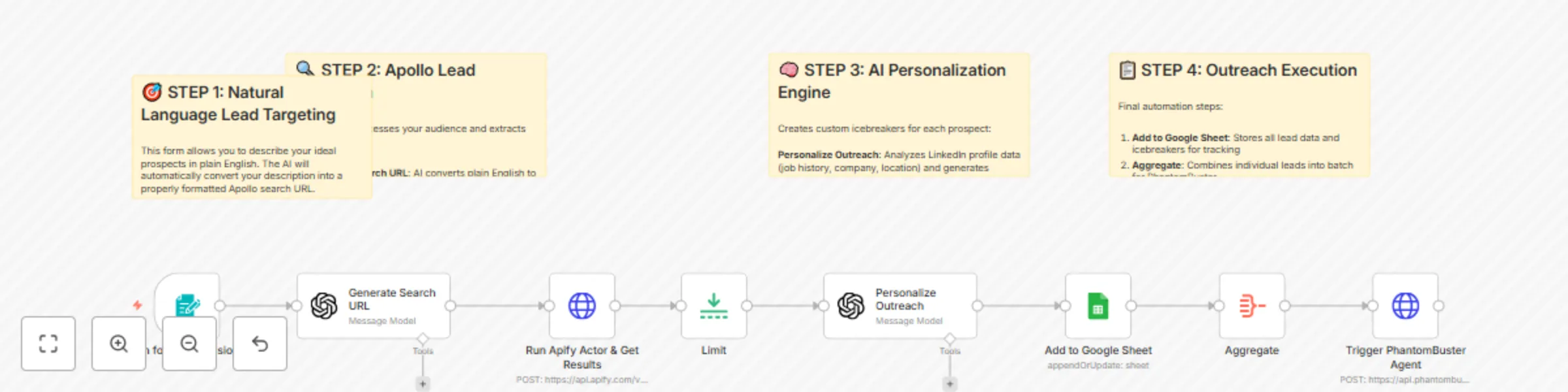
Personalized LinkedIn connection requests with Apollo, GPT-4, Apify & PhantomBuster
AI LinkedIn Outreach Automation with Apollo, OpenAI & PhantomBuster ***Categories:*** Sales Automation Lead Generation AI Personalization This workflow creates a complete LinkedIn outreach automation system that generates targeted lead lists from Apollo using natural language, ***enriches profiles with AI-personalized icebreakers, and automatically sends connection requests*** through PhantomBuster. Built by someone who's made over $1 million with AI automation, this system demonstrates the real-world approach to building profitable automation workflows. ***Benefits*** - Natural Language Lead Targeting - Describe your ideal prospects in plain English and automatically generate Apollo search URLs - AI-Powered Personalization - Creates custom icebreakers based on LinkedIn profile data, employment history, and professional background - Complete Outreach Pipeline - From lead discovery to personalized connection requests, fully automated end-to-end - Smart Data Management - Automatically tracks all prospects in Google Sheets with deduplication and status tracking - Cost-Effective Scraping - Uses Apify to extract Apollo data without expensive subscription costs - Scalable Architecture - Processes hundreds of leads while respecting LinkedIn's connection limits ***How It Works*** 1. Natural Language Lead Generation: - Form input accepts audience descriptions in plain English - AI converts descriptions into properly formatted Apollo search URLs - Automatically includes location, company size, job titles, and keyword filters 2. Apollo Data Extraction: - Uses Apify actor to scrape targeted lead lists from Apollo - Extracts LinkedIn URLs, email addresses, employment history, and profile data - Processes 500+ leads per run with detailed professional information 3. AI Personalization Engine: - Analyzes LinkedIn profile data including job history and company information - Generates personalized icebreakers using proven connection request templates - Creates human-like messages that reference specific career details and achievements 4. Google Sheets Integration: - Automatically stores all lead data in organized spreadsheet format - Tracks prospect information, contact details, and generated icebreakers - Provides easy data management and campaign tracking 5. PhantomBuster Automation: - Connects to PhantomBuster API to trigger LinkedIn connection campaigns - Sends personalized connection requests with custom icebreakers - Respects LinkedIn's daily limits and mimics human behavior patterns ***Business Use Cases*** - Sales Teams - Automate prospecting for B2B outreach campaigns - Agencies - Scale client acquisition through targeted LinkedIn outreach - Recruiters - Find and connect with qualified candidates efficiently - Entrepreneurs - Build professional networks in specific industries - Business Development - Generate qualified leads for partnership opportunities - Revenue Potential - This system can replace expensive LinkedIn outreach tools that cost $200-500/month. Users typically see: - 400% improvement in response rates through personalization - 10x faster lead generation compared to manual prospecting - Ability to process 500+ leads per hour vs. 10-20 manually - Difficulty Level: Intermediate Estimated Build Time: 1-2 hours Monthly Operating Cost: ~$50 (Apollo + PhantomBuster + AI APIs) ***Watch My Complete 1-Hour Build*** Want to see exactly how I built this system from scratch? I walk through the entire development process live, including all the debugging, API integrations, and real-world testing that goes into building profitable automation systems. 🎥 [See My Live Build Process: "Build This Automated AI LinkedIn DM System in 1 Hour (N8N)"](https://www.youtube.com/watch?v=gsPGdq2C97c) This comprehensive tutorial shows my actual development approach - including the detours, problem-solving, and iterative testing that real automation building involves. ***Required Google Sheets Setup*** Create a Google Sheet with these exact column headers: Essential Lead Columns: - id - Unique prospect identifier - first_name - Contact's first name - last_name - Contact's last name - name - Full name - linkedin_url - LinkedIn profile URL - title - Current job title - email_status - Email verification status - photo_url - Profile photo URL - icebreaker - AI-generated personalized message Setup Instructions: - Create Google Sheet with these headers in row 1 - Connect Google Sheets OAuth in n8n - Update the document ID in the "Add to Google Sheet" node - PhantomBuster will read from this sheet for automated outreach ***Set Up Steps*** 1. Apollo & Apify Configuration: - Set up Apify account and obtain API credentials - Configure Apollo scraper actor with proper parameters - Test lead extraction with sample audience descriptions 2. AI Personalization Setup: - Configure OpenAI API for natural language processing and personalization - Set up prompt templates for audience targeting and icebreaker generation - Test personalization quality with sample LinkedIn profiles 3. Google Sheets Integration: - Create lead tracking spreadsheet with proper column structure - Configure Google Sheets API credentials and permissions - Set up data mapping for automatic lead storage - 4. PhantomBuster Connection: - Set up PhantomBuster account and LinkedIn connection - Configure LinkedIn auto-connect agent with custom message templates - Connect API for automated campaign triggering 5. Form and Workflow Setup: - Configure form trigger for audience input collection - Set up data flow between all components - Add proper error handling and rate limiting 6. Testing and Optimization: - Start with small batches (5-10 connections daily) - Monitor LinkedIn account health and response rates - Optimize icebreaker templates based on performance data ***Important Compliance Notes*** - LinkedIn Limits: Respect 100 connection requests per week limit - Account Safety: Use PhantomBuster's human-like behavior patterns - Message Quality: Regularly update templates to avoid automation detection - Response Management: Monitor and respond to replies within 24 hours ***Advanced Extensions*** - This system can be enhanced with: - Multi-channel Outreach: Add email sequences for comprehensive campaigns - A/B Testing: Test different icebreaker templates automatically - CRM Integration: Connect to Salesforce, HubSpot, or other sales systems - Response Tracking: Monitor reply rates and optimize messaging - ***Explore My Channel*** For more advanced automation systems that generate real business results, check out [my YouTube channel](https://www.youtube.com/@nicksaraev) where I share the exact strategies I've used to make over $1 million with AI automation.
Automate Instagram content discovery & repurposing w/ Apify, GPT-4o & Perplexity
This workflow creates an **end-to-end Instagram content pipeline** that automatically discovers trending content from competitor channels, extracts valuable insights, and generates new high-quality scripts for your own content creation. The system helped scale an Instagram channel from **0 to 10,000 followers in just 15 days** through **intelligent content repurposing**. **Benefits:** - Complete Content Automation - Monitors competitor Instagram accounts, downloads new reels, and processes them without manual intervention - AI-Powered Script Generation - Uses ChatGPT and Perplexity to analyze content, identify tools/technologies, and rewrite scripts with fresh angles - Smart Duplicate Prevention - Automatically tracks processed content in a database to avoid redundant work - Multi-Platform Intelligence - Combines Instagram scraping, AI transcription, web research, and content generation in one seamless flow - Scalable Content Strategy - Process content from multiple niches and creators to fuel unlimited content ideas - Revenue-Focused Approach - Specifically designed to identify monetizable tools and technologies for business-focused content **How It Works:** 1. Instagram Content Discovery: - Uses Apify's Instagram scraper to monitor specified creator accounts for new reels - Automatically downloads video content and metadata from target accounts - Filters content based on engagement metrics and relevance 2. Intelligent Processing Pipeline: - Transcribes video content using OpenAI Whisper for accurate text extraction - Filters content using AI to identify tools, technologies, and automation opportunities - Cross-references against existing database to prevent duplicate processing 3. Enhanced Research & Analysis: - Searches Perplexity AI for additional insights about discovered tools - Generates step-by-step usage guides and implementation instructions - Identifies unique angles and opportunities for content improvement 4. Script Generation & Optimization: - Creates new, original scripts optimized for your specific audience - Maintains consistent brand voice while adding fresh perspectives - Includes strategic call-to-action elements for audience engagement **Required Google Sheets Database Setup:** Before running this workflow, create a Google Sheets database with these exact column headers: Essential Columns: id - Unique Instagram post identifier (primary key for duplicate detection) timestamp - When the reel was posted caption - Original reel caption text hashtags - Hashtags used in the post videoUrl - Direct link to download the video file username - Account that posted the reel scrapedTranscript - Original transcript from video (added by workflow) newTranscript - AI-generated script for your content (added by workflow) *Additional Tracking Columns:* shortCode - Instagram's internal post code url - Public Instagram post URL commentsCount - Number of comments firstComment - Top comment on the post likesCount - Number of likes videoViewCount - View count metrics videoDuration - Length of video in seconds Setup Instructions: Create a new Google Sheet with these column headers in the first row Name the sheet "Reels" Connect your Google Sheets OAuth credentials in n8n Update the document ID in the workflow nodes The merge logic relies on the id column to prevent duplicate processing, so this structure is essential for the workflow to function correctly. **Business Use Cases:** - Content Creators - Scale content production by 10x while maintaining quality and originality - Marketing Agencies - Offer content research and ideation as a premium service - Course Creators - Identify trending tools and technologies for educational content **Revenue Potential:** This exact system can be sold as a service for $3,000-$5,000 to growing channels or agencies. The automation saves 10+ hours weekly of manual research and content planning. - Difficulty Level: Intermediate - Estimated Build Time: 1-2 hours - Monthly Operating Cost: ~$30 (API usage) **Watch the Complete Build Process** Want to see exactly how this system was built from scratch? Nick Saraev walks through the entire development process in this comprehensive tutorial, including all the debugging, dead ends, and problem-solving that goes into building real automation systems. [🎥 Watch: "The N8N Instagram Parasite System (10K Followers In 15 Days)"](https://www.youtube.com/watch?v=9zBtU1mwOR4) *This 1.5-hour deep-dive shows the actual build process - not a polished demo, but real system development with all the thinking and iteration included.* **Set Up Steps:** 1. Configure Apify Integration: - Sign up for Apify account and obtain API key - Replace the bearer token in the "Run Actor Synchronously" node - Customize the username array with your target Instagram accounts 2. Set Up AI Services: - Add OpenAI API credentials for transcription and content generation - Configure Perplexity API for enhanced research capabilities - Set up appropriate rate limiting for cost control - 3. Database Configuration: - Create Google Sheets database with provided column structure - Connect Google Sheets OAuth credentials - Configure the merge logic for duplicate detection 4. Content Filtering Setup: - Customize the AI prompts for your specific niche and requirements - Adjust the filtering criteria for tool/technology detection - Set up the script generation template to match your brand voice 5. Automation Schedule: - Configure the schedule trigger for daily content monitoring - Set optimal timing based on your content creation workflow - Test the complete flow with a small number of accounts first 6. Advanced Customization: - Add additional content sources beyond Instagram - Integrate with your existing content management systems - Scale up monitoring to dozens of competitor accounts ***More AI Automation Systems:*** For more advanced automation tutorials and business systems, check out [My YouTube Channel ](https://www.youtube.com/@nicksaraev) where I share proven automation strategies that generate real revenue.