Nutrition tracker & meal logger with Telegram, Gemini AI and Google Sheets

Workflow preview

Workflow preview
100%
Nutrition tracker & meal logger with Telegram, Gemini AI and Google Sheets preview
Open on n8n.io

Important notice

This workflow is provided as-is. Please review and test before using in production.

1. Workflow Overview

Telegram Nutrition AI Assistant (Alternative to Cal AI App) AI powered nutrition assistant for Telegram — log meals, set goals, and get personalized daily reports with Google Sheets integ...

Best for

  • AI Chatbot automation workflows
  • Multimodal AI automation workflows
  • advanced n8n builders looking for reusable templates

Tools used

n8n-nodes-base.telegram, n8n-nodes-base.switch, n8n-nodes-base.set, @n8n/n8n-nodes-langchain.googlegemini, n8n-nodes-base.code, @n8n/n8n-nodes-langchain.lmchatgooglegemini, @n8n/n8n-nodes-langchain.memorybufferwindow, n8n-nodes-base.if

Source and attribution

This workflow is cataloged by N8N Workflows and links back to its original n8n.io source page by John Alejandro SIlva.

Original n8n.io source

1.1 Workflow description

Title
Nutrition tracker & meal logger with Telegram, Gemini AI and Google Sheets
Workflow name
Nutrition tracker & meal logger with Telegram, Gemini AI and Google Sheets

🤖🥗 Telegram Nutrition AI Assistant (Alternative to Cal AI App)

> AI-powered nutrition assistant for Telegram — log meals, set goals, and get personalized daily reports with Google Sheets integration.

📋 Description

This n8n template creates a Telegram-based Nutrition AI Assistant 🥑🔥 designed as an open-source alternative to the Cal AI mobile app. It allows users to interact with an AI agent via text, voice, or images to track meals, calculate macros, and monitor nutrition goals directly from Telegram.

The system integrates Google Sheets as the database, handling both user profiles and meal logs, while leveraging Gemini AI for natural conversation, food recognition, and daily progress reports.

✨ Key Features

  • 💬 Multi-input support: Text, voice messages (transcribed), and food images (AI analysis).

  • 📊 Macro calculation: Automatic estimation of calories, proteins, carbs, and fats.

  • 📝 User-friendly registration: Simple onboarding without storing personal health data (no weight/height required).

  • 🎯 Goal tracking: Users can set and update calorie and protein targets.

  • 📈 Daily reports: Personalized progress messages with visual progress bars.

  • 🗂 Google Sheets integration:

    • Profile table for user targets.
    • Meals table for food logs.
  • 🔄 Advanced n8n nodes: Includes use of Merge, Subworkflow, and Code nodes for data processing and report generation.

💡 Acknowledgment

Inspired by the Cal AI concept 💡 — this template demonstrates how to reproduce its main functionality with n8n, Telegram, and AI agents as a flexible, open-source automation workflow.

🏷 Tags

  • telegram
  • ai-assistant
  • nutrition
  • meal-tracking
  • google-sheets
  • food-logging
  • voice-transcription
  • image-analysis
  • daily-reports
  • n8n-template
  • merge-node
  • subworkflow-node
  • code-node
  • telegram-trigger
  • google-gemini

💼 Use Case

Use this template if you want to:

  • 🥗 Log meals using text, images, or voice messages.
  • 📊 Track nutrition goals (calories, proteins) with daily progress updates.
  • 🤖 Provide a chat-based nutrition assistant without building a full app.
  • 🗂 Store structured nutrition data in Google Sheets for easy access and analysis.

💬 Example User Interactions

  • 📸 User sends a photo of a meal → AI analyzes the food and logs calories/macros.
  • 🎤 User sends a voice message → AI transcribes and logs the meal.
  • ⌨️ User types “report” → AI returns a daily nutrition summary with progress bars.
  • 🥅 User says “update my protein goal” → AI updates profile in Google Sheets.

🔑 Required Credentials

  • Telegram Bot API (Bot Token)
  • Google Sheets API credentials
  • AI Provider API (Google Gemini or compatible LLM)

⚙️ Setup Instructions

  1. 🗂 Create two Google Sheets tables:

    • Profile: User_ID, Name, Calories_target, Protein_target
    • Meals: User_ID, Date, Meal_description, Calories, Proteins, Carbs, Fats
  2. 🔌 Configure the Telegram Trigger with your bot token.

  3. 🤖 Connect your AI provider credentials (Gemini recommended).

  4. 📑 Connect Google Sheets with your credentials.

  5. ▶️ Deploy the workflow in n8n.

  6. 🎯 Start interacting with your nutrition assistant via Telegram.

📌 Extra Notes

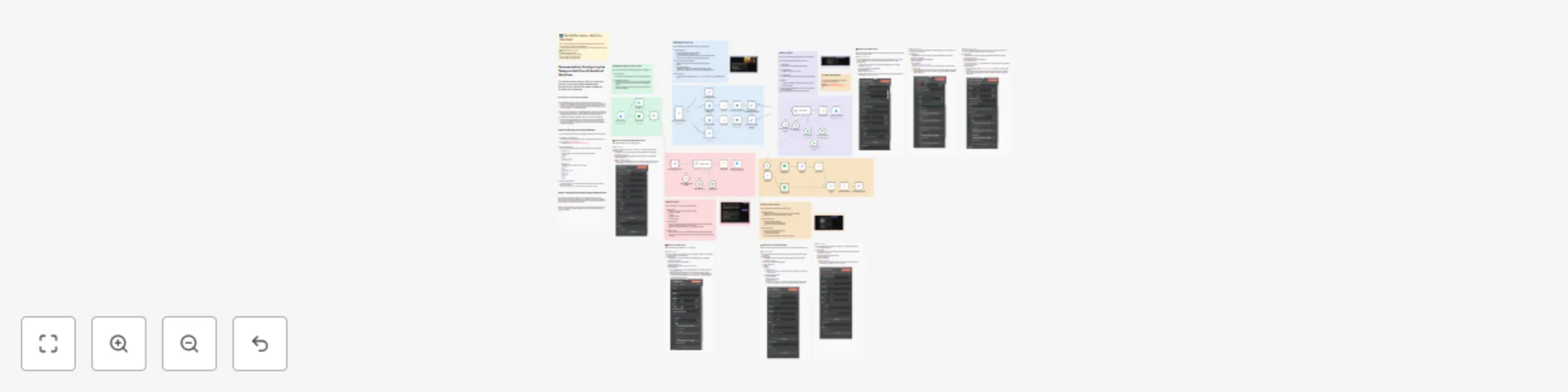
  • 🟩 Green section: Handles Telegram trigger and user check.
  • 🟥 Red section: Registers new users and sets goals.
  • 🟦 Blue section: Processes text, voice, and images.
  • 🟨 Yellow section: Generates nutrition reports.
  • 🟪 Purple section: Main AI agent controlling tools and logic.

💡 Need Assistance?

If you’d like help customizing or extending this workflow, feel free to reach out:

📧 Email: [email protected]
🔗 LinkedIn: John Alejandro Silva Rodríguez

1.2 Logical Blocks

This catalog entry is organized from the workflow JSON. The node-level section below shows the executable blocks available for review before importing the template.

2. Block-by-Block Analysis

Block 1 - Download Voice Message

Type / Role
n8n-nodes-base.telegram - telegram
Config choices
Version 1.2

Block 2 - Input Message Router1

Type / Role
n8n-nodes-base.switch - switch
Config choices
Version 3.2

Block 3 - get_message (text)

Type / Role
n8n-nodes-base.set - set
Config choices
Version 3.4

Block 4 - Download IMAGE

Type / Role
n8n-nodes-base.telegram - telegram
Config choices
Version 1.2

Block 5 - Analyze image

Type / Role
@n8n/n8n-nodes-langchain.googleGemini - googleGemini
Config choices
Version 1

Block 6 - Analyze voice message

Type / Role
@n8n/n8n-nodes-langchain.googleGemini - googleGemini
Config choices
Version 1

Block 7 - get_message (Audio/Video message)

Type / Role
n8n-nodes-base.set - set
Config choices
Version 3.4

Block 8 - get_message (Media message)

Type / Role
n8n-nodes-base.set - set
Config choices
Version 3.4

Block 9 - Typing…

Type / Role
n8n-nodes-base.telegram - telegram
Config choices
Version 1.2

Block 10 - Fix mime

Type / Role
n8n-nodes-base.code - code
Config choices
Version 2

Block 11 - Fix mime5

Type / Role
n8n-nodes-base.code - code
Config choices
Version 2

Block 12 - get_error_message1

Type / Role
n8n-nodes-base.set - set
Config choices
Version 3.4

Block 13 - Send a text message

Type / Role
n8n-nodes-base.telegram - telegram
Config choices
Version 1.2

Block 14 - Google Gemini Chat Model

Type / Role
@n8n/n8n-nodes-langchain.lmChatGoogleGemini - lmChatGoogleGemini
Config choices
Version 1

Block 15 - Simple Memory

Type / Role
@n8n/n8n-nodes-langchain.memoryBufferWindow - memoryBufferWindow
Config choices
Version 1.3

Block 16 - MarkdownV2

Type / Role
n8n-nodes-base.code - code
Config choices
Version 2

Block 17 - If

Type / Role
n8n-nodes-base.if - if
Config choices
Version 2.2

Block 18 - Registered?

Type / Role
n8n-nodes-base.googleSheets - googleSheets
Config choices
Version 4.7

Block 19 - Send a text message1

Type / Role
n8n-nodes-base.telegram - telegram
Config choices
Version 1.2

Block 20 - Google Gemini Chat Model1

Type / Role
@n8n/n8n-nodes-langchain.lmChatGoogleGemini - lmChatGoogleGemini
Config choices
Version 1

Block 21 - Simple Memory1

Type / Role
@n8n/n8n-nodes-langchain.memoryBufferWindow - memoryBufferWindow
Config choices
Version 1.3

Block 22 - MarkdownV

Type / Role
n8n-nodes-base.code - code
Config choices
Version 2

Block 23 - Get Meals Info

Type / Role
n8n-nodes-base.googleSheets - googleSheets
Config choices
Version 4.7

Block 24 - Get User Info

Type / Role
n8n-nodes-base.googleSheets - googleSheets
Config choices
Version 4.7

Showing the first 24 of 63 workflow blocks. Download the JSON for the full node graph.

3. Summary Table

Workflow Nutrition tracker & meal logger with Telegram, Gemini AI and Google Sheets
Complexity advanced
Nodes 63
Categories AI Chatbot, Multimodal AI
Author John Alejandro SIlva
Published 23 Aug 2025

4. Reproducing the Workflow from Scratch

  1. 1. Download the workflow JSON

    Use the JSON export at /data/workflows/7756/7756.json as the source template for this automation.

  2. 2. Import the template into n8n

    Open n8n, import the downloaded JSON, and review each node before activating the workflow.

  3. 3. Configure credentials and variables

    Replace placeholder credentials, API keys, webhook URLs, account IDs, and environment-specific values with your own settings.

  4. 4. Test with sample data

    Run the workflow manually or in a staging workspace, inspect node output, and confirm downstream systems receive the expected data.

  5. 5. Activate and monitor

    Enable the workflow only after testing, then monitor executions, errors, and rate limits during the first production runs.

5. General Notes & Resources

Review imported nodes carefully before activation. This catalog entry is intended to help you inspect the workflow structure, understand required services, and find related templates faster.

Node names, credentials, schedules, webhook paths, and external service limits may need adjustment for your workspace.

Frequently asked questions

What does Nutrition tracker & meal logger with Telegram, Gemini AI and Google Sheets do?

Telegram Nutrition AI Assistant (Alternative to Cal AI App) AI powered nutrition assistant for Telegram — log meals, set goals, and get personalized daily reports with Google Sheets integ...

What do I need before importing this workflow?

Review the workflow JSON, configure any required credentials in n8n, and test the automation in a safe workspace before using it in production.

Can I customize this workflow?

Yes. Use the block-by-block analysis and the downloadable JSON to inspect each node, then adjust credentials, prompts, schedules, filters, or destinations for your AI Chatbot, Multimodal AI use case.