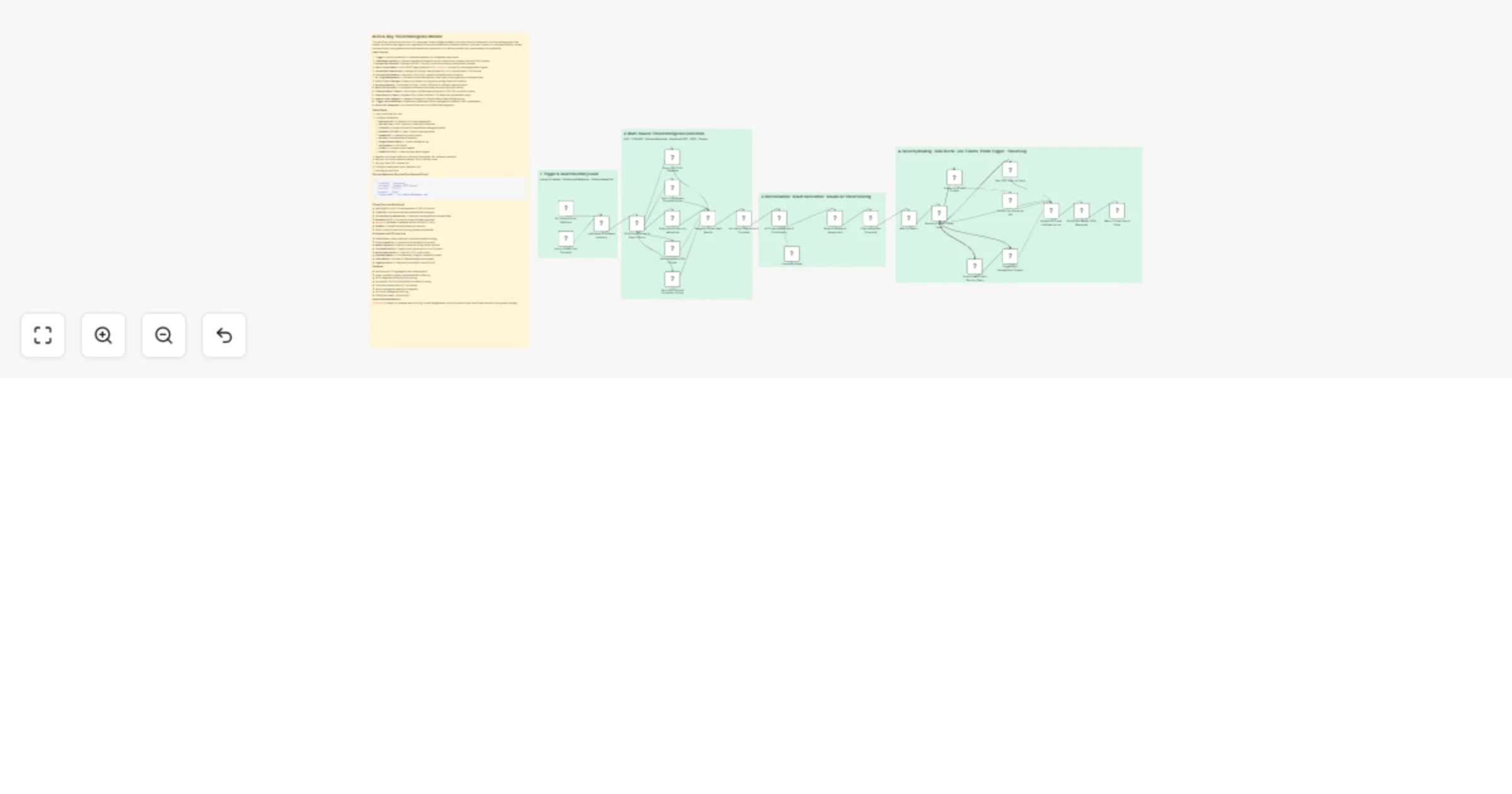
Monitor zero-day threats with Anthropic Claude, Airtable, Slack and Jira

Workflow preview

Workflow preview
100%
Monitor zero-day threats with Anthropic Claude, Airtable, Slack and Jira preview
Open on n8n.io

1. Workflow Overview

This workflow continuously monitors CVE databases, threat intelligence feeds, and public security advisories to surface emerging zero day threats, correlates them against your registered infrastruc...

Best for

  • SecOps automation workflows
  • AI Summarization automation workflows
  • advanced n8n builders looking for reusable templates

Tools used

n8n-nodes-base.stickynote, n8n-nodes-base.webhook, n8n-nodes-base.scheduletrigger, n8n-nodes-base.airtable, n8n-nodes-base.code, n8n-nodes-base.httprequest, n8n-nodes-base.merge, @n8n/n8n-nodes-langchain.agent

Source and attribution

This workflow is cataloged by N8N Workflows and links back to its original n8n.io source page by Oneclick AI Squad.

Original n8n.io source

1.1 Workflow description

Title
Monitor zero-day threats with Anthropic Claude, Airtable, Slack and Jira
Workflow name
Monitor zero-day threats with Anthropic Claude, Airtable, Slack and Jira

This workflow continuously monitors CVE databases, threat intelligence feeds, and public security advisories to surface emerging zero-day threats, correlates them against your registered infrastructure assets and software inventory, and uses Claude AI to score exploitability, assess business impact, and generate actionable remediation playbooks — all before attackers can operationalise the vulnerability.

How it works

  1. Trigger — Hourly schedule or on-demand webhook for immediate threat scans
  2. Load Asset Inventory — Fetches registered infrastructure (IPs, hostnames, software, versions) from Airtable
  3. Scrape CVE Sources — Queries NVD API, CISA KEV, and GitHub Security Advisories in parallel
  4. Fetch Threat Feeds — Pulls OSINT feeds (AlienVault OTX, abuse.ch, Shodan) for active exploitation signals
  5. Normalise & Deduplicate — Merges all findings, deduplicates by CVE ID, enriches with CVSS scores
  6. Correlate with Assets — Matches CVEs to your specific software/version inventory
  7. AI Threat Assessment — Claude AI scores exploitability, blast radius, and urgency per matched threat
  8. Filter Critical Findings — Keeps only threats scoring above configurable risk threshold
  9. Route by Severity — Branches CRITICAL / HIGH / MEDIUM for different response paths
  10. Alert SOC via Slack — Immediate notification with threat summary and patch status
  11. Create Incident Tickets — Auto-opens Jira/ServiceNow issues for CRITICAL and HIGH threats
  12. Email Security Team — Detailed HTML threat brief with CVE details and remediation steps
  13. Update Threat Register — Appends findings to Google Sheets threat intelligence log
  14. Trigger Patch Workflow — Webhooks downstream patch management system for auto-remediation
  15. Return API Response — Structured JSON result for SIEM/SOAR integration

Setup Steps

  1. Import workflow into n8n
  2. Configure credentials:
  • Anthropic API — Claude AI for threat assessment
  • NVD API Key — NIST National Vulnerability Database
  • CISA KEV — Known Exploited Vulnerabilities catalogue (public)
  • AlienVault OTX API — Open Threat Exchange pulses
  • Shodan API — Internet exposure checks
  • Airtable — Asset/software inventory
  • Google Sheets OAuth — Threat intelligence log
  • Slack OAuth — SOC alerts
  • Jira API — Incident ticket creation
  • SendGrid / SMTP — Security team email digests
  1. Register your asset inventory in Airtable (hostnames, IPs, software, versions)
  2. Set your risk score threshold (default: 65) in the filter node
  3. Set your Slack SOC channel IDs
  4. Configure downstream patch webhook URL
  5. Activate the workflow

Sample Webhook Payload (On-Demand Scan)

{
 "scanType": "targeted",
 "software": "Apache HTTP Server",
 "version": "2.4.51",
 "urgency": "high",
 "requestedBy": "[email protected]"
}

Threat Sources Monitored

  • NVD (NIST) — Full CVE database with CVSS v3.1 scores
  • CISA KEV — Actively exploited vulnerabilities catalogue
  • GitHub Security Advisories — Open source dependency vulnerabilities
  • AlienVault OTX — Community threat intelligence pulses
  • abuse.ch URLhaus — Malware distribution and C2 URLs
  • Shodan — Internet-exposed asset enumeration
  • EPSS — Exploit Prediction Scoring System probabilities

AI Assessment Dimensions

  • CVSS Score — Base, temporal, and environmental scoring
  • EPSS Probability — Likelihood of exploitation in the wild
  • Asset Exposure — Internal vs external facing, attack surface
  • Patch Availability — Vendor patch, workaround, or no fix status
  • Active Exploitation — CISA KEV / OTX confirmation
  • Business Impact — Confidentiality, integrity, availability impact
  • Blast Radius — Number of affected assets and systems
  • Urgency Score — Composite prioritisation score (0–100)

Features

  • Multi-source CVE aggregation with deduplication
  • Asset correlation against software/version inventory
  • EPSS-weighted AI exploitability scoring
  • Automated CRITICAL/HIGH/MEDIUM severity routing
  • Jira ticket creation with full CVE context
  • Patch management webhook integration
  • Full threat intelligence audit log
  • SIEM/SOAR-ready JSON output

Explore More Automation: Contact us to design AI-powered lead nurturing, content engagement, and multi-platform reply workflows tailored to your growth strategy.

1.2 Logical Blocks

This catalog entry is organized from the workflow JSON. The node-level section below shows the executable blocks available for review before importing the template.

2. Block-by-Block Analysis

Block 1 - Sticky Note

Type / Role
n8n-nodes-base.stickyNote - stickyNote
Config choices
Version 1

Block 2 - Sticky Note1

Type / Role
n8n-nodes-base.stickyNote - stickyNote
Config choices
Version 1

Block 3 - Sticky Note2

Type / Role
n8n-nodes-base.stickyNote - stickyNote
Config choices
Version 1

Block 4 - Sticky Note3

Type / Role
n8n-nodes-base.stickyNote - stickyNote
Config choices
Version 1

Block 5 - Sticky Note4

Type / Role
n8n-nodes-base.stickyNote - stickyNote
Config choices
Version 1

Block 6 - On-Demand Scan Webhook

Type / Role
n8n-nodes-base.webhook - webhook
Config choices
Version 2

Block 7 - Hourly Threat Scan Schedule

Type / Role
n8n-nodes-base.scheduleTrigger - scheduleTrigger
Config choices
Version 1.2

Block 8 - Load Asset & Software Inventory

Type / Role
n8n-nodes-base.airtable - airtable
Config choices
Version 2.1

Block 9 - Build Scan Context & Search Terms

Type / Role
n8n-nodes-base.code - code
Config choices
Version 2

Block 10 - Query NVD CVE Database

Type / Role
n8n-nodes-base.httpRequest - httpRequest
Config choices
Version 4.2

Block 11 - Fetch CISA Known Exploited Vulns

Type / Role
n8n-nodes-base.httpRequest - httpRequest
Config choices
Version 4.2

Block 12 - Query GitHub Security Advisories

Type / Role
n8n-nodes-base.httpRequest - httpRequest
Config choices
Version 4.2

Block 13 - Fetch AlienVault OTX Pulses

Type / Role
n8n-nodes-base.httpRequest - httpRequest
Config choices
Version 4.2

Block 14 - Fetch EPSS Exploit Probability Scores

Type / Role
n8n-nodes-base.httpRequest - httpRequest
Config choices
Version 4.2

Block 15 - Merge All Threat Feed Results

Type / Role
n8n-nodes-base.merge - merge
Config choices
Version 3

Block 16 - Normalise, Deduplicate & Correlate

Type / Role
n8n-nodes-base.code - code
Config choices
Version 2

Block 17 - AI Threat Assessment & Prioritisation

Type / Role
@n8n/n8n-nodes-langchain.agent - agent
Config choices
Version 1.6

Block 18 - Claude AI Model

Type / Role
@n8n/n8n-nodes-langchain.lmChatAnthropic - lmChatAnthropic
Config choices
Version 1

Block 19 - Parse & Validate AI Assessment

Type / Role
n8n-nodes-base.code - code
Config choices
Version 2

Block 20 - Filter Above Risk Threshold

Type / Role
n8n-nodes-base.filter - filter
Config choices
Version 2.2

Block 21 - Route by Overall Threat Level

Type / Role
n8n-nodes-base.switch - switch
Config choices
Version 3.1

Block 22 - Alert SOC Team on Slack

Type / Role
n8n-nodes-base.httpRequest - httpRequest
Config choices
Version 4.2

Block 23 - Create Jira Threat Tickets

Type / Role
n8n-nodes-base.code - code
Config choices
Version 2

Block 24 - Submit Jira Issues via API

Type / Role
n8n-nodes-base.httpRequest - httpRequest
Config choices
Version 4.2

Showing the first 24 of 30 workflow blocks. Download the JSON for the full node graph.

3. Summary Table

Workflow Monitor zero-day threats with Anthropic Claude, Airtable, Slack and Jira
Complexity advanced
Nodes 30
Categories SecOps, AI Summarization
Author Oneclick AI Squad
Published 25 Feb 2026

4. Reproducing the Workflow from Scratch

  1. 1. Download the workflow JSON

    Use the JSON export at /data/workflows/13692/13692.json as the source template for this automation.

  2. 2. Import the template into n8n

    Open n8n, import the downloaded JSON, and review each node before activating the workflow.

  3. 3. Configure credentials and variables

    Replace placeholder credentials, API keys, webhook URLs, account IDs, and environment-specific values with your own settings.

  4. 4. Test with sample data

    Run the workflow manually or in a staging workspace, inspect node output, and confirm downstream systems receive the expected data.

  5. 5. Activate and monitor

    Enable the workflow only after testing, then monitor executions, errors, and rate limits during the first production runs.

5. General Notes & Resources

Review imported nodes carefully before activation. This catalog entry is intended to help you inspect the workflow structure, understand required services, and find related templates faster.

Node names, credentials, schedules, webhook paths, and external service limits may need adjustment for your workspace.

Frequently asked questions

What does Monitor zero-day threats with Anthropic Claude, Airtable, Slack and Jira do?

This workflow continuously monitors CVE databases, threat intelligence feeds, and public security advisories to surface emerging zero day threats, correlates them against your registered infrastruc...

What do I need before importing this workflow?

Review the workflow JSON, configure any required credentials in n8n, and test the automation in a safe workspace before using it in production.

Can I customize this workflow?

Yes. Use the block-by-block analysis and the downloadable JSON to inspect each node, then adjust credentials, prompts, schedules, filters, or destinations for your SecOps, AI Summarization use case.