Block 1 - When clicking ‘Execute workflow’
- Type / Role
- n8n-nodes-base.manualTrigger - manualTrigger
- Config choices
- Version 1


 Early Deal
This workflow is provided as-is. Please review and test before using in production.
Automated and Periodic AWS S3 Bucket Object Integrity Audit to detect unexpected changes (by Humans, Tenants or Ransomwares) $\mapsto$ Working with AWS S3, but could also be working with Microsoft ...
n8n-nodes-base.manualtrigger, n8n-nodes-base.scheduletrigger, n8n-nodes-base.stickynote, n8n-nodes-base.emailsend, @n8n/n8n-nodes-langchain.lmchatmistralcloud, n8n-nodes-base.extractfromfile, n8n-nodes-base.splitout, n8n-nodes-base.removeduplicates
This workflow is cataloged by N8N Workflows and links back to its original n8n.io source page by SIENNA.
Original n8n.io source$\mapsto$ Working with AWS S3, but could also be working with Microsoft Azure, Google Storage Plateform or any other Cloud Provider ! Interested ? Send us an email : [email protected]
This workflow performs automated, periodic audits of an AWS S3 bucket containing objects (files) that can be added, deleted, modified, renamed, or moved at any time by people, tenants, applications, or even ransomware, which could corrupt your resources.
Audits are performed on a single bucket and use optical character recognition (OCR) and artificial intelligence (AI) to characterize changes that may have been made to specific files (TXT, PDF, and logs) in order to determine their sensitivity and integrity (is the file sensitive and complete/intact).
Storage administrators, cloud architects, or DevOps who need a solution to audit movements on remote cloud storage spaces (such as AWS S3).
This helps prevent data loss and ensures your compliance level!
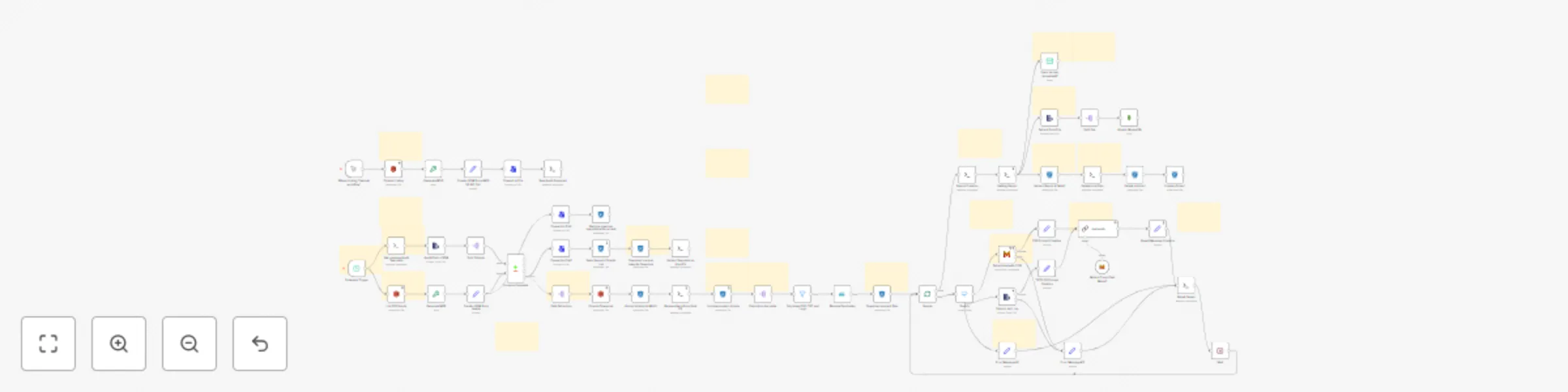
Everything is explained in the workflow. It is taking a "picture" of your bucket at a given moment, and then, every X Hours/Days/Weeks, it's taking another picture.
After that, we will compare the two photos (like a game of spot the difference) to determine which objects are present in one of the two photos (added or deleted), or present in both but modified.
The workflow will extract and download added and modified files, select those in text format (PDF, TXT, and logs), and characterize the changes that have been made to these files to ensure that their integrity level is sufficient.
You can obviously modify this workflow to only get Added or Modified Files, and change prompts (ex : tell if the file is containing specific informations, ...).
Need help with something ? Contact us by Mail !
Good news, we have what you need! We can work with any cloud provider, audit files and objects on remote spaces (Backblaze, Wasabi, Scaleway, OVH, IBM, Oracle, Storadera, etc.) using custom scripts and open-source tools!
Simply contact us by email to get in touch with a cloud storage expert and find out today how you can mitigate your cloud storage issues or recover data from the cloud to an on-premises infrastructure.
This catalog entry is organized from the workflow JSON. The node-level section below shows the executable blocks available for review before importing the template.
Showing the first 24 of 77 workflow blocks. Download the JSON for the full node graph.
| Workflow | Monitor S3 bucket changes with automated integrity auditing using Mistral AI |
|---|---|
| Complexity | advanced |
| Nodes | 77 |
| Categories | AI Summarization, Multimodal AI |
| Author | SIENNA |
| Published | 18 Aug 2025 |
Use the JSON export at /data/workflows/7547/7547.json as the source template for this automation.
Open n8n, import the downloaded JSON, and review each node before activating the workflow.
Replace placeholder credentials, API keys, webhook URLs, account IDs, and environment-specific values with your own settings.
Run the workflow manually or in a staging workspace, inspect node output, and confirm downstream systems receive the expected data.
Enable the workflow only after testing, then monitor executions, errors, and rate limits during the first production runs.
Review imported nodes carefully before activation. This catalog entry is intended to help you inspect the workflow structure, understand required services, and find related templates faster.
Node names, credentials, schedules, webhook paths, and external service limits may need adjustment for your workspace.
Automated and Periodic AWS S3 Bucket Object Integrity Audit to detect unexpected changes (by Humans, Tenants or Ransomwares) $\mapsto$ Working with AWS S3, but could also be working with Microsoft ...
Review the workflow JSON, configure any required credentials in n8n, and test the automation in a safe workspace before using it in production.
Yes. Use the block-by-block analysis and the downloadable JSON to inspect each node, then adjust credentials, prompts, schedules, filters, or destinations for your AI Summarization, Multimodal AI use case.