Block 1 - Schedule DB Quality Scan
- Type / Role
- n8n-nodes-base.scheduleTrigger - scheduleTrigger
- Config choices
- Version 1.3


 Early Deal
Autonomous PostgreSQL Data Quality Monitoring & Remediation Overview This workflow automatically monitors PostgreSQL database data quality and detects structural or statistical anomalies before the...
n8n-nodes-base.scheduletrigger, n8n-nodes-base.set, n8n-nodes-base.postgres, n8n-nodes-base.code, n8n-nodes-base.aggregate, n8n-nodes-base.if, n8n-nodes-base.slack, n8n-nodes-base.stickynote
This workflow is cataloged by N8N Workflows and links back to its original n8n.io source page by ResilNext.
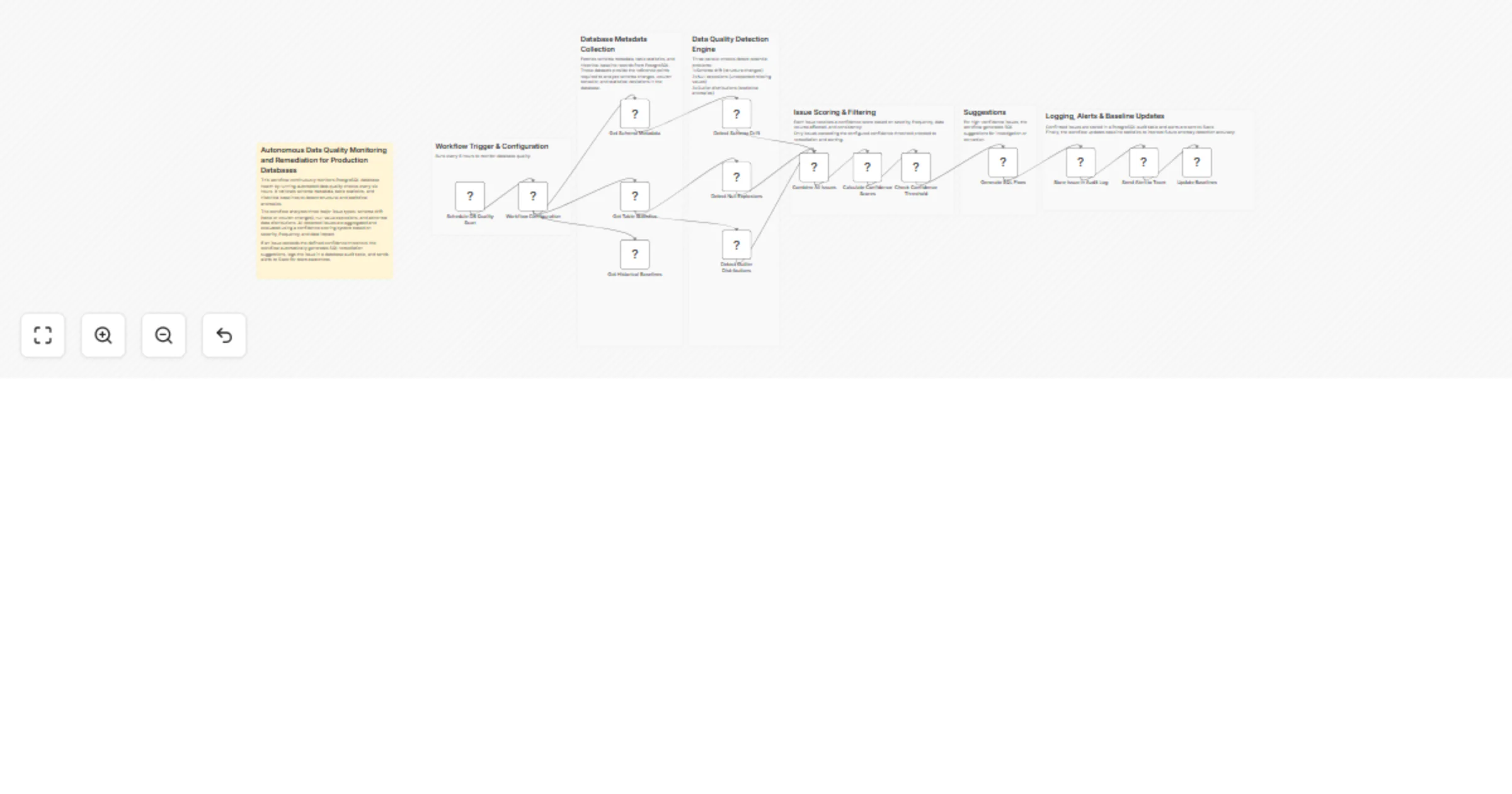
Original n8n.io sourceThis workflow automatically monitors PostgreSQL database data quality and detects structural or statistical anomalies before they impact analytics, pipelines, or applications.
Running every 6 hours, it scans database metadata, table statistics, and historical baselines to identify:
Detected issues are evaluated using a confidence scoring system that considers severity, frequency, and affected data volume. When issues exceed the defined threshold, the workflow generates SQL remediation suggestions, logs the issue to an audit table, and sends alerts to Slack.
This automation enables teams to proactively maintain database reliability, detect unexpected schema changes, and quickly respond to data quality problems.
A Schedule Trigger starts the workflow every 6 hours to run automated database quality checks.
The workflow retrieves important metadata from PostgreSQL:
information_schema.columnspg_stat_user_tablesThese datasets allow the workflow to compare current database conditions against historical norms.
Three parallel detection checks analyze the database:
Schema Drift Detection
Null Explosion Detection
Outlier Distribution Detection
All detected issues are aggregated and evaluated using a confidence scoring system based on:
Only issues above the configured confidence threshold proceed to remediation.
For high-confidence issues, the workflow automatically generates SQL investigation or remediation queries, such as:
Confirmed issues are:
Finally, the workflow updates the data quality baseline table, improving anomaly detection accuracy in future runs.
<target schema name> in the SQL queries with your database schema.Audit Table
data_quality_audit
Stores detected data quality issues and remediation suggestions.
Baseline Table
data_quality_baselines
Stores historical statistics used for anomaly detection.
Optional configuration parameters can be modified in the Workflow Configuration node:
confidenceThresholdmaxNullPercentageoutlierStdDevThresholdauditTableNamebaselineTableNameDetect unexpected schema changes or structural modifications in production databases.
Identify anomalies in datasets used by ETL pipelines before they propagate errors downstream.
Prevent reporting inaccuracies caused by missing data or abnormal values.
Provide automated alerts when critical database quality issues occur.
Maintain a historical audit log of database quality issues and remediation actions.
This workflow requires the following services:
Nodes used:
This workflow provides an automated data quality monitoring system for PostgreSQL. It continuously analyzes schema structure, column statistics, and historical baselines to detect anomalies, generate remediation suggestions, and notify teams in real time.
By automating database quality checks, teams can identify issues early, reduce debugging time, and maintain reliable data pipelines.
This catalog entry is organized from the workflow JSON. The node-level section below shows the executable blocks available for review before importing the template.
| Workflow | Monitor PostgreSQL data quality and generate remediation alerts with Slack |
|---|---|
| Complexity | advanced |
| Nodes | 22 |
| Categories | Engineering, AI Summarization |
| Author | ResilNext |
| Published | 14 Mar 2026 |
Use the JSON export at /data/workflows/14035/14035.json as the source template for this automation.
Open n8n, import the downloaded JSON, and review each node before activating the workflow.
Replace placeholder credentials, API keys, webhook URLs, account IDs, and environment-specific values with your own settings.
Run the workflow manually or in a staging workspace, inspect node output, and confirm downstream systems receive the expected data.
Enable the workflow only after testing, then monitor executions, errors, and rate limits during the first production runs.
Review imported nodes carefully before activation. This catalog entry is intended to help you inspect the workflow structure, understand required services, and find related templates faster.
Node names, credentials, schedules, webhook paths, and external service limits may need adjustment for your workspace.
Autonomous PostgreSQL Data Quality Monitoring & Remediation Overview This workflow automatically monitors PostgreSQL database data quality and detects structural or statistical anomalies before the...
Review the workflow JSON, configure any required credentials in n8n, and test the automation in a safe workspace before using it in production.
Yes. Use the block-by-block analysis and the downloadable JSON to inspect each node, then adjust credentials, prompts, schedules, filters, or destinations for your Engineering, AI Summarization use case.