Block 1 - Initialize "items" field
- Type / Role
- n8n-nodes-base.set - set
- Config choices
- Version 3.4


 Early Deal
With this n8n automation, you no longer need to manually audit backlinks every day. The workflow connects directly t...
n8n-nodes-base.set, n8n-nodes-base.if, n8n-nodes-base.filter, n8n-nodes-base.googlesheets, n8n-nodes-base.splitout, n8n-nodes-base.stickynote, n8n-nodes-dataforseo.dataforseobacklinksapi, n8n-nodes-base.gmail
This workflow is cataloged by N8N Workflows and links back to its original n8n.io source page by DataForSEO.
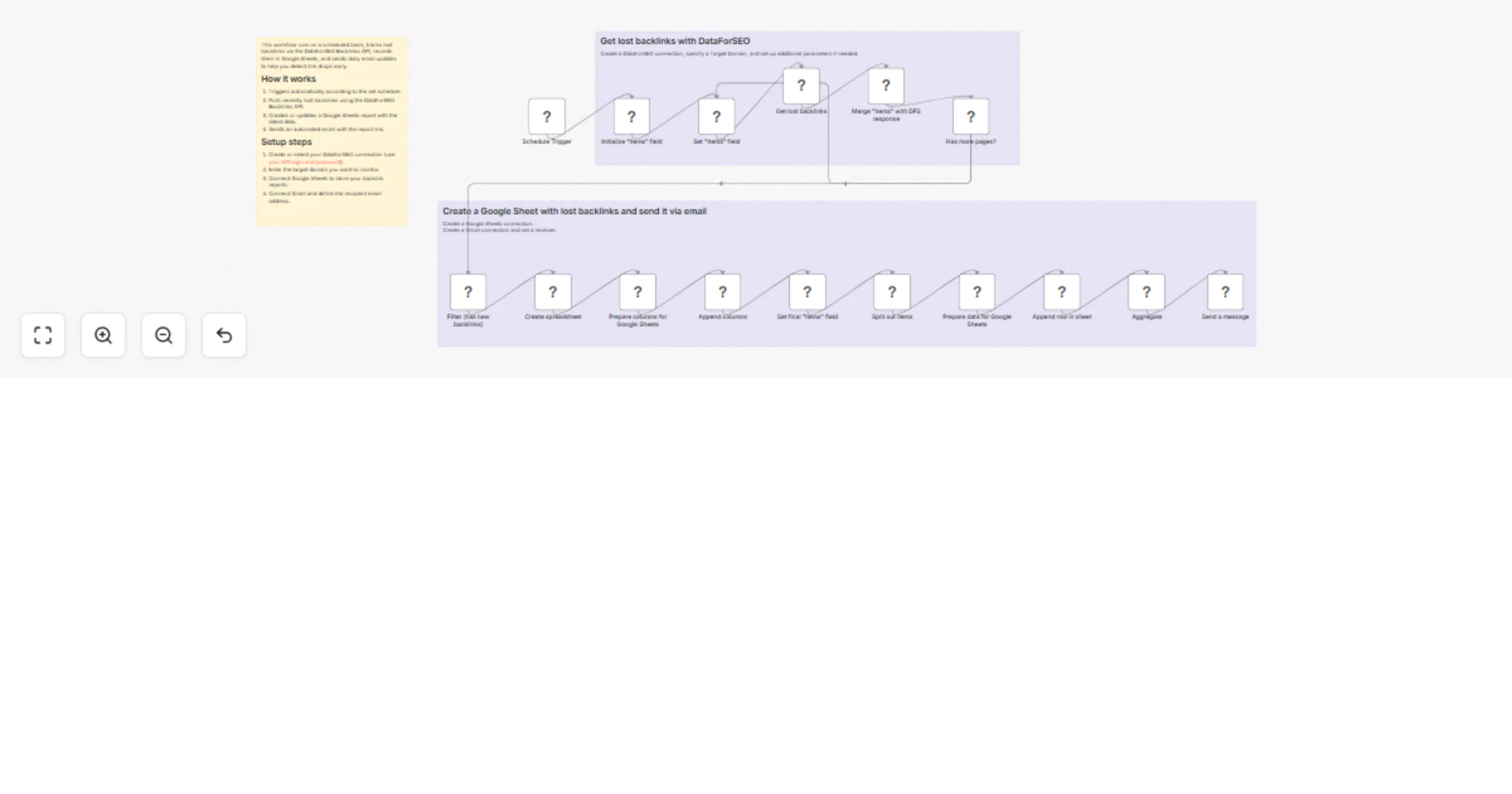
Original n8n.io sourceWith this n8n automation, you no longer need to manually audit backlinks every day. The workflow connects directly to the DataForSEO Backlinks API to pull recently lost backlinks for your domain or specific URL.
On each run, it generates a clean Google Sheets report containing lost backlinks along with key metrics such as referring source URL, referring domain, spam score, domain rating (DR), anchor text, and dofollow/nofollow status.
Once updated, the workflow automatically emails you or your team a link to the report, making it easy to recover high-value lost links, detect technical issues causing link drops and monitor backlink stability over time.
This workflow is perfect for SEO teams, link-building specialists, and website owners who want a fully automated way to keep their backlink losses under control.
The workflow mautomatically detects recently lost backlinks and generates a structured report in Google Sheets to help you proactively manage backlink losses and maintain a strong profile.
Triggers automatically according to the set schedule.
Pulls recently lost backlinks using the DataForSEO Backlinks API.
Creates or updates a Google Sheets report with the latest data.
Sends an automated email with the report link.
You can easily customize this workflow by tracking specific URLs, changing the number of backlinks analyzed, selecting additional backlink details for your report, saving daily reports in other tools, sending alerts to Slack instead of email, or changing how often the workflow runs.
This catalog entry is organized from the workflow JSON. The node-level section below shows the executable blocks available for review before importing the template.
| Workflow | Monitor lost backlinks with DataForSEO, Google Sheets and Gmail |
|---|---|
| Complexity | advanced |
| Nodes | 19 |
| Categories | Market Research |
| Author | DataForSEO |
| Published | 25 Feb 2026 |
Use the JSON export at /data/workflows/13695/13695.json as the source template for this automation.
Open n8n, import the downloaded JSON, and review each node before activating the workflow.
Replace placeholder credentials, API keys, webhook URLs, account IDs, and environment-specific values with your own settings.
Run the workflow manually or in a staging workspace, inspect node output, and confirm downstream systems receive the expected data.
Enable the workflow only after testing, then monitor executions, errors, and rate limits during the first production runs.
Review imported nodes carefully before activation. This catalog entry is intended to help you inspect the workflow structure, understand required services, and find related templates faster.
Node names, credentials, schedules, webhook paths, and external service limits may need adjustment for your workspace.
With this n8n automation, you no longer need to manually audit backlinks every day. The workflow connects directly t...
Review the workflow JSON, configure any required credentials in n8n, and test the automation in a safe workspace before using it in production.
Yes. Use the block-by-block analysis and the downloadable JSON to inspect each node, then adjust credentials, prompts, schedules, filters, or destinations for your Market Research use case.