Monitor ecommerce reviews with MrScraper, GPT-4o-mini, Slack and Notion

Workflow preview

Workflow preview
100%
Monitor ecommerce reviews with MrScraper, GPT-4o-mini, Slack and Notion preview
Open on n8n.io

1. Workflow Overview

Description This n8n template gives ecommerce brands a fully automated review intelligence system — running every morning to scrape, analyze, and report on what customers are actually saying across...

Best for

  • Market Research automation workflows
  • AI Summarization automation workflows
  • advanced n8n builders looking for reusable templates

Tools used

n8n-nodes-base.scheduletrigger, n8n-nodes-base.splitinbatches, n8n-nodes-mrscraper.mrscraper, n8n-nodes-base.code, n8n-nodes-base.if, @n8n/n8n-nodes-langchain.lmchatopenai, @n8n/n8n-nodes-langchain.chainllm, n8n-nodes-base.slack

Source and attribution

This workflow is cataloged by N8N Workflows and links back to its original n8n.io source page by riandra.

Original n8n.io source

1.1 Workflow description

Title
Monitor ecommerce reviews with MrScraper, GPT-4o-mini, Slack and Notion
Workflow name
Monitor ecommerce reviews with MrScraper, GPT-4o-mini, Slack and Notion

Description

This n8n template gives ecommerce brands a fully automated review intelligence system — running every morning to scrape, analyze, and report on what customers are actually saying across every platform. It uses MrScraper to collect reviews from Tokopedia, Shopee, Lazada, Bukalapak, Amazon, and more, then GPT-4o-mini to extract 15 brand intelligence signals per review including sentiment, emotion, viral risk, competitor mentions, and CS response suggestions.

The result is a daily Brand Awareness Score (BAS) delivered to Slack, every review archived in Notion, and urgent alerts fired the moment a critical review is detected — before it goes viral.


How It Works

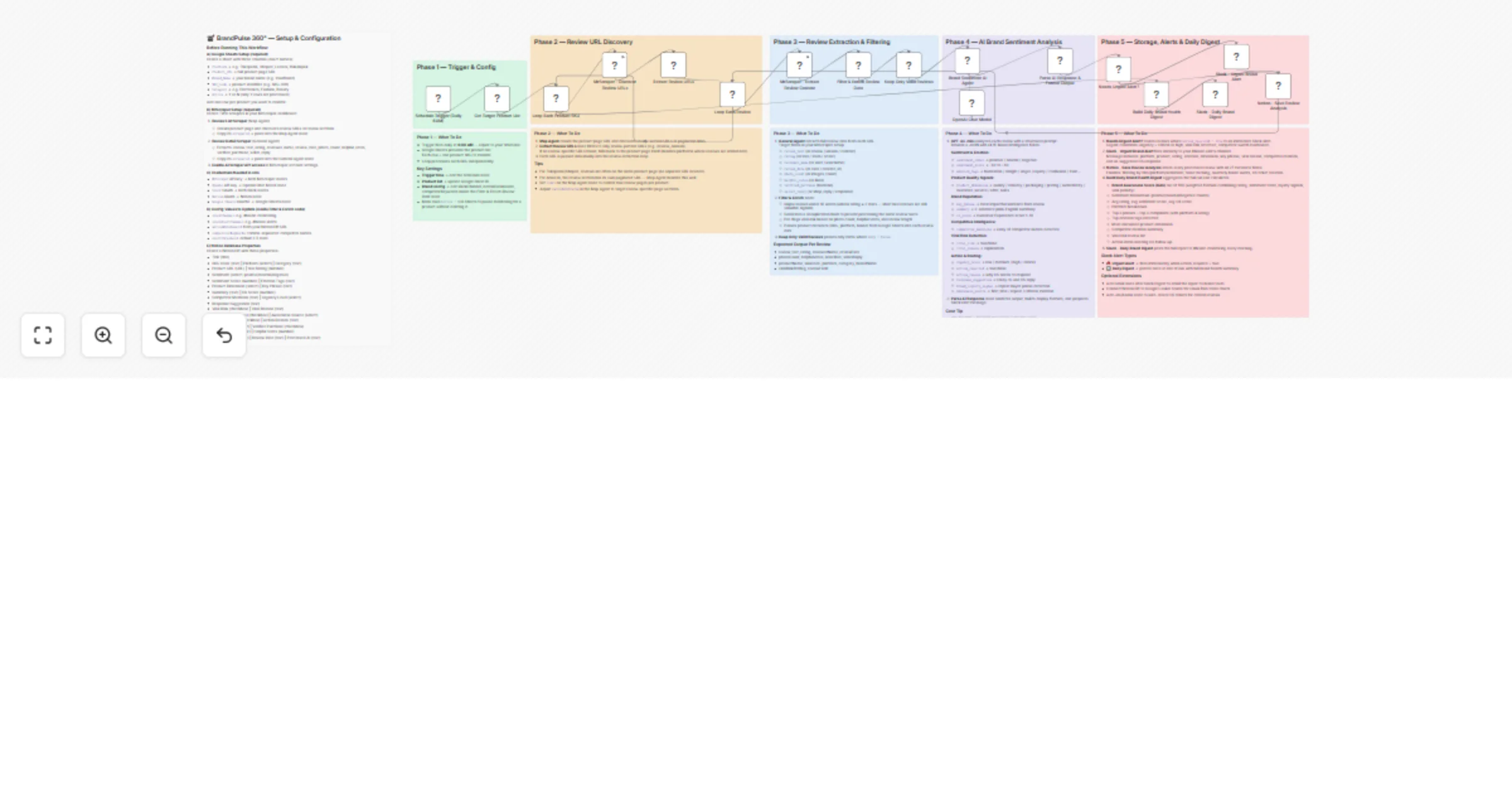
  • Phase 1 – Trigger & Config: A Schedule Trigger fires daily at 6AM. The workflow reads your product list from Google Sheets — each row is one product SKU across any platform — and loops through them one by one.
  • Phase 2 – Review URL Discovery: For each product, the Map Agent crawls the product page and discovers review section URLs or paginated review pages. A smart fallback ensures reviews embedded directly on the product page (common on Tokopedia and Shopee) are still captured even when no separate review URL exists.
  • Phase 3 – Review Extraction & Filtering: Each review URL is processed by the General Agent, which extracts the full review text, star rating, reviewer name, date, photo count, helpful votes, verified purchase status, and any existing seller reply. Short reviews under 10 words are skipped — unless the rating is 1 or 2 stars, where even brief negative feedback is treated as a valuable signal. A deduplication hash is generated per review to prevent double-processing on re-runs.
  • Phase 4 – AI Brand Sentiment Analysis: Every valid review is sent to GPT-4o-mini with a structured prompt that returns 15 brand intelligence fields: sentiment label and score, emotion tags (frustration, delight, anger, loyalty, etc.), the most impacted product dimension (quality, delivery, packaging, pricing, authenticity), a CX score out of 10, competitor brand mentions, viral risk assessment, urgency level, and a ready-to-use customer service response suggestion.
  • Phase 5 – Storage, Alerts & Daily Digest: Reviews flagged as action-required trigger an immediate Slack alert to your #brand-alerts channel. Every review is saved to Notion with all 27 metadata fields. At the end of each run, a Daily Brand Health Digest is compiled — including the Brand Awareness Score (BAS) out of 100, sentiment breakdown, top praises and complaints, emotion trends, competitor mentions, viral risk list, and action items — then posted to your #brand-monitoring Slack channel.

How to Set Up

  1. Prepare your Google Sheet with these columns: Platform, Product_URL, Brand_Name, SKU_Code, Category, Active (Y/N). Add one row per product SKU you want to monitor.

  2. Create 2 scrapers in your MrScraper account:

  • Review List Scraper (Map Agent) — crawls product pages and discovers review URLs
  • Review Detail Scraper (General Agent) — extracts review_text, rating, reviewer_name, review_date, photo_count, helpful_votes, verified_purchase, seller_reply
  • Copy the scraperId for each and paste into the corresponding n8n nodes.
  1. Enable AI Scraper API access in your MrScraper account settings.

  2. Add your credentials in n8n:

  • MrScraper API key
  • OpenAI API key
  • Slack OAuth
  • Notion OAuth
  • Google Sheets OAuth2
  1. Configure your Notion database with all 27 properties listed in the setup note inside the workflow (Title, SKU Code, Platform, Sentiment, Sentiment Score, Emotion Tags, CX Score, Viral Risk, Action Required, and more).

  2. Update config values inside the Filter & Enrich Review Data node:

  • slackChannel (e.g. #brand-monitoring)
  • slackAlertChannel (e.g. #brand-alerts)
  • notionDatabaseId (from your Notion database URL)
  • competitorKeywords (comma-separated competitor brand names to detect)
  • alertThreshold (default: 2.5 stars)
  1. Adjust the Map Agent node include/exclude patterns for your target platform (e.g. /review, /ulasan for Indonesian platforms, paginated review paths for Amazon).

  2. Set your trigger time in the Schedule node to match your timezone (default: every 24 hours).


Requirements

  • MrScraper account with API access enabled
  • OpenAI account (GPT-4o-mini used by default)
  • Slack workspace with OAuth connected (two channels recommended: one for digest, one for urgent alerts)
  • Notion workspace with a database configured and OAuth connected
  • Google Sheets (OAuth2 connected) for your product SKU list

Good to Know

  • The Brand Awareness Score (BAS) is calculated using a weighted formula combining average star rating (30%), positive review rate (25%), sentiment score (20%), brand loyalty signals (10%), and a viral risk penalty (up to -10 points). It gives you a single number to track brand health over time.
  • GPT-4o-mini processes each review for approximately $0.0001 — making it extremely cost-effective even for catalogs with hundreds of SKUs.
  • Short 1–2 star reviews are never skipped, even if they contain only a few words — a single-word complaint like "rusak" (broken) or "fake" carries strong signal and is always analyzed.
  • The workflow has two independent Slack outputs: an instant urgent alert fires the moment a critical review is detected, while the Daily Digest posts a full brand health report after all reviews for the day have been processed.
  • Reviews from platforms where feedback is embedded on the product page (no separate review URL) are handled automatically via the smart URL fallback in the Extract Review URLs node.

Customising This Workflow

  • Multi-brand monitoring: Duplicate the workflow and point it at a different Google Sheet to run separate brand intelligence pipelines for different product lines or client brands.
  • Auto CS ticket creation: Add a Jira, Asana, or Trello node after the Notion save step to automatically create customer service tickets for every critical or high-urgency review.
  • Email reporting: Insert a Gmail node after the Slack Daily Digest to also deliver the Brand Health Report as a formatted email to your marketing or brand team each morning.
  • Visual dashboards: Connect your Notion database to Google Looker Studio or Metabase to build BAS trend charts, sentiment heatmaps by platform, and weekly brand health dashboards.
  • Competitor switch alerts: Extend the competitor keyword list and add a dedicated Slack message branch specifically for reviews where a competitor switch is mentioned — a high-priority signal for retention teams.

1.2 Logical Blocks

This catalog entry is organized from the workflow JSON. The node-level section below shows the executable blocks available for review before importing the template.

2. Block-by-Block Analysis

Block 1 - Schedule Trigger (Daily 6AM)

Type / Role
n8n-nodes-base.scheduleTrigger - scheduleTrigger
Config choices
Version 1.2

Block 2 - Loop Each Product SKU

Type / Role
n8n-nodes-base.splitInBatches - splitInBatches
Config choices
Version 3

Block 3 - MrScraper - Discover Review URLs

Type / Role
n8n-nodes-mrscraper.mrscraper - mrscraper
Config choices
Version 1

Block 4 - Loop Each Review

Type / Role
n8n-nodes-base.splitInBatches - splitInBatches
Config choices
Version 3

Block 5 - MrScraper - Extract Review Content

Type / Role
n8n-nodes-mrscraper.mrscraper - mrscraper
Config choices
Version 1

Block 6 - Filter & Enrich Review Data

Type / Role
n8n-nodes-base.code - code
Config choices
Version 2

Block 7 - Keep Only Valid Reviews

Type / Role
n8n-nodes-base.if - if
Config choices
Version 2.3

Block 8 - OpenAI Chat Model

Type / Role
@n8n/n8n-nodes-langchain.lmChatOpenAi - lmChatOpenAi
Config choices
Version 1.3

Block 9 - Brand Sentiment AI Agent

Type / Role
@n8n/n8n-nodes-langchain.chainLlm - chainLlm
Config choices
Version 1.5

Block 10 - Parse AI Response & Format Output

Type / Role
n8n-nodes-base.code - code
Config choices
Version 2

Block 11 - Needs Urgent Alert?

Type / Role
n8n-nodes-base.if - if
Config choices
Version 2.3

Block 12 - Slack - Urgent Brand Alert

Type / Role
n8n-nodes-base.slack - slack
Config choices
Version 2.3

Block 13 - Notion - Save Review Analysis

Type / Role
n8n-nodes-base.notion - notion
Config choices
Version 2.2

Block 14 - Build Daily Brand Health Digest

Type / Role
n8n-nodes-base.code - code
Config choices
Version 2

Block 15 - Slack - Daily Brand Digest

Type / Role
n8n-nodes-base.slack - slack
Config choices
Version 2.3

Block 16 - Get Target Product List

Type / Role
n8n-nodes-base.googleSheets - googleSheets
Config choices
Version 4.7

Block 17 - Extract Review URLs

Type / Role
n8n-nodes-base.code - code
Config choices
Version 2

Block 18 - Sticky Note - Setup

Type / Role
n8n-nodes-base.stickyNote - stickyNote
Config choices
Version 1

Block 19 - Sticky Note Phase Header 1

Type / Role
n8n-nodes-base.stickyNote - stickyNote
Config choices
Version 1

Block 20 - Sticky Note Phase 1 Notes

Type / Role
n8n-nodes-base.stickyNote - stickyNote
Config choices
Version 1

Block 21 - Sticky Note Phase Header 2

Type / Role
n8n-nodes-base.stickyNote - stickyNote
Config choices
Version 1

Block 22 - Sticky Note Phase 2 Notes

Type / Role
n8n-nodes-base.stickyNote - stickyNote
Config choices
Version 1

Block 23 - Sticky Note Phase Header 3

Type / Role
n8n-nodes-base.stickyNote - stickyNote
Config choices
Version 1

Block 24 - Sticky Note Phase 3 Notes

Type / Role
n8n-nodes-base.stickyNote - stickyNote
Config choices
Version 1

Showing the first 24 of 28 workflow blocks. Download the JSON for the full node graph.

3. Summary Table

Workflow Monitor ecommerce reviews with MrScraper, GPT-4o-mini, Slack and Notion
Complexity advanced
Nodes 28
Categories Market Research, AI Summarization
Author riandra
Published 03 Mar 2026

4. Reproducing the Workflow from Scratch

  1. 1. Download the workflow JSON

    Use the JSON export at /data/workflows/13819/13819.json as the source template for this automation.

  2. 2. Import the template into n8n

    Open n8n, import the downloaded JSON, and review each node before activating the workflow.

  3. 3. Configure credentials and variables

    Replace placeholder credentials, API keys, webhook URLs, account IDs, and environment-specific values with your own settings.

  4. 4. Test with sample data

    Run the workflow manually or in a staging workspace, inspect node output, and confirm downstream systems receive the expected data.

  5. 5. Activate and monitor

    Enable the workflow only after testing, then monitor executions, errors, and rate limits during the first production runs.

5. General Notes & Resources

Review imported nodes carefully before activation. This catalog entry is intended to help you inspect the workflow structure, understand required services, and find related templates faster.

Node names, credentials, schedules, webhook paths, and external service limits may need adjustment for your workspace.

Frequently asked questions

What does Monitor ecommerce reviews with MrScraper, GPT-4o-mini, Slack and Notion do?

Description This n8n template gives ecommerce brands a fully automated review intelligence system — running every morning to scrape, analyze, and report on what customers are actually saying across...

What do I need before importing this workflow?

Review the workflow JSON, configure any required credentials in n8n, and test the automation in a safe workspace before using it in production.

Can I customize this workflow?

Yes. Use the block-by-block analysis and the downloadable JSON to inspect each node, then adjust credentials, prompts, schedules, filters, or destinations for your Market Research, AI Summarization use case.