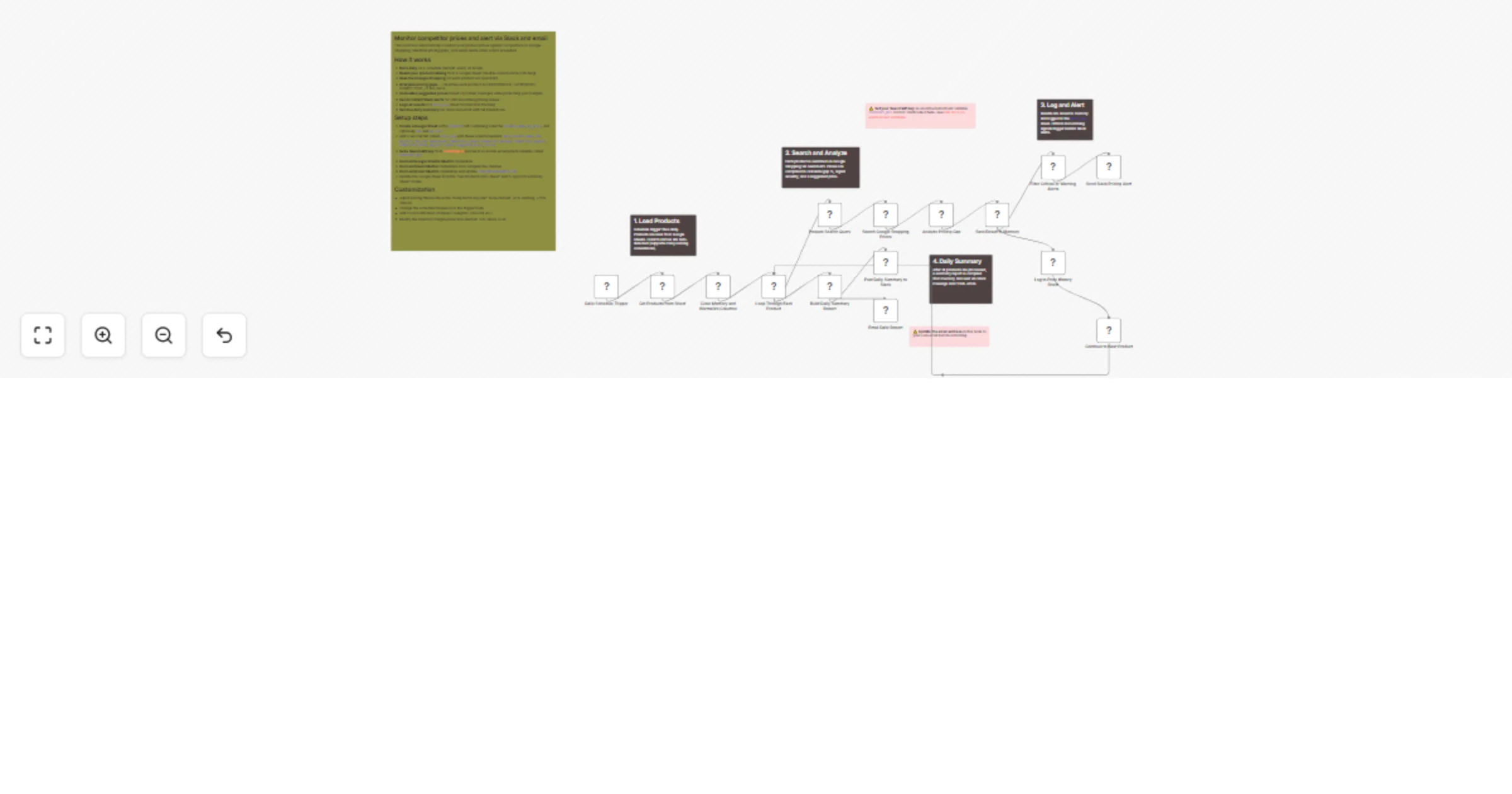
Monitor competitor prices with Google Shopping and Google Sheets, alert via Slack and Gmail

Workflow preview

Workflow preview
100%
Monitor competitor prices with Google Shopping and Google Sheets, alert via Slack and Gmail preview
Open on n8n.io

1. Workflow Overview

Who is this for? E commerce store owners, product managers, marketplace sellers, and pricing analysts who want to automatically track competitor pricing and get actionable alerts when their product...

Best for

  • Market Research automation workflows
  • AI Summarization automation workflows
  • advanced n8n builders looking for reusable templates

Tools used

n8n-nodes-base.scheduletrigger, n8n-nodes-base.googlesheets, n8n-nodes-base.code, n8n-nodes-base.splitinbatches, n8n-nodes-base.httprequest, n8n-nodes-base.filter, n8n-nodes-base.slack, n8n-nodes-base.gmail

Source and attribution

This workflow is cataloged by N8N Workflows and links back to its original n8n.io source page by Veena Pandian.

Original n8n.io source

1.1 Workflow description

Title
Monitor competitor prices with Google Shopping and Google Sheets, alert via Slack and Gmail
Workflow name
Monitor competitor prices with Google Shopping and Google Sheets, alert via Slack and Gmail

Who is this for?

E-commerce store owners, product managers, marketplace sellers, and pricing analysts who want to automatically track competitor pricing and get actionable alerts when their products are overpriced or underpriced relative to the market.

What this workflow does

This workflow runs daily to compare your product prices against live competitor prices from Google Shopping. It identifies pricing gaps, calculates suggested prices that protect your margins, sends instant Slack alerts for critical issues, logs everything to a historical price tracking sheet, and delivers a comprehensive daily summary via Slack and email.

How it works

  1. Daily trigger fires on a configurable schedule (default: every 24 hours).
  2. Reads your product catalog from a Google Sheet — auto-detects column names regardless of naming convention.
  3. Searches Google Shopping for each product using SearchAPI to find real-time competitor prices.
  4. Analyzes the pricing gap — compares your price to the market average and classifies each product as UNDERPRICED, SLIGHTLY_UNDER, COMPETITIVE, SLIGHTLY_OVER, or OVERPRICED.
  5. Suggests optimal prices based on market averages while maintaining a minimum margin above your cost.
  6. Sends instant Slack alerts when a product hits critical or warning thresholds.
  7. Logs all results to a price_log tab in your Google Sheet for trend analysis.
  8. Sends a daily summary via Slack message and HTML email with a full breakdown of all products.

Setup steps

  1. Create a Google Sheet with a products tab containing columns: product_name, my_price (required), and optionally sku, my_cost.
  2. Add a second tab called price_log with headers: date, product_name, sku, my_price, my_cost, margin_now, competitor_lowest, competitor_average, competitor_highest, competitor_count, gap_pct, signal, suggested_price, action.
  3. Get a SearchAPI key from searchapi.io and set it as the n8n environment variable SEARCHAPI_KEY.
  4. Connect Google Sheets OAuth2 credentials and update the sheet ID in both Sheets nodes.
  5. Connect Slack OAuth2 credentials and configure your alert channel.
  6. Connect Gmail OAuth2 credentials and update the recipient email address.

Requirements

  • n8n instance (self-hosted or cloud)
  • SearchAPI.io account and API key
  • Google Cloud project with Sheets API enabled
  • Slack workspace with a bot configured
  • Gmail account with OAuth2 credentials

How to customize

  • Pricing thresholds — Adjust the 0.85, 0.95, 1.05, 1.15 multipliers in the "Analyze Pricing Gap" node to change sensitivity.
  • Minimum margin — Change the 1.15 cost multiplier to set your floor margin (default: 15%).
  • Schedule — Modify the trigger interval for more or less frequent checks.
  • Notifications — Replace or add Slack/email with Telegram, Discord, Microsoft Teams, or webhooks.
  • Region — Change the gl parameter in the search node from us to your target market country code.

1.2 Logical Blocks

This catalog entry is organized from the workflow JSON. The node-level section below shows the executable blocks available for review before importing the template.

2. Block-by-Block Analysis

Block 1 - Daily Schedule Trigger

Type / Role
n8n-nodes-base.scheduleTrigger - scheduleTrigger
Config choices
Version 1.2

Block 2 - Get Products from Sheet

Type / Role
n8n-nodes-base.googleSheets - googleSheets
Config choices
Version 4.5

Block 3 - Clear Memory and Normalize Columns

Type / Role
n8n-nodes-base.code - code
Config choices
Version 2

Block 4 - Loop Through Each Product

Type / Role
n8n-nodes-base.splitInBatches - splitInBatches
Config choices
Version 3

Block 5 - Prepare Search Query

Type / Role
n8n-nodes-base.code - code
Config choices
Version 2

Block 6 - Search Google Shopping Prices

Type / Role
n8n-nodes-base.httpRequest - httpRequest
Config choices
Version 4.2

Block 7 - Analyze Pricing Gap

Type / Role
n8n-nodes-base.code - code
Config choices
Version 2

Block 8 - Save Result to Memory

Type / Role
n8n-nodes-base.code - code
Config choices
Version 2

Block 9 - Log to Price History Sheet

Type / Role
n8n-nodes-base.googleSheets - googleSheets
Config choices
Version 4.5

Block 10 - Filter Critical or Warning Alerts

Type / Role
n8n-nodes-base.filter - filter
Config choices
Version 2

Block 11 - Send Slack Pricing Alert

Type / Role
n8n-nodes-base.slack - slack
Config choices
Version 2.2

Block 12 - Continue to Next Product

Type / Role
n8n-nodes-base.code - code
Config choices
Version 2

Block 13 - Build Daily Summary Report

Type / Role
n8n-nodes-base.code - code
Config choices
Version 2

Block 14 - Post Daily Summary to Slack

Type / Role
n8n-nodes-base.slack - slack
Config choices
Version 2.2

Block 15 - Email Daily Report

Type / Role
n8n-nodes-base.gmail - gmail
Config choices
Version 2.2

Block 16 - Sticky Note

Type / Role
n8n-nodes-base.stickyNote - stickyNote
Config choices
Version 1

Block 17 - Sticky Note1

Type / Role
n8n-nodes-base.stickyNote - stickyNote
Config choices
Version 1

Block 18 - Sticky Note2

Type / Role
n8n-nodes-base.stickyNote - stickyNote
Config choices
Version 1

Block 19 - Sticky Note3

Type / Role
n8n-nodes-base.stickyNote - stickyNote
Config choices
Version 1

Block 20 - Sticky Note4

Type / Role
n8n-nodes-base.stickyNote - stickyNote
Config choices
Version 1

Block 21 - Sticky Note5

Type / Role
n8n-nodes-base.stickyNote - stickyNote
Config choices
Version 1

Block 22 - Sticky Note6

Type / Role
n8n-nodes-base.stickyNote - stickyNote
Config choices
Version 1

3. Summary Table

Workflow Monitor competitor prices with Google Shopping and Google Sheets, alert via Slack and Gmail
Complexity advanced
Nodes 22
Categories Market Research, AI Summarization
Author Veena Pandian
Published 03 Mar 2026

4. Reproducing the Workflow from Scratch

  1. 1. Download the workflow JSON

    Use the JSON export at /data/workflows/13836/13836.json as the source template for this automation.

  2. 2. Import the template into n8n

    Open n8n, import the downloaded JSON, and review each node before activating the workflow.

  3. 3. Configure credentials and variables

    Replace placeholder credentials, API keys, webhook URLs, account IDs, and environment-specific values with your own settings.

  4. 4. Test with sample data

    Run the workflow manually or in a staging workspace, inspect node output, and confirm downstream systems receive the expected data.

  5. 5. Activate and monitor

    Enable the workflow only after testing, then monitor executions, errors, and rate limits during the first production runs.

5. General Notes & Resources

Review imported nodes carefully before activation. This catalog entry is intended to help you inspect the workflow structure, understand required services, and find related templates faster.

Node names, credentials, schedules, webhook paths, and external service limits may need adjustment for your workspace.

Frequently asked questions

What does Monitor competitor prices with Google Shopping and Google Sheets, alert via Slack and Gmail do?

Who is this for? E commerce store owners, product managers, marketplace sellers, and pricing analysts who want to automatically track competitor pricing and get actionable alerts when their product...

What do I need before importing this workflow?

Review the workflow JSON, configure any required credentials in n8n, and test the automation in a safe workspace before using it in production.

Can I customize this workflow?

Yes. Use the block-by-block analysis and the downloadable JSON to inspect each node, then adjust credentials, prompts, schedules, filters, or destinations for your Market Research, AI Summarization use case.