Monitor brand mentions with GPT-5 Nano, Brave Search, Gmail and Google Sheets

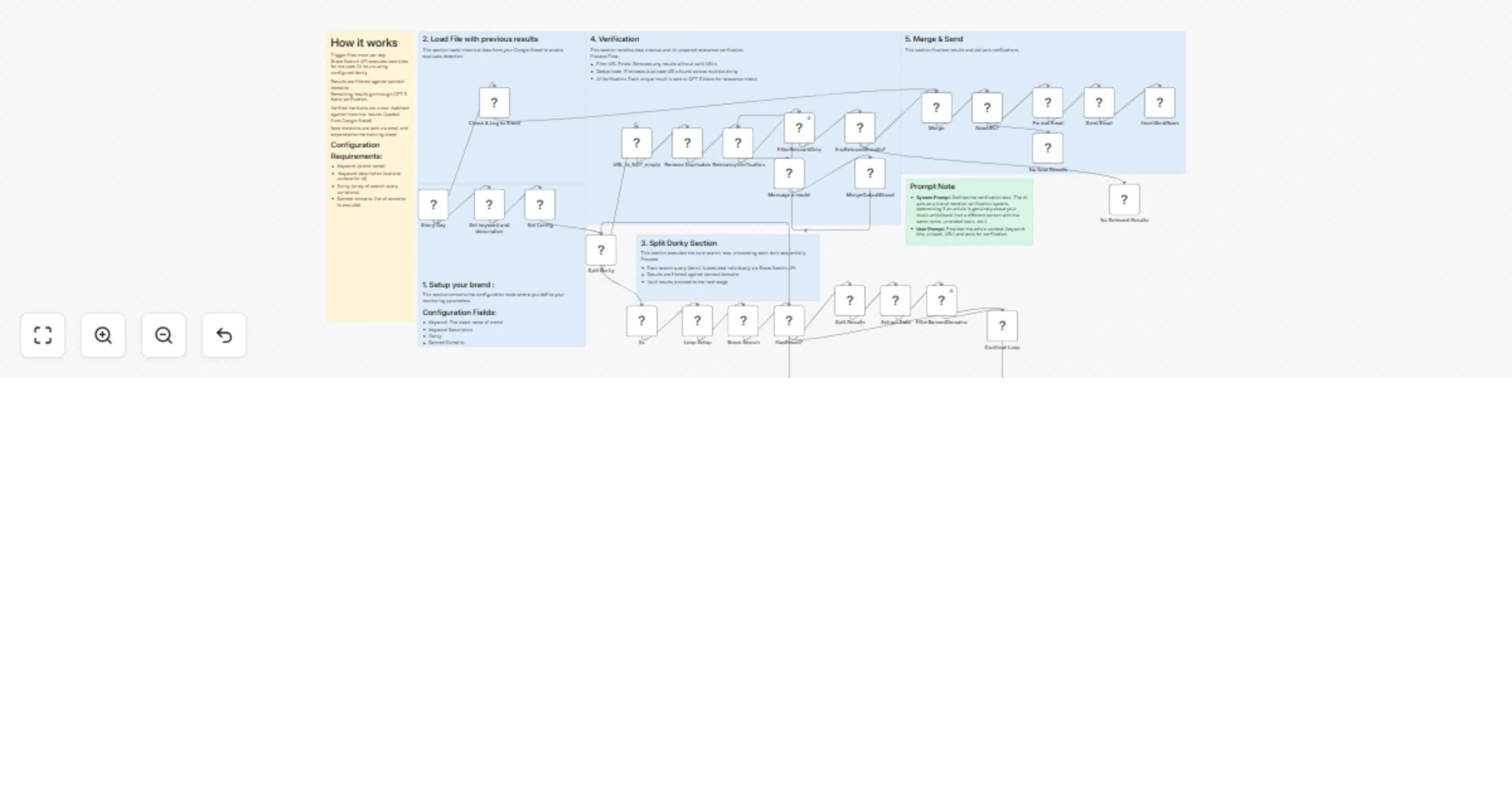
Workflow preview

Workflow preview
100%
Monitor brand mentions with GPT-5 Nano, Brave Search, Gmail and Google Sheets preview
Open on n8n.io

1. Workflow Overview

Description: This advanced workflow automates brand monitoring and media coverage tracking for musicians, bands, and music labels. The system uses multiple search queries (dorky) to discover mentio...

Best for

  • Market Research automation workflows
  • AI Summarization automation workflows
  • advanced n8n builders looking for reusable templates

Tools used

n8n-nodes-base.set, n8n-nodes-base.splitinbatches, n8n-nodes-base.splitout, n8n-nodes-base.noop, n8n-nodes-base.googlesheets, n8n-nodes-base.code, n8n-nodes-base.gmail, n8n-nodes-base.scheduletrigger

Source and attribution

This workflow is cataloged by N8N Workflows and links back to its original n8n.io source page by Václav Čikl.

Original n8n.io source

1.1 Workflow description

Title
Monitor brand mentions with GPT-5 Nano, Brave Search, Gmail and Google Sheets
Workflow name
Monitor brand mentions with GPT-5 Nano, Brave Search, Gmail and Google Sheets

Description:

This advanced workflow automates brand monitoring and media coverage tracking for musicians, bands, and music labels. The system uses multiple search queries (dorky) to discover mentions across the web, verifies relevance using AI, and delivers clean, actionable reports via email.

Key Features:

  • Multi-query search strategy: X different search patterns per keyword for comprehensive coverage
  • AI relevance verification: GPT-powered filtering eliminates false positives
  • Smart domain filtering: Automatically excludes social media and streaming platforms
  • Duplicate detection: Cross-query deduplication ensures clean results
  • Historical tracking: Google Sheets logging with automatic duplicate prevention
  • Customizable time windows: Search within last 24 hours, week, or custom timeframe
  • Email digest: Beautiful HTML reports with all new mentions

Perfect For:

  • Anyone who wants to follow news about own brand.

But I did if for:

  • Independent musicians and bands
  • Record labels and music managers
  • PR agencies in music industry
  • Artist management companies
  • Music publicists and booking agents

Use Cases:

  • Album/single release coverage tracking
  • Festival/concert announcement monitoring
  • Press coverage aggregation
  • Playlist feature discovery
  • Interview and review tracking
  • Competitive brand monitoring

Required Setup:

1. Credentials & APIs:

  • Brave Search API (free tier: 2000 queries/month)
  • OpenAI API or compatible LLM (for AI verification)
  • Google Sheets API (for historical logging TEMPLATE)
  • Gmail OAuth2 (for email notifications)

2. Configuration:

  • Keyword: Your brand name to monitor
  • Keyword description: Additional description for context
  • Banned Domains: List of domains to exclude (Spotify, socials, etc.)
  • Time Range: How far back to search (default: past day)
  • Email Recipient: Where to send digest reports

Setup Instructions:

Step 1: API Setup

  1. Brave Search API
  1. OpenAI API
  1. Google Sheets API
  • Create new Google Sheet for logging
  • Enable Google Sheets API in n8n
  • Authorize OAuth2
  1. Gmail API
  • Enable Gmail in n8n
  • Authorize OAuth2 with draft creation permissions

Step 2: Configure Workflow

  1. Import Workflow
  • Import JSON into n8n
  • Connect all credentials
  1. Set Config Node
  • Edit keyword to your artist/band name
  • Update bannedDomains if needed
  • Adjust timeRange (default: pd for past day)
  1. Brave Search Node
  • Add your Brave API key
  • Verify endpoint: https://api.search.brave.com/res/v1/web/search
  1. AI Verification Node
  • Connect OpenAI credentials
  • Verify model: gpt-5-nano
  • Check JSON mode is enabled
  1. Google Sheets Node
  • Select your tracking spreadsheet
  • Ensure columns match: URL, Title, Source, Domain, Published, Snippet, Found
  • TEMPLATE
  1. Send Email Node
  • Set recipient email address
  • Test draft creation first

Cost Breakdown:

API Costs (Monthly Estimates)

Brave Search API

  • Free tier: 2000 searches/month
  • 6 dorky × 4 runs/day = 24 searches/day = 720/month
  • Cost: $0 (within free tier)

OpenAI API (gpt-4o-mini)

  • Average 60 articles/day need verification
  • ~100 tokens per verification
  • 60 × 30 = 1,800 verifications/month
  • Cost: ~$0.27/month

Google Sheets API

  • Free (within Google quotas)
  • Cost: $0

Gmail API

  • Free (within Google quotas)
  • Cost: $0

Total Monthly Cost: ~$0.27 (essentially free)

Template Author:

Questions or need help with setup? 📧 Email:[email protected] 💼 LinkedIn:https://www.linkedin.com/in/vaclavcikl/

1.2 Logical Blocks

This catalog entry is organized from the workflow JSON. The node-level section below shows the executable blocks available for review before importing the template.

2. Block-by-Block Analysis

Block 1 - Loop Setup

Type / Role
n8n-nodes-base.set - set
Config choices
Version 3.4

Block 2 - Split Dorky

Type / Role
n8n-nodes-base.splitInBatches - splitInBatches
Config choices
Version 3

Block 3 - Split Results

Type / Role
n8n-nodes-base.splitOut - splitOut
Config choices
Version 1

Block 4 - Extract Data

Type / Role
n8n-nodes-base.set - set
Config choices
Version 3.4

Block 5 - Continue Loop

Type / Role
n8n-nodes-base.noOp - noOp
Config choices
Version 1

Block 6 - Check & Log to Sheet

Type / Role
n8n-nodes-base.googleSheets - googleSheets
Config choices
Version 4.5

Block 7 - Format Email

Type / Role
n8n-nodes-base.code - code
Config choices
Version 2

Block 8 - Send Email

Type / Role
n8n-nodes-base.gmail - gmail
Config choices
Version 2.1

Block 9 - No New Results

Type / Role
n8n-nodes-base.noOp - noOp
Config choices
Version 1

Block 10 - Every Day

Type / Role
n8n-nodes-base.scheduleTrigger - scheduleTrigger
Config choices
Version 1.2

Block 11 - Brave Search

Type / Role
@brave/n8n-nodes-brave-search.braveSearch - braveSearch
Config choices
Version 1

Block 12 - Set Config

Type / Role
n8n-nodes-base.code - code
Config choices
Version 2

Block 13 - HasResult?

Type / Role
n8n-nodes-base.if - if
Config choices
Version 2.3

Block 14 - FilterBannedDomains

Type / Role
n8n-nodes-base.filter - filter
Config choices
Version 2.3

Block 15 - Remove Duplicates

Type / Role
n8n-nodes-base.removeDuplicates - removeDuplicates
Config choices
Version 2

Block 16 - Message a model

Type / Role
@n8n/n8n-nodes-langchain.openAi - openAi
Config choices
Version 2.1

Block 17 - 5s

Type / Role
n8n-nodes-base.wait - wait
Config choices
Version 1.1

Block 18 - URL_Is_NOT_empty

Type / Role
n8n-nodes-base.filter - filter
Config choices
Version 2.3

Block 19 - RelevancyVerification

Type / Role
n8n-nodes-base.splitInBatches - splitInBatches
Config choices
Version 3

Block 20 - MergeOutput&Input

Type / Role
n8n-nodes-base.code - code
Config choices
Version 2

Block 21 - FilterRelevantOnly

Type / Role
n8n-nodes-base.filter - filter
Config choices
Version 2.3

Block 22 - No Relevant Results

Type / Role
n8n-nodes-base.noOp - noOp
Config choices
Version 1

Block 23 - Merge

Type / Role
n8n-nodes-base.merge - merge
Config choices
Version 3.2

Block 24 - NewURL?

Type / Role
n8n-nodes-base.if - if
Config choices
Version 2.3

Showing the first 24 of 34 workflow blocks. Download the JSON for the full node graph.

3. Summary Table

Workflow Monitor brand mentions with GPT-5 Nano, Brave Search, Gmail and Google Sheets
Complexity advanced
Nodes 34
Categories Market Research, AI Summarization
Author Václav Čikl
Published 16 Jan 2026

4. Reproducing the Workflow from Scratch

  1. 1. Download the workflow JSON

    Use the JSON export at /data/workflows/12772/12772.json as the source template for this automation.

  2. 2. Import the template into n8n

    Open n8n, import the downloaded JSON, and review each node before activating the workflow.

  3. 3. Configure credentials and variables

    Replace placeholder credentials, API keys, webhook URLs, account IDs, and environment-specific values with your own settings.

  4. 4. Test with sample data

    Run the workflow manually or in a staging workspace, inspect node output, and confirm downstream systems receive the expected data.

  5. 5. Activate and monitor

    Enable the workflow only after testing, then monitor executions, errors, and rate limits during the first production runs.

5. General Notes & Resources

Review imported nodes carefully before activation. This catalog entry is intended to help you inspect the workflow structure, understand required services, and find related templates faster.

Node names, credentials, schedules, webhook paths, and external service limits may need adjustment for your workspace.

Frequently asked questions

What does Monitor brand mentions with GPT-5 Nano, Brave Search, Gmail and Google Sheets do?

Description: This advanced workflow automates brand monitoring and media coverage tracking for musicians, bands, and music labels. The system uses multiple search queries (dorky) to discover mentio...

What do I need before importing this workflow?

Review the workflow JSON, configure any required credentials in n8n, and test the automation in a safe workspace before using it in production.

Can I customize this workflow?

Yes. Use the block-by-block analysis and the downloadable JSON to inspect each node, then adjust credentials, prompts, schedules, filters, or destinations for your Market Research, AI Summarization use case.