Block 1 - Start Analysis Trigger
- Type / Role
- n8n-nodes-base.googleDriveTrigger - googleDriveTrigger
- Config choices
- Version 1


 Early Deal
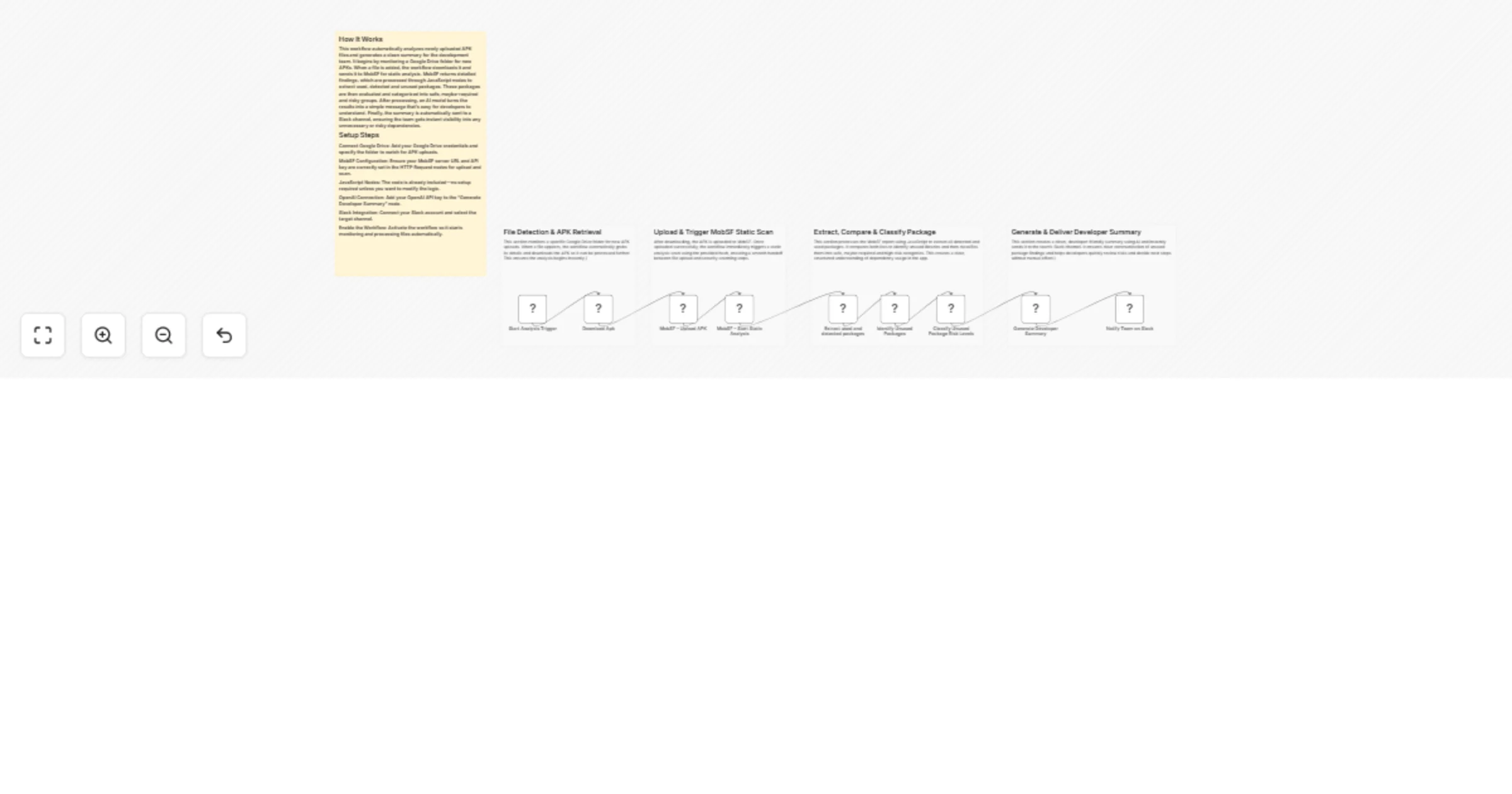
APK Upload Monitoring and Automated MobSF Analysis with Slack Reporting This workflow monitors a Google Drive folder for newly uploaded APK files, automatically downloads them, triggers a MobSF sta...
n8n-nodes-base.googledrivetrigger, n8n-nodes-base.googledrive, n8n-nodes-base.httprequest, n8n-nodes-base.code, @n8n/n8n-nodes-langchain.openai, n8n-nodes-base.slack, n8n-nodes-base.stickynote
This workflow is cataloged by N8N Workflows and links back to its original n8n.io source page by WeblineIndia.
Original n8n.io sourceThis workflow monitors a Google Drive folder for newly uploaded APK files, automatically downloads them, triggers a MobSF static analysis scan, processes the output to detect unused or risky libraries and sends a developer-friendly summary directly to Slack. It is ideal for teams who want fast, automated insights into Android app dependencies.
This workflow automates the complete static analysis process for Android APK files. When an APK is uploaded to a specific Google Drive folder, n8n immediately retrieves the file and sends it to MobSF for scanning. MobSF returns detailed JSON-based findings, including code, library usage and component insights.
The workflow then uses a series of JavaScript code nodes to extract relevant package information, compare used vs. detected packages, identify unused dependencies and classify them by risk. These results are transformed into a concise summary using an AI model. Finally, the summary is posted automatically to a Slack channel for fast team visibility.
This enables developers to take quick action on dependency cleanup, performance optimizations or security risks without manually reading the full MobSF report.
fileCreated (fires whenever a new APK is added).multipart/form-data to upload the binary file.These three nodes:
Once all credentials are added, enable the workflow and test by uploading an APK.
> There are many more possible uses depending on team needs and environment.
| Issue | Possible Cause | Solution |
|---|---|---|
| Workflow not triggering | Wrong Google Drive folder | Re-select the correct APK folder in the trigger node |
| MobSF upload failing | Wrong URL or server not running | Check MobSF Docker container and update the URL |
| MobSF scan shows empty results | APK not parsed successfully | Verify the APK is valid and not corrupted |
| Slack message not delivered | Channel permissions or wrong channel ID | Reconnect Slack credentials and select a valid channel |
| AI summary node fails | Missing OpenAI credentials | Add OpenAI API key in the credentials section |
If you need assistance setting up, extending or customizing this workflow, our n8n automation experts at WeblineIndia are available to help.
Whether you want to add new features, integrate more systems or build similar automation workflows, feel free to reach out to us for professional support.
This catalog entry is organized from the workflow JSON. The node-level section below shows the executable blocks available for review before importing the template.
| Workflow | Monitor APK uploads and run MobSF analysis with OpenAI and Slack alerts |
|---|---|
| Complexity | intermediate |
| Nodes | 14 |
| Categories | DevOps, AI Summarization |
| Author | WeblineIndia |
| Published | 01 Apr 2026 |
Use the JSON export at /data/workflows/14543/14543.json as the source template for this automation.
Open n8n, import the downloaded JSON, and review each node before activating the workflow.
Replace placeholder credentials, API keys, webhook URLs, account IDs, and environment-specific values with your own settings.
Run the workflow manually or in a staging workspace, inspect node output, and confirm downstream systems receive the expected data.
Enable the workflow only after testing, then monitor executions, errors, and rate limits during the first production runs.
Review imported nodes carefully before activation. This catalog entry is intended to help you inspect the workflow structure, understand required services, and find related templates faster.
Node names, credentials, schedules, webhook paths, and external service limits may need adjustment for your workspace.
APK Upload Monitoring and Automated MobSF Analysis with Slack Reporting This workflow monitors a Google Drive folder for newly uploaded APK files, automatically downloads them, triggers a MobSF sta...
Review the workflow JSON, configure any required credentials in n8n, and test the automation in a safe workspace before using it in production.
Yes. Use the block-by-block analysis and the downloadable JSON to inspect each node, then adjust credentials, prompts, schedules, filters, or destinations for your DevOps, AI Summarization use case.