Monitor and analyze competitor Facebook ads with Apify, GPT-4o, Gemini, and Google Sheets

Workflow preview

Workflow preview
100%
Monitor and analyze competitor Facebook ads with Apify, GPT-4o, Gemini, and Google Sheets preview
Open on n8n.io

1. Workflow Overview

Categories Marketing Intelligence, Ad Operations, Competitive Research, Creative Analysis Build a Facebook Ad Intelligence Pipeline with Apify, AI, and Google Sheets This workflow creates an end to...

Best for

  • Market Research automation workflows
  • AI Summarization automation workflows
  • advanced n8n builders looking for reusable templates

Tools used

n8n-nodes-base.manualtrigger, n8n-nodes-base.httprequest, n8n-nodes-base.splitinbatches, n8n-nodes-base.googlesheets, @n8n/n8n-nodes-langchain.openai, @apify/n8n-nodes-apify.apify, n8n-nodes-base.dropbox, @n8n/n8n-nodes-langchain.googlegemini

Source and attribution

This workflow is cataloged by N8N Workflows and links back to its original n8n.io source page by Ahmed Salama.

Original n8n.io source

1.1 Workflow description

Title
Monitor and analyze competitor Facebook ads with Apify, GPT-4o, Gemini, and Google Sheets
Workflow name
Monitor and analyze competitor Facebook ads with Apify, GPT-4o, Gemini, and Google Sheets

Categories Marketing Intelligence, Ad Operations, Competitive Research, Creative Analysis

Build a Facebook Ad Intelligence Pipeline with Apify, AI, and Google Sheets

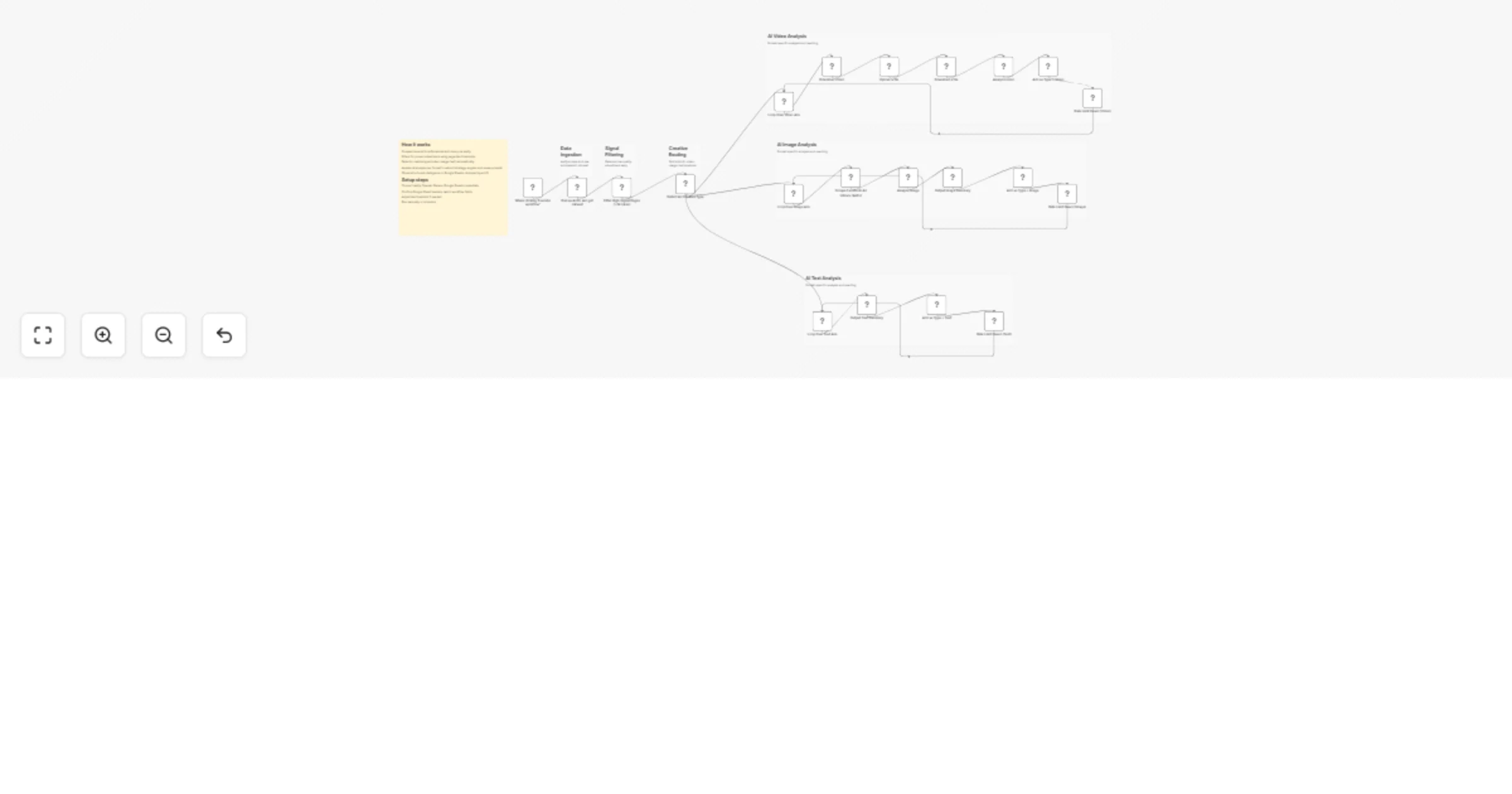
This workflow creates an end-to-end Facebook Ad Intelligence pipeline that automatically collects live ads from the Facebook Ad Library, analyzes their creative and messaging using AI, and stores structured insights in Google Sheets for reuse.

The system continuously pulls ads from specified Facebook Ad Library URLs, filters for high-signal advertisers, classifies ads by format (video, image, or text), and applies AI analysis to extract strategy, positioning, and reusable creative angles.

The result is a reliable, no-manual-work system that turns competitor ads into structured, reusable intelligence instead of screenshots and guesswork.


Benefits

Evidence-Based Creative Decisions Learn from ads that are already live and funded, not assumptions.

Faster Creative Iteration Reuse proven angles, hooks, and formats without starting from zero.

Centralized Ad Intelligence All insights are stored in a searchable Google Sheet.

Format-Aware Analysis Images, videos, and text ads are analyzed using the correct method.

Low Noise, High Signal Filters remove weak advertisers and surface serious spenders.


How It Works

Ad Data Collection (Apify)

  • Scrapes Facebook Ad Library URLs automatically
  • Retrieves raw ad snapshots including:
  • Copy and headlines
  • Media URLs
  • Page metadata
  • Engagement and page signals

Signal Filtering

  • Filters ads by page popularity, for example pages with more than 5,000 likes
  • Ensures only proven advertisers move forward

Creative Type Detection

  • A switch node classifies ads as:
  • Video
  • Image
  • Text only
  • Each format is routed to its own processing path

AI Creative Analysis

  • Image ads
  • Converted to binary
  • Visually analyzed
  • Summarized and reverse-engineered
  • Video ads
  • Downloaded and analyzed frame and content wise
  • Described strategically
  • Text ads
  • Summarized and rewritten directly
  • Outputs include:
  • Deep strategic summaries
  • Repurposed ad copy

Structured Intelligence Storage (Google Sheets)

  • All insights are appended automatically
  • Ads are deduplicated by ad archive ID
  • Each row becomes a reusable asset:
  • Summary
  • Rewritten copy
  • Image or video prompts
  • Page and source data

Required Setup

Apify

  • Active Apify account
  • Access to the Facebook Ad Library scraping actor

OpenAI

  • API key with text and image analysis access

Google Gemini

  • API access for video analysis

Google Sheets

  • OAuth access
  • Edit permissions on the target spreadsheet

Dropbox (optional)

  • OAuth access for video storage and reuse

Business Use Cases

Performance Marketers

  • Identify winning creative patterns faster

Media Buyers

  • Reduce testing waste and creative fatigue

Agencies

  • Deliver competitive intelligence as a service

Founders

  • Validate messaging before launching campaigns

Growth Teams

  • Build creative systems instead of one-off ads

Difficulty Level

Intermediate


Estimated Build Time

60–90 minutes


Monthly Operating Cost

Apify: Usage-based OpenAI: Usage-based Google Sheets: Free Dropbox: Free or paid plan n8n: Self-hosted or cloud

Typical range: $20–60/month depending on volume


Why This Workflow Works

Live ads represent real budget decisions Filtering enforces signal quality Format-specific analysis improves insight accuracy Structured storage enables reuse at scale Automation replaces manual ad spying


Possible Extensions

  • Auto-tag ads by funnel stage
  • Add spend or duration heuristics
  • Track creative trends over time
  • Generate landing page hypotheses
  • Trigger creative briefs from winning ads

1.2 Logical Blocks

This catalog entry is organized from the workflow JSON. The node-level section below shows the executable blocks available for review before importing the template.

2. Block-by-Block Analysis

Block 1 - When clicking ‘Execute workflow’

Type / Role
n8n-nodes-base.manualTrigger - manualTrigger
Config choices
Version 1

Block 2 - Download Video

Type / Role
n8n-nodes-base.httpRequest - httpRequest
Config choices
Version 4.2

Block 3 - Loop Over Image Ads

Type / Role
n8n-nodes-base.splitInBatches - splitInBatches
Config choices
Version 3

Block 4 - Loop Over Text Ads

Type / Role
n8n-nodes-base.splitInBatches - splitInBatches
Config choices
Version 3

Block 5 - Loop Over Video Ads

Type / Role
n8n-nodes-base.splitInBatches - splitInBatches
Config choices
Version 3

Block 6 - Add as Type = Video

Type / Role
n8n-nodes-base.googleSheets - googleSheets
Config choices
Version 4.6

Block 7 - Analyze Image

Type / Role
@n8n/n8n-nodes-langchain.openAi - openAi
Config choices
Version 1.8

Block 8 - Output Image Summary

Type / Role
@n8n/n8n-nodes-langchain.openAi - openAi
Config choices
Version 1.8

Block 9 - Output Text Summary

Type / Role
@n8n/n8n-nodes-langchain.openAi - openAi
Config choices
Version 1.8

Block 10 - Add as Type = Text

Type / Role
n8n-nodes-base.googleSheets - googleSheets
Config choices
Version 4.6

Block 11 - Run an Actor and get dataset

Type / Role
@apify/n8n-nodes-apify.apify - apify
Config choices
Version 1

Block 12 - Upload a file

Type / Role
n8n-nodes-base.dropbox - dropbox
Config choices
Version 1

Block 13 - Add as Type = Image

Type / Role
n8n-nodes-base.googleSheets - googleSheets
Config choices
Version 4.6

Block 14 - Analyze video

Type / Role
@n8n/n8n-nodes-langchain.googleGemini - googleGemini
Config choices
Version 1.1

Block 15 - Download a file

Type / Role
n8n-nodes-base.dropbox - dropbox
Config choices
Version 1

Block 16 - Sticky Note

Type / Role
n8n-nodes-base.stickyNote - stickyNote
Config choices
Version 1

Block 17 - Detect Ad Creative Type

Type / Role
n8n-nodes-base.switch - switch
Config choices
Version 3.2

Block 18 - Filter High-Signal Pages (>5k Likes)

Type / Role
n8n-nodes-base.filter - filter
Config choices
Version 2.2

Block 19 - Rate Limit Guard (Video)

Type / Role
n8n-nodes-base.wait - wait
Config choices
Version 1.1

Block 20 - Rate Limit Guard (Image)

Type / Role
n8n-nodes-base.wait - wait
Config choices
Version 1.1

Block 21 - Rate Limit Guard (Text)

Type / Role
n8n-nodes-base.wait - wait
Config choices
Version 1.1

Block 22 - Scrape Facebook Ad Library (Apify)

Type / Role
n8n-nodes-base.httpRequest - httpRequest
Config choices
Version 4.3

Block 23 - Sticky Note1

Type / Role
n8n-nodes-base.stickyNote - stickyNote
Config choices
Version 1

Block 24 - Sticky Note2

Type / Role
n8n-nodes-base.stickyNote - stickyNote
Config choices
Version 1

Showing the first 24 of 28 workflow blocks. Download the JSON for the full node graph.

3. Summary Table

Workflow Monitor and analyze competitor Facebook ads with Apify, GPT-4o, Gemini, and Google Sheets
Complexity advanced
Nodes 28
Categories Market Research, AI Summarization
Author Ahmed Salama
Published 29 Jan 2026

4. Reproducing the Workflow from Scratch

  1. 1. Download the workflow JSON

    Use the JSON export at /data/workflows/13096/13096.json as the source template for this automation.

  2. 2. Import the template into n8n

    Open n8n, import the downloaded JSON, and review each node before activating the workflow.

  3. 3. Configure credentials and variables

    Replace placeholder credentials, API keys, webhook URLs, account IDs, and environment-specific values with your own settings.

  4. 4. Test with sample data

    Run the workflow manually or in a staging workspace, inspect node output, and confirm downstream systems receive the expected data.

  5. 5. Activate and monitor

    Enable the workflow only after testing, then monitor executions, errors, and rate limits during the first production runs.

5. General Notes & Resources

Review imported nodes carefully before activation. This catalog entry is intended to help you inspect the workflow structure, understand required services, and find related templates faster.

Node names, credentials, schedules, webhook paths, and external service limits may need adjustment for your workspace.

Frequently asked questions

What does Monitor and analyze competitor Facebook ads with Apify, GPT-4o, Gemini, and Google Sheets do?

Categories Marketing Intelligence, Ad Operations, Competitive Research, Creative Analysis Build a Facebook Ad Intelligence Pipeline with Apify, AI, and Google Sheets This workflow creates an end to...

What do I need before importing this workflow?

Review the workflow JSON, configure any required credentials in n8n, and test the automation in a safe workspace before using it in production.

Can I customize this workflow?

Yes. Use the block-by-block analysis and the downloadable JSON to inspect each node, then adjust credentials, prompts, schedules, filters, or destinations for your Market Research, AI Summarization use case.