Block 1 - Daily RAG Maintenance Schedule
- Type / Role
- n8n-nodes-base.scheduleTrigger - scheduleTrigger
- Config choices
- Version 1.3


 Early Deal
Overview This workflow implements a self healing Retrieval Augmented Generation (RAG) maintenance system that automatically updates document embeddings, evaluates retrieval quality, detects embeddi...
n8n-nodes-base.scheduletrigger, n8n-nodes-base.webhook, n8n-nodes-base.set, n8n-nodes-base.httprequest, n8n-nodes-base.code, n8n-nodes-base.postgres, n8n-nodes-base.comparedatasets, @n8n/n8n-nodes-langchain.embeddingsopenai
This workflow is cataloged by N8N Workflows and links back to its original n8n.io source page by ResilNext.
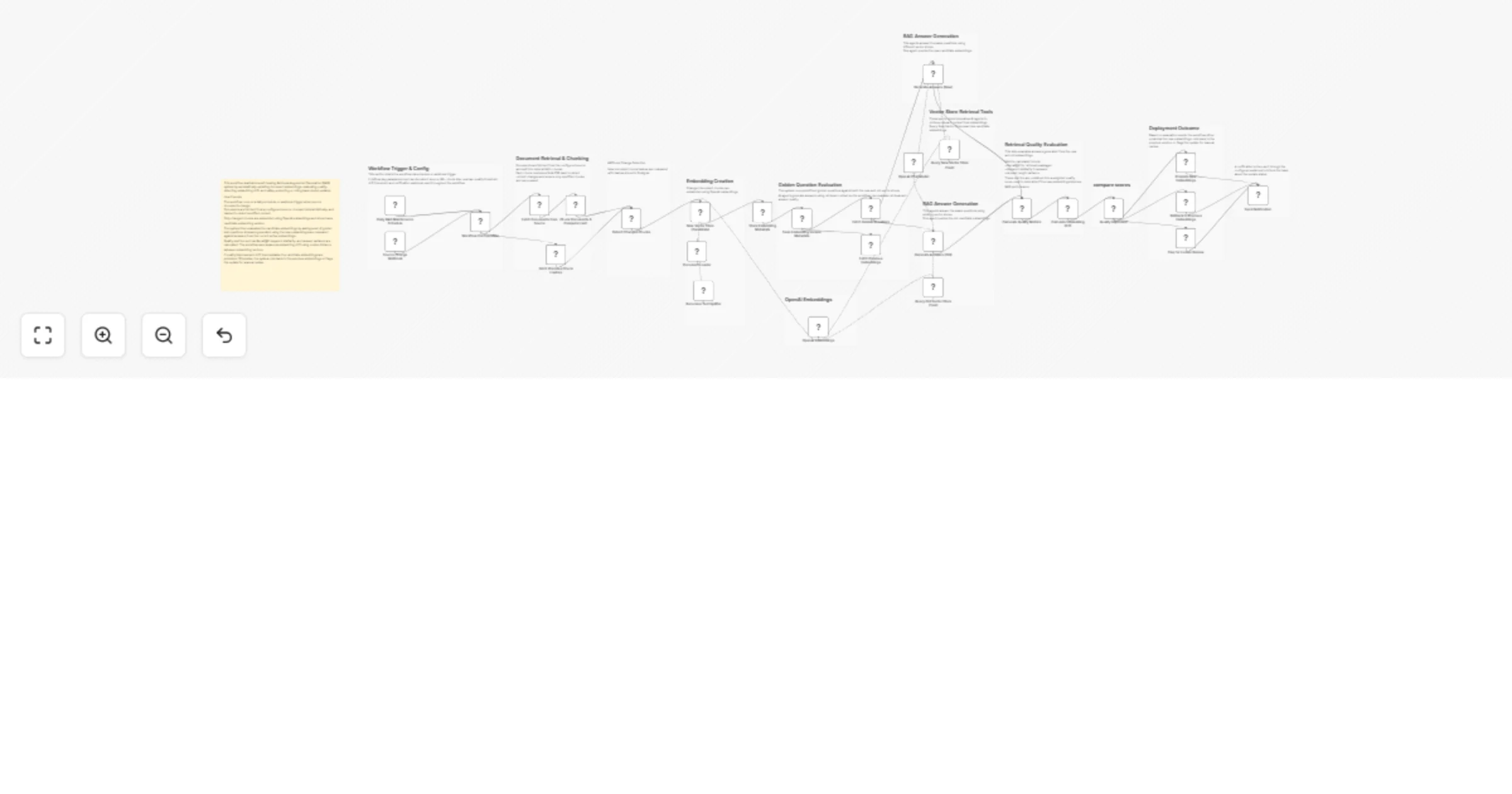
Original n8n.io sourceThis workflow implements a self-healing Retrieval-Augmented Generation (RAG) maintenance system that automatically updates document embeddings, evaluates retrieval quality, detects embedding drift, and safely promotes or rolls back embedding updates.
Maintaining high-quality embeddings in production RAG systems is difficult. When source documents change or embedding models evolve, updates can accidentally degrade retrieval quality or introduce semantic drift.
This workflow solves that problem by introducing an automated evaluation and rollback pipeline for embeddings.
It periodically checks for document changes, regenerates embeddings for updated content, evaluates the new embeddings against a set of predefined golden test questions, and compares the results with the currently active embeddings.
Quality metrics such as Recall@K, keyword similarity, and answer variance are calculated, while embedding vectors are also analyzed for semantic drift using cosine distance.
If the new embeddings outperform the current ones and remain within acceptable drift limits, they are automatically promoted to production. Otherwise, the system safely rolls back or flags the update for manual review.
This creates a robust, production-safe RAG lifecycle automation system.
The workflow can start in two ways:
Both paths lead to a centralized configuration node that defines parameters such as chunk size, thresholds, and notification settings.
Documents are fetched from the configured source (GitHub, Drive, Confluence, or other APIs).
The workflow then:
Only new or modified chunks proceed for embedding generation, which significantly reduces processing cost.
Changed chunks are processed through:
These embeddings are stored as a candidate vector store rather than immediately replacing the production embeddings.
Metadata about the embedding version is stored in Postgres.
A set of golden test questions stored in the database is used to evaluate retrieval quality.
Two AI agents are used:
Both generate answers using retrieved context.
The workflow calculates several evaluation metrics:
These are combined into a weighted quality score.
The workflow compares embedding vectors between versions using cosine distance.
This identifies semantic drift, which may occur due to:
The workflow checks two conditions:
If both conditions pass:
If not:
A webhook notification is sent with:
This allows teams to monitor embedding health automatically.
Edit the Workflow Configuration node and set:
documentSourceUrl
API endpoint or file source containing your documents.Examples include:
Create the following tables in your Postgres database:
document_chunksembeddingsembedding_versionsgolden_questionsThese tables store chunk hashes, embedding vectors, version metadata, and evaluation questions.
Connect the Postgres nodes using your database credentials.
Configure credentials for:
These are used for generating embeddings and answering evaluation questions.
Insert evaluation questions into the golden_questions table.
Each record should include:
question_textThese questions represent critical queries your RAG system must answer correctly.
Add a Slack or Teams webhook URL in the configuration node.
Notifications will be sent whenever:
In the configuration node you can modify:
qualityThresholddriftThresholdchunkSizechunkOverlapThese parameters control the sensitivity of the evaluation system.
Automatically evaluate and update embeddings in production knowledge systems without risking degraded results.
Keep embeddings synchronized with frequently changing documentation, repositories, or internal knowledge bases.
Test new embedding models against production data before promoting them.
Detect retrieval regressions before they affect end users.
Provide automated evaluation and rollback capabilities for mission-critical RAG deployments.
This workflow requires the following services:
Recommended integrations:
Required nodes include:
This workflow provides a fully automated self-healing RAG infrastructure for maintaining embedding quality in production systems.
By combining change detection, golden-question evaluation, embedding drift analysis, and automatic rollback, it ensures that retrieval performance improves safely over time.
It is ideal for teams running production AI assistants, knowledge bases, or internal search systems that depend on high-quality vector embeddings.
This catalog entry is organized from the workflow JSON. The node-level section below shows the executable blocks available for review before importing the template.
Showing the first 24 of 41 workflow blocks. Download the JSON for the full node graph.
| Workflow | Maintain RAG embeddings with OpenAI, Postgres and auto drift rollback |
|---|---|
| Complexity | advanced |
| Nodes | 41 |
| Categories | Engineering, AI RAG |
| Author | ResilNext |
| Published | 14 Mar 2026 |
Use the JSON export at /data/workflows/14036/14036.json as the source template for this automation.
Open n8n, import the downloaded JSON, and review each node before activating the workflow.
Replace placeholder credentials, API keys, webhook URLs, account IDs, and environment-specific values with your own settings.
Run the workflow manually or in a staging workspace, inspect node output, and confirm downstream systems receive the expected data.
Enable the workflow only after testing, then monitor executions, errors, and rate limits during the first production runs.
Review imported nodes carefully before activation. This catalog entry is intended to help you inspect the workflow structure, understand required services, and find related templates faster.
Node names, credentials, schedules, webhook paths, and external service limits may need adjustment for your workspace.
Overview This workflow implements a self healing Retrieval Augmented Generation (RAG) maintenance system that automatically updates document embeddings, evaluates retrieval quality, detects embeddi...
Review the workflow JSON, configure any required credentials in n8n, and test the automation in a safe workspace before using it in production.
Yes. Use the block-by-block analysis and the downloadable JSON to inspect each node, then adjust credentials, prompts, schedules, filters, or destinations for your Engineering, AI RAG use case.