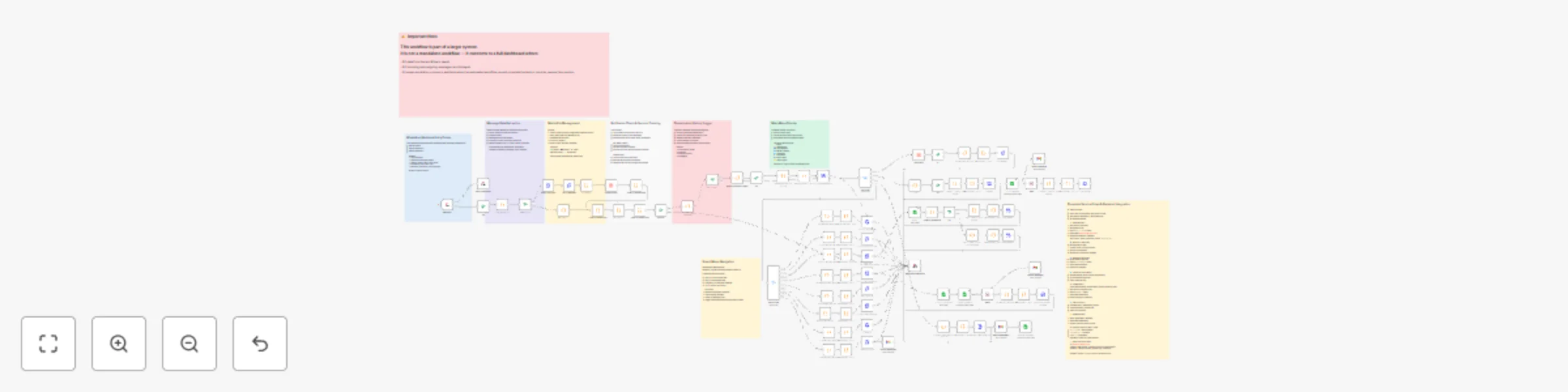
Interactive recruitment customer service with WhatsApp, Google Sheets CRM & notifications

Workflow preview

Workflow preview
100%
Interactive recruitment customer service with WhatsApp, Google Sheets CRM & notifications preview
Open on n8n.io

Important notice

This workflow is provided as-is. Please review and test before using in production.

1. Workflow Overview

Recruitment Office WhatsApp Automation Automate WhatsApp communication for recruitment agencies with an interactive, structured customer experience. This workflow handles pricing inquiries, requ...

Best for

  • Support Chatbot automation workflows
  • AI Chatbot automation workflows
  • advanced n8n builders looking for reusable templates

Tools used

n8n-nodes-base.webhook, n8n-nodes-base.code, n8n-nodes-base.if, n8n-nodes-base.httprequest, n8n-nodes-base.respondtowebhook, n8n-nodes-base.switch, n8n-nodes-base.wait, n8n-nodes-base.googlesheets

Source and attribution

This workflow is cataloged by N8N Workflows and links back to its original n8n.io source page by Mira Melhem.

Original n8n.io source

1.1 Workflow description

Title
Interactive recruitment customer service with WhatsApp, Google Sheets CRM & notifications
Workflow name
Interactive recruitment customer service with WhatsApp, Google Sheets CRM & notifications

👔 Recruitment Office WhatsApp Automation

Automate WhatsApp communication for recruitment agencies with an interactive, structured customer experience. This workflow handles pricing inquiries, request submissions, tracking, complaints, and human escalation while maintaining full session tracking and media support.

Good to know

  • Uses WhatsApp Interactive List Messages for user selection and navigation.
  • Includes session-state logic and memory across messages.
  • Includes a 5-minute cooldown to avoid spam and repeated triggers.
  • Supports logging for all interaction types including media files.
  • Includes both a global bot shutdown switch and per-user override.

How it works

  • A customer sends a message to the official WhatsApp number.
  • The workflow replies with an interactive menu containing 8 service options:
    • 💰 Pricing by nationality (8 supported countries)
    • 📝 New recruitment request submission
    • 🔍 Tracking existing applications via Google Sheets lookup
    • 🔁 Worker transfer link distribution
    • 🌍 Translation service information
    • 📄 Required documents and instructions
    • ⚠️ Complaint submission and routing
    • 👤 Request a human agent
  • The workflow retrieves or stores data based on the selection using Google Sheets and Data Tables.
  • If the customer requests human help or the logic detects uncertainty, the workflow:
    • Pauses automation for that user
    • Notifies a designated staff member
  • All interactions are logged including files, text, timestamps, and selections.

Features

  • 📋 Structured WhatsApp service menu
  • 📄 CRM-style recruitment request logging
  • ✨ Pricing logic with nationality mapping
  • 🔍 Lookup-based status tracking
  • 📎 Support for media uploads (PDF, images, audio, documents)
  • 🧠 Session tracking with persistent user state
  • 🤝 Human escalation workflow with internal notifications
  • 🛑 Anti-spam and cooldown control
  • 🎚 Bot master switch (global + per-user)

Technology stack

Component Usage
n8n Automation engine
WhatsApp Business API Messaging and interactive UX
Google Sheets CRM and logs
Data Tables State management
JavaScript Custom logic and routing

Requirements

  • WhatsApp Business API account with active credentials
  • n8n Cloud or self-hosted instance
  • Google Sheets for CRM storage
  • Data Tables enabled for persistent session tracking

How to use

  • The workflow uses a Webhook trigger compatible with common WhatsApp API providers.
  • Modify menu content, pricing, optional steps, and escalation flows as needed.
  • Link your Google Sheets and replace test sheet IDs with production values.
  • Configure human escalation to notify team members or departments.

Customising this workflow

  • Replace Google Sheets with Airtable, HubSpot, or SQL storage.
  • Add expiration and reminder messages for missing documents.
  • Add AI-powered response logic for common questions.
  • Enable multi-country support (Saudi/UAE/Jordan/Qatar/Kuwait/etc.)
  • Connect to dashboards for reporting and staff performance analytics.

1.2 Logical Blocks

This catalog entry is organized from the workflow JSON. The node-level section below shows the executable blocks available for review before importing the template.

2. Block-by-Block Analysis

Block 1 - Webhook

Type / Role
n8n-nodes-base.webhook - webhook
Config choices
Version 1

Block 2 - استخراج البيانات

Type / Role
n8n-nodes-base.code - code
Config choices
Version 2

Block 3 - رسالة جديدة؟

Type / Role
n8n-nodes-base.if - if
Config choices
Version 1

Block 4 - إرسال القائمة الرئيسية

Type / Role
n8n-nodes-base.httpRequest - httpRequest
Config choices
Version 4.1

Block 5 - الأسعار - اختر جنسية

Type / Role
n8n-nodes-base.httpRequest - httpRequest
Config choices
Version 4.1

Block 6 - طلب جديد - اختر جنسية

Type / Role
n8n-nodes-base.httpRequest - httpRequest
Config choices
Version 4.1

Block 7 - متابعة - اطلب رقم

Type / Role
n8n-nodes-base.httpRequest - httpRequest
Config choices
Version 4.1

Block 8 - الترجمة - رابط

Type / Role
n8n-nodes-base.httpRequest - httpRequest
Config choices
Version 4.1

Block 9 - الشكاوى - اطلب تفاصيل

Type / Role
n8n-nodes-base.httpRequest - httpRequest
Config choices
Version 4.1

Block 10 - عن المكتب

Type / Role
n8n-nodes-base.httpRequest - httpRequest
Config choices
Version 4.1

Block 11 - التحدث مع موظف

Type / Role
n8n-nodes-base.httpRequest - httpRequest
Config choices
Version 4.1

Block 12 - Respond to Webhook

Type / Role
n8n-nodes-base.respondToWebhook - respondToWebhook
Config choices
Version 1

Block 13 - menu route

Type / Role
n8n-nodes-base.switch - switch
Config choices
Version 3

Block 14 - If

Type / Role
n8n-nodes-base.if - if
Config choices
Version 2.2

Block 15 - رسالة الأسعار

Type / Role
n8n-nodes-base.httpRequest - httpRequest
Config choices
Version 4.1

Block 16 - If1

Type / Role
n8n-nodes-base.if - if
Config choices
Version 2.2

Block 17 - رسالة السير

Type / Role
n8n-nodes-base.httpRequest - httpRequest
Config choices
Version 4.1

Block 18 - Wait

Type / Role
n8n-nodes-base.wait - wait
Config choices
Version 1.1

Block 19 - رسالة تأكيد السيرة

Type / Role
n8n-nodes-base.httpRequest - httpRequest
Config choices
Version 4.1

Block 20 - إدخال طلب جديد

Type / Role
n8n-nodes-base.googleSheets - googleSheets
Config choices
Version 4.7

Block 21 - متابعة

Type / Role
n8n-nodes-base.googleSheets - googleSheets
Config choices
Version 4.7

Block 22 - If2

Type / Role
n8n-nodes-base.if - if
Config choices
Version 2.2

Block 23 - رسالة المتابعة

Type / Role
n8n-nodes-base.httpRequest - httpRequest
Config choices
Version 4.1

Block 24 - رسالة المتابعة1

Type / Role
n8n-nodes-base.httpRequest - httpRequest
Config choices
Version 4.1

Showing the first 24 of 96 workflow blocks. Download the JSON for the full node graph.

3. Summary Table

Workflow Interactive recruitment customer service with WhatsApp, Google Sheets CRM & notifications
Complexity advanced
Nodes 96
Categories Support Chatbot, AI Chatbot
Author Mira Melhem
Published 08 Dec 2025

4. Reproducing the Workflow from Scratch

  1. 1. Download the workflow JSON

    Use the JSON export at /data/workflows/11604/11604.json as the source template for this automation.

  2. 2. Import the template into n8n

    Open n8n, import the downloaded JSON, and review each node before activating the workflow.

  3. 3. Configure credentials and variables

    Replace placeholder credentials, API keys, webhook URLs, account IDs, and environment-specific values with your own settings.

  4. 4. Test with sample data

    Run the workflow manually or in a staging workspace, inspect node output, and confirm downstream systems receive the expected data.

  5. 5. Activate and monitor

    Enable the workflow only after testing, then monitor executions, errors, and rate limits during the first production runs.

5. General Notes & Resources

Review imported nodes carefully before activation. This catalog entry is intended to help you inspect the workflow structure, understand required services, and find related templates faster.

Node names, credentials, schedules, webhook paths, and external service limits may need adjustment for your workspace.

Frequently asked questions

What does Interactive recruitment customer service with WhatsApp, Google Sheets CRM & notifications do?

Recruitment Office WhatsApp Automation Automate WhatsApp communication for recruitment agencies with an interactive, structured customer experience. This workflow handles pricing inquiries, requ...

What do I need before importing this workflow?

Review the workflow JSON, configure any required credentials in n8n, and test the automation in a safe workspace before using it in production.

Can I customize this workflow?

Yes. Use the block-by-block analysis and the downloadable JSON to inspect each node, then adjust credentials, prompts, schedules, filters, or destinations for your Support Chatbot, AI Chatbot use case.