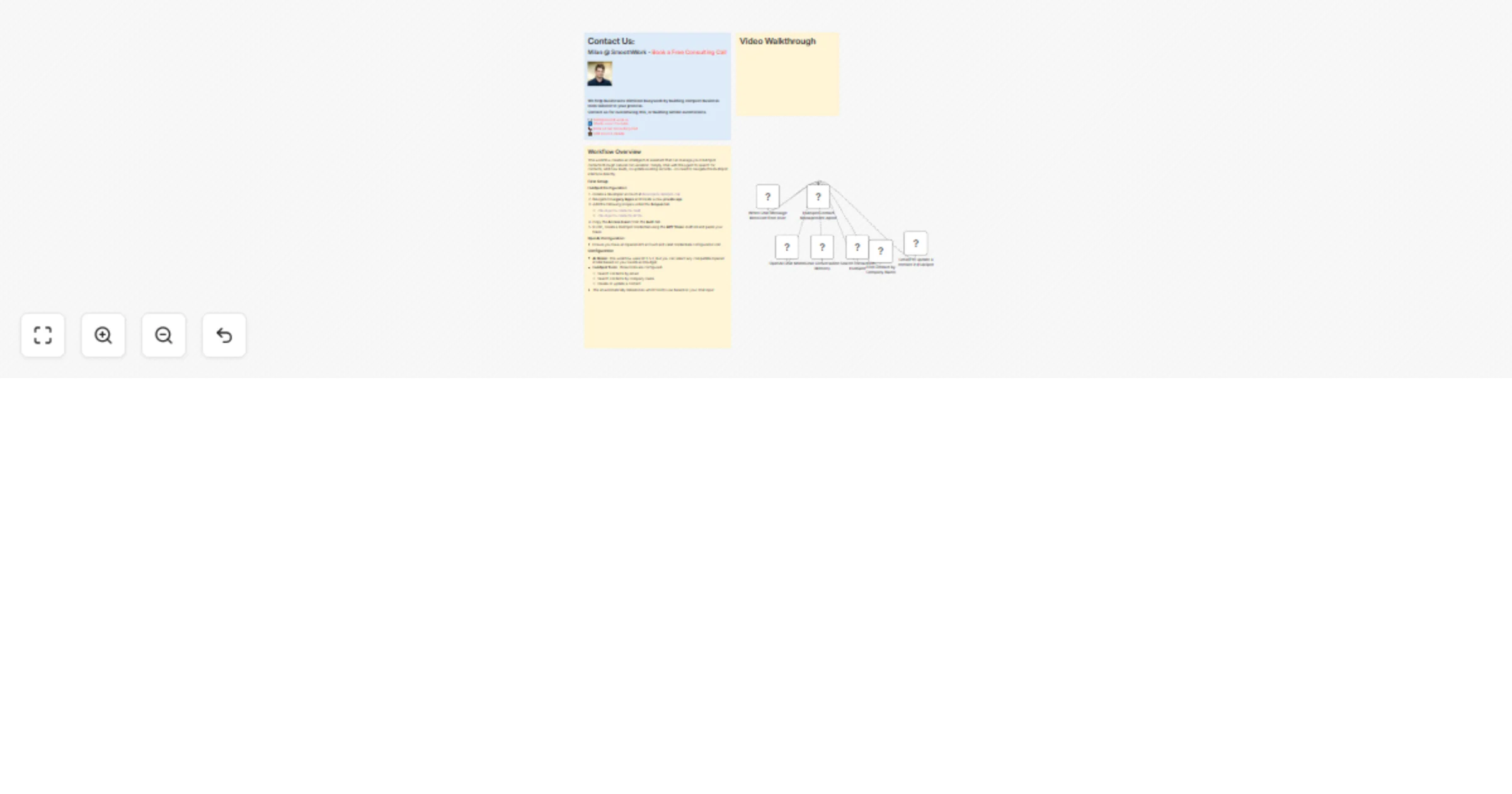
Hubspot AI Manager - Automate your CRM!

Workflow preview

Workflow preview
100%
Hubspot AI Manager - Automate your CRM! preview
Open on n8n.io

1. Workflow Overview

Video Introduction Want to automate your i...

Best for

  • CRM automation workflows
  • AI Chatbot automation workflows
  • intermediate n8n builders looking for reusable templates

Tools used

@n8n/n8n-nodes-langchain.chattrigger, @n8n/n8n-nodes-langchain.agent, @n8n/n8n-nodes-langchain.lmchatopenai, @n8n/n8n-nodes-langchain.memorybufferwindow, n8n-nodes-base.hubspottool, n8n-nodes-base.stickynote

Source and attribution

This workflow is cataloged by N8N Workflows and links back to its original n8n.io source page by Milan Vasarhelyi - SmoothWork.

Original n8n.io source

1.1 Workflow description

Title
Hubspot AI Manager - Automate your CRM!
Workflow name
Hubspot AI Manager - Automate your CRM!

Video Introduction

Want to automate your inbox or need a custom workflow? 📞 Book a Call | 💬 DM me on Linkedin

What This Workflow Does

This workflow creates an intelligent AI assistant that manages your HubSpot contacts through natural conversation. Instead of manually navigating the HubSpot interface, you can simply chat with the agent to search for contacts by email or company name, add new leads, or update existing records. The AI automatically determines which action to take based on your chat input and can handle multiple operations in a single conversation.

Key Features

  • Natural language contact search: Find contacts by email address or company name using conversational commands
  • Smart contact creation: Add new contacts by providing details in natural language—the AI extracts email, name, and company information automatically
  • Duplicate prevention: Uses HubSpot's ""create or update"" functionality to prevent duplicate entries
  • Conversation memory: Remembers context from previous messages in the same chat session
  • Multi-tool intelligence: The AI agent automatically selects the appropriate tool based on your request

Common Use Cases

  • Quickly add leads captured from conversations, emails, or meetings without opening HubSpot
  • Search for contact information during calls or meetings
  • Update contact details through simple chat commands
  • Bulk contact lookups by company for account research
  • Enable non-technical team members to manage CRM data through conversation

Setup Instructions

HubSpot Configuration:

  1. Create a developer account at developers.hubspot.com using your existing HubSpot login
  2. Navigate to Legacy Apps in the left-hand menu and create a new private app
  3. Give your app a name and move to the Scopes tab
  4. Add the following permissions:
  • crm.objects.contacts.read
  • crm.objects.contacts.write
  1. Click Create app
  2. In the Auth tab, reveal and copy your Access token
  3. In n8n, create a new HubSpot credential using APP Token as the connection method and paste your token

OpenAI Configuration:

  • Ensure you have an OpenAI API account with valid credentials configured in n8n
  • The workflow uses GPT-5.2 by default, but you can select any compatible OpenAI model based on your needs and budget

Configuration Notes

The workflow includes three HubSpot tools that the AI can use:

  • Search contacts by email address
  • Search contacts by company name
  • Create or update a contact

All contact properties (email, first name, last name, company name) are set to be automatically defined by the AI model based on your chat input. The agent intelligently chooses which tool to use based on your request—no need to specify which action you want.

1.2 Logical Blocks

This catalog entry is organized from the workflow JSON. The node-level section below shows the executable blocks available for review before importing the template.

2. Block-by-Block Analysis

Block 1 - When Chat Message Received from User

Type / Role
@n8n/n8n-nodes-langchain.chatTrigger - chatTrigger
Config choices
Version 1.4

Block 2 - HubSpot Contact Management Agent

Type / Role
@n8n/n8n-nodes-langchain.agent - agent
Config choices
Version 3

Block 3 - OpenAI Chat Model

Type / Role
@n8n/n8n-nodes-langchain.lmChatOpenAi - lmChatOpenAi
Config choices
Version 1.3

Block 4 - Chat Conversation Memory

Type / Role
@n8n/n8n-nodes-langchain.memoryBufferWindow - memoryBufferWindow
Config choices
Version 1.3

Block 5 - Create or update a contact in HubSpot

Type / Role
n8n-nodes-base.hubspotTool - hubspotTool
Config choices
Version 2.2

Block 6 - Find Contact by Company Name

Type / Role
n8n-nodes-base.hubspotTool - hubspotTool
Config choices
Version 2.2

Block 7 - Search contacts in HubSpot

Type / Role
n8n-nodes-base.hubspotTool - hubspotTool
Config choices
Version 2.2

Block 8 - Workflow Description

Type / Role
n8n-nodes-base.stickyNote - stickyNote
Config choices
Version 1

Block 9 - Creator Contact Info

Type / Role
n8n-nodes-base.stickyNote - stickyNote
Config choices
Version 1

Block 10 - Video Walkthrough

Type / Role
n8n-nodes-base.stickyNote - stickyNote
Config choices
Version 1

3. Summary Table

Workflow Hubspot AI Manager - Automate your CRM!
Complexity intermediate
Nodes 10
Categories CRM, AI Chatbot
Author Milan Vasarhelyi - SmoothWork
Published 17 Feb 2026

4. Reproducing the Workflow from Scratch

  1. 1. Download the workflow JSON

    Use the JSON export at /data/workflows/13461/13461.json as the source template for this automation.

  2. 2. Import the template into n8n

    Open n8n, import the downloaded JSON, and review each node before activating the workflow.

  3. 3. Configure credentials and variables

    Replace placeholder credentials, API keys, webhook URLs, account IDs, and environment-specific values with your own settings.

  4. 4. Test with sample data

    Run the workflow manually or in a staging workspace, inspect node output, and confirm downstream systems receive the expected data.

  5. 5. Activate and monitor

    Enable the workflow only after testing, then monitor executions, errors, and rate limits during the first production runs.

5. General Notes & Resources

Review imported nodes carefully before activation. This catalog entry is intended to help you inspect the workflow structure, understand required services, and find related templates faster.

Node names, credentials, schedules, webhook paths, and external service limits may need adjustment for your workspace.

Frequently asked questions

What does Hubspot AI Manager - Automate your CRM! do?

Video Introduction Want to automate your i...

What do I need before importing this workflow?

Review the workflow JSON, configure any required credentials in n8n, and test the automation in a safe workspace before using it in production.

Can I customize this workflow?

Yes. Use the block-by-block analysis and the downloadable JSON to inspect each node, then adjust credentials, prompts, schedules, filters, or destinations for your CRM, AI Chatbot use case.