Handle Vietnamese SME customer care on Zalo Bot with Gemini and Google Sheets

Workflow preview

Workflow preview
100%
Handle Vietnamese SME customer care on Zalo Bot with Gemini and Google Sheets preview
Open on n8n.io

1. Workflow Overview

AI customer care chatbot for Vietnamese SMEs with Zalo Bot, Gemini and Google Sheets CRM A production ready Zalo Bot chatbot that handles the full customer journey for Vietnamese small and medium b...

Best for

  • Support Chatbot automation workflows
  • AI Chatbot automation workflows
  • advanced n8n builders looking for reusable templates

Tools used

n8n-nodes-base.stickynote, n8n-nodes-zalo-platform.zalobottrigger, n8n-nodes-base.set, n8n-nodes-base.googlesheets, n8n-nodes-base.if, n8n-nodes-zalo-platform.zalobot, n8n-nodes-base.switch, @n8n/n8n-nodes-langchain.googlegemini

Source and attribution

This workflow is cataloged by N8N Workflows and links back to its original n8n.io source page by THE NEXOVA.

Original n8n.io source

1.1 Workflow description

Title
Handle Vietnamese SME customer care on Zalo Bot with Gemini and Google Sheets
Workflow name
Handle Vietnamese SME customer care on Zalo Bot with Gemini and Google Sheets

AI customer care chatbot for Vietnamese SMEs with Zalo Bot, Gemini and Google Sheets CRM

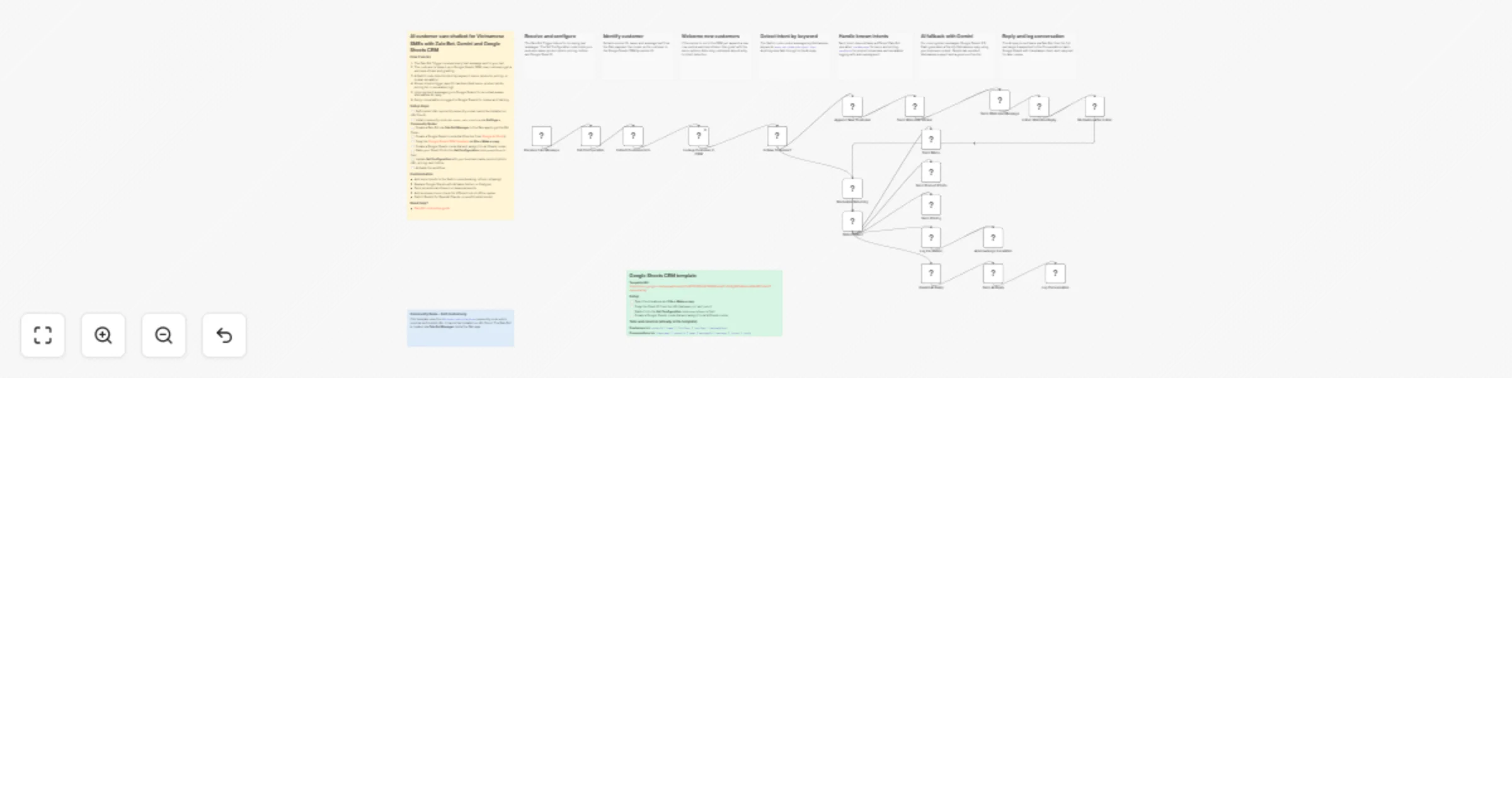
A production ready Zalo Bot chatbot that handles the full customer journey for Vietnamese small and medium businesses: greeting new customers with a sticker, listening for their first reply, routing the message to the right handler, generating AI fallback answers in Vietnamese, escalating to a human agent when needed, and logging every conversation to Google Sheets as a lightweight CRM.

This template uses every operation of the n8n-nodes-zalo-platform community node (zaloBotTrigger, sendMessage, sendPhoto, sendSticker, getUpdates) combined with Google Gemini and Google Sheets to deliver a real conversational flow, not a one shot reply.

Who is this for

Vietnamese SMEs, e-commerce shops, restaurants, clinics, real estate brokers, training centers, and any business already using Zalo Bot Platform that wants to:

  • Reply 24/7 in natural Vietnamese without hiring more staff
  • Track every customer in a free Google Sheets CRM
  • Showcase products and pricing on demand
  • Escalate complex requests to a human agent
  • Use AI to handle long tail questions

How it works

  1. Receive Zalo Message triggers on every text message sent to your bot.
  2. Set Configuration holds your business name, hotline, product photo URL, pricing, sheet ID, and admin Zalo ID (plug and play).
  3. Extract Customer Info parses the Zalo payload (message.from.id, message.chat.id, message.from.display_name, message.text, message.message_id) into clean fields.
  4. Lookup Customer in CRM reads the Google Sheets Customers tab and filters by senderId to detect new vs returning customers.
  5. Is New Customer? branches the flow:
  • New customer: append a row to Customers, send a welcome sticker (sendSticker), send a Vietnamese welcome message (sendMessage), then Listen Welcome Reply uses getUpdates to wait for the user's first response.
  • Returning customer: route directly to intent detection.
  1. Normalize After Listen and Normalize Returning unify both paths into a single messageText and messageOriginal field, so downstream nodes work regardless of source.
  2. Detect Intent is a Switch node with 4 keyword rules plus an AI fallback. Each rule matches both Vietnamese with diacritics and unaccented variants:
  • menu (menu, dịch vụ)
  • products (sản phẩm, demo, giải pháp)
  • pricing (giá, báo giá, chi phí)
  • human (người thật, tư vấn, liên hệ, hỗ trợ)
  • default routes to Gemini AI reply
  1. Send Menu, Send Product Photo, and Send Pricing handle the matched intents using sendMessage and sendPhoto.
  2. Log Escalation writes a row to Conversations and Acknowledge Escalation confirms receipt to the customer.
  3. Gemini AI Reply generates a friendly Vietnamese reply using Google Gemini 2.0 Flash with full business context.
  4. Send AI Reply delivers the response back via Zalo Bot.
  5. Log Conversation appends every message and reply to the Conversations sheet so you can review chats and improve the bot.

What makes this template different

  • Full conversational flow, not just a one shot auto reply
  • Two path normalization: the welcome reply path and the returning customer path converge into a single intent router
  • Vietnamese first: keyword matching, AI prompts, and replies all handle Vietnamese with diacritics natively
  • Free CRM: ready to copy Google Sheets template included, no database setup required
  • Uses every operation of the Zalo Bot community node
  • Production patterns: customer state tracking, conversation logging, human escalation, and AI fallback, all in one workflow

Requirements

  • Self hosted n8n (community nodes are not available on n8n Cloud)
  • Community node: n8n-nodes-zalo-platform
  • A Zalo Bot created via Zalo Bot Manager inside the Zalo app (gives you a Bot Token in the format bot_id:secret_key). This is not Zalo Official Account.
  • Google account with access to Google Sheets and Google Gemini (free tier from Google AI Studio)

How to set up

  1. Install the community node via Settings > Community Nodes: n8n-nodes-zalo-platform
  2. Create credentials for Zalo Bot, Google Sheets OAuth2, and Google Gemini
  3. Get the Google Sheets CRM template (ready to copy):
  • Open: Google Sheets CRM template
  • File > Make a copy
  • The template already contains both tabs:
  • Customers: senderId | name | firstSeen | lastSeen | messageCount
  • Conversations: timestamp | senderId | name | messageId | message | intent | reply
  1. Copy your new Sheet ID from the URL (between /d/ and /edit) and paste it into the Set Configuration node googleSheetId field
  2. Edit Set Configuration with your business name, hotline, product photo URL, and pricing text
  3. Activate the workflow. The webhook is auto registered with Zalo Bot Platform.
  4. Send a message to your bot to test. Try keywords: menu, sản phẩm, giá, người thật, or any free form question.

How to customize

  • Add more intents to the Switch node (booking, refund, shipping, address lookup)
  • Replace Google Sheets with Airtable, Notion, Postgres, or Supabase for a real database
  • Send order confirmations with sendPhoto (QR code, invoice image)
  • Send promotional stickers on Tet, Black Friday, or seasonal events
  • Add a Schedule Trigger to broadcast daily promotions to all customers in the CRM
  • Plug in your website knowledge base via Retrieval Augmented Generation
  • Switch Gemini for OpenAI, Claude, or a self hosted local model
  • Add an Hours Of Operation check to send a different reply outside business hours

Need help

1.2 Logical Blocks

This catalog entry is organized from the workflow JSON. The node-level section below shows the executable blocks available for review before importing the template.

2. Block-by-Block Analysis

Block 1 - Sticky Note

Type / Role
n8n-nodes-base.stickyNote - stickyNote
Config choices
Version 1

Block 2 - Sticky Note1

Type / Role
n8n-nodes-base.stickyNote - stickyNote
Config choices
Version 1

Block 3 - Sticky Note2

Type / Role
n8n-nodes-base.stickyNote - stickyNote
Config choices
Version 1

Block 4 - Sticky Note3

Type / Role
n8n-nodes-base.stickyNote - stickyNote
Config choices
Version 1

Block 5 - Sticky Note4

Type / Role
n8n-nodes-base.stickyNote - stickyNote
Config choices
Version 1

Block 6 - Sticky Note5

Type / Role
n8n-nodes-base.stickyNote - stickyNote
Config choices
Version 1

Block 7 - Sticky Note6

Type / Role
n8n-nodes-base.stickyNote - stickyNote
Config choices
Version 1

Block 8 - Sticky Note7

Type / Role
n8n-nodes-base.stickyNote - stickyNote
Config choices
Version 1

Block 9 - Sticky Note9

Type / Role
n8n-nodes-base.stickyNote - stickyNote
Config choices
Version 1

Block 10 - Sticky Note8

Type / Role
n8n-nodes-base.stickyNote - stickyNote
Config choices
Version 1

Block 11 - Receive Zalo Message

Type / Role
n8n-nodes-zalo-platform.zaloBotTrigger - zaloBotTrigger
Config choices
Version 1

Block 12 - Set Configuration

Type / Role
n8n-nodes-base.set - set
Config choices
Version 3.4

Block 13 - Extract Customer Info

Type / Role
n8n-nodes-base.set - set
Config choices
Version 3.4

Block 14 - Lookup Customer in CRM

Type / Role
n8n-nodes-base.googleSheets - googleSheets
Config choices
Version 4.5

Block 15 - Is New Customer?

Type / Role
n8n-nodes-base.if - if
Config choices
Version 2.2

Block 16 - Append New Customer

Type / Role
n8n-nodes-base.googleSheets - googleSheets
Config choices
Version 4.5

Block 17 - Send Welcome Sticker

Type / Role
n8n-nodes-zalo-platform.zaloBot - zaloBot
Config choices
Version 1

Block 18 - Send Welcome Message

Type / Role
n8n-nodes-zalo-platform.zaloBot - zaloBot
Config choices
Version 1

Block 19 - Detect Intent

Type / Role
n8n-nodes-base.switch - switch
Config choices
Version 3.2

Block 20 - Send Menu

Type / Role
n8n-nodes-zalo-platform.zaloBot - zaloBot
Config choices
Version 1

Block 21 - Send Product Photo

Type / Role
n8n-nodes-zalo-platform.zaloBot - zaloBot
Config choices
Version 1

Block 22 - Send Pricing

Type / Role
n8n-nodes-zalo-platform.zaloBot - zaloBot
Config choices
Version 1

Block 23 - Log Escalation

Type / Role
n8n-nodes-base.googleSheets - googleSheets
Config choices
Version 4.5

Block 24 - Acknowledge Escalation

Type / Role
n8n-nodes-zalo-platform.zaloBot - zaloBot
Config choices
Version 1

Showing the first 24 of 30 workflow blocks. Download the JSON for the full node graph.

3. Summary Table

Workflow Handle Vietnamese SME customer care on Zalo Bot with Gemini and Google Sheets
Complexity advanced
Nodes 30
Categories Support Chatbot, AI Chatbot
Author THE NEXOVA
Published 06 Apr 2026

4. Reproducing the Workflow from Scratch

  1. 1. Download the workflow JSON

    Use the JSON export at /data/workflows/14816/14816.json as the source template for this automation.

  2. 2. Import the template into n8n

    Open n8n, import the downloaded JSON, and review each node before activating the workflow.

  3. 3. Configure credentials and variables

    Replace placeholder credentials, API keys, webhook URLs, account IDs, and environment-specific values with your own settings.

  4. 4. Test with sample data

    Run the workflow manually or in a staging workspace, inspect node output, and confirm downstream systems receive the expected data.

  5. 5. Activate and monitor

    Enable the workflow only after testing, then monitor executions, errors, and rate limits during the first production runs.

5. General Notes & Resources

Review imported nodes carefully before activation. This catalog entry is intended to help you inspect the workflow structure, understand required services, and find related templates faster.

Node names, credentials, schedules, webhook paths, and external service limits may need adjustment for your workspace.

Frequently asked questions

What does Handle Vietnamese SME customer care on Zalo Bot with Gemini and Google Sheets do?

AI customer care chatbot for Vietnamese SMEs with Zalo Bot, Gemini and Google Sheets CRM A production ready Zalo Bot chatbot that handles the full customer journey for Vietnamese small and medium b...

What do I need before importing this workflow?

Review the workflow JSON, configure any required credentials in n8n, and test the automation in a safe workspace before using it in production.

Can I customize this workflow?

Yes. Use the block-by-block analysis and the downloadable JSON to inspect each node, then adjust credentials, prompts, schedules, filters, or destinations for your Support Chatbot, AI Chatbot use case.