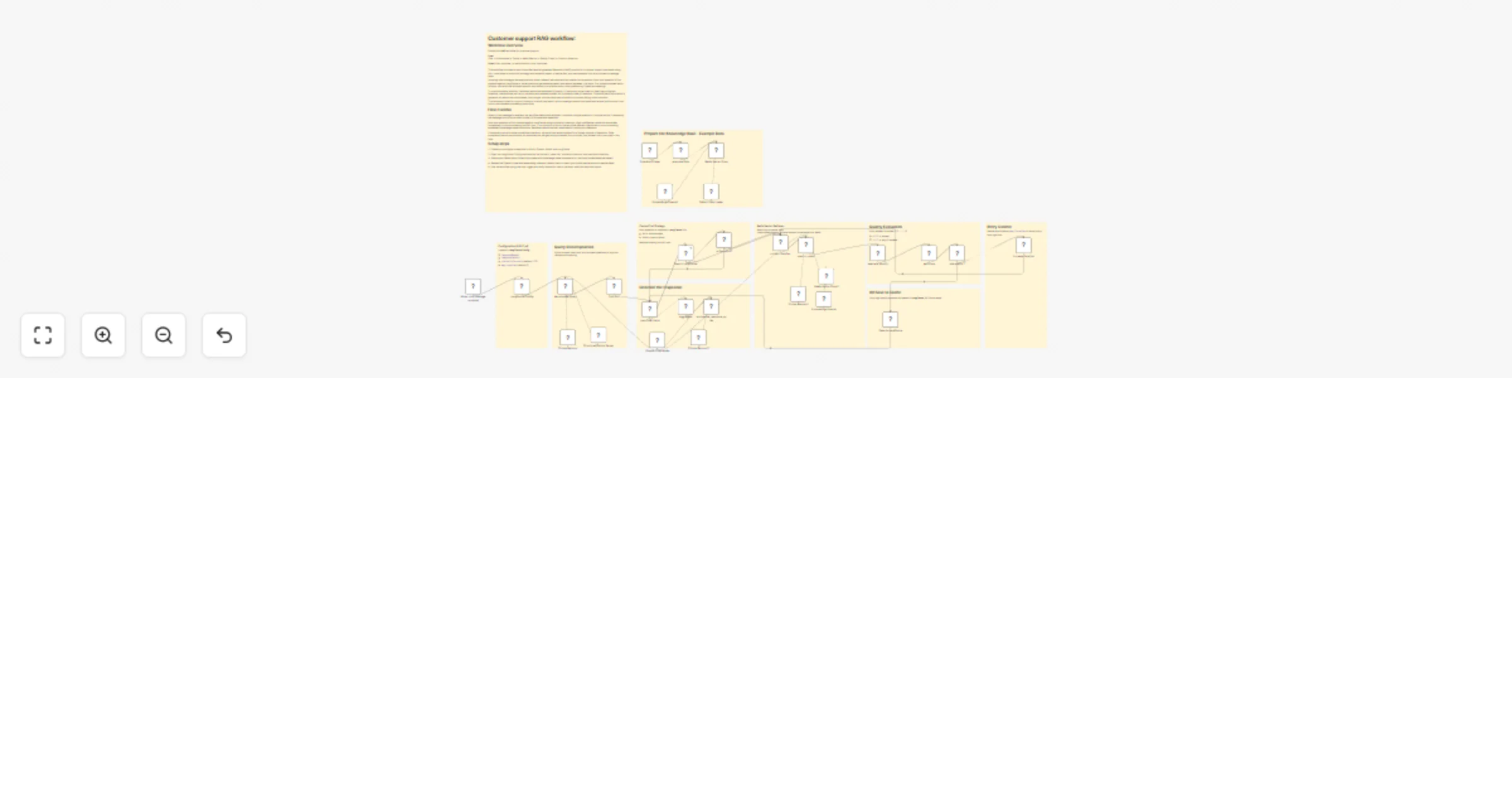
Handle customer support queries with cache-first RAG using Redis, LangCache and OpenAI

Workflow preview

Workflow preview
100%
Handle customer support queries with cache-first RAG using Redis, LangCache and OpenAI preview
Open on n8n.io

1. Workflow Overview

An end to end Retrieval Augmented Generation (RAG) customer support workflow for n8n , using a cache first strategy (LangCache) combined with a Redis vector store powered by OpenAI embeddings . Thi...

Best for

  • Support Chatbot automation workflows
  • AI RAG automation workflows
  • advanced n8n builders looking for reusable templates

Tools used

@n8n/n8n-nodes-langchain.chattrigger, @n8n/n8n-nodes-langchain.agent, @n8n/n8n-nodes-langchain.outputparserstructured, n8n-nodes-base.splitout, n8n-nodes-base.httprequest, n8n-nodes-base.if, n8n-nodes-base.set, n8n-nodes-base.splitinbatches

Source and attribution

This workflow is cataloged by N8N Workflows and links back to its original n8n.io source page by Mohamed Abdelwahab.

Original n8n.io source

1.1 Workflow description

Title
Handle customer support queries with cache-first RAG using Redis, LangCache and OpenAI
Workflow name
Handle customer support queries with cache-first RAG using Redis, LangCache and OpenAI

An end-to-end Retrieval-Augmented Generation (RAG) customer support workflow for n8n, using a cache-first strategy (LangCache) combined with a Redis vector store powered by OpenAI embeddings. This template is designed for fast, accurate, and cost-efficient customer support chatbots, internal help desks, and knowledge-base assistants.


Overview

This workflow implements a production-ready RAG architecture optimized for customer support use cases. Incoming chat messages are processed through a structured pipeline that prioritizes cached answers, falls back to semantic vector search when needed, and validates response quality before returning a final answer.

The workflow supports:

  • Multi-question user inputs
  • Intelligent query decomposition
  • Cache reuse to reduce latency and cost
  • High-precision retrieval from a Redis vector database
  • Quality evaluation and controlled retries
  • Final answer synthesis into a single, coherent response

Key Features

  • Chat-based RAG pipeline using n8n’s Chat Trigger
  • Query decomposition for multi-topic questions
  • LangCache integration (search + save)
  • Redis Vector Store for semantic retrieval
  • OpenAI embeddings and chat models
  • Quality scoring with retry logic
  • Session memory buffers for contextual continuity
  • Fallback-safe behavior (no hallucinations)

How the Workflow Works

1. Chat Trigger

The workflow starts when a new chat message is received.

2. Configuration Setup

A centralized configuration node defines:

  • LangCache base URL
  • Cache ID
  • Similarity threshold (default: 0.75)
  • Maximum retrieval iterations (default: 2)

3. Query Decomposition

The user message is analyzed and decomposed into:

  • A single focused question, or
  • Multiple independent sub-questions

This improves retrieval accuracy and cache reuse.

4. Cache-First Retrieval

Each sub-question is processed independently:

  • The workflow first searches LangCache
  • If a high-similarity cached answer is found, it is reused immediately

5. Vector Retrieval (Cache Miss)

If no cache hit exists:

  • The query is embedded using OpenAI embeddings
  • A semantic search is executed against the Redis vector index
  • Retrieved knowledge-base documents are passed to a research-only agent

6. Knowledge-Only Answering

The research agent:

  • Answers strictly from the retrieved knowledge
  • Returns "no info found" if no relevant data exists

7. Quality Evaluation

Each generated answer is evaluated by a dedicated quality-check node:

  • Outputs a numerical SCORE (0.0 – 1.0)
  • Provides textual feedback
  • Low scores can trigger limited retries

8. Cache Update

High-quality answers are saved back to LangCache for future reuse.

9. Aggregation & Synthesis

All sub-answers are aggregated and synthesized into:

  • One final, user-facing response, or
  • A polite fallback message if information is insufficient

Main Nodes & Responsibilities

  • When Chat Message Received — Entry point for user messages
  • LangCache Config — Centralized configuration values
  • Decompose Query (LangChain Agent) — Splits complex queries
  • Structured Output Parser — Ensures valid JSON output
  • Search LangCache — Cache lookup via HTTP
  • Redis Vector Store — Semantic retrieval from Redis
  • Embeddings OpenAI — Vector generation
  • Research Agent — KB-only answering (no hallucinations)
  • Quality Evaluator — Scores answer relevance
  • Save to LangCache — Stores validated answers
  • Memory Buffers — Session context handling
  • Response Synthesizer — Final message generation

Setup Instructions

1. Configure Credentials

Create the following credentials in n8n:

  • OpenAI API
  • Redis
  • HTTP Bearer Auth (for LangCache)

2. Prepare the Knowledge Base

  • Embed your documents using OpenAI embeddings
  • Insert them into the configured Redis vector index
  • Ensure documents are concise and well-structured

3. Configure LangCache

Update the configuration node with:

  • langcacheBaseUrl
  • langcacheCacheId
  • Optional tuning for similarity threshold and iterations

4. Test the Workflow

  • Use the example data loader or schedule trigger
  • Send test chat messages
  • Validate cache hits, vector retrieval, and final responses

Recommended Tuning

  • Similarity Threshold: 0.7 – 0.85
  • Max Iterations: 1 – 3
  • Quality Score Cutoff: 0.7
  • Model Choice: Use faster models for low latency, stronger models for accuracy
  • Cache Policy: Cache only high-confidence answers

Security & Compliance Notes

  • Store API keys securely using n8n credentials
  • Avoid caching sensitive or personally identifiable information
  • Apply least-privilege access to Redis and LangCache
  • Consider logging cache writes for audit purposes

Common Use Cases

  • Customer support chatbots
  • Internal help desks
  • Knowledge-base assistants
  • Self-service support portals
  • AI-powered FAQ systems

Template Metadata (Recommended)

  • Template Name: AI Customer Support — Redis RAG (LangCache + OpenAI)
  • Category: Customer Support / AI / RAG
  • Tags: customer-support, RAG, knowledge-base, redis, openai, langcache, chatbot, n8n-template
  • Difficulty Level: Intermediate
  • Required Integrations: OpenAI, Redis, LangCache

1.2 Logical Blocks

This catalog entry is organized from the workflow JSON. The node-level section below shows the executable blocks available for review before importing the template.

2. Block-by-Block Analysis

Block 1 - When chat message received

Type / Role
@n8n/n8n-nodes-langchain.chatTrigger - chatTrigger
Config choices
Version 1.4

Block 2 - decompose_query

Type / Role
@n8n/n8n-nodes-langchain.agent - agent
Config choices
Version 3.1

Block 3 - Structured Output Parser

Type / Role
@n8n/n8n-nodes-langchain.outputParserStructured - outputParserStructured
Config choices
Version 1.3

Block 4 - Split Out

Type / Role
n8n-nodes-base.splitOut - splitOut
Config choices
Version 1

Block 5 - Search LangCache

Type / Role
n8n-nodes-base.httpRequest - httpRequest
Config choices
Version 4.3

Block 6 - Is Cache Hit?

Type / Role
n8n-nodes-base.if - if
Config choices
Version 2.3

Block 7 - LangCache Config

Type / Role
n8n-nodes-base.set - set
Config choices
Version 3.4

Block 8 - Loop Over Items

Type / Role
n8n-nodes-base.splitInBatches - splitInBatches
Config choices
Version 3

Block 9 - synthesize_response_node

Type / Role
@n8n/n8n-nodes-langchain.agent - agent
Config choices
Version 3.1

Block 10 - Aggregate

Type / Role
n8n-nodes-base.aggregate - aggregate
Config choices
Version 1

Block 11 - Redis Vector Store

Type / Role
@n8n/n8n-nodes-langchain.vectorStoreRedis - vectorStoreRedis
Config choices
Version 1.3

Block 12 - Redis Vector Store2

Type / Role
@n8n/n8n-nodes-langchain.vectorStoreRedis - vectorStoreRedis
Config choices
Version 1.3

Block 13 - Embeddings OpenAI

Type / Role
@n8n/n8n-nodes-langchain.embeddingsOpenAi - embeddingsOpenAi
Config choices
Version 1.2

Block 14 - Embeddings OpenAI1

Type / Role
@n8n/n8n-nodes-langchain.embeddingsOpenAi - embeddingsOpenAi
Config choices
Version 1.2

Block 15 - Default Data Loader

Type / Role
@n8n/n8n-nodes-langchain.documentDefaultDataLoader - documentDefaultDataLoader
Config choices
Version 1.1

Block 16 - example Data

Type / Role
n8n-nodes-base.set - set
Config choices
Version 3.4

Block 17 - OpenAI Chat Model

Type / Role
@n8n/n8n-nodes-langchain.lmChatOpenAi - lmChatOpenAi
Config choices
Version 1.3

Block 18 - Save to LangCache

Type / Role
n8n-nodes-base.httpRequest - httpRequest
Config choices
Version 4.3

Block 19 - search_node1

Type / Role
@n8n/n8n-nodes-langchain.agent - agent
Config choices
Version 3.1

Block 20 - evaluate_quality

Type / Role
@n8n/n8n-nodes-langchain.openAi - openAi
Config choices
Version 2.1

Block 21 - low quality ?

Type / Role
n8n-nodes-base.if - if
Config choices
Version 2.3

Block 22 - increase iteration

Type / Role
n8n-nodes-base.set - set
Config choices
Version 3.4

Block 23 - Schedule Trigger

Type / Role
n8n-nodes-base.scheduleTrigger - scheduleTrigger
Config choices
Version 1.3

Block 24 - Simple Memory

Type / Role
@n8n/n8n-nodes-langchain.memoryBufferWindow - memoryBufferWindow
Config choices
Version 1.3

Showing the first 24 of 38 workflow blocks. Download the JSON for the full node graph.

3. Summary Table

Workflow Handle customer support queries with cache-first RAG using Redis, LangCache and OpenAI
Complexity advanced
Nodes 38
Categories Support Chatbot, AI RAG
Author Mohamed Abdelwahab
Published 02 Jan 2026

4. Reproducing the Workflow from Scratch

  1. 1. Download the workflow JSON

    Use the JSON export at /data/workflows/12400/12400.json as the source template for this automation.

  2. 2. Import the template into n8n

    Open n8n, import the downloaded JSON, and review each node before activating the workflow.

  3. 3. Configure credentials and variables

    Replace placeholder credentials, API keys, webhook URLs, account IDs, and environment-specific values with your own settings.

  4. 4. Test with sample data

    Run the workflow manually or in a staging workspace, inspect node output, and confirm downstream systems receive the expected data.

  5. 5. Activate and monitor

    Enable the workflow only after testing, then monitor executions, errors, and rate limits during the first production runs.

5. General Notes & Resources

Review imported nodes carefully before activation. This catalog entry is intended to help you inspect the workflow structure, understand required services, and find related templates faster.

Node names, credentials, schedules, webhook paths, and external service limits may need adjustment for your workspace.

Frequently asked questions

What does Handle customer support queries with cache-first RAG using Redis, LangCache and OpenAI do?

An end to end Retrieval Augmented Generation (RAG) customer support workflow for n8n , using a cache first strategy (LangCache) combined with a Redis vector store powered by OpenAI embeddings . Thi...

What do I need before importing this workflow?

Review the workflow JSON, configure any required credentials in n8n, and test the automation in a safe workspace before using it in production.

Can I customize this workflow?

Yes. Use the block-by-block analysis and the downloadable JSON to inspect each node, then adjust credentials, prompts, schedules, filters, or destinations for your Support Chatbot, AI RAG use case.