Block 1 - Schedule Trigger
- Type / Role
- n8n-nodes-base.scheduleTrigger - scheduleTrigger
- Config choices
- Version 1.3


 Early Deal
This weekly workflow helps you stay on top of SEO visibility losses by automatically detecting when your pre...
n8n-nodes-base.scheduletrigger, n8n-nodes-dataforseo.dataforseolabsapi, n8n-nodes-base.aggregate, n8n-nodes-base.googlesheets, n8n-nodes-base.filter, n8n-nodes-base.switch, n8n-nodes-dataforseo.dataforseoserpapi, n8n-nodes-base.merge
This workflow is cataloged by N8N Workflows and links back to its original n8n.io source page by DataForSEO.
Original n8n.io sourceThis weekly workflow helps you stay on top of SEO visibility losses by automatically detecting when your previously strong keywords fall out of Google’s top 10 results.
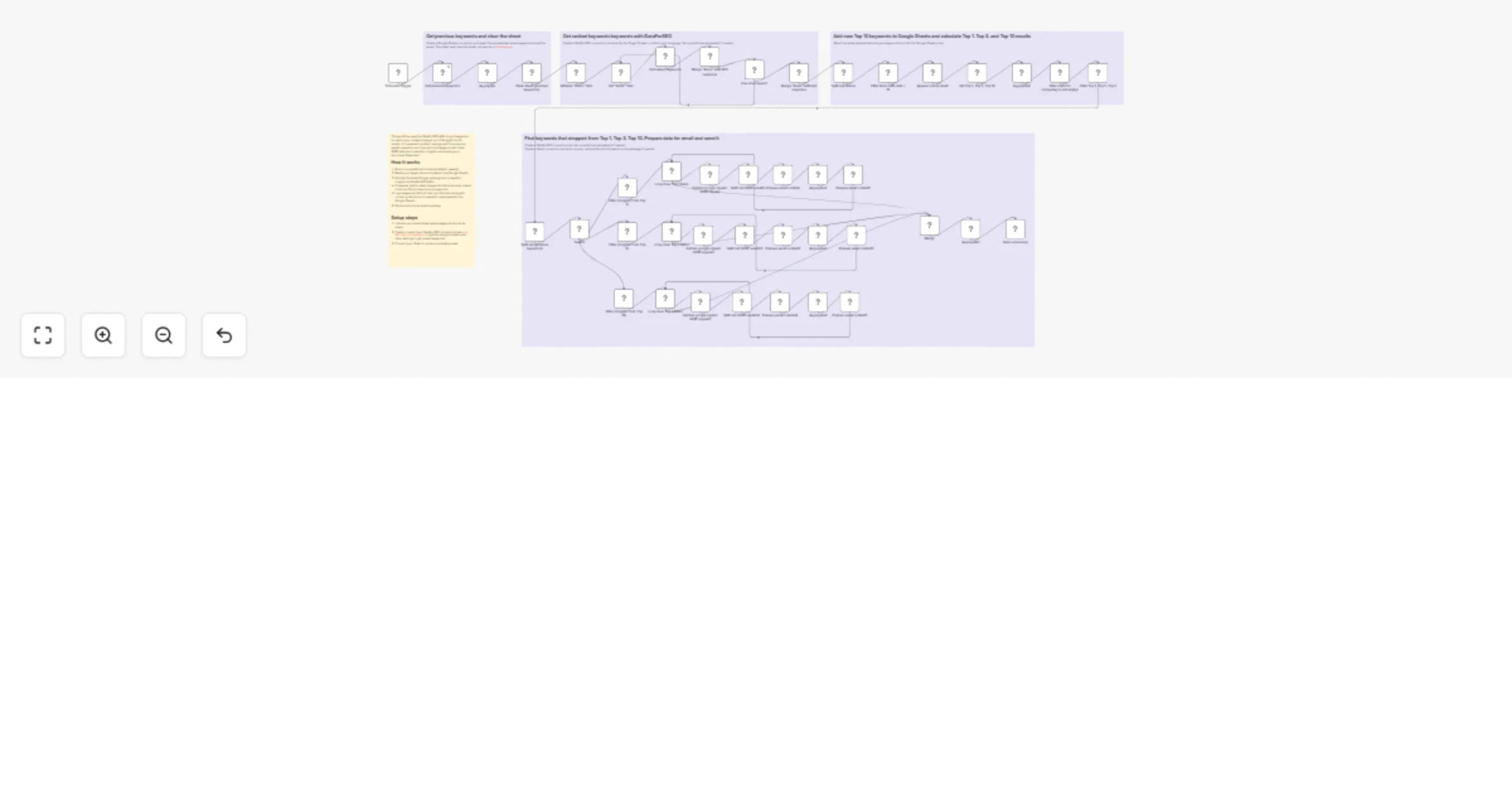
On each run, the workflow pulls your most recent ranking dataset for the selected domain(s) using the DataForSEO Labs API and compares it to the snapshot stored in Google Sheets from the previous run. It then finds keywords that ranked in positions 1–10 before, but are no longer present in the top results.
For every lost keyword (i.e., no longer in the top 10), the workflow adds useful context to speed up troubleshooting: previous position, current rank, and an updated SERP snapshot pulled with the DataForSEO SERP API. Finally, the workflow sends you a Gmail notification with a clean list of dropped keywords and competitor insights, helping you investigate issues and prioritize fixes.
SEO specialists, marketers, and site owners who want an automated weekly alert when important keywords for their domain(s) lose top-10 visibility on Google.
This workflow automatically detects when your domain loses important keywords from the top 10 Google results, stores them in Google Sheets, and emails a weekly summary.
Runs on a predefined schedule (default: weekly). Reads your keywords and target domains from Google Sheets. Fetches the latest Google rankings and competitor insights via DataForSEO APIs. Compares results with previous entries to find keywords that were top-10 and now are not. Logs keywords that lost their top-10 ranks, along with current positions and competitor replacements, into Google Sheets. Sends a Gmail alert with a structured summary.
You can easily customize this workflow by adjusting the run schedule, changing the minimum ranking threshold (e.g., top 5 or top 20), including extra metrics, exporting results to other tools, and tailoring message content or sending an alert to Slack instead of Gmail.
This catalog entry is organized from the workflow JSON. The node-level section below shows the executable blocks available for review before importing the template.
Showing the first 24 of 48 workflow blocks. Download the JSON for the full node graph.
| Workflow | Get Gmail alerts for dropped top 10 keyword rankings with DataForSEO |
|---|---|
| Complexity | advanced |
| Nodes | 48 |
| Categories | Market Research, AI Summarization |
| Author | DataForSEO |
| Published | 20 Feb 2026 |
Use the JSON export at /data/workflows/13537/13537.json as the source template for this automation.
Open n8n, import the downloaded JSON, and review each node before activating the workflow.
Replace placeholder credentials, API keys, webhook URLs, account IDs, and environment-specific values with your own settings.
Run the workflow manually or in a staging workspace, inspect node output, and confirm downstream systems receive the expected data.
Enable the workflow only after testing, then monitor executions, errors, and rate limits during the first production runs.
Review imported nodes carefully before activation. This catalog entry is intended to help you inspect the workflow structure, understand required services, and find related templates faster.
Node names, credentials, schedules, webhook paths, and external service limits may need adjustment for your workspace.
This weekly workflow helps you stay on top of SEO visibility losses by automatically detecting when your pre...
Review the workflow JSON, configure any required credentials in n8n, and test the automation in a safe workspace before using it in production.
Yes. Use the block-by-block analysis and the downloadable JSON to inspect each node, then adjust credentials, prompts, schedules, filters, or destinations for your Market Research, AI Summarization use case.