Get a daily financial news digest on Telegram with Mistral and RSS feeds

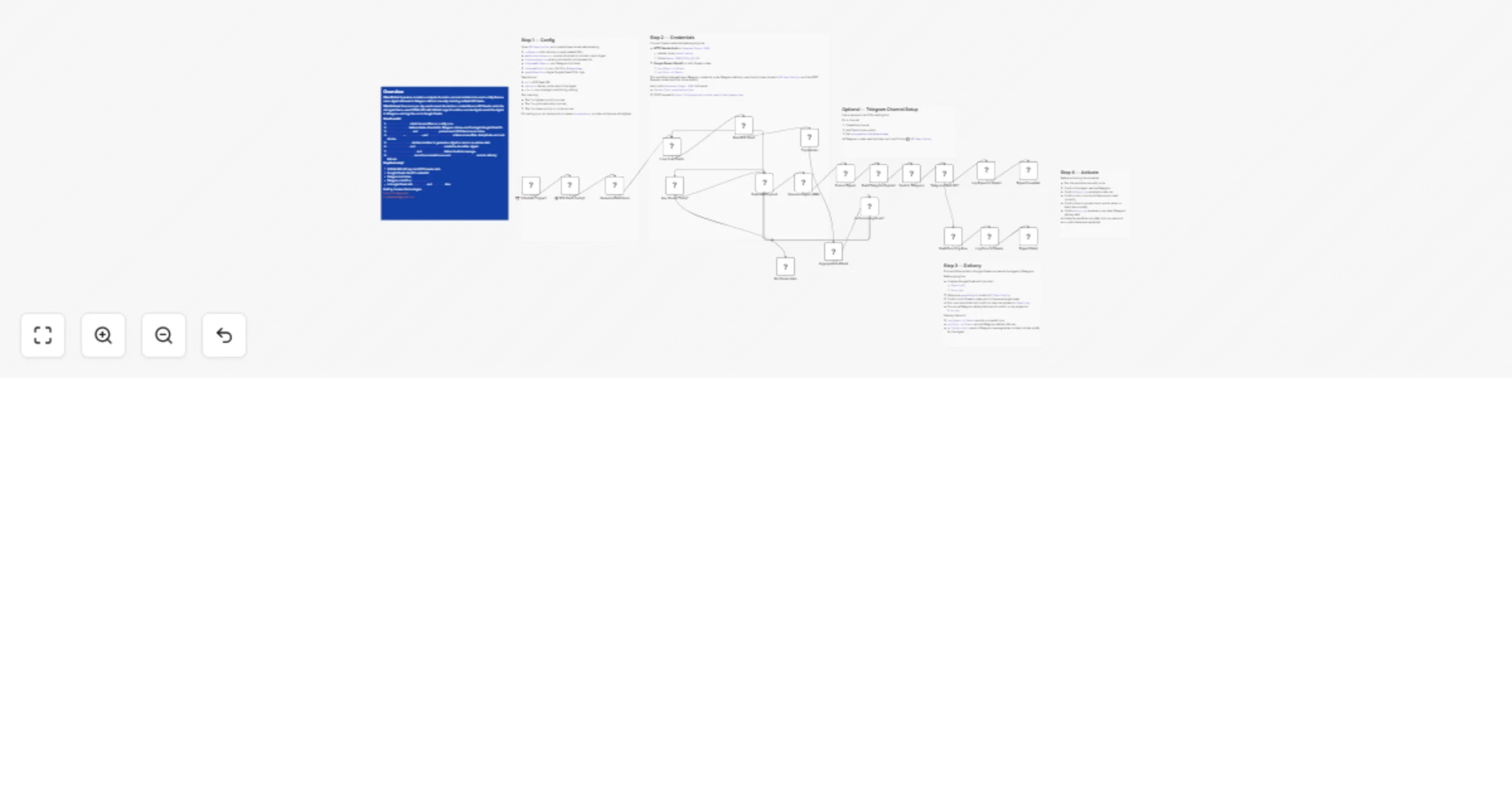
Workflow preview

Workflow preview
100%
Get a daily financial news digest on Telegram with Mistral and RSS feeds preview
Open on n8n.io

1. Workflow Overview

Description Automatically fetch, rank, and summarize the top financial stories from curated RSS feeds each day, then deliver a concise AI written digest to Telegram and log the run to Google Sheets...

Best for

  • Social Media automation workflows
  • AI Summarization automation workflows
  • advanced n8n builders looking for reusable templates

Tools used

n8n-nodes-base.set, n8n-nodes-base.googlesheets, n8n-nodes-base.httprequest, n8n-nodes-base.if, n8n-nodes-base.scheduletrigger, n8n-nodes-base.code, n8n-nodes-base.splitinbatches, n8n-nodes-base.rssfeedread

Source and attribution

This workflow is cataloged by N8N Workflows and links back to its original n8n.io source page by Cordexa Technologies.

Original n8n.io source

1.1 Workflow description

Title
Get a daily financial news digest on Telegram with Mistral and RSS feeds
Workflow name
Get a daily financial news digest on Telegram with Mistral and RSS feeds

Description

Automatically fetch, rank, and summarize the top financial stories from curated RSS feeds each day, then deliver a concise AI-written digest to Telegram and log the run to Google Sheets.

What This Template Does

  • Runs on a daily schedule and reads 8 curated financial RSS feeds.
  • Loops through each feed with the native RSS Read node to pull recent articles.
  • Tags each article with source name and source tier for ranking.
  • Scores and ranks stories by source quality, recency, and finance-related keyword relevance.
  • Sends the top stories to NVIDIA NIM using Mistral Large 3 to generate a concise digest.
  • Builds a Telegram-ready message with a customizable header and footer.
  • Sends the digest to a Telegram personal chat or public channel.
  • Logs successful runs to Digest_Log and delivery failures to Error_Log in Google Sheets.

Key Benefits

  • Free-tier-friendly setup using NVIDIA NIM, Telegram Bot API, and Google Sheets.
  • Easy to adapt for other niches by changing RSS feeds, ranking logic, and branding.
  • Reduces manual news scanning by producing a concise daily digest automatically.
  • Works for both personal use and public Telegram channel delivery.
  • Includes logging for both successful runs and delivery failures.

Features

  • 8 pre-configured financial RSS feeds with tier-based scoring.
  • Native n8n RSS Read node for feed ingestion.
  • NVIDIA NIM integration using Mistral Large 3 via HTTP Header Auth.
  • Customizable digest header and footer in a single Code node.
  • Google Sheets logging with Digest_Log and Error_Log tabs.
  • Error handling for Telegram delivery failures.

Requirements

  • An n8n instance.
  • A NVIDIA NIM API key.
  • A Telegram bot token and a chat ID or channel username.
  • A Google account with Google Sheets OAuth connected in n8n.

Target Audience

  • Investors and traders who want a curated daily briefing.
  • Finance professionals tracking market-moving news.
  • Founders and operators monitoring business and macro signals.
  • No-code builders creating niche Telegram digest workflows.
  • Agencies building white-label news automations.

Step-by-Step Setup Instructions

  • Create a HTTP Header Auth credential for NVIDIA NIM:
  • Header name: Authorization
  • Value: Bearer YOUR_NVIDIA_API_KEY
  • Create a Telegram bot with @BotFather and get your chat ID or channel username.
  • Open RSS Feed Config1 and set:
  • telegramBotToken
  • telegramChatId
  • googleSheetId
  • any RSS feeds you want to add or replace
  • Create a Google Sheet with two tabs:
  • Digest_Log
  • Error_Log
  • Connect Google Sheets OAuth in n8n.
  • Run the workflow manually once before activating the schedule.
  • Confirm one successful run appears in Digest_Log.
  • Trigger one failure test and confirm a row appears in Error_Log.

Built by Cordexa Technologies https://cordexa.tech [email protected]

1.2 Logical Blocks

This catalog entry is organized from the workflow JSON. The node-level section below shows the executable blocks available for review before importing the template.

2. Block-by-Block Analysis

Block 1 - Digest Complete

Type / Role
n8n-nodes-base.set - set
Config choices
Version 3.4

Block 2 - Log Digest to Sheets

Type / Role
n8n-nodes-base.googleSheets - googleSheets
Config choices
Version 4.5

Block 3 - Send to Telegram

Type / Role
n8n-nodes-base.httpRequest - httpRequest
Config choices
Version 4.2

Block 4 - Extract Digest

Type / Role
n8n-nodes-base.set - set
Config choices
Version 3.4

Block 5 - Generate Digest (NIM)

Type / Role
n8n-nodes-base.httpRequest - httpRequest
Config choices
Version 4.2

Block 6 - No Stories Alert

Type / Role
n8n-nodes-base.httpRequest - httpRequest
Config choices
Version 4.2

Block 7 - Any Stories Today?

Type / Role
n8n-nodes-base.if - if
Config choices
Version 2.2

Block 8 - đź“‹ RSS Feed Config1

Type / Role
n8n-nodes-base.set - set
Config choices
Version 3.4

Block 9 - ⏰ Schedule Trigger1

Type / Role
n8n-nodes-base.scheduleTrigger - scheduleTrigger
Config choices
Version 1.2

Block 10 - Generate Feed Items

Type / Role
n8n-nodes-base.code - code
Config choices
Version 2

Block 11 - Loop Over Feeds

Type / Role
n8n-nodes-base.splitInBatches - splitInBatches
Config choices
Version 3

Block 12 - Read RSS Feed

Type / Role
n8n-nodes-base.rssFeedRead - rssFeedRead
Config choices
Version 1.1

Block 13 - Tag Articles

Type / Role
n8n-nodes-base.code - code
Config choices
Version 2

Block 14 - Aggregate and Rank

Type / Role
n8n-nodes-base.code - code
Config choices
Version 2

Block 15 - Is Processing Done?

Type / Role
n8n-nodes-base.if - if
Config choices
Version 2.2

Block 16 - Build NIM Payload

Type / Role
n8n-nodes-base.code - code
Config choices
Version 2

Block 17 - Build Telegram Payload

Type / Role
n8n-nodes-base.code - code
Config choices
Version 2

Block 18 - Telegram Send OK?

Type / Role
n8n-nodes-base.if - if
Config choices
Version 2.2

Block 19 - Build Error Log Row

Type / Role
n8n-nodes-base.set - set
Config choices
Version 3.4

Block 20 - Log Error to Sheets

Type / Role
n8n-nodes-base.googleSheets - googleSheets
Config choices
Version 4.5

Block 21 - Digest Failed

Type / Role
n8n-nodes-base.set - set
Config choices
Version 3.4

Block 22 - Overview

Type / Role
n8n-nodes-base.stickyNote - stickyNote
Config choices
Version 1

Block 23 - Step 1 — Config

Type / Role
n8n-nodes-base.stickyNote - stickyNote
Config choices
Version 1

Block 24 - Step 2 — Credentials

Type / Role
n8n-nodes-base.stickyNote - stickyNote
Config choices
Version 1

Showing the first 24 of 27 workflow blocks. Download the JSON for the full node graph.

3. Summary Table

Workflow Get a daily financial news digest on Telegram with Mistral and RSS feeds
Complexity advanced
Nodes 27
Categories Social Media, AI Summarization
Author Cordexa Technologies
Published 19 Mar 2026

4. Reproducing the Workflow from Scratch

  1. 1. Download the workflow JSON

    Use the JSON export at /data/workflows/14172/14172.json as the source template for this automation.

  2. 2. Import the template into n8n

    Open n8n, import the downloaded JSON, and review each node before activating the workflow.

  3. 3. Configure credentials and variables

    Replace placeholder credentials, API keys, webhook URLs, account IDs, and environment-specific values with your own settings.

  4. 4. Test with sample data

    Run the workflow manually or in a staging workspace, inspect node output, and confirm downstream systems receive the expected data.

  5. 5. Activate and monitor

    Enable the workflow only after testing, then monitor executions, errors, and rate limits during the first production runs.

5. General Notes & Resources

Review imported nodes carefully before activation. This catalog entry is intended to help you inspect the workflow structure, understand required services, and find related templates faster.

Node names, credentials, schedules, webhook paths, and external service limits may need adjustment for your workspace.

Frequently asked questions

What does Get a daily financial news digest on Telegram with Mistral and RSS feeds do?

Description Automatically fetch, rank, and summarize the top financial stories from curated RSS feeds each day, then deliver a concise AI written digest to Telegram and log the run to Google Sheets...

What do I need before importing this workflow?

Review the workflow JSON, configure any required credentials in n8n, and test the automation in a safe workspace before using it in production.

Can I customize this workflow?

Yes. Use the block-by-block analysis and the downloadable JSON to inspect each node, then adjust credentials, prompts, schedules, filters, or destinations for your Social Media, AI Summarization use case.