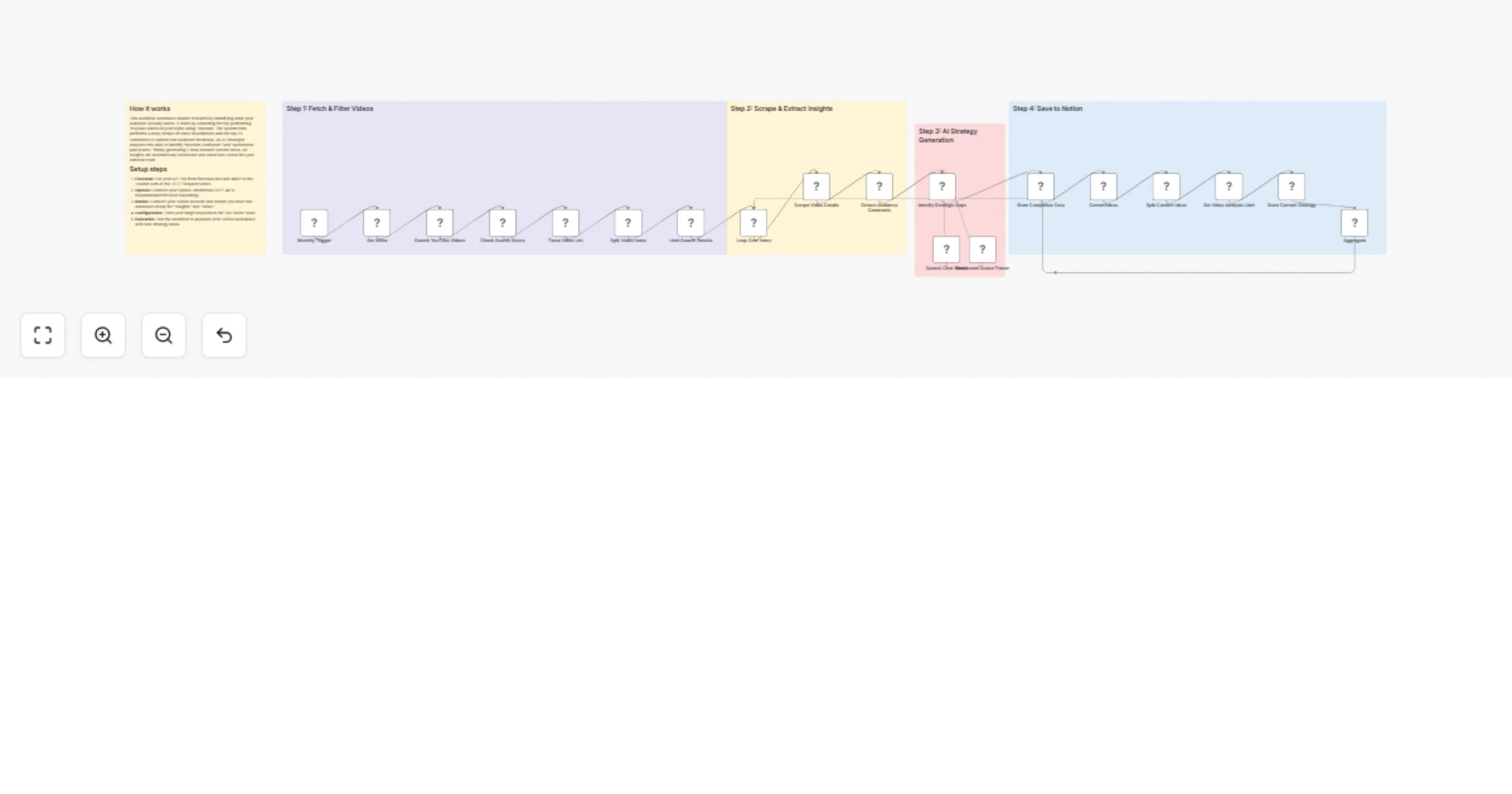
Generate YouTube content ideas with Firecrawl, OpenAI and Notion

Workflow preview

Workflow preview
100%
Generate YouTube content ideas with Firecrawl, OpenAI and Notion preview
Open on n8n.io

1. Workflow Overview

This workflow acts as an autonomous Chief Solution Officer , automating the process of deep market research. Instead of simply tracking video views, it scrapes deep into YouTube data—including desc...

Best for

  • Market Research automation workflows
  • AI Summarization automation workflows
  • advanced n8n builders looking for reusable templates

Tools used

n8n-nodes-base.set, @n8n/n8n-nodes-langchain.lmchatopenai, @n8n/n8n-nodes-langchain.outputparserstructured, n8n-nodes-base.splitinbatches, n8n-nodes-base.aggregate, n8n-nodes-base.stickynote, n8n-nodes-base.httprequest, n8n-nodes-base.if

Source and attribution

This workflow is cataloged by N8N Workflows and links back to its original n8n.io source page by Wildan Adli.

Original n8n.io source

1.1 Workflow description

Title
Generate YouTube content ideas with Firecrawl, OpenAI and Notion
Workflow name
Generate YouTube content ideas with Firecrawl, OpenAI and Notion

This workflow acts as an autonomous Chief Solution Officer, automating the process of deep market research. Instead of simply tracking video views, it scrapes deep into YouTube data—including descriptions and top 20 comments—to identify the real "Decision Confusion" and "Operational Pain Points" of your target audience.

By analyzing what competitors are missing and what their audience is actually complaining about, it generates five data-backed, strategic content ideas that focus on high-level business logic rather than generic advice.

Use cases are many:

  • Competitor Gap Analysis: Identify specific topics your niche is ignoring but the audience is begging for.
  • Content Strategy Automation: Shift your output from basic tutorials to "System-Thinking" content that attracts decision-makers.
  • Market Voice Extraction: Capture the literal "voice of the customer" from thousands of comments without manual reading.

Good to know

  • Strategic Persona: The AI Agent uses a "Sage + Ruler" archetype to ensure professional, objective, and high-value output.
  • Deep Scraping: Powered by Firecrawl, it bypasses basic metadata to read actual audience sentiment in the comments section.
  • Sentence Case: All outputs and headers follow n8n’s preferred capitalization standards.

How it works

  1. Targeting: You define your niche or search keyword in the initial configuration node.
  2. Data Extraction: Firecrawl searches YouTube and scrapes the most relevant video details and comment threads.
  3. AI Logic: The OpenAI node analyzes the "Audience Voice" to find patterns of frustration and unmet needs.
  4. Strategizing: It converts these insights into 5 actionable content briefs with unique strategic angles.
  5. Storage: All insights and content ideas are automatically organized and saved into your Notion workspace.

Setup steps

  1. Firecrawl: Get your API Key from firecrawl.dev and add it to the Header Auth in the HTTP nodes.
  2. OpenAI: Connect your OpenAI credentials (GPT-4o recommended for best results).
  3. Notion: Connect your Notion account and prepare two databases for "Insights" and "Ideas."
  4. Configuration: Enter your target keyword in the 'Set Niche' node and run the workflow.

Requirements

  • Firecrawl API Key
  • OpenAI API Key
  • Notion Integration

1.2 Logical Blocks

This catalog entry is organized from the workflow JSON. The node-level section below shows the executable blocks available for review before importing the template.

2. Block-by-Block Analysis

Block 1 - Set Niche

Type / Role
n8n-nodes-base.set - set
Config choices
Version 3.4

Block 2 - OpenAI Chat Model

Type / Role
@n8n/n8n-nodes-langchain.lmChatOpenAi - lmChatOpenAi
Config choices
Version 1.3

Block 3 - Structured Output Parser

Type / Role
@n8n/n8n-nodes-langchain.outputParserStructured - outputParserStructured
Config choices
Version 1.3

Block 4 - Loop Over Items

Type / Role
n8n-nodes-base.splitInBatches - splitInBatches
Config choices
Version 3

Block 5 - Aggregate

Type / Role
n8n-nodes-base.aggregate - aggregate
Config choices
Version 1

Block 6 - ContentIdeas

Type / Role
n8n-nodes-base.set - set
Config choices
Version 3.4

Block 7 - Sticky Note

Type / Role
n8n-nodes-base.stickyNote - stickyNote
Config choices
Version 1

Block 8 - Search YouTube Videos

Type / Role
n8n-nodes-base.httpRequest - httpRequest
Config choices
Version 4.3

Block 9 - Check Search Status

Type / Role
n8n-nodes-base.if - if
Config choices
Version 2.3

Block 10 - Parse Video List

Type / Role
n8n-nodes-base.code - code
Config choices
Version 2

Block 11 - Scrape Video Details

Type / Role
n8n-nodes-base.httpRequest - httpRequest
Config choices
Version 4.3

Block 12 - Extract Audience Comments

Type / Role
n8n-nodes-base.code - code
Config choices
Version 2

Block 13 - Identify Strategic Gaps

Type / Role
@n8n/n8n-nodes-langchain.agent - agent
Config choices
Version 3.1

Block 14 - Store Competitor Data

Type / Role
n8n-nodes-base.notion - notion
Config choices
Version 2.2

Block 15 - Store Content Strategy

Type / Role
n8n-nodes-base.notion - notion
Config choices
Version 2.2

Block 16 - Set Video Analysis Limit

Type / Role
n8n-nodes-base.limit - limit
Config choices
Version 1

Block 17 - Monthly Trigger

Type / Role
n8n-nodes-base.scheduleTrigger - scheduleTrigger
Config choices
Version 1.3

Block 18 - Limit Search Results

Type / Role
n8n-nodes-base.limit - limit
Config choices
Version 1

Block 19 - Split Video Items

Type / Role
n8n-nodes-base.splitOut - splitOut
Config choices
Version 1

Block 20 - Split Content Ideas

Type / Role
n8n-nodes-base.splitOut - splitOut
Config choices
Version 1

Block 21 - Sticky Note1

Type / Role
n8n-nodes-base.stickyNote - stickyNote
Config choices
Version 1

Block 22 - Sticky Note2

Type / Role
n8n-nodes-base.stickyNote - stickyNote
Config choices
Version 1

Block 23 - Sticky Note3

Type / Role
n8n-nodes-base.stickyNote - stickyNote
Config choices
Version 1

Block 24 - Sticky Note4

Type / Role
n8n-nodes-base.stickyNote - stickyNote
Config choices
Version 1

3. Summary Table

Workflow Generate YouTube content ideas with Firecrawl, OpenAI and Notion
Complexity advanced
Nodes 24
Categories Market Research, AI Summarization
Author Wildan Adli
Published 06 Jan 2026

4. Reproducing the Workflow from Scratch

  1. 1. Download the workflow JSON

    Use the JSON export at /data/workflows/12509/12509.json as the source template for this automation.

  2. 2. Import the template into n8n

    Open n8n, import the downloaded JSON, and review each node before activating the workflow.

  3. 3. Configure credentials and variables

    Replace placeholder credentials, API keys, webhook URLs, account IDs, and environment-specific values with your own settings.

  4. 4. Test with sample data

    Run the workflow manually or in a staging workspace, inspect node output, and confirm downstream systems receive the expected data.

  5. 5. Activate and monitor

    Enable the workflow only after testing, then monitor executions, errors, and rate limits during the first production runs.

5. General Notes & Resources

Review imported nodes carefully before activation. This catalog entry is intended to help you inspect the workflow structure, understand required services, and find related templates faster.

Node names, credentials, schedules, webhook paths, and external service limits may need adjustment for your workspace.

Frequently asked questions

What does Generate YouTube content ideas with Firecrawl, OpenAI and Notion do?

This workflow acts as an autonomous Chief Solution Officer , automating the process of deep market research. Instead of simply tracking video views, it scrapes deep into YouTube data—including desc...

What do I need before importing this workflow?

Review the workflow JSON, configure any required credentials in n8n, and test the automation in a safe workspace before using it in production.

Can I customize this workflow?

Yes. Use the block-by-block analysis and the downloadable JSON to inspect each node, then adjust credentials, prompts, schedules, filters, or destinations for your Market Research, AI Summarization use case.