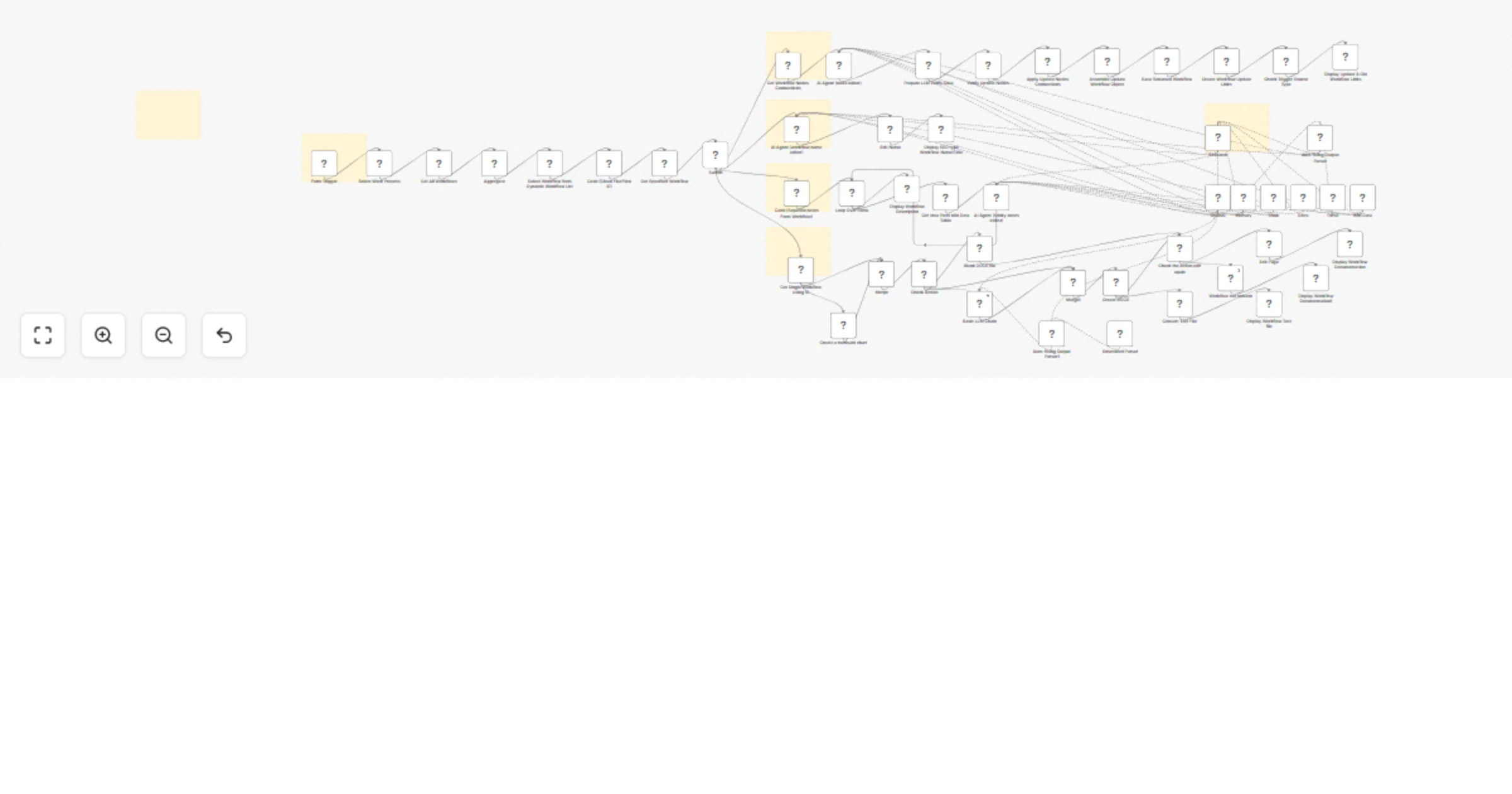
Generate workflow documentation and node names with GPT‐4.1‐mini

Workflow preview

Workflow preview
100%
Generate workflow documentation and node names with GPT‐4.1‐mini preview
Open on n8n.io

1. Workflow Overview

Who Is This For? This workflow serves as a comprehensive "Workflow Nodes SEO & Documentation Generator" . It uses AI to analyze, rename, and document n8n workflows, offering a streamlined way to op...

Best for

  • Document Extraction automation workflows
  • AI Summarization automation workflows
  • advanced n8n builders looking for reusable templates

Tools used

n8n-nodes-base.if, n8n-nodes-base.formtrigger, n8n-nodes-base.code, n8n-nodes-base.n8n, n8n-nodes-base.aggregate, @n8n/n8n-nodes-langchain.outputparserautofixing, @n8n/n8n-nodes-langchain.agenttool, n8n-nodes-base.googledocstool

Source and attribution

This workflow is cataloged by N8N Workflows and links back to its original n8n.io source page by SpaGreen Creative.

Original n8n.io source

1.1 Workflow description

Title
Generate workflow documentation and node names with GPT‐4.1‐mini
Workflow name
Generate workflow documentation and node names with GPT‐4.1‐mini

Who Is This For?

This workflow serves as a comprehensive "Workflow Nodes SEO & Documentation Generator". It uses AI to analyze, rename, and document n8n workflows, offering a streamlined way to optimize workflow readability and prepare them for sharing.

Who Is This For?

This workflow is designed for n8n users, workflow managers, and community contributors who want clean, professional, and easy-to-understand workflows.

What This Workflow Does

This workflow works as a smart assistant that:

  1. Automatically renames nodes with clear, human-readable names based on their purpose.
  2. Generates SEO-friendly workflow titles suitable for sharing in the n8n community.
  3. Creates structured markdown documentation, including diagrams and node details, for easy maintenance and sharing.

Key Features

  • Multi-Process Selection: Choose from "Node Name", "Workflow Name", "Description", or "Other Description" modes via a form.
  • Dynamic Workflow Selection: Automatically lists all your workflows so you can pick one to edit.
  • AI-Powered Analysis: Uses an AI Agent (Mistral/OpenAI) to study your workflow and generate better names or text.
  • Validation Logic: Checks that the AI identified every node before applying changes to prevent errors.
  • Safe Renaming: Updates node names and links at the same time to keep the workflow working.
  • Version History: Provides links to compare the new version with the original one.

Requirements & Setup

  • n8n API Credentials: Required to fetch workflows and save updates.
  • AI Model Credentials: Requires credentials for an LLM (e.g., Mistral, OpenAI, or OpenRouter) connected to the "OpenAI" node.
  • Google Docs API (Optional): If the "Docs" tool is used, credentials are needed for fetching reference data.

Important Notes

  • Form Trigger: This workflow is triggered via a "Form Trigger" node, which presents a UI for selecting the process and workflow.
  • Data Safety: The validation step ensures that the AI does not miss any nodes before renaming, preventing workflow corruption.
  • Context Window: The AI agent uses a "Memory" node with a context window of 10, allowing it to remember previous interactions during generation.
  • Formatting: The generated documentation uses Markdown and Mermaid.js syntax for visual workflow diagrams.

Support & Help

1.2 Logical Blocks

This catalog entry is organized from the workflow JSON. The node-level section below shows the executable blocks available for review before importing the template.

2. Block-by-Block Analysis

Block 1 - Check Trigger Source Type

Type / Role
n8n-nodes-base.if - if
Config choices
Version 2.2

Block 2 - Form Trigger

Type / Role
n8n-nodes-base.formTrigger - formTrigger
Config choices
Version 2.3

Block 3 - Code (Clean FlocFlow ID)

Type / Role
n8n-nodes-base.code - code
Config choices
Version 2

Block 4 - Get All Workflows

Type / Role
n8n-nodes-base.n8n - n8n
Config choices
Version 1

Block 5 - Aggregate

Type / Role
n8n-nodes-base.aggregate - aggregate
Config choices
Version 1

Block 6 - Get Specified Workflow

Type / Role
n8n-nodes-base.n8n - n8n
Config choices
Version 1

Block 7 - Auto-fixing Output Parser

Type / Role
@n8n/n8n-nodes-langchain.outputParserAutofixing - outputParserAutofixing
Config choices
Version 1

Block 8 - Research

Type / Role
@n8n/n8n-nodes-langchain.agentTool - agentTool
Config choices
Version 2.2

Block 9 - Docs

Type / Role
n8n-nodes-base.googleDocsTool - googleDocsTool
Config choices
Version 2

Block 10 - Think

Type / Role
@n8n/n8n-nodes-langchain.toolThink - toolThink
Config choices
Version 1

Block 11 - AI Agent (node editor)

Type / Role
@n8n/n8n-nodes-langchain.agent - agent
Config choices
Version 2.2

Block 12 - AI Agent (sticky-notes editor)

Type / Role
@n8n/n8n-nodes-langchain.agent - agent
Config choices
Version 2.2

Block 13 - Loop Over Items

Type / Role
n8n-nodes-base.splitInBatches - splitInBatches
Config choices
Version 3

Block 14 - Basic LLM Chain

Type / Role
@n8n/n8n-nodes-langchain.chainLlm - chainLlm
Config choices
Version 1.4

Block 15 - Merge

Type / Role
n8n-nodes-base.merge - merge
Config choices
Version 3

Block 16 - Edit Page

Type / Role
n8n-nodes-base.html - html
Config choices
Version 1.2

Block 17 - Workflow md content

Type / Role
n8n-nodes-base.html - html
Config choices
Version 1.2

Block 18 - Auto-fixing Output Parser1

Type / Role
@n8n/n8n-nodes-langchain.outputParserAutofixing - outputParserAutofixing
Config choices
Version 1

Block 19 - Sticky Note11

Type / Role
n8n-nodes-base.stickyNote - stickyNote
Config choices
Version 1

Block 20 - AI Agent (workflow name editor)

Type / Role
@n8n/n8n-nodes-langchain.agent - agent
Config choices
Version 2.2

Block 21 - Parse

Type / Role
@n8n/n8n-nodes-langchain.outputParserStructured - outputParserStructured
Config choices
Version 1.3

Block 22 - Merge1

Type / Role
n8n-nodes-base.merge - merge
Config choices
Version 3

Block 23 - n8n Data

Type / Role
n8n-nodes-base.dataTableTool - dataTableTool
Config choices
Version 1

Block 24 - Get Idea Form n8n Data Table

Type / Role
n8n-nodes-base.dataTable - dataTable
Config choices
Version 1

Showing the first 24 of 58 workflow blocks. Download the JSON for the full node graph.

3. Summary Table

Workflow Generate workflow documentation and node names with GPT‐4.1‐mini
Complexity advanced
Nodes 58
Categories Document Extraction, AI Summarization
Author SpaGreen Creative
Published 28 Feb 2026

4. Reproducing the Workflow from Scratch

  1. 1. Download the workflow JSON

    Use the JSON export at /data/workflows/13768/13768.json as the source template for this automation.

  2. 2. Import the template into n8n

    Open n8n, import the downloaded JSON, and review each node before activating the workflow.

  3. 3. Configure credentials and variables

    Replace placeholder credentials, API keys, webhook URLs, account IDs, and environment-specific values with your own settings.

  4. 4. Test with sample data

    Run the workflow manually or in a staging workspace, inspect node output, and confirm downstream systems receive the expected data.

  5. 5. Activate and monitor

    Enable the workflow only after testing, then monitor executions, errors, and rate limits during the first production runs.

5. General Notes & Resources

Review imported nodes carefully before activation. This catalog entry is intended to help you inspect the workflow structure, understand required services, and find related templates faster.

Node names, credentials, schedules, webhook paths, and external service limits may need adjustment for your workspace.

Frequently asked questions

What does Generate workflow documentation and node names with GPT‐4.1‐mini do?

Who Is This For? This workflow serves as a comprehensive "Workflow Nodes SEO & Documentation Generator" . It uses AI to analyze, rename, and document n8n workflows, offering a streamlined way to op...

What do I need before importing this workflow?

Review the workflow JSON, configure any required credentials in n8n, and test the automation in a safe workspace before using it in production.

Can I customize this workflow?

Yes. Use the block-by-block analysis and the downloadable JSON to inspect each node, then adjust credentials, prompts, schedules, filters, or destinations for your Document Extraction, AI Summarization use case.