Block 1 - When chat message received
- Type / Role
- @n8n/n8n-nodes-langchain.chatTrigger - chatTrigger
- Config choices
- Version 1.1


 Early Deal
This workflow is provided as-is. Please review and test before using in production.
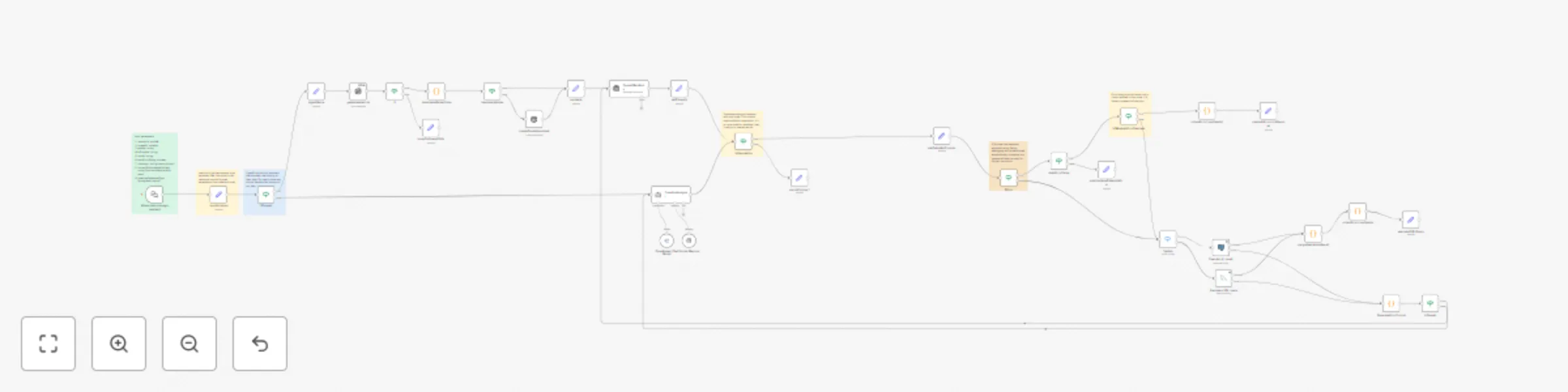
This is the core AI agent used for queryverify.com. Don't trust complex AI generated SQL queries without double checking them in a safe environment. That's where queryve...
@n8n/n8n-nodes-langchain.chattrigger, n8n-nodes-base.code, @n8n/n8n-nodes-langchain.memorybufferwindow, n8n-nodes-base.if, n8n-nodes-base.postgres, n8n-nodes-base.set, n8n-nodes-base.stickynote, @n8n/n8n-nodes-langchain.lmchatopenrouter
This workflow is cataloged by N8N Workflows and links back to its original n8n.io source page by Muhammadumar.
Original n8n.io sourceThis is the core AI agent used for queryverify.com.
Don't trust complex AI-generated SQL queries without double-checking them in a safe environment. That's where queryverify comes in. It automatically creates a test environment with the necessary data, generates code for your task, runs it to double-check for correctness, and handles errors if necessary. If you enable auto-fixing, queryverify will detect and fix issues on its own. If not, it will ask for your permission before making changes during debugging. In the end, you get thoroughly verified code along with full details about the environment it ran in.
It is an embedded chat for the website, but you can pin input data and run it on your own n8n instance.
sessionId: uuid_v4. Required to handle ongoing conversations and to create table names (used as a prefix).threadId: string | nullable. If aiProvider is openai, conversation history is managed on OpenAI’s side. This is not needed in the first request—it will start a new conversation. For ongoing conversations, you must provide this value. You can get it from the OpenAIMainBrain node output after the first run. If you want to start a new conversation, just leave it as null.apiKey: string. Your API key for the selected aiProvider.aiProvider: string. Currently supported values: openai, openrouter.model: string. The AI model key (e.g., gpt-4.1, o3-mini, or any supported model key from OpenRouter).autoErrorFixing: boolean. If true, it will automatically fix errors encountered when running code in the environment. If false, it will ask for your permission before attempting a fix.chatInput: string. The user's prompt or message.currentDbSchemaWithData: string. A JSON representation of the database schema with sample data. Used to inform the AI about the current database structure during an ongoing conversation. Please use the '[]' value in the first request. Example string for filled db structure : '{"users":[{"id":1,"name":"John Doe","email":"[email protected]"},{"id":2,"name":"Jane Smith","email":"[email protected]"}],"products":[{"product_id":101,"product_name":"Laptop","price":999.99}]}'Make sure to fill in your credentials:
You can view your generated tables using your preferred PostgreSQL GUI. We recommend DBeaver. Alternatively, you can activate the “Deactivated DB Visualization” nodes below. To use them, connect each to the most recent successful Set node and manually adjust the output. However, the easiest and most efficient method is to use a GUI.
localVariables node. Please use this node to get the necessary data.OpenAI has a built-in assistant that manages chat history on their side. For OpenRouter, we handle chat history locally. That’s why we use separate nodes like ifOpenAi and isOpenAi. Note that if logic can also be used inside nodes.AutoErrorFixing loop will run only a limited number of times, as defined by the isMaxAutoErrorReached node. This prevents infinite loops.Execute_AI_result node connects to the PostgreSQL test database used to execute queries.This setup is built for PostgreSQL, but it can be adapted to any programming language, and the logic can be extended to any programming framework.
To customize the logic for other programming languages:
instruction parameter in localVariables node.Execute_AI_result PostgreSQL node with another executable node. For example, you can use the HTTP Request node.GenerateErrorPrompt node's prompt parameter to generate code specific to your target language or framework.Any workflows built on top of this must credit the original author and be released under an open-source license.
This catalog entry is organized from the workflow JSON. The node-level section below shows the executable blocks available for review before importing the template.
Showing the first 24 of 39 workflow blocks. Download the JSON for the full node graph.
| Workflow | Generate & test SQL code with GPT/OpenRouter AI and PostgreSQL sandbox |
|---|---|
| Complexity | advanced |
| Nodes | 39 |
| Categories | Engineering, AI Chatbot |
| Author | Muhammadumar |
| Published | 28 Jul 2025 |
Use the JSON export at /data/workflows/6583/6583.json as the source template for this automation.
Open n8n, import the downloaded JSON, and review each node before activating the workflow.
Replace placeholder credentials, API keys, webhook URLs, account IDs, and environment-specific values with your own settings.
Run the workflow manually or in a staging workspace, inspect node output, and confirm downstream systems receive the expected data.
Enable the workflow only after testing, then monitor executions, errors, and rate limits during the first production runs.
Review imported nodes carefully before activation. This catalog entry is intended to help you inspect the workflow structure, understand required services, and find related templates faster.
Node names, credentials, schedules, webhook paths, and external service limits may need adjustment for your workspace.
This is the core AI agent used for queryverify.com. Don't trust complex AI generated SQL queries without double checking them in a safe environment. That's where queryve...
Review the workflow JSON, configure any required credentials in n8n, and test the automation in a safe workspace before using it in production.
Yes. Use the block-by-block analysis and the downloadable JSON to inspect each node, then adjust credentials, prompts, schedules, filters, or destinations for your Engineering, AI Chatbot use case.