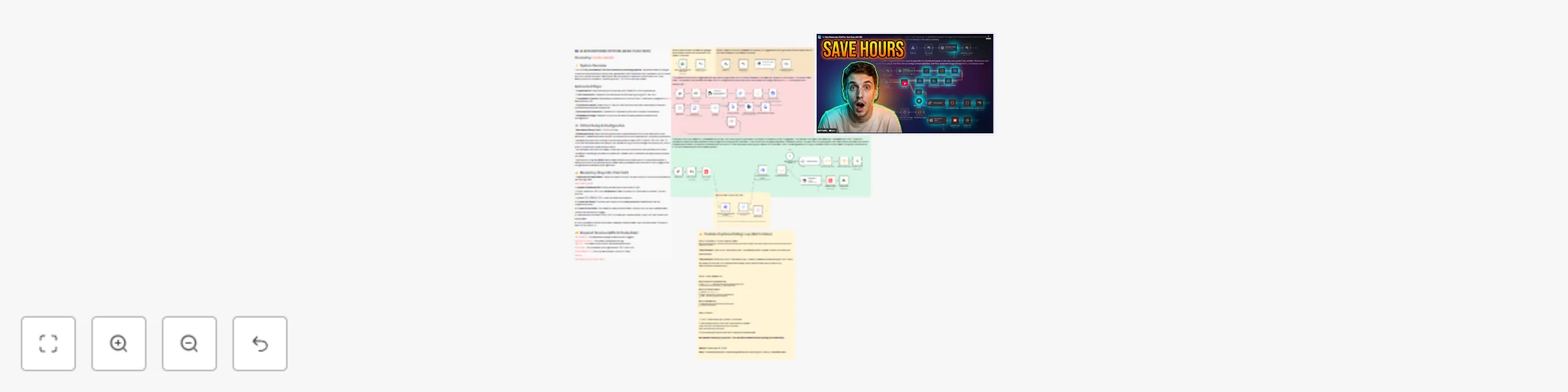
Generate short-form clips from YouTube videos with GPT-4o, Grok & Airtable

Workflow preview

Workflow preview
100%
Generate short-form clips from YouTube videos with GPT-4o, Grok & Airtable preview
Open on n8n.io

Important notice

This workflow is provided as-is. Please review and test before using in production.

1. Workflow Overview

This n8n template demonstrates how to automate YouTube content repurposing using AI. Upload a video to Google Drive and automatically generate transcriptions, A/B testable titles, AI thumbnails, sh...

Best for

  • Content Creation automation workflows
  • Multimodal AI automation workflows
  • advanced n8n builders looking for reusable templates

Tools used

n8n-nodes-base.airtable, n8n-nodes-base.googledrivetrigger, n8n-nodes-base.webhook, @n8n/n8n-nodes-langchain.openai, n8n-nodes-base.httprequest, n8n-nodes-base.extractfromfile, n8n-nodes-base.wait, n8n-nodes-base.switch

Source and attribution

This workflow is cataloged by N8N Workflows and links back to its original n8n.io source page by Jordan.

Original n8n.io source

1.1 Workflow description

Title
Generate short-form clips from YouTube videos with GPT-4o, Grok & Airtable
Workflow name
Generate short-form clips from YouTube videos with GPT-4o, Grok & Airtable

This n8n template demonstrates how to automate YouTube content repurposing using AI. Upload a video to Google Drive and automatically generate transcriptions, A/B testable titles, AI thumbnails, short-form clips with captions, and YouTube descriptions with chapter timestamps.

Use cases include: Content creators who publish 1-2 long-form videos per week and need to extract 5-10 short-form clips, YouTube agencies managing multiple channels, or automation consultants building content systems for clients.

Good to know

  • Processing time is approximately 10-15 minutes per video depending on length
  • Cost per video is roughly $1.00 (transcription $0.65, AI generation $0.35)
  • YouTube captions take 10-60 minutes to generate after upload - the workflow includes automatic polling to check when captions are ready
  • Manual steps still required: video clipping (using provided timestamps), social media posting, and YouTube A/B test setup

How it works

  • When a video is uploaded to Google Drive, the workflow automatically triggers and creates an Airtable record
  • The video URL is sent to AssemblyAI (via Apify) for transcription with H:MM:SS.mmm timestamps
  • GPT-4o-mini analyzes the transcript and generates 3 title variations optimized for A/B testing
  • When you click "Generate thumbnail" in Airtable, your prompt is optimized and sent to Kie.ai's Nano Banana Pro model with 2 reference images for consistent branding
  • After uploading to YouTube, the workflow polls YouTube's API every 5 minutes to check if auto-generated captions are ready
  • Once captions are available, click "Generate clips" and Grok 4.1 Fast analyzes the transcript to identify 3-8 elite clips (45+ seconds each) with proper start/end boundaries and action-oriented captions
  • GPT-4o-mini generates a YouTube description with chapter timestamps based on the transcript
  • All outputs are saved to Airtable: titles, thumbnail, clip timestamps with captions, and description

How to use

  • Duplicate the provided Airtable base template and connect it to your n8n instance
  • Create a Google Drive folder for uploading edited videos
  • After activating the workflow, copy webhook URLs and paste them into Airtable button formulas and automations
  • Upload your edited video to the designated Google Drive folder to trigger the system
  • The workflow automatically generates titles and begins transcription
  • Add your thumbnail prompt and 2 reference images to Airtable, then click "Generate thumbnail"
  • Upload the video to YouTube as unlisted, paste the video ID into Airtable, and check the box to trigger clip generation
  • Use the provided timestamps to manually clip videos in your editor
  • Copy titles, thumbnail, clips, and description from Airtable to publish across platforms

Requirements

  • Airtable account (Pro plan recommended for automations)
  • Google Drive for video upload monitoring
  • Apify account for video transcription via AssemblyAI actor
  • OpenAI API key for title and description generation (GPT-4o-mini)
  • OpenRouter API key for clip identification (Grok 4.1 Fast)
  • Kie.ai account for AI thumbnail generation (Nano Banana Pro model)
  • YouTube Data API credentials for caption polling

Customising this workflow

  • Tailor the system prompts to your content niche by asking Claude to adjust them without changing the core structure
  • Modify the clip identification criteria (length, caption style, number of clips) in the Grok prompt
  • Adjust thumbnail generation style by updating the image prompt optimizer
  • Add custom fields to Airtable for tracking performance metrics or additional metadata
  • Integrate with additional platforms like TikTok or Instagram APIs for automated posting

1.2 Logical Blocks

This catalog entry is organized from the workflow JSON. The node-level section below shows the executable blocks available for review before importing the template.

2. Block-by-Block Analysis

Block 1 - Create a record

Type / Role
n8n-nodes-base.airtable - airtable
Config choices
Version 2.1

Block 2 - When video is added to drive folder

Type / Role
n8n-nodes-base.googleDriveTrigger - googleDriveTrigger
Config choices
Version 1

Block 3 - Webhook

Type / Role
n8n-nodes-base.webhook - webhook
Config choices
Version 2.1

Block 4 - Generate 3 titles

Type / Role
@n8n/n8n-nodes-langchain.openAi - openAi
Config choices
Version 2.1

Block 5 - Add titles to record

Type / Role
n8n-nodes-base.airtable - airtable
Config choices
Version 2.1

Block 6 - Webhook2

Type / Role
n8n-nodes-base.webhook - webhook
Config choices
Version 2.1

Block 7 - Get a record2

Type / Role
n8n-nodes-base.airtable - airtable
Config choices
Version 2.1

Block 8 - Get image1

Type / Role
n8n-nodes-base.httpRequest - httpRequest
Config choices
Version 4.3

Block 9 - Extract from File5

Type / Role
n8n-nodes-base.extractFromFile - extractFromFile
Config choices
Version 1.1

Block 10 - Wait10

Type / Role
n8n-nodes-base.wait - wait
Config choices
Version 1.1

Block 11 - Switch4

Type / Role
n8n-nodes-base.switch - switch
Config choices
Version 3.3

Block 12 - Download image

Type / Role
n8n-nodes-base.httpRequest - httpRequest
Config choices
Version 4.3

Block 13 - Code in JavaScript

Type / Role
n8n-nodes-base.code - code
Config choices
Version 2

Block 14 - Thumbnail prompt optimizer

Type / Role
@n8n/n8n-nodes-langchain.openAi - openAi
Config choices
Version 2.1

Block 15 - clean up prompt

Type / Role
n8n-nodes-base.set - set
Config choices
Version 3.4

Block 16 - Create thumbnail

Type / Role
n8n-nodes-base.httpRequest - httpRequest
Config choices
Version 4.3

Block 17 - Add thumbnail to airtable

Type / Role
n8n-nodes-base.httpRequest - httpRequest
Config choices
Version 4.3

Block 18 - Sticky Note

Type / Role
n8n-nodes-base.stickyNote - stickyNote
Config choices
Version 1

Block 19 - Sticky Note1

Type / Role
n8n-nodes-base.stickyNote - stickyNote
Config choices
Version 1

Block 20 - Sticky Note2

Type / Role
n8n-nodes-base.stickyNote - stickyNote
Config choices
Version 1

Block 21 - Sticky Note4

Type / Role
n8n-nodes-base.stickyNote - stickyNote
Config choices
Version 1

Block 22 - Sticky Note5

Type / Role
n8n-nodes-base.stickyNote - stickyNote
Config choices
Version 1

Block 23 - Get a record

Type / Role
n8n-nodes-base.airtable - airtable
Config choices
Version 2.1

Block 24 - Wait 2 mins

Type / Role
n8n-nodes-base.wait - wait
Config choices
Version 1.1

Showing the first 24 of 43 workflow blocks. Download the JSON for the full node graph.

3. Summary Table

Workflow Generate short-form clips from YouTube videos with GPT-4o, Grok & Airtable
Complexity advanced
Nodes 43
Categories Content Creation, Multimodal AI
Author Jordan
Published 10 Dec 2025

4. Reproducing the Workflow from Scratch

  1. 1. Download the workflow JSON

    Use the JSON export at /data/workflows/11645/11645.json as the source template for this automation.

  2. 2. Import the template into n8n

    Open n8n, import the downloaded JSON, and review each node before activating the workflow.

  3. 3. Configure credentials and variables

    Replace placeholder credentials, API keys, webhook URLs, account IDs, and environment-specific values with your own settings.

  4. 4. Test with sample data

    Run the workflow manually or in a staging workspace, inspect node output, and confirm downstream systems receive the expected data.

  5. 5. Activate and monitor

    Enable the workflow only after testing, then monitor executions, errors, and rate limits during the first production runs.

5. General Notes & Resources

Review imported nodes carefully before activation. This catalog entry is intended to help you inspect the workflow structure, understand required services, and find related templates faster.

Node names, credentials, schedules, webhook paths, and external service limits may need adjustment for your workspace.

Frequently asked questions

What does Generate short-form clips from YouTube videos with GPT-4o, Grok & Airtable do?

This n8n template demonstrates how to automate YouTube content repurposing using AI. Upload a video to Google Drive and automatically generate transcriptions, A/B testable titles, AI thumbnails, sh...

What do I need before importing this workflow?

Review the workflow JSON, configure any required credentials in n8n, and test the automation in a safe workspace before using it in production.

Can I customize this workflow?

Yes. Use the block-by-block analysis and the downloadable JSON to inspect each node, then adjust credentials, prompts, schedules, filters, or destinations for your Content Creation, Multimodal AI use case.