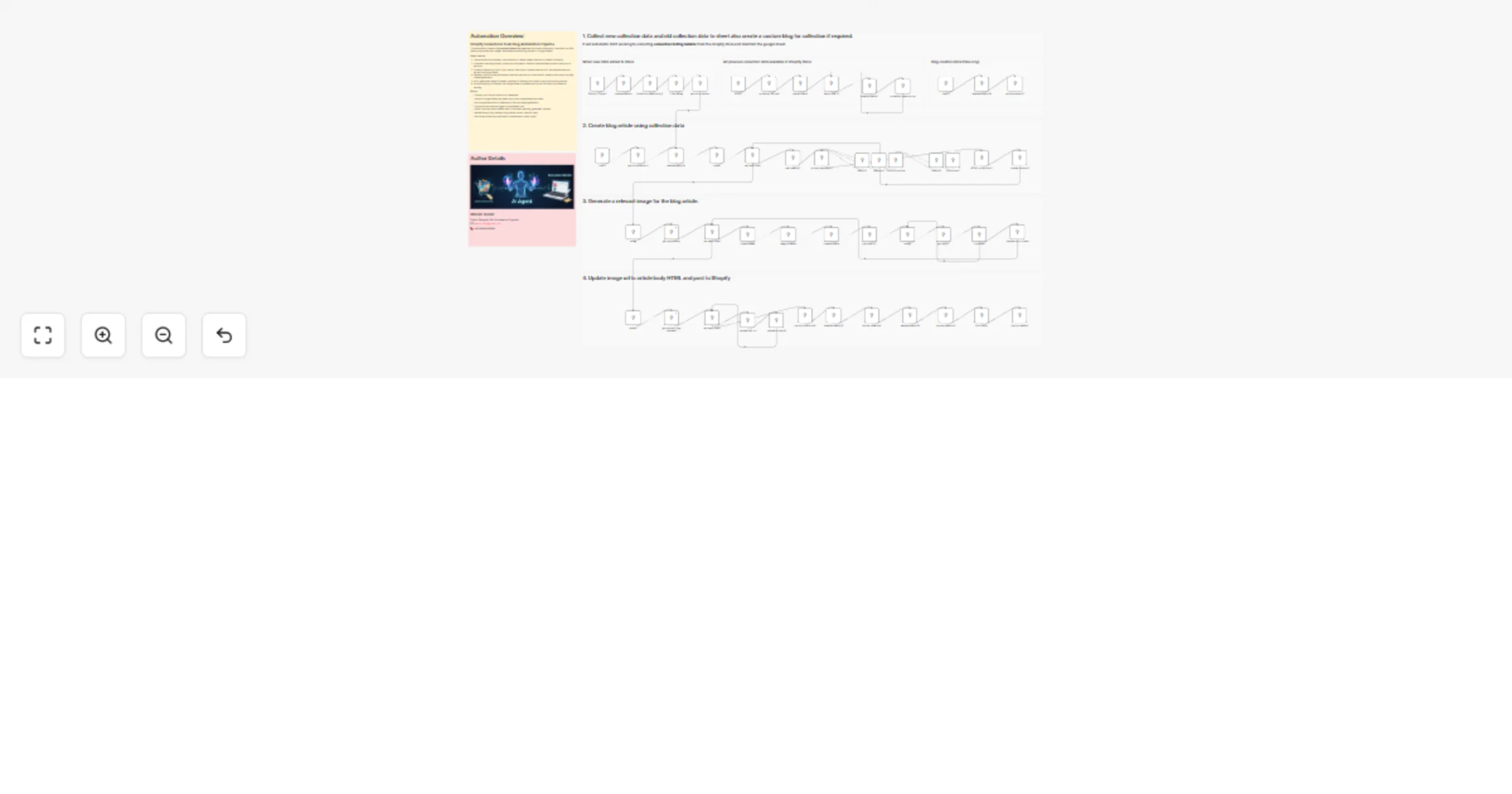
Generate Shopify collection blog posts with Perplexity, Gemini and Google Sheets

Workflow preview

Workflow preview
100%
Generate Shopify collection blog posts with Perplexity, Gemini and Google Sheets preview
Open on n8n.io

1. Workflow Overview

Shopify Collections to AI Blog Automation Pipeline This Shopify AI automation is an advanced n8n powered workflow that transforms Shopify product collections into SEO optimized blog articles with i...

Best for

  • Content Creation automation workflows
  • Multimodal AI automation workflows
  • advanced n8n builders looking for reusable templates

Tools used

n8n-nodes-base.shopifytrigger, n8n-nodes-base.set, n8n-nodes-base.httprequest, n8n-nodes-base.manualtrigger, n8n-nodes-base.googlesheets, n8n-nodes-base.stickynote, @n8n/n8n-nodes-langchain.lmchatgooglegemini, n8n-nodes-base.perplexity

Source and attribution

This workflow is cataloged by N8N Workflows and links back to its original n8n.io source page by MANISH KUMAR.

Original n8n.io source

1.1 Workflow description

Title
Generate Shopify collection blog posts with Perplexity, Gemini and Google Sheets
Workflow name
Generate Shopify collection blog posts with Perplexity, Gemini and Google Sheets

Shopify Collections to AI Blog Automation Pipeline

This Shopify AI automation is an advanced n8n-powered workflow that transforms Shopify product collections into SEO-optimized blog articles with images, while maintaining full visibility and control through Google Sheets.

It combines Shopify APIs, Google Sheets, AI research agents, AI content generation, and AI image creation to automate the entire collection-to-content lifecycle β€” from detecting collections to publishing blogs.

Built for scalable ecommerce content automation, this workflow is ideal for stores with large or growing catalogs that want consistent, high-quality SEO content without manual effort.


πŸš€ Features

πŸ—‚οΈ Automatic Collection Tracking β€” Captures both existing and newly created Shopify collections πŸ“Š Google Sheets as Control Center β€” Centralized tracking with clear statuses for every collection 🧠 AI-Powered Collection Research β€” Buyer intent, pain points, use cases, and SEO insights ✍️ Long-Form Blog Generation β€” Conversion-focused, structured blog articles in HTML πŸ–ΌοΈ AI Image Generation β€” Creates and uploads collection-specific images to Shopify πŸ›οΈ Automated Blog Publishing β€” Publishes articles to Shopify and stores live URLs πŸ” Fully Auditable Workflow β€” Every step is logged and updated back into Google Sheets


🧩 Workflow Preparation

Before running the workflow:

  • Ensure Shopify Admin API access is enabled
  • Prepare a Google Sheet with required columns (id, title, handle, description, status, etc.)
  • Decide your content workflow statuses (pending, generated, sent for approval, posted)
  • Create or identify the Shopify blog where articles will be published

This setup allows both manual control and fully automated execution.


βš™οΈ How It Works

The workflow supports multiple triggers and follows a structured, production-safe pipeline.

Notes: You can run this workflow manually, schedule it, or let it react automatically to new Shopify collections.


πŸ”„ Step-by-Step Process

Step 1: Collect Shopify Collection Data

  • Fetches all existing collections via Shopify GraphQL
  • Listens for newly created collections via Shopify trigger
  • Normalizes collection data (ID, title, handle, description, updated time)
  • Stores everything in Google Sheets with clear type labels

Step 2: Select Pending Collections

  • Filters collections marked as pending
  • Processes items in controlled batches to avoid API limits
  • Ensures safe and repeatable execution

Step 3: AI Research & Buyer Intent Analysis

  • AI analyzes each collection from a buyer and SEO perspective
  • Identifies problems, motivations, objections, and search intent
  • Outputs structured research JSON for downstream use

Step 4: AI Blog Content Generation

  • Converts research into long-form, conversion-focused blog articles
  • Generates titles, sections, FAQs, tags, and image prompts
  • Outputs Shopify-ready HTML content

Step 5: AI Image Generation & Shopify Upload

  • Generates collection images using AI
  • Uploads images to Shopify using staged uploads
  • Retrieves CDN URLs and maps them back to content

Step 6: Publish Blog & Update Sheet

  • Publishes the final article to the Shopify blog
  • Writes the live article URL back to Google Sheets
  • Updates status to reflect completion

πŸ› οΈ n8n Nodes Used

  • Manual Trigger / Schedule Trigger / Shopify Trigger
  • Shopify (GraphQL + REST via HTTP Request)
  • Google Sheets
  • AI Agent Nodes (Research, Writing, Image Generation)
  • IF / Switch Nodes (Status & logic handling)
  • Split In Batches (Controlled processing)
  • Code Nodes (HTML structuring and replacements)

πŸ” Credentials Required

Before running the workflow, configure the following credentials in n8n:

  • Shopify Admin API Access Token
  • Google Sheets OAuth
  • Google Gemini API (text + image models)

πŸ‘€ Ideal For

This workflow is ideal for:

  • Shopify stores with many product collections
  • Ecommerce teams scaling SEO content production
  • Agencies building Shopify content automation systems
  • Businesses replacing manual blog writing with AI-driven workflows

πŸ’¬ Extensibility

This workflow is modular and easy to extend. You can add:

  • Multi-language blog generation
  • Internal linking automation
  • Category-specific content logic
  • Approval workflows before publishing
  • Social or email promotion triggers after publishing

πŸ”‘ Keywords

  • shopify ai workflow
  • shopify blog automation
  • shopify marketing automation
  • shopify automation
  • ecommerce automation
  • how to automate shopify blog

πŸ“Œ Notes

  • No AI fine-tuning required
  • Research-driven, not promotional AI writing
  • Designed for accuracy, traceability, and scale
  • Safe for production ecommerce environments

1.2 Logical Blocks

This catalog entry is organized from the workflow JSON. The node-level section below shows the executable blocks available for review before importing the template.

2. Block-by-Block Analysis

Block 1 - Shopify Trigger1

Type / Role
n8n-nodes-base.shopifyTrigger - shopifyTrigger
Config choices
Version 1

Block 2 - data allocation

Type / Role
n8n-nodes-base.set - set
Config choices
Version 3.4

Block 3 - data allocation1

Type / Role
n8n-nodes-base.set - set
Config choices
Version 3.4

Block 4 - collection API call

Type / Role
n8n-nodes-base.httpRequest - httpRequest
Config choices
Version 4.3

Block 5 - START

Type / Role
n8n-nodes-base.manualTrigger - manualTrigger
Config choices
Version 1

Block 6 - collection data storing

Type / Role
n8n-nodes-base.googleSheets - googleSheets
Config choices
Version 4.7

Block 7 - collection data storing1

Type / Role
n8n-nodes-base.googleSheets - googleSheets
Config choices
Version 4.7

Block 8 - Sticky Note4

Type / Role
n8n-nodes-base.stickyNote - stickyNote
Config choices
Version 1

Block 9 - Sticky Note6

Type / Role
n8n-nodes-base.stickyNote - stickyNote
Config choices
Version 1

Block 10 - Sticky Note7

Type / Role
n8n-nodes-base.stickyNote - stickyNote
Config choices
Version 1

Block 11 - Gemini2

Type / Role
@n8n/n8n-nodes-langchain.lmChatGoogleGemini - lmChatGoogleGemini
Config choices
Version 1

Block 12 - web search2

Type / Role
n8n-nodes-base.perplexity - perplexity
Config choices
Version 1

Block 13 - content generator2

Type / Role
@n8n/n8n-nodes-langchain.agent - agent
Config choices
Version 3.1

Block 14 - Memory2

Type / Role
@n8n/n8n-nodes-langchain.memoryBufferWindow - memoryBufferWindow
Config choices
Version 1.3

Block 15 - Gemini5

Type / Role
@n8n/n8n-nodes-langchain.lmChatGoogleGemini - lmChatGoogleGemini
Config choices
Version 1

Block 16 - Structured2

Type / Role
@n8n/n8n-nodes-langchain.outputParserStructured - outputParserStructured
Config choices
Version 1.3

Block 17 - Sticky Note10

Type / Role
n8n-nodes-base.stickyNote - stickyNote
Config choices
Version 1

Block 18 - time 3

Type / Role
n8n-nodes-base.scheduleTrigger - scheduleTrigger
Config choices
Version 1.3

Block 19 - data allocation8

Type / Role
n8n-nodes-base.set - set
Config choices
Version 3.4

Block 20 - get old collection1

Type / Role
n8n-nodes-base.googleSheets - googleSheets
Config choices
Version 4.7

Block 21 - update content3

Type / Role
n8n-nodes-base.googleSheets - googleSheets
Config choices
Version 4.7

Block 22 - get img prompt

Type / Role
n8n-nodes-base.googleSheets - googleSheets
Config choices
Version 4.7

Block 23 - Update row in sheet

Type / Role
n8n-nodes-base.googleSheets - googleSheets
Config choices
Version 4.7

Block 24 - time 6

Type / Role
n8n-nodes-base.scheduleTrigger - scheduleTrigger
Config choices
Version 1.3

Showing the first 24 of 60 workflow blocks. Download the JSON for the full node graph.

3. Summary Table

Workflow Generate Shopify collection blog posts with Perplexity, Gemini and Google Sheets
Complexity advanced
Nodes 60
Categories Content Creation, Multimodal AI
Author MANISH KUMAR
Published 13 Jan 2026

4. Reproducing the Workflow from Scratch

  1. 1. Download the workflow JSON

    Use the JSON export at /data/workflows/12694/12694.json as the source template for this automation.

  2. 2. Import the template into n8n

    Open n8n, import the downloaded JSON, and review each node before activating the workflow.

  3. 3. Configure credentials and variables

    Replace placeholder credentials, API keys, webhook URLs, account IDs, and environment-specific values with your own settings.

  4. 4. Test with sample data

    Run the workflow manually or in a staging workspace, inspect node output, and confirm downstream systems receive the expected data.

  5. 5. Activate and monitor

    Enable the workflow only after testing, then monitor executions, errors, and rate limits during the first production runs.

5. General Notes & Resources

Review imported nodes carefully before activation. This catalog entry is intended to help you inspect the workflow structure, understand required services, and find related templates faster.

Node names, credentials, schedules, webhook paths, and external service limits may need adjustment for your workspace.

Frequently asked questions

What does Generate Shopify collection blog posts with Perplexity, Gemini and Google Sheets do?

Shopify Collections to AI Blog Automation Pipeline This Shopify AI automation is an advanced n8n powered workflow that transforms Shopify product collections into SEO optimized blog articles with i...

What do I need before importing this workflow?

Review the workflow JSON, configure any required credentials in n8n, and test the automation in a safe workspace before using it in production.

Can I customize this workflow?

Yes. Use the block-by-block analysis and the downloadable JSON to inspect each node, then adjust credentials, prompts, schedules, filters, or destinations for your Content Creation, Multimodal AI use case.