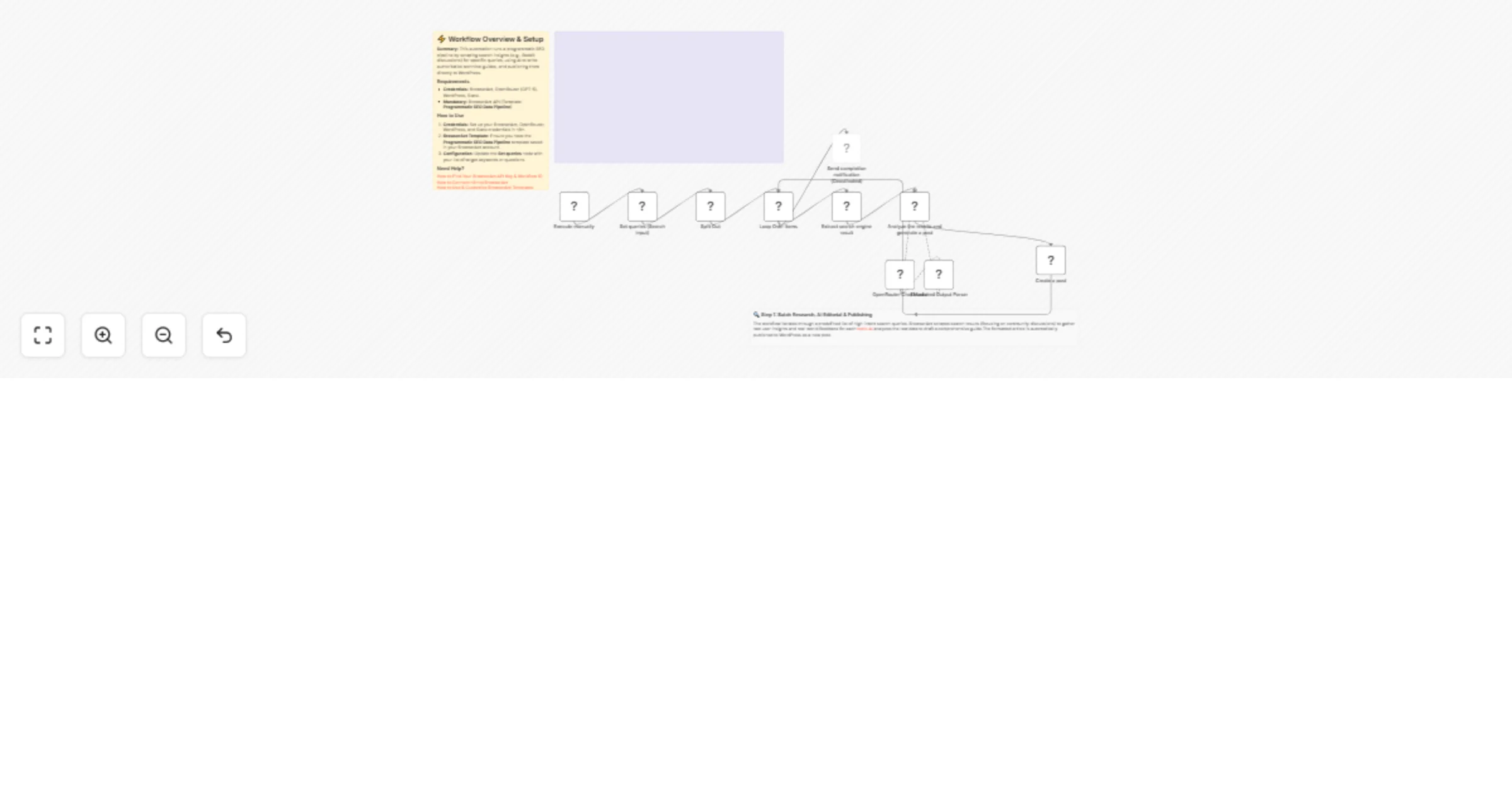
Generate SEO articles from search queries to WordPress with BrowserAct and OpenRouter

Workflow preview

Workflow preview
100%
Generate SEO articles from search queries to WordPress with BrowserAct and OpenRouter preview
Open on n8n.io

1. Workflow Overview

Generate SEO articles from search queries to WordPress with BrowserAct This workflow automates a programmatic SEO pipeline by turning a list of search queries into fully researched, authoritative b...

Best for

  • Content Creation automation workflows
  • Multimodal AI automation workflows
  • intermediate n8n builders looking for reusable templates

Tools used

n8n-nodes-base.splitout, n8n-nodes-base.splitinbatches, @n8n/n8n-nodes-langchain.lmchatopenrouter, @n8n/n8n-nodes-langchain.outputparserstructured, n8n-nodes-base.wordpress, n8n-nodes-base.manualtrigger, n8n-nodes-base.slack, n8n-nodes-browseract.browseract

Source and attribution

This workflow is cataloged by N8N Workflows and links back to its original n8n.io source page by Madame AI Team | Kai.

Original n8n.io source

1.1 Workflow description

Title
Generate SEO articles from search queries to WordPress with BrowserAct and OpenRouter
Workflow name
Generate SEO articles from search queries to WordPress with BrowserAct and OpenRouter

Generate SEO articles from search queries to WordPress with BrowserAct

This workflow automates a programmatic SEO pipeline by turning a list of search queries into fully researched, authoritative blog posts. It scrapes search results (focusing on community insights like Reddit) for real-world data, uses AI to draft comprehensive guides, and publishes them directly to your WordPress site.

Target Audience

SEO specialists, content marketers, niche site builders, and editorial teams looking to scale content production with high-quality, researched articles.

How it works

  1. Define Topics: The workflow begins by defining a list of target keywords or questions in a Set node (e.g., "Best automation tools").
  2. Research: It iterates through each query using a Loop node. For each item, BrowserAct scrapes search engine results to gather raw insights, discussions, and market consensus.
  3. Draft Content: An AI Agent (acting as a "Senior Technical Editor") analyzes the raw data. It synthesizes the information into a structured, HTML-formatted article with tables, headers, and actionable advice.
  4. Publish: The generated content is sent to WordPress to create a new post.
  5. Notify: Once the entire batch is processed, a Slack message is sent to notify the team.

How to set up

  1. Configure Credentials: Connect your BrowserAct, OpenRouter, WordPress, and Slack accounts in n8n.
  2. Prepare BrowserAct: Ensure the Programmatic SEO Data Pipeline template is saved in your BrowserAct account.
  3. Set Keywords: Open the Set queries node and update the Queries array with the list of topics you want to write about.
  4. Configure WordPress: Open the Create a post node and ensure it is connected to your WordPress site.
  5. Configure Notification: Open the Send completion notification node and select the Slack channel where you want to receive alerts.

Requirements

  • BrowserAct account with the Programmatic SEO Data Pipeline template.
  • OpenRouter account (or credentials for a specific LLM like GPT-4o or GPT-5).
  • WordPress account.
  • Slack account.

How to customize the workflow

  1. Adjust the Persona: Modify the system prompt in the AI Agent node to change the writing style (e.g., from "Technical Editor" to "Casual Blogger" or "Sales Copywriter").
  2. Add Visuals: Insert an image generation node (like DALL-E or Stable Diffusion) before the WordPress node to create a unique featured image based on the article title.
  3. Review Loop: Instead of publishing directly, change the final step to add the draft to Google Docs or Notion for human approval.

Need Help?


Workflow Guidance and Showcase Video

1.2 Logical Blocks

This catalog entry is organized from the workflow JSON. The node-level section below shows the executable blocks available for review before importing the template.

2. Block-by-Block Analysis

Block 1 - Split Out

Type / Role
n8n-nodes-base.splitOut - splitOut
Config choices
Version 1

Block 2 - Loop Over Items

Type / Role
n8n-nodes-base.splitInBatches - splitInBatches
Config choices
Version 3

Block 3 - OpenRouter Chat Model

Type / Role
@n8n/n8n-nodes-langchain.lmChatOpenRouter - lmChatOpenRouter
Config choices
Version 1

Block 4 - Structured Output Parser

Type / Role
@n8n/n8n-nodes-langchain.outputParserStructured - outputParserStructured
Config choices
Version 1.3

Block 5 - Create a post

Type / Role
n8n-nodes-base.wordpress - wordpress
Config choices
Version 1

Block 6 - Execute manually

Type / Role
n8n-nodes-base.manualTrigger - manualTrigger
Config choices
Version 1

Block 7 - Send completion notification

Type / Role
n8n-nodes-base.slack - slack
Config choices
Version 2.4

Block 8 - Extract search engine result

Type / Role
n8n-nodes-browseract.browserAct - browserAct
Config choices
Version 1

Block 9 - Analyze the results and generate a post

Type / Role
@n8n/n8n-nodes-langchain.agent - agent
Config choices
Version 3

Block 10 - Documentation

Type / Role
n8n-nodes-base.stickyNote - stickyNote
Config choices
Version 1

Block 11 - Step 1 Explanation

Type / Role
n8n-nodes-base.stickyNote - stickyNote
Config choices
Version 1

Block 12 - Set queries (Search Input)

Type / Role
n8n-nodes-base.set - set
Config choices
Version 3.4

Block 13 - Sticky Note

Type / Role
n8n-nodes-base.stickyNote - stickyNote
Config choices
Version 1

3. Summary Table

Workflow Generate SEO articles from search queries to WordPress with BrowserAct and OpenRouter
Complexity intermediate
Nodes 13
Categories Content Creation, Multimodal AI
Author Madame AI Team | Kai
Published 13 Feb 2026

4. Reproducing the Workflow from Scratch

  1. 1. Download the workflow JSON

    Use the JSON export at /data/workflows/13383/13383.json as the source template for this automation.

  2. 2. Import the template into n8n

    Open n8n, import the downloaded JSON, and review each node before activating the workflow.

  3. 3. Configure credentials and variables

    Replace placeholder credentials, API keys, webhook URLs, account IDs, and environment-specific values with your own settings.

  4. 4. Test with sample data

    Run the workflow manually or in a staging workspace, inspect node output, and confirm downstream systems receive the expected data.

  5. 5. Activate and monitor

    Enable the workflow only after testing, then monitor executions, errors, and rate limits during the first production runs.

5. General Notes & Resources

Review imported nodes carefully before activation. This catalog entry is intended to help you inspect the workflow structure, understand required services, and find related templates faster.

Node names, credentials, schedules, webhook paths, and external service limits may need adjustment for your workspace.

Frequently asked questions

What does Generate SEO articles from search queries to WordPress with BrowserAct and OpenRouter do?

Generate SEO articles from search queries to WordPress with BrowserAct This workflow automates a programmatic SEO pipeline by turning a list of search queries into fully researched, authoritative b...

What do I need before importing this workflow?

Review the workflow JSON, configure any required credentials in n8n, and test the automation in a safe workspace before using it in production.

Can I customize this workflow?

Yes. Use the block-by-block analysis and the downloadable JSON to inspect each node, then adjust credentials, prompts, schedules, filters, or destinations for your Content Creation, Multimodal AI use case.