Block 1 - Aggregate
- Type / Role
- n8n-nodes-base.aggregate - aggregate
- Config choices
- Version 1


 Early Deal
This workflow is provided as-is. Please review and test before using in production.
Keeping API documentation updated is a challenge, especially when your endpoints are powerful n8n webhooks. This project solves that problem by turning your n8n instance into a self documenting API...
n8n-nodes-base.aggregate, n8n-nodes-base.webhook, n8n-nodes-base.set, n8n-nodes-base.stickynote, n8n-nodes-base.respondtowebhook, n8n-nodes-base.html, n8n-nodes-base.executeworkflow, n8n-nodes-base.executeworkflowtrigger
This workflow is cataloged by N8N Workflows and links back to its original n8n.io source page by Matheus Pedrosa.
Original n8n.io sourceKeeping API documentation updated is a challenge, especially when your endpoints are powerful n8n webhooks. This project solves that problem by turning your n8n instance into a self-documenting API platform.
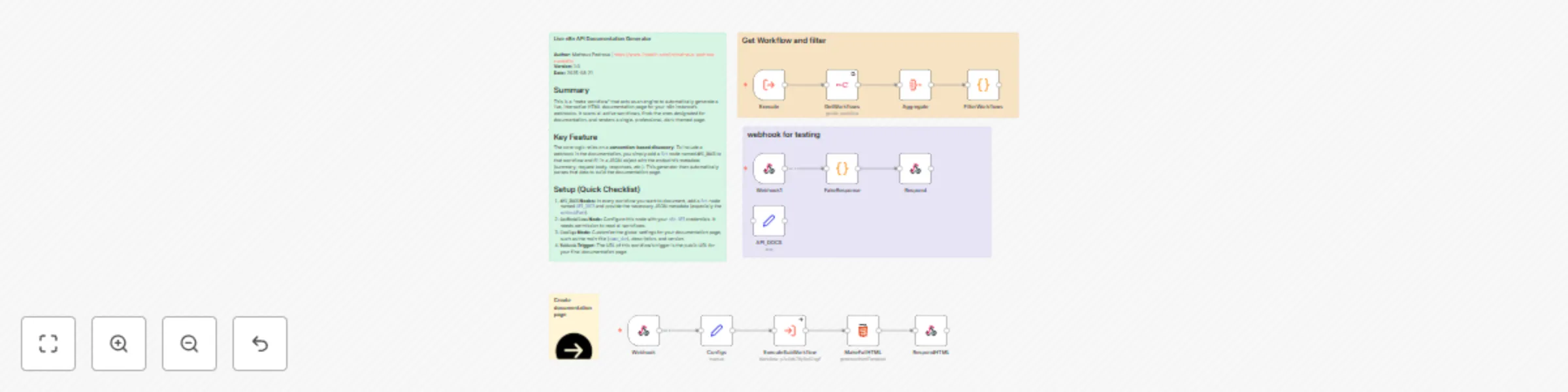
This workflow acts as a central engine that scans your entire n8n instance for designated webhooks and automatically generates a single, beautiful, and interactive HTML documentation page. By simply adding a standard Set node with specific metadata to any of your webhook workflows, you can make it instantly appear in your live documentation portal, complete with code examples and response schemas.
The final output is a single, callable URL that serves a professional, dark-themed, and easy-to-navigate documentation page for all your automated webhook endpoints.
Set Node: No custom nodes needed! Just add a Set node named API_DOCS to any workflow you want to document and fill in a simple JSON structure.cURL command for each endpoint, making testing and integration incredibly fast.This solution has two parts: configuring the workflows you want to document, and setting up this generator workflow.
Part 1: In Each Workflow You Want to Document
Webhook trigger node, add a Set node.API_DOCS.jsonOutput (or docsData) and set its type to JSON.{
"expose": true,
"webhookPath": "PASTE_YOUR_WEBHOOK_PATH_HERE",
"method": "POST",
"summary": "Your Endpoint Summary",
"description": "A clear description of what this webhook does.",
"tags": [
"Sales",
"Automation"
],
"requestBody": {
"exampleKey": "exampleValue"
},
"successCode": 200,
"successResponse": {
"status": "success",
"message": "Webhook processed correctly."
},
"errorCode": 400,
"errorResponse": {
"status": "error",
"message": "Invalid input."
}
}
Part 2: In This Generator Workflow
n8n API Node: Configure the GetWorkflows node with your n8n API credentials. It needs permission to read workflows.
Configs Node: Customize the main settings for your documentation page, like the title (name_doc), version, and a short description.
Webhook Trigger: The Webhook node at the start (default path is /api-doc) provides the final URL for your documentation page. Copy this URL and open it in your browser.
Required Credentials: n8n API Credentials: To allow this workflow to read your other workflows.
This catalog entry is organized from the workflow JSON. The node-level section below shows the executable blocks available for review before importing the template.
| Workflow | Generate self-documenting API portal for webhooks with n8n API & Bootstrap |
|---|---|
| Complexity | advanced |
| Nodes | 17 |
| Categories | Document Extraction, Multimodal AI |
| Author | Matheus Pedrosa |
| Published | 21 Aug 2025 |
Use the JSON export at /data/workflows/7706/7706.json as the source template for this automation.
Open n8n, import the downloaded JSON, and review each node before activating the workflow.
Replace placeholder credentials, API keys, webhook URLs, account IDs, and environment-specific values with your own settings.
Run the workflow manually or in a staging workspace, inspect node output, and confirm downstream systems receive the expected data.
Enable the workflow only after testing, then monitor executions, errors, and rate limits during the first production runs.
Review imported nodes carefully before activation. This catalog entry is intended to help you inspect the workflow structure, understand required services, and find related templates faster.
Node names, credentials, schedules, webhook paths, and external service limits may need adjustment for your workspace.
Keeping API documentation updated is a challenge, especially when your endpoints are powerful n8n webhooks. This project solves that problem by turning your n8n instance into a self documenting API...
Review the workflow JSON, configure any required credentials in n8n, and test the automation in a safe workspace before using it in production.
Yes. Use the block-by-block analysis and the downloadable JSON to inspect each node, then adjust credentials, prompts, schedules, filters, or destinations for your Document Extraction, Multimodal AI use case.