Block 1 - n8n Form: Lighting Brief
- Type / Role
- n8n-nodes-base.formTrigger - formTrigger
- Config choices
- Version 2.2


 Early Deal
Description This workflow is an AI powered lighting and look development pipeline designed for VFX production. It transforms a single lighting brief into multiple high quality cinematic lighting...
n8n-nodes-base.formtrigger, n8n-nodes-base.code, n8n-nodes-base.httprequest, n8n-nodes-base.wait, n8n-nodes-base.if, n8n-nodes-base.googledrive, n8n-nodes-base.slack, n8n-nodes-base.errortrigger
This workflow is cataloged by N8N Workflows and links back to its original n8n.io source page by Rahul Joshi.
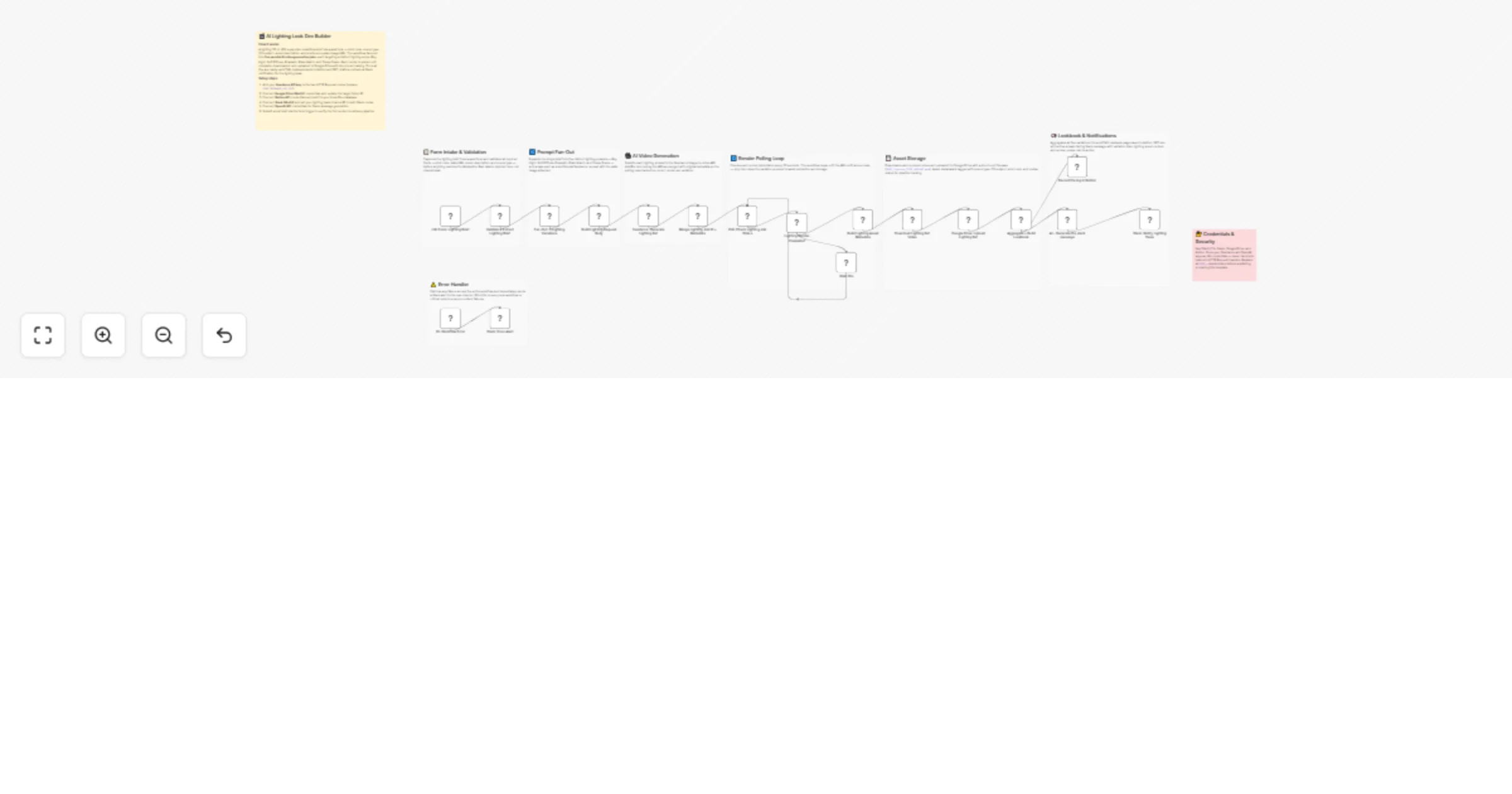
Original n8n.io sourceThis workflow is an AI-powered lighting and look development pipeline designed for VFX production. It transforms a single lighting brief into multiple high-quality cinematic lighting references using AI, automates rendering, organizes assets, builds a visual lookbook, and delivers structured outputs to the lighting team—bridging the gap between creative lighting direction and CG execution.
The workflow begins with a form-based trigger that acts as the lighting brief intake layer, allowing artists or supervisors to submit structured inputs such as shot code, sequence, project ID, plate image, lighting mood description, scene type, and CG subject type. This input flows into a validation and normalization stage, where required fields are verified, scene and subject types are mapped into standardized pipeline values, and the payload is structured for downstream processing. The system then performs prompt engineering and expands the single lighting brief into five distinct lighting variations: a key light setup for strong directional lighting, a soft diffuse setup for ambient lighting conditions, a high-contrast dramatic setup for stylized visuals, a plate-matched reference for accurate scene integration, and a final comp-grade preview simulating cinematic color grading. Each variation is enriched with detailed lighting instructions, scene context, and subject-specific attributes to guide realistic AI generation.
At the core of the pipeline, an image-to-video rendering layer constructs structured API requests and submits each variation as an independent job to the Seedance AI model, always using the plate image as a reference to maintain lighting consistency with the scene. A polling mechanism continuously monitors each job at regular intervals, ensuring that processing advances only after successful completion. Once rendering is complete, a metadata layer structures detailed information for each asset, including video URLs, lighting types, scene context, subject details, and generation timestamps, along with tagging for pipeline tracking and review status.
The asset pipeline then downloads the generated lighting reference videos and uploads them to Google Drive using a structured naming convention aligned with shot and variation identifiers. An aggregation layer consolidates all variations into a unified output and dynamically generates an HTML-based lookbook, presenting all lighting setups in a structured visual format with preview links, technical details, and usage guidance. This lookbook is stored in a Notion database for centralized tracking and documentation. Finally, an AI-driven messaging layer generates a clean, professional Slack notification summarizing the lighting brief, listing all generated variations with preview links, and prompting the lighting team to review and select the preferred direction before proceeding with CG lighting setup—ensuring seamless collaboration between creative intent and technical execution.
• Global error trigger across the workflow • Sends instant Slack alerts with failure details • Prevents silent failures and ensures production reliability
• Seedance API (AI video generation) • n8n Form Trigger (input layer) • Google Drive OAuth2 (asset storage) • Notion API (lookbook tracking) • Slack OAuth2 (team notifications) • OpenAI API (AI-generated Slack messaging)
✔ Rapid lighting look development with multiple variations instantly ✔ Structured prompt engineering for consistent cinematic outputs ✔ Automated asset storage and organized lookbook generation ✔ AI-generated team communication for faster decision-making ✔ Seamless integration between creative direction and CG execution ✔ Scalable pipeline for production-ready lighting workflows
This catalog entry is organized from the workflow JSON. The node-level section below shows the executable blocks available for review before importing the template.
Showing the first 24 of 27 workflow blocks. Download the JSON for the full node graph.
| Workflow | Generate Seedance AI lighting look dev variations with review via Drive, Notion, and Slack |
|---|---|
| Complexity | advanced |
| Nodes | 27 |
| Categories | Content Creation, Multimodal AI |
| Author | Rahul Joshi |
| Published | 08 Apr 2026 |
Use the JSON export at /data/workflows/14881/14881.json as the source template for this automation.
Open n8n, import the downloaded JSON, and review each node before activating the workflow.
Replace placeholder credentials, API keys, webhook URLs, account IDs, and environment-specific values with your own settings.
Run the workflow manually or in a staging workspace, inspect node output, and confirm downstream systems receive the expected data.
Enable the workflow only after testing, then monitor executions, errors, and rate limits during the first production runs.
Review imported nodes carefully before activation. This catalog entry is intended to help you inspect the workflow structure, understand required services, and find related templates faster.
Node names, credentials, schedules, webhook paths, and external service limits may need adjustment for your workspace.
Description This workflow is an AI powered lighting and look development pipeline designed for VFX production. It transforms a single lighting brief into multiple high quality cinematic lighting...
Review the workflow JSON, configure any required credentials in n8n, and test the automation in a safe workspace before using it in production.
Yes. Use the block-by-block analysis and the downloadable JSON to inspect each node, then adjust credentials, prompts, schedules, filters, or destinations for your Content Creation, Multimodal AI use case.