Generate Real Estate Research Reports With Exa AI, PandaDoc and Instantly AI

Workflow preview

Workflow preview
100%
Generate Real Estate Research Reports With Exa AI, PandaDoc and Instantly AI preview
Open on n8n.io

1. Workflow Overview

This Template Demonstrates How To Automate Sending Real Estate Research Reports. Use cases are many: send recurring market updates to investors, distribute new listings context to buyers, or push p...

Best for

  • Market Research automation workflows
  • Multimodal AI automation workflows
  • advanced n8n builders looking for reusable templates

Tools used

n8n-nodes-base.if, n8n-nodes-base.wait, n8n-nodes-base.httprequest, n8n-nodes-exa-official.exa, n8n-nodes-base.scheduletrigger, n8n-nodes-base.slack, n8n-nodes-base.stickynote, n8n-nodes-base.splitinbatches

Source and attribution

This workflow is cataloged by N8N Workflows and links back to its original n8n.io source page by Devon Toh.

Original n8n.io source

1.1 Workflow description

Title
Generate Real Estate Research Reports With Exa AI, PandaDoc and Instantly AI
Workflow name
Generate Real Estate Research Reports With Exa AI, PandaDoc and Instantly AI

This Template Demonstrates How To Automate Sending Real Estate Research Reports.

Use cases are many: send recurring market updates to investors, distribute new listings context to buyers, or push periodic area snapshots to your client base — all without touching it manually after the first setup.

Good to know

  • Exa AI charges per search query. Check Exa AI Pricing for the latest rates before running at scale.
  • Instantly AI has rate limits on lead uploads. The workflow handles this with a built-in wait node between batches, but check your plan limits before sending to large lists.
  • PandaDoc document generation is asynchronous the workflow polls for completion before moving forward, so generation time will vary depending on template complexity.

How it works

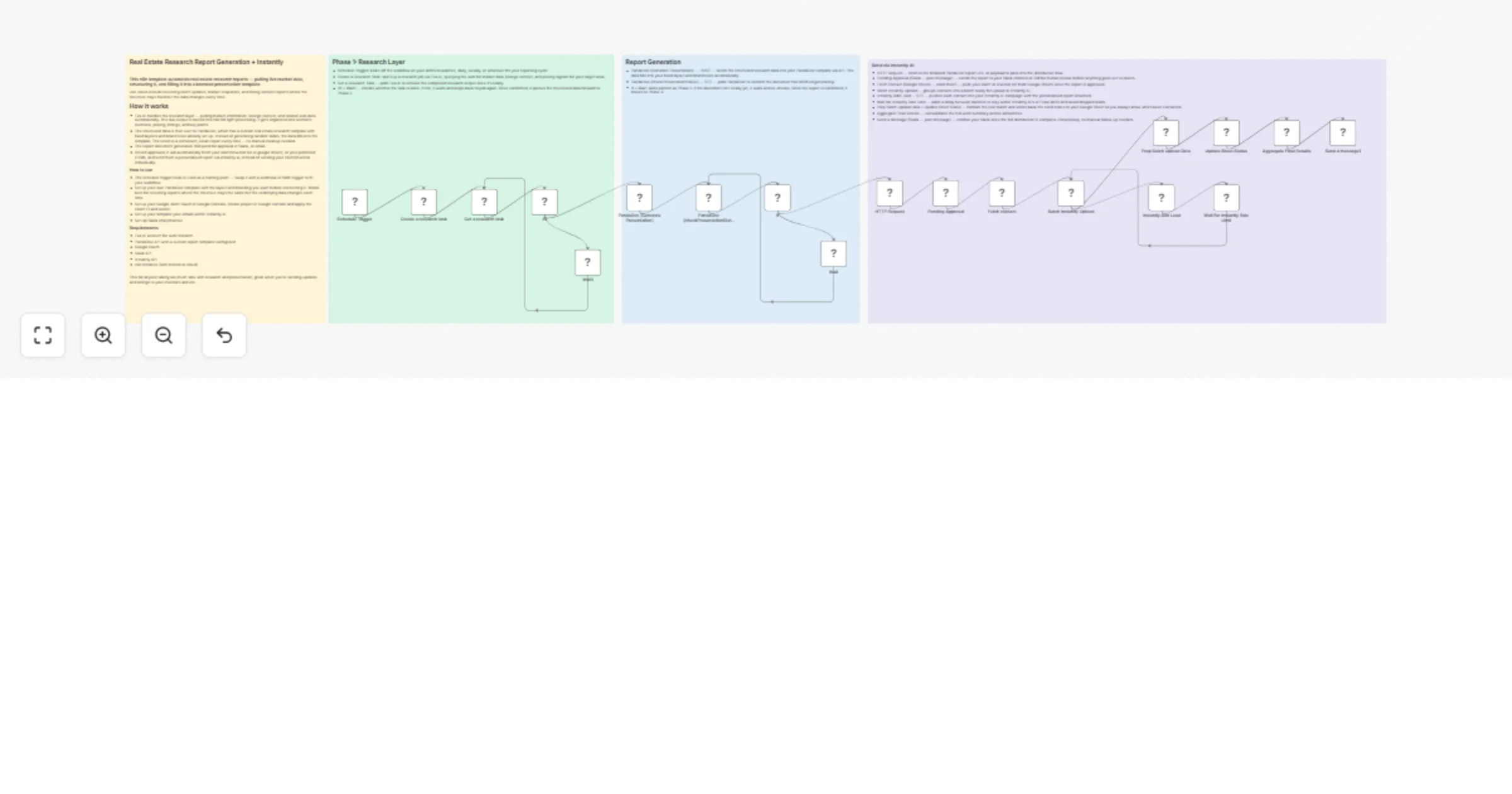
PHASE 1: RESEARCH

  • A Schedule Trigger kicks off the workflow on your chosen cadence.
  • A research task is created and submitted to Exa AI, which pulls market data, listings context, and pricing signals from the web.
  • The workflow polls Exa AI until the task is complete. An If + Wait loop handles this — once confirmed, the structured data moves to Phase 2.

PHASE 2: REPORT GENERATION

  • The structured research data is sent to PandaDoc via API. It fills directly into your pre-built real estate template — fixed layouts, brand rules, section structure already in place.
  • The workflow polls PandaDoc until the document is fully generated. Another If + Wait loop ensures nothing proceeds with an incomplete report.
  • The result is a clean, consistent report every time — no manual formatting or cleanup needed.

PHASE 3: SEND VIA INSTANTLY AI

  • The finalised report is sent to a Slack channel for human approval before anything goes out to clients.
  • Once approved, the workflow fetches your client or investor list from Google Sheets.
  • Contacts are batched, uploaded to Instantly AI, and each one receives a personalised report email — no manual sending, no individual copy-pasting.
  • Send status is written back to your Google Sheet so you always know who's been contacted.
  • A final Slack message confirms the full distribution is complete. Closed loop, fully hands-off.

How to use

  • The Schedule Trigger is used as the default starting point. Replace it with a webhook or form trigger if you want to run reports on demand instead.
  • Set up your PandaDoc template with your preferred layout and branding before connecting. The workflow fills data in — it won't generate a layout for you.
  • Configure Google OAuth via Google Console. Create a project, apply your Client ID and Secret in the Google Sheets node credentials.
  • Set up your email sequences and sender accounts inside Instantly AI before the first run.
  • Create a dedicated Slack channel or DM for approval routing and completion notifications.
Requirements
  • Exa AI — web research
  • PandaDoc API — report template and document generation
  • Google OAuth — client and investor list via Google Sheets
  • Slack API — approval routing and completion notification
  • Instantly API — personalised email delivery at scale
  • n8n instance (self-hosted or cloud)
Customising this workflow
  • Swap Google Sheets for a CRM like HubSpot, Airtable, or GoHighLevel as your contact source — just replace the Fetch Contact node with your preferred integration.
  • Replace the Slack approval step with an email approval flow if your team doesn't use Slack.
  • This pattern works beyond real estate — try it for fund updates, commercial property briefs, or any recurring report where the structure stays fixed but the data changes.
  • Add an AI summarisation node before PandaDoc to condense the Exa research output further before it fills into the template.

1.2 Logical Blocks

This catalog entry is organized from the workflow JSON. The node-level section below shows the executable blocks available for review before importing the template.

2. Block-by-Block Analysis

Block 1 - If

Type / Role
n8n-nodes-base.if - if
Config choices
Version 2.3

Block 2 - Wait

Type / Role
n8n-nodes-base.wait - wait
Config choices
Version 1.1

Block 3 - HTTP Request

Type / Role
n8n-nodes-base.httpRequest - httpRequest
Config choices
Version 4.3

Block 4 - Create a research task

Type / Role
n8n-nodes-exa-official.exa - exa
Config choices
Version 1

Block 5 - Get a research task

Type / Role
n8n-nodes-exa-official.exa - exa
Config choices
Version 1

Block 6 - If1

Type / Role
n8n-nodes-base.if - if
Config choices
Version 2.3

Block 7 - Wait1

Type / Role
n8n-nodes-base.wait - wait
Config choices
Version 1.1

Block 8 - PandaDoc (Generate Presentation)

Type / Role
n8n-nodes-base.httpRequest - httpRequest
Config choices
Version 4.4

Block 9 - PandaDoc (checkPresentationStatus)

Type / Role
n8n-nodes-base.httpRequest - httpRequest
Config choices
Version 4.4

Block 10 - Schedule Trigger

Type / Role
n8n-nodes-base.scheduleTrigger - scheduleTrigger
Config choices
Version 1.3

Block 11 - Pending Approval

Type / Role
n8n-nodes-base.slack - slack
Config choices
Version 2.4

Block 12 - Sticky Note

Type / Role
n8n-nodes-base.stickyNote - stickyNote
Config choices
Version 1

Block 13 - Sticky Note1

Type / Role
n8n-nodes-base.stickyNote - stickyNote
Config choices
Version 1

Block 14 - Sticky Note2

Type / Role
n8n-nodes-base.stickyNote - stickyNote
Config choices
Version 1

Block 15 - Batch Instantly Upload

Type / Role
n8n-nodes-base.splitInBatches - splitInBatches
Config choices
Version 3

Block 16 - Instantly Add Lead

Type / Role
n8n-nodes-base.httpRequest - httpRequest
Config choices
Version 4.2

Block 17 - Wait for Instantly Rate Limit

Type / Role
n8n-nodes-base.wait - wait
Config choices
Version 1.1

Block 18 - Prep Batch Upload Data

Type / Role
n8n-nodes-base.code - code
Config choices
Version 2

Block 19 - Update Sheet Status

Type / Role
n8n-nodes-base.googleSheets - googleSheets
Config choices
Version 4.5

Block 20 - Aggregate Final Results

Type / Role
n8n-nodes-base.code - code
Config choices
Version 2

Block 21 - Send a message1

Type / Role
n8n-nodes-base.slack - slack
Config choices
Version 2.4

Block 22 - Fetch contact

Type / Role
n8n-nodes-base.googleSheets - googleSheets
Config choices
Version 4.5

Block 23 - Sticky Note3

Type / Role
n8n-nodes-base.stickyNote - stickyNote
Config choices
Version 1

3. Summary Table

Workflow Generate Real Estate Research Reports With Exa AI, PandaDoc and Instantly AI
Complexity advanced
Nodes 23
Categories Market Research, Multimodal AI
Author Devon Toh
Published 14 Mar 2026

4. Reproducing the Workflow from Scratch

  1. 1. Download the workflow JSON

    Use the JSON export at /data/workflows/14053/14053.json as the source template for this automation.

  2. 2. Import the template into n8n

    Open n8n, import the downloaded JSON, and review each node before activating the workflow.

  3. 3. Configure credentials and variables

    Replace placeholder credentials, API keys, webhook URLs, account IDs, and environment-specific values with your own settings.

  4. 4. Test with sample data

    Run the workflow manually or in a staging workspace, inspect node output, and confirm downstream systems receive the expected data.

  5. 5. Activate and monitor

    Enable the workflow only after testing, then monitor executions, errors, and rate limits during the first production runs.

5. General Notes & Resources

Review imported nodes carefully before activation. This catalog entry is intended to help you inspect the workflow structure, understand required services, and find related templates faster.

Node names, credentials, schedules, webhook paths, and external service limits may need adjustment for your workspace.

Frequently asked questions

What does Generate Real Estate Research Reports With Exa AI, PandaDoc and Instantly AI do?

This Template Demonstrates How To Automate Sending Real Estate Research Reports. Use cases are many: send recurring market updates to investors, distribute new listings context to buyers, or push p...

What do I need before importing this workflow?

Review the workflow JSON, configure any required credentials in n8n, and test the automation in a safe workspace before using it in production.

Can I customize this workflow?

Yes. Use the block-by-block analysis and the downloadable JSON to inspect each node, then adjust credentials, prompts, schedules, filters, or destinations for your Market Research, Multimodal AI use case.