Block 1 - Webhook
- Type / Role
- n8n-nodes-base.webhook - webhook
- Config choices
- Version 2


 Early Deal
This workflow is provided as-is. Please review and test before using in production.
Who it's for Construction and renovation businesses that need to generate detailed quotes from customer inquiries—plasterers, painters, contractors, renovation specialists, or any construction serv...
n8n-nodes-base.webhook, n8n-nodes-base.splitout, n8n-nodes-base.stopanderror, n8n-nodes-base.manualtrigger, n8n-nodes-base.stickynote, n8n-nodes-base.set, n8n-nodes-base.supabase, n8n-nodes-base.code
This workflow is cataloged by N8N Workflows and links back to its original n8n.io source page by Stephan Koning.
Original n8n.io sourceConstruction and renovation businesses that need to generate detailed quotes from customer inquiries—plasterers, painters, contractors, renovation specialists, or any construction service provider handling quote requests through online forms.
Automatically transforms JotForm submissions into professional, itemized construction quotes with complete CRM tracking—no subscription needed (saving €200-500/year). When a customer fills your project request form (specifying wall/ceiling areas, finish types, ceiling heights, wet areas, prep work), the workflow extracts measurements, normalizes service selections, applies intelligent pricing rules from your Supabase catalog, calculates line items with material and labor costs plus proper VAT handling, stores everything in a structured CRM pipeline (customer → project deal → estimate), and generates a branded HTML email ready for delivery.
This self-hosted pricing engine replaces paid invoicing software for quote generation, saving thousands over time while eliminating manual takeoffs and quote preparation—
from 30-60 minutes to under 30 seconds.
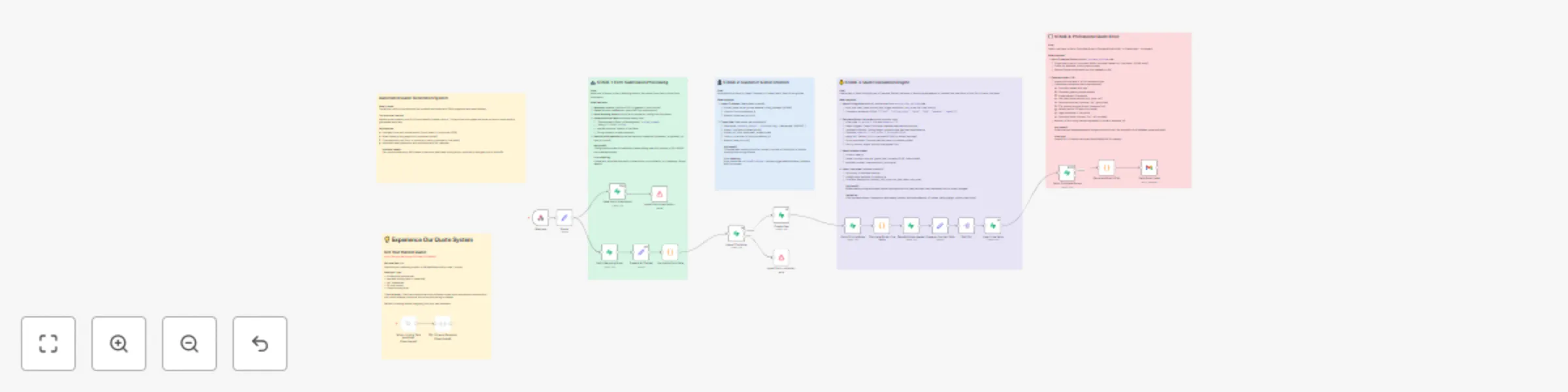
Stage 1: JotForm webhook triggers → Parser extracts project data (m² measurements, service types, property details) → Normalize Dutch construction terms to database values → Save raw submission for audit trail
Stage 2: Upsert customer record (idempotent on email) → Create project deal → Link to form submission
Stage 3: Fetch active pricing rules → Calculate line items based on square meters, service type (smooth plaster vs decorative), ceiling height premiums, property status (new build vs renovation), wet area requirements → Apply conditional logic (high ceilings = price multiplier, prep work charges, finish level) → Group duplicate items → Save estimate header + individual lines
Stage 4: Query optimized view (single call, all data) → Generate professional HTML email with logo, itemized services table (description, m², unit price, totals), VAT breakdown, CTA buttons, legal disclaimer
1. Database setup (2 minutes):
2. Credentials:
3. JotForm webhook:
4. Customize email:
Add your construction services:
Edit price_catalog table in Supabase (no code changes):
INSERT INTO price_catalog (item_code, name, unit_price, vat_rate, unit_type)
VALUES ('DRYWALL_INSTALL', 'Drywall Installation', 18.50, 9, 'm²');
This catalog entry is organized from the workflow JSON. The node-level section below shows the executable blocks available for review before importing the template.
Showing the first 24 of 27 workflow blocks. Download the JSON for the full node graph.
| Workflow | Generate pro construction quotes from jotform to email with Supabase CRM |
|---|---|
| Complexity | advanced |
| Nodes | 27 |
| Categories | CRM |
| Author | Stephan Koning |
| Published | 14 Oct 2025 |
Use the JSON export at /data/workflows/9608/9608.json as the source template for this automation.
Open n8n, import the downloaded JSON, and review each node before activating the workflow.
Replace placeholder credentials, API keys, webhook URLs, account IDs, and environment-specific values with your own settings.
Run the workflow manually or in a staging workspace, inspect node output, and confirm downstream systems receive the expected data.
Enable the workflow only after testing, then monitor executions, errors, and rate limits during the first production runs.
Review imported nodes carefully before activation. This catalog entry is intended to help you inspect the workflow structure, understand required services, and find related templates faster.
Node names, credentials, schedules, webhook paths, and external service limits may need adjustment for your workspace.
Who it's for Construction and renovation businesses that need to generate detailed quotes from customer inquiries—plasterers, painters, contractors, renovation specialists, or any construction serv...
Review the workflow JSON, configure any required credentials in n8n, and test the automation in a safe workspace before using it in production.
Yes. Use the block-by-block analysis and the downloadable JSON to inspect each node, then adjust credentials, prompts, schedules, filters, or destinations for your CRM use case.