Block 1 - Photo Upload Form
- Type / Role
- n8n-nodes-base.formTrigger - formTrigger
- Config choices
- Version 2.2


 Early Deal
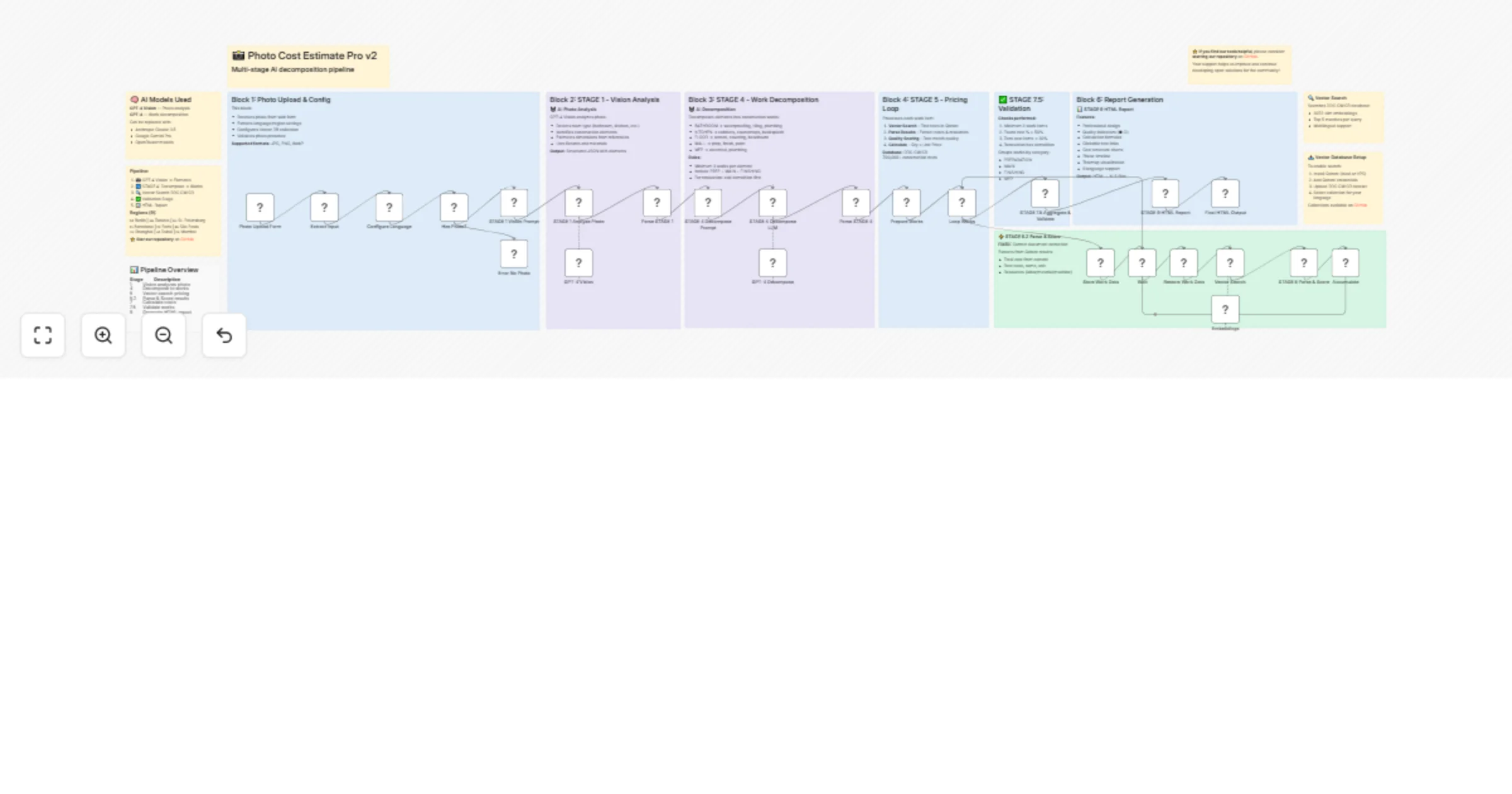
Upload a construction photo via web form → get a detailed cost estimate with work breakdown, resource costs, and professional HTML report. Powered by GPT 4 Vision and the open source DDC CWICR data...
n8n-nodes-base.formtrigger, n8n-nodes-base.code, n8n-nodes-base.if, n8n-nodes-base.set, @n8n/n8n-nodes-langchain.chainllm, @n8n/n8n-nodes-langchain.lmchatopenai, n8n-nodes-base.splitinbatches, n8n-nodes-base.wait
This workflow is cataloged by N8N Workflows and links back to its original n8n.io source page by Artem Boiko.
Original n8n.io sourceUpload a construction photo via web form → get a detailed cost estimate with work breakdown, resource costs, and professional HTML report. Powered by GPT-4 Vision and the open-source DDC CWICR database (55,000+ work items).
Supports 9 regions: 🇩🇪 Berlin · 🇬🇧 Toronto · 🇷🇺 St. Petersburg · 🇪🇸 Barcelona · 🇫🇷 Paris · 🇧🇷 São Paulo · 🇨🇳 Shanghai · 🇦🇪 Dubai · 🇮🇳 Mumbai
┌──────────────┐ ┌───────────────┐ ┌───────────────┐ ┌──────────────┐
│ Web Form │ → │ STAGE 1 │ → │ STAGE 4 │ → │ Loop Works │
│ Photo+Lang │ │ GPT-4 Vision │ │ Decompose │ │ per item │
└──────────────┘ └───────────────┘ └───────────────┘ └──────────────┘
 ↓ ↓ ↓
 ┌─────────────────────────────────────────────────────┐
 │ Identify room, elements, fixtures, dimensions │
 │ → Break down into 15-40 construction work items │
 └─────────────────────────────────────────────────────┘
 ↓
┌──────────────┐ ┌───────────────┐ ┌───────────────┐ ┌──────────────┐
│ HTML Report │ ← │ STAGE 7.5 │ ← │ STAGE 5 │ ← │ Qdrant │
│ Response │ │ Aggregate │ │ Parse+Score │ │ Vector DB │
└──────────────┘ └───────────────┘ └───────────────┘ └──────────────┘
Pipeline stages:
| Stage | Node | Description |
|---|---|---|
| 1 | GPT-4 Vision | Analyzes photo: room type, elements, materials, dimensions |
| 4 | GPT-4 Decompose | Breaks elements into work items with quantities |
| 5 | Vector Search + Score | Finds matching rates in DDC CWICR, quality scoring |
| 7.5 | Aggregate & Validate | Sums costs, groups by phase, validates results |
| 9 | HTML Report | Generates professional estimate document |
| Component | Requirement |
|---|---|
| n8n | v1.30+ with Form Trigger support |
| OpenAI API | GPT-4 Vision + Embeddings access |
| Qdrant | Vector DB with DDC CWICR collections |
| DDC CWICR Data | github.com/datadrivenconstruction/DDC-CWICR |
Load DDC CWICR embeddings for your target regions:
DE_BERLIN_workitems_costs_resources_EMBEDDINGS_3072_DDC_CWICR
ENG_TORONTO_workitems_costs_resources_EMBEDDINGS_3072_DDC_CWICR
RU_STPETERSBURG_workitems_costs_resources_EMBEDDINGS_3072_DDC_CWICR
ES_BARCELONA_workitems_costs_resources_EMBEDDINGS_3072_DDC_CWICR
FR_PARIS_workitems_costs_resources_EMBEDDINGS_3072_DDC_CWICR
PT_SAOPAULO_workitems_costs_resources_EMBEDDINGS_3072_DDC_CWICR
ZH_SHANGHAI_workitems_costs_resources_EMBEDDINGS_3072_DDC_CWICR
AR_DUBAI_workitems_costs_resources_EMBEDDINGS_3072_DDC_CWICR
HI_MUMBAI_workitems_costs_resources_EMBEDDINGS_3072_DDC_CWICR
https://your-n8n/form/photo-estimate-pro-v3| Feature | Description |
|---|---|
| 📸 Photo Analysis | GPT-4 Vision identifies room type, elements, fixtures |
| 📏 Dimension Estimation | Uses reference objects (doors, tiles) for sizing |
| 🔧 Work Decomposition | Breaks down to 15-40 specific work items |
| 🎯 Quality Scoring | Rates match quality (high/medium/low/not_found) |
| 📊 Phase Grouping | PREPARATION → MAIN → FINISHING → MEP |
| 💰 Cost Breakdown | Labor, materials, machines per item |
| ✅ Validation | Warns if <50% rates found or missing demolition |
| 🌍 9 Languages | Full localization + regional pricing |
| Field | Type | Options |
|---|---|---|
| 📷 Upload Photo | File | .jpg, .png, .webp |
| 🌍 Region & Language | Dropdown | 9 regions with currencies |
| 🏗️ Work Type | Dropdown | New / Renovation / Repair / Auto |
| 📝 Description | Textarea | Optional context |
Input: Bathroom photo (renovation) Region: 🇩🇪 German - Berlin (EUR €)
Generated Work Items:
PREPARATION (3 items)
├── Demolition of wall tiles — 12 m2 — €180
├── Demolition of floor tiles — 4.5 m2 — €95
└── Disposal of construction waste — 0.8 m3 — €120

MAIN (8 items)
├── Floor waterproofing — 4.5 m2 — €225
├── Wall waterproofing wet zone — 8 m2 — €280
├── Floor screed — 4.5 m2 — €135
├── Wall tiling — 22 m2 — €880
├── Floor tiling — 4.5 m2 — €225
├── Toilet installation — 1 pcs — €320
├── Sink installation — 1 pcs — €185
└── Shower cabin installation — 1 pcs — €450

FINISHING (3 items)
├── Ceiling painting — 4.5 m2 — €68
├── Grouting — 26.5 m2 — €133
└── Silicone sealing — 8 m — €48

MEP (4 items)
├── Socket installation — 2 pcs — €90
├── Light point installation — 2 pcs — €120
├── Mixer/faucet installation — 2 pcs — €160
└── Ventilation installation — 1 pcs — €85

─────────────────────────────────────
TOTAL: €3,799.00
Labor: €1,520 · Materials: €1,900 · Machines: €379
Quality: 78% high match · 18 work items
| Score | Level | Meaning |
|---|---|---|
| 60-100 | 🟢 High | Exact match with resources |
| 40-59 | 🟡 Medium | Good match, minor differences |
| 20-39 | 🟠 Low | Partial match, review needed |
| 0-19 | 🔴 Not Found | No suitable rate found |
Scoring factors:
AI · Data Extraction · Document Ops · Files & Storage
photo-analysis, gpt-4-vision, construction, cost-estimation, qdrant, vector-search, form-trigger, html-report, multilingual
DataDrivenConstruction.io https://DataDrivenConstruction.io [email protected]
We help construction, engineering, and technology firms implement:
Contact us to test with your data or adapt to your project requirements.
⭐ Star us on GitHub! github.com/datadrivenconstruction/DDC-CWICR
This catalog entry is organized from the workflow JSON. The node-level section below shows the executable blocks available for review before importing the template.
Showing the first 24 of 39 workflow blocks. Download the JSON for the full node graph.
| Workflow | Generate photo-based construction cost estimates with GPT-4 Vision and DDC CWICR |
|---|---|
| Complexity | advanced |
| Nodes | 39 |
| Categories | Document Extraction, AI RAG |
| Author | Artem Boiko |
| Published | 26 Dec 2025 |
Use the JSON export at /data/workflows/12175/12175.json as the source template for this automation.
Open n8n, import the downloaded JSON, and review each node before activating the workflow.
Replace placeholder credentials, API keys, webhook URLs, account IDs, and environment-specific values with your own settings.
Run the workflow manually or in a staging workspace, inspect node output, and confirm downstream systems receive the expected data.
Enable the workflow only after testing, then monitor executions, errors, and rate limits during the first production runs.
Review imported nodes carefully before activation. This catalog entry is intended to help you inspect the workflow structure, understand required services, and find related templates faster.
Node names, credentials, schedules, webhook paths, and external service limits may need adjustment for your workspace.
Upload a construction photo via web form → get a detailed cost estimate with work breakdown, resource costs, and professional HTML report. Powered by GPT 4 Vision and the open source DDC CWICR data...
Review the workflow JSON, configure any required credentials in n8n, and test the automation in a safe workspace before using it in production.
Yes. Use the block-by-block analysis and the downloadable JSON to inspect each node, then adjust credentials, prompts, schedules, filters, or destinations for your Document Extraction, AI RAG use case.