Generate personalized trip recommendations with Claude AI and Google Sheets

Workflow preview

Workflow preview
100%
Generate personalized trip recommendations with Claude AI and Google Sheets preview
Open on n8n.io

1. Workflow Overview

This workflow provides personalized travel destination recommendations by analyzing past trip history, user preferences, travel behavior patterns, and current trends. It uses Claude AI to generate ...

Best for

  • Market Research automation workflows
  • AI Summarization automation workflows
  • advanced n8n builders looking for reusable templates

Tools used

n8n-nodes-base.stickynote, n8n-nodes-base.webhook, n8n-nodes-base.code, n8n-nodes-base.googlesheets, @n8n/n8n-nodes-langchain.agent, @n8n/n8n-nodes-langchain.lmchatanthropic, n8n-nodes-base.wait, n8n-nodes-base.httprequest

Source and attribution

This workflow is cataloged by N8N Workflows and links back to its original n8n.io source page by Oneclick AI Squad.

Original n8n.io source

1.1 Workflow description

Title
Generate personalized trip recommendations with Claude AI and Google Sheets
Workflow name
Generate personalized trip recommendations with Claude AI and Google Sheets

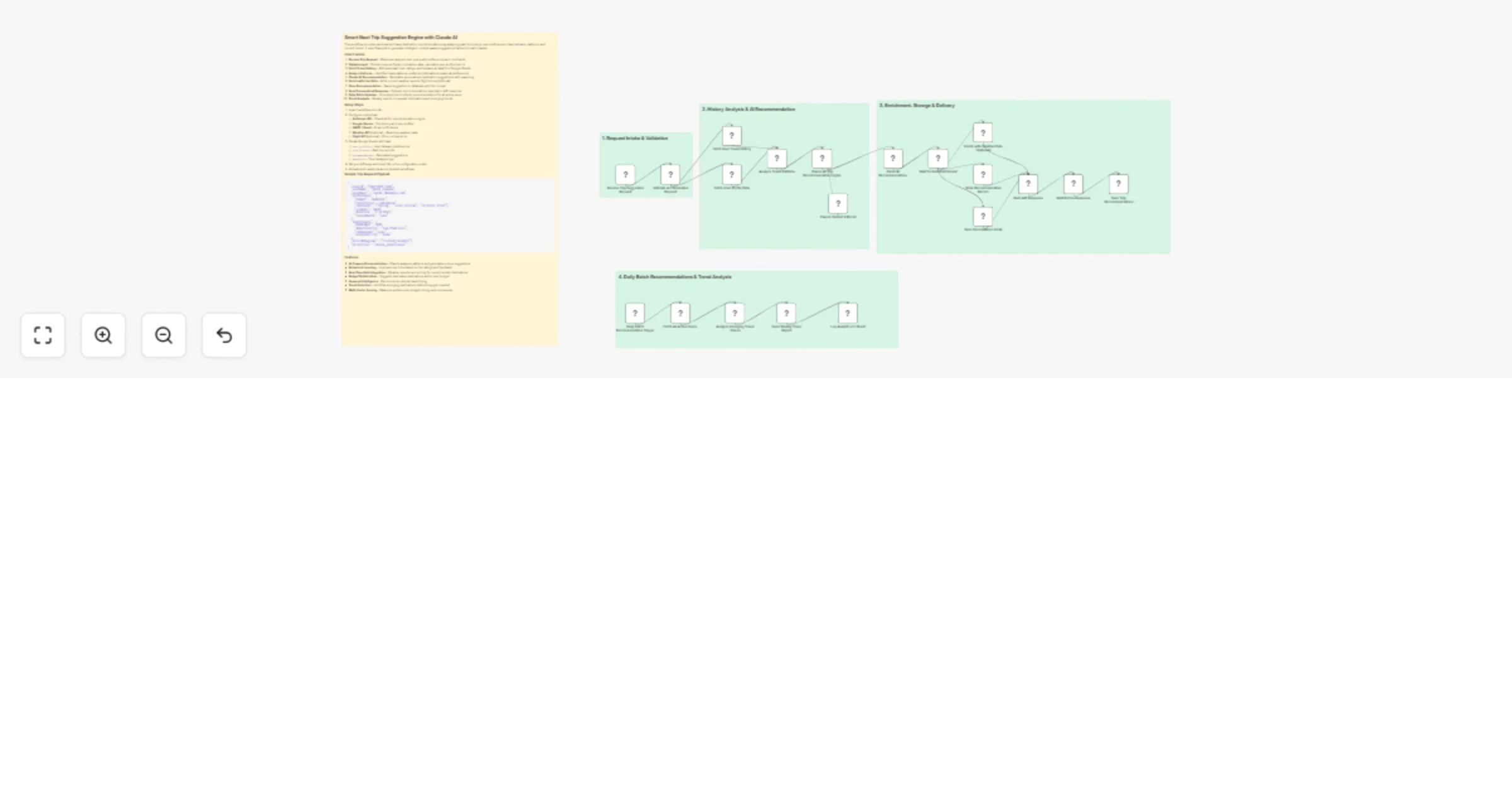
This workflow provides personalized travel destination recommendations by analyzing past trip history, user preferences, travel behavior patterns, and current trends. It uses Claude AI to generate intelligent, context-aware suggestions tailored to each traveler.

How it works

  1. Receive Trip Request - Webhook captures user query with preferences and constraints
  2. Validate Input - Checks required fields, normalizes data, calculates user profile metrics
  3. Fetch Travel History - Retrieves past trips, ratings, and behavioral data from Google Sheets
  4. Analyze Patterns - Identifies travel patterns, preferred destinations, seasonal preferences
  5. Claude AI Recommendation - Generates personalized destination suggestions with reasoning
  6. Enrich with Live Data - Adds current weather, events, flight prices (optional)
  7. Store Recommendation - Saves suggestion to database with full context
  8. Send Personalized Response - Delivers recommendations via email or API response
  9. Daily Batch Updates - Scheduled job to refresh recommendations for all active users
  10. Trend Analysis - Weekly reports on popular destinations and emerging trends

Setup Steps

  1. Import workflow into n8n
  2. Configure credentials:
  • Anthropic API - Claude AI for recommendation engine
  • Google Sheets - Trip history and user profiles
  • SMTP / Gmail - Email notifications
  • Weather API (optional) - Real-time weather data
  • Flight API (optional) - Price comparisons
  1. Create Google Sheets with tabs:
  • user_profiles - User data and preferences
  • trip_history - Past trip records
  • recommendations - Generated suggestions
  • analytics - Trend analysis logs
  1. Set your API keys and sheet IDs in the configuration nodes
  2. Activate both webhook and scheduled workflows

Sample Trip Request Payload

{
 "userId": "USER-2025-1234",
 "userName": "Sarah Johnson",
 "userEmail": "[email protected]",
 "preferences": {
 "budget": "moderate",
 "travelStyle": "adventure",
 "interests": ["hiking", "local cuisine", "cultural sites"],
 "climate": "warm",
 "duration": "7-10 days",
 "travelMonth": "June"
 },
 "constraints": {
 "maxBudget": 3000,
 "departureCity": "San Francisco",
 "companions": "solo",
 "accessibility": "none"
 },
 "excludeRegions": ["visited_recently"],
 "prioritize": "unique_experiences"
}

Features

  • AI-Powered Personalization - Claude analyzes patterns and generates unique suggestions
  • Behavioral Learning - Improves over time based on trip ratings and feedback
  • Real-Time Data Integration - Weather, events, and pricing for recommended destinations
  • Budget Optimization - Suggests best value destinations within user budget
  • Seasonal Intelligence - Recommends optimal travel timing
  • Trend Detection - Identifies emerging destinations before they get crowded
  • Multi-Factor Scoring - Balances preferences, budget, timing, and uniqueness

1.2 Logical Blocks

This catalog entry is organized from the workflow JSON. The node-level section below shows the executable blocks available for review before importing the template.

2. Block-by-Block Analysis

Block 1 - Main Documentation

Type / Role
n8n-nodes-base.stickyNote - stickyNote
Config choices
Version 1

Block 2 - Section 1 Header

Type / Role
n8n-nodes-base.stickyNote - stickyNote
Config choices
Version 1

Block 3 - Section 2 Header

Type / Role
n8n-nodes-base.stickyNote - stickyNote
Config choices
Version 1

Block 4 - Section 3 Header

Type / Role
n8n-nodes-base.stickyNote - stickyNote
Config choices
Version 1

Block 5 - Section 4 Header

Type / Role
n8n-nodes-base.stickyNote - stickyNote
Config choices
Version 1

Block 6 - Receive Trip Suggestion Request

Type / Role
n8n-nodes-base.webhook - webhook
Config choices
Version 2

Block 7 - Validate and Normalize Request

Type / Role
n8n-nodes-base.code - code
Config choices
Version 2

Block 8 - Fetch User Travel History

Type / Role
n8n-nodes-base.googleSheets - googleSheets
Config choices
Version 4.5

Block 9 - Fetch User Profile Data

Type / Role
n8n-nodes-base.googleSheets - googleSheets
Config choices
Version 4.5

Block 10 - Analyze Travel Patterns

Type / Role
n8n-nodes-base.code - code
Config choices
Version 2

Block 11 - Claude AI Trip Recommendation Engine

Type / Role
@n8n/n8n-nodes-langchain.agent - agent
Config choices
Version 1.6

Block 12 - Claude Sonnet 4 Model

Type / Role
@n8n/n8n-nodes-langchain.lmChatAnthropic - lmChatAnthropic
Config choices
Version 1

Block 13 - Parse AI Recommendations

Type / Role
n8n-nodes-base.code - code
Config choices
Version 2

Block 14 - Wait for Data Enrichment

Type / Role
n8n-nodes-base.wait - wait
Config choices
Version 1.1

Block 15 - Enrich with Weather Data (Optional)

Type / Role
n8n-nodes-base.httpRequest - httpRequest
Config choices
Version 4.2

Block 16 - Store Recommendation Record

Type / Role
n8n-nodes-base.googleSheets - googleSheets
Config choices
Version 4.5

Block 17 - Send Personalized Email

Type / Role
n8n-nodes-base.emailSend - emailSend
Config choices
Version 2.1

Block 18 - Build API Response

Type / Role
n8n-nodes-base.code - code
Config choices
Version 2

Block 19 - Wait Before Response

Type / Role
n8n-nodes-base.wait - wait
Config choices
Version 1.1

Block 20 - Send Trip Recommendations Response

Type / Role
n8n-nodes-base.respondToWebhook - respondToWebhook
Config choices
Version 1

Block 21 - Daily Batch Recommendation Trigger

Type / Role
n8n-nodes-base.scheduleTrigger - scheduleTrigger
Config choices
Version 1.2

Block 22 - Fetch All Active Users

Type / Role
n8n-nodes-base.googleSheets - googleSheets
Config choices
Version 4.5

Block 23 - Analyze Emerging Travel Trends

Type / Role
n8n-nodes-base.code - code
Config choices
Version 2

Block 24 - Send Weekly Trend Report

Type / Role
n8n-nodes-base.emailSend - emailSend
Config choices
Version 2.1

Showing the first 24 of 25 workflow blocks. Download the JSON for the full node graph.

3. Summary Table

Workflow Generate personalized trip recommendations with Claude AI and Google Sheets
Complexity advanced
Nodes 25
Categories Market Research, AI Summarization
Author Oneclick AI Squad
Published 23 Mar 2026

4. Reproducing the Workflow from Scratch

  1. 1. Download the workflow JSON

    Use the JSON export at /data/workflows/14264/14264.json as the source template for this automation.

  2. 2. Import the template into n8n

    Open n8n, import the downloaded JSON, and review each node before activating the workflow.

  3. 3. Configure credentials and variables

    Replace placeholder credentials, API keys, webhook URLs, account IDs, and environment-specific values with your own settings.

  4. 4. Test with sample data

    Run the workflow manually or in a staging workspace, inspect node output, and confirm downstream systems receive the expected data.

  5. 5. Activate and monitor

    Enable the workflow only after testing, then monitor executions, errors, and rate limits during the first production runs.

5. General Notes & Resources

Review imported nodes carefully before activation. This catalog entry is intended to help you inspect the workflow structure, understand required services, and find related templates faster.

Node names, credentials, schedules, webhook paths, and external service limits may need adjustment for your workspace.

Frequently asked questions

What does Generate personalized trip recommendations with Claude AI and Google Sheets do?

This workflow provides personalized travel destination recommendations by analyzing past trip history, user preferences, travel behavior patterns, and current trends. It uses Claude AI to generate ...

What do I need before importing this workflow?

Review the workflow JSON, configure any required credentials in n8n, and test the automation in a safe workspace before using it in production.

Can I customize this workflow?

Yes. Use the block-by-block analysis and the downloadable JSON to inspect each node, then adjust credentials, prompts, schedules, filters, or destinations for your Market Research, AI Summarization use case.