Block 1 - Webhook
- Type / Role
- n8n-nodes-base.webhook - webhook
- Config choices
- Version 2.1


 Early Deal
Stop manually copy pasting client data into Word templates. This workflow automates the entire invoicing process, handling complex line items, VAT calculations, PDF generation, and CRM syncing in u...
n8n-nodes-base.webhook, n8n-nodes-base.airtable, n8n-nodes-base.splitout, n8n-nodes-base.code, n8n-nodes-base.googledrive, n8n-nodes-base.httprequest, n8n-nodes-base.stickynote
This workflow is cataloged by N8N Workflows and links back to its original n8n.io source page by Sergio Medina.
Original n8n.io sourceStop manually copy-pasting client data into Word templates. This workflow automates the entire invoicing process, handling complex line items, VAT calculations, PDF generation, and CRM syncing in under 20 seconds.
It is designed to solve the "Admin Trap" by connecting your database (Airtable) to your document generator (Google Drive/Docs) via a Webhook trigger.
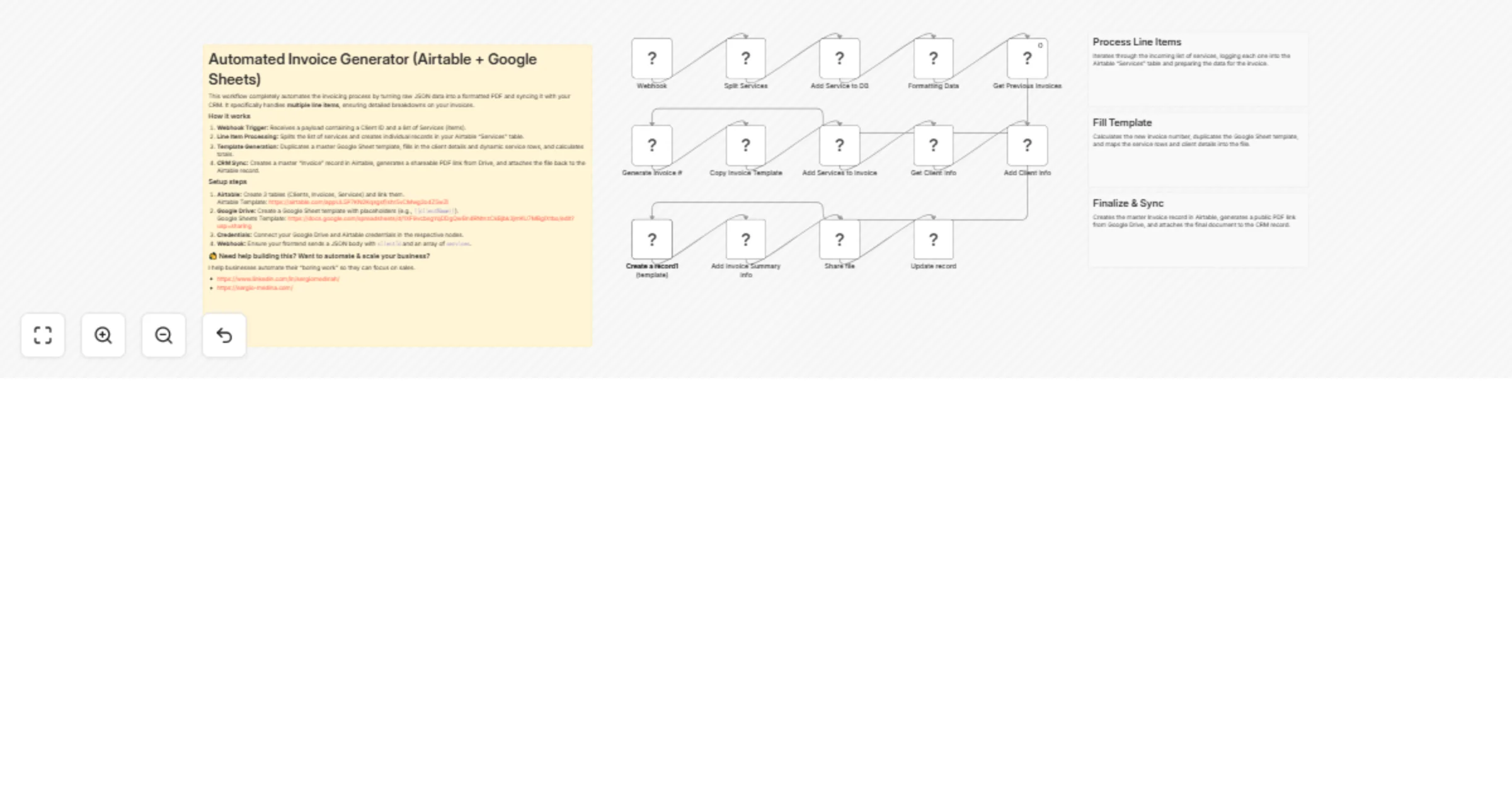
Receives Data: Listens for a Webhook (compatible with frontends like Lovable, Softr, or standard forms) containing the Client ID and a list of Services.
Splits Line Items: Uses a "Split In Batches" logic to iterate through multiple services/products, ensuring every line item is recorded individually.
Database Sync: Creates a parent "Invoice" record and links child "Service" records in Airtable.
Generates PDF: Populates a Google Doc/Sheet template with dynamic client data and service rows, then exports it as a PDF.
Files & Links: Uploads the PDF to a designated Google Drive folder and attaches the file URL back to the specific Invoice record in Airtable.
You need three linked tables to make this work:
Clients: Stores Address, VAT Number, and Email.
Invoices: The master record containing Date, Total Amount, and the Invoice PDF attachment field.
Services: Stores individual line items (Value, Units, VAT Amount) linked to the Invoices table.
Create a Google Doc or Sheet.
Use {{variable_name}} placeholders for Client Name, Address, and Invoice ID.
Ensure you have a section for line items that matches the automation loop.
Perfect for freelancers, agencies, and founders who want to trigger invoices from a dashboard or dropdown menu without manually calculating VAT or typing out addresses.
I help founders automate their "boring work" so they can focus on sales.
This catalog entry is organized from the workflow JSON. The node-level section below shows the executable blocks available for review before importing the template.
| Workflow | Generate PDF invoices with line item support from Airtable using Google Sheets |
|---|---|
| Complexity | advanced |
| Nodes | 19 |
| Categories | Invoice Processing |
| Author | Sergio Medina |
| Published | 28 Jan 2026 |
Use the JSON export at /data/workflows/13071/13071.json as the source template for this automation.
Open n8n, import the downloaded JSON, and review each node before activating the workflow.
Replace placeholder credentials, API keys, webhook URLs, account IDs, and environment-specific values with your own settings.
Run the workflow manually or in a staging workspace, inspect node output, and confirm downstream systems receive the expected data.
Enable the workflow only after testing, then monitor executions, errors, and rate limits during the first production runs.
Review imported nodes carefully before activation. This catalog entry is intended to help you inspect the workflow structure, understand required services, and find related templates faster.
Node names, credentials, schedules, webhook paths, and external service limits may need adjustment for your workspace.
Stop manually copy pasting client data into Word templates. This workflow automates the entire invoicing process, handling complex line items, VAT calculations, PDF generation, and CRM syncing in u...
Review the workflow JSON, configure any required credentials in n8n, and test the automation in a safe workspace before using it in production.
Yes. Use the block-by-block analysis and the downloadable JSON to inspect each node, then adjust credentials, prompts, schedules, filters, or destinations for your Invoice Processing use case.