Block 1 - Every 30 Min Trigger
- Type / Role
- n8n-nodes-base.scheduleTrigger - scheduleTrigger
- Config choices
- Version 1.3


 Early Deal
Description The scoreboard shows you what happened. This workflow tells you why it happened. Every time an IPL match ends this automation detects the completed result, fetches the full scorecard...
n8n-nodes-base.scheduletrigger, n8n-nodes-base.googlesheets, n8n-nodes-base.code, n8n-nodes-base.httprequest, @n8n/n8n-nodes-langchain.openai, n8n-nodes-base.gmail, n8n-nodes-base.stickynote, n8n-nodes-base.if
This workflow is cataloged by N8N Workflows and links back to its original n8n.io source page by Rahul Joshi.
Original n8n.io sourceThe scoreboard shows you what happened. This workflow tells you why it happened. Every time an IPL match ends this automation detects the completed result, fetches the full scorecard, and sends it to GPT-4o which produces a detailed journalist-style post-match analysis — innings breakdowns, tactical decisions, key turning points, player of the match, and what the result means for both teams. Every Monday it also generates a weekly roundup digest covering all the week's matches in one beautifully designed email. Built for sports media companies, IPL fan platforms, cricket newsletters, and automation agencies who want to produce expert-level match analysis at scale without a dedicated editorial team.
⏰ Polls CricAPI every 30 minutes for recently completed IPL matches 📋 Checks the Match Log sheet to avoid analyzing the same match twice 🏏 Detects new completed IPL matches and saves them to the Match Log 🧮 Computes both innings run rates and builds a structured analytical prompt 🤖 Sends full match context to GPT-4o which generates a complete post-match analysis 📧 Assembles the analysis into a branded HTML email and sends it immediately after the match 📝 Logs every analysis to the Analysis Log sheet with match name, winner, and player of match 📊 Every Monday reads all analyses from the past 7 days and generates a weekly roundup 🤖 GPT-4o writes the weekly digest with match recaps, player of the week, and next week preview 📧 Sends the weekly roundup as a branded HTML email every Monday at 9AM
✅ Fully automatic — detects match completion and triggers analysis without manual input ✅ Duplicate prevention — never analyzes the same match twice ✅ GPT-4o writes like a cricket journalist not a data report ✅ Two email formats — immediate post-match deep dive and weekly roundup digest ✅ Complete audit trail across two Google Sheets ✅ Falls back to any completed T20 when IPL is off-season so testing always works ✅ Clean termination on both IF nodes — no dangling branches
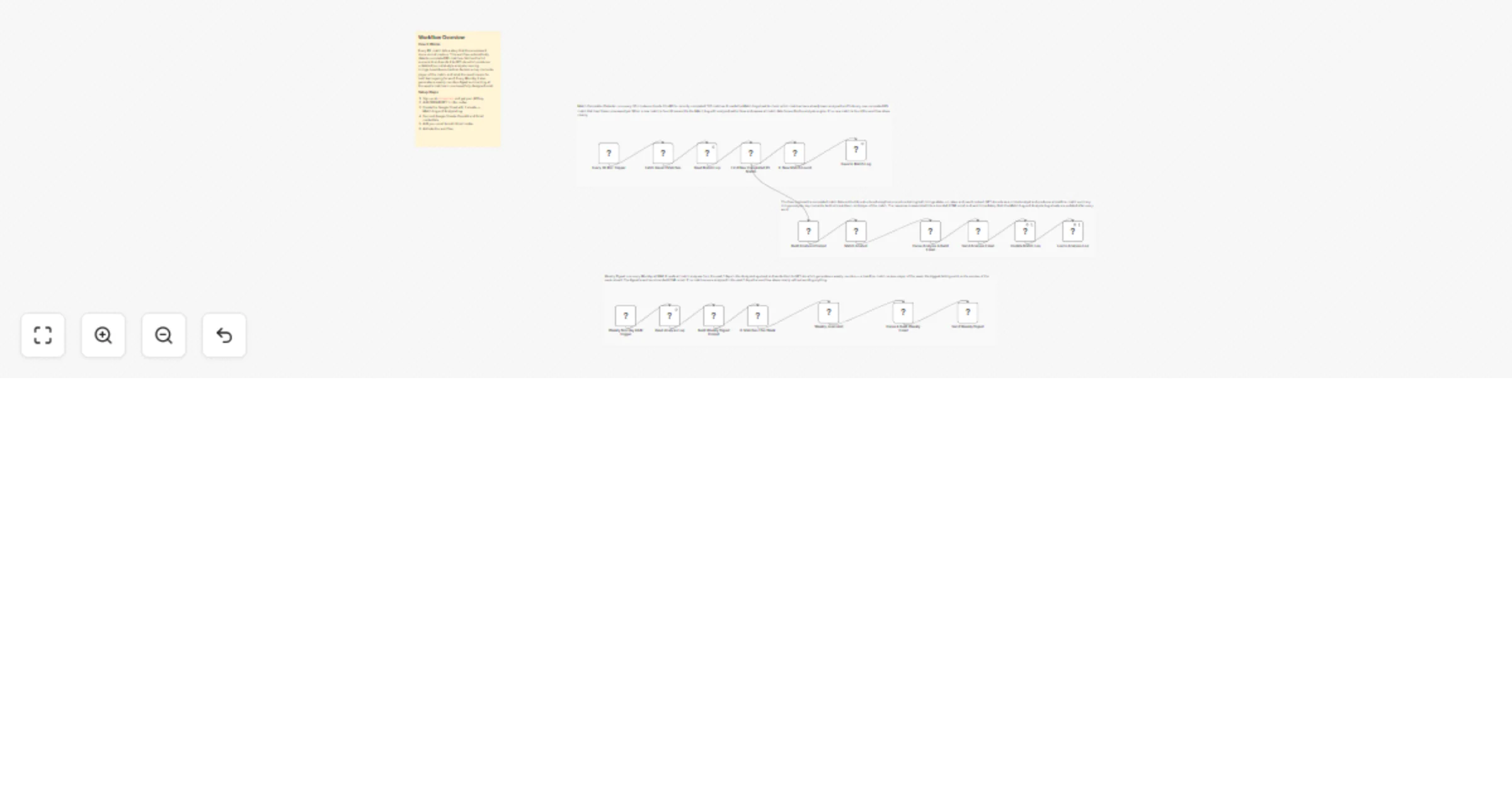
SW1 — Match Completion Detector Every 30 minutes the workflow fetches all current and recent matches from CricAPI and reads the Match Log sheet. The Code node filters for completed IPL T20 matches by checking that the match name contains IPL or Indian Premier League, the match type is T20, and both matchStarted and matchEnded are true. It then compares every completed match against the set of already-analyzed match IDs in the Match Log. If a new unanalyzed match is found it gets saved to the Match Log with analyzed set to false and all scorecard data flows forward into the analysis engine. If no new match is found an IF node stops the workflow cleanly.
SW2 — Deep Dive Analyzer The match data flows directly from SW1 into the analysis prompt builder. The Code node computes run rates for both innings and assembles a structured prompt containing both innings stats, the match result, and clear instructions for GPT-4o to act as a cricket journalist. GPT-4o returns a headline, 3-4 sentence match summary, separate tactical breakdowns for each innings, three key moments that decided the match, an overall tactical assessment, player of the match with reasoning, and a one-sentence forward-looking note. The response is parsed and assembled into a branded HTML email with a dark blue header, score display, color-coded analysis sections, and a player of the match spotlight. The email is sent immediately and both Google Sheets are updated to record that this match has been analyzed and the email has been sent.
SW3 — Weekly Digest Every Monday at 9AM the workflow reads all rows from the Analysis Log and filters for entries from the past 7 days. If matches exist GPT-4o generates a weekly roundup covering the week's headline, individual one-liner recaps for each match, player of the week, the biggest talking point or controversy, and a preview of the upcoming week. The response is assembled into a branded weekly roundup email and sent. If no matches were analyzed in the past 7 days the workflow stops cleanly without sending a blank email.
📺 Sports media companies automating post-match editorial content 🏏 IPL cricket newsletters and fan platforms delivering expert analysis 🤖 Automation agencies building cricket intelligence products for media and franchise clients 📱 Fan apps that want to surface match analysis without hiring a commentary team
This catalog entry is organized from the workflow JSON. The node-level section below shows the executable blocks available for review before importing the template.
| Workflow | Generate IPL post‐match and weekly email analyses with GPT‐4o, CricAPI and Gmail |
|---|---|
| Complexity | advanced |
| Nodes | 23 |
| Categories | Content Creation, AI Summarization |
| Author | Rahul Joshi |
| Published | 26 Mar 2026 |
Use the JSON export at /data/workflows/14369/14369.json as the source template for this automation.
Open n8n, import the downloaded JSON, and review each node before activating the workflow.
Replace placeholder credentials, API keys, webhook URLs, account IDs, and environment-specific values with your own settings.
Run the workflow manually or in a staging workspace, inspect node output, and confirm downstream systems receive the expected data.
Enable the workflow only after testing, then monitor executions, errors, and rate limits during the first production runs.
Review imported nodes carefully before activation. This catalog entry is intended to help you inspect the workflow structure, understand required services, and find related templates faster.
Node names, credentials, schedules, webhook paths, and external service limits may need adjustment for your workspace.
Description The scoreboard shows you what happened. This workflow tells you why it happened. Every time an IPL match ends this automation detects the completed result, fetches the full scorecard...
Review the workflow JSON, configure any required credentials in n8n, and test the automation in a safe workspace before using it in production.
Yes. Use the block-by-block analysis and the downloadable JSON to inspect each node, then adjust credentials, prompts, schedules, filters, or destinations for your Content Creation, AI Summarization use case.