Block 1 - Webhook
- Type / Role
- n8n-nodes-base.webhook - webhook
- Config choices
- Version 2.1


 Early Deal
Who’s it for This workflow is designed for creators, designers, and automation builders who need to generate visually consistent images at scale . It is ideal for teams producing branded visuals, s...
n8n-nodes-base.webhook, n8n-nodes-base.respondtowebhook, n8n-nodes-base.wait, n8n-nodes-base.httprequest, n8n-nodes-base.if, n8n-nodes-base.googlesheets, n8n-nodes-base.splitinbatches, @n8n/n8n-nodes-langchain.googlegemini
This workflow is cataloged by N8N Workflows and links back to its original n8n.io source page by Adem Tasin.
Original n8n.io sourceThis workflow is designed for creators, designers, and automation builders who need to generate visually consistent images at scale. It is ideal for teams producing branded visuals, social media assets, or AI-generated images where preserving a recognizable visual style is important.
If you already manage prompts and image references in Google Sheets and want a repeatable, automated image generation pipeline, this template is a good fit.
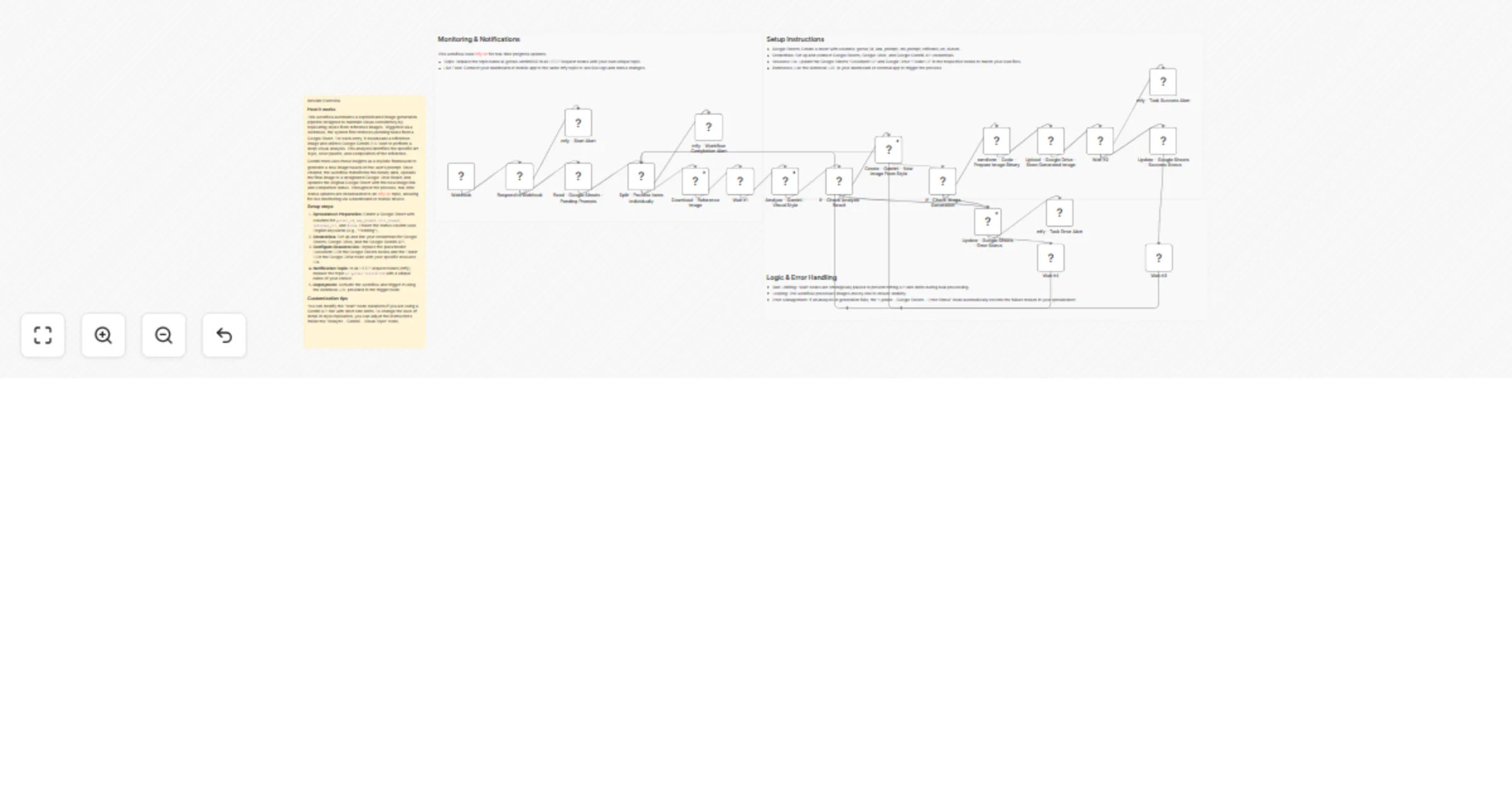
The workflow is triggered via a webhook and reads pending image generation tasks from a Google Sheet. For each row, it downloads a reference image and analyzes its visual characteristics using Google Gemini, including color palette, composition, and overall artistic style.
Using this analysis, Gemini generates a new image that follows the same visual style while applying your provided prompt. The generated image is uploaded to Google Drive, and the original Google Sheet is updated with the result or an error message.
Real-time status updates are sent during execution using ntfy.sh notifications.
gorsel_id, ana_prompt, stil_prompt, referans_url, and durum.> This workflow uses community nodes and is supported on self-hosted n8n instances only.
You can adjust the Wait nodes to better align with your API rate limits. To control how closely the generated image matches the reference style, modify the instructions in the Analyze – Gemini – Visual Style node.
You can also extend the workflow with additional approval steps, storage locations, or notification channels without changing the core logic.
Developed by: Adem Tasin 🌐 Website: ademtasin.com 💼 LinkedIn: ademtasin
This catalog entry is organized from the workflow JSON. The node-level section below shows the executable blocks available for review before importing the template.
Showing the first 24 of 25 workflow blocks. Download the JSON for the full node graph.
| Workflow | Generate consistent styled images from references with Google Gemini and Sheets |
|---|---|
| Complexity | advanced |
| Nodes | 25 |
| Categories | Content Creation, Multimodal AI |
| Author | Adem Tasin |
| Published | 30 Jan 2026 |
Use the JSON export at /data/workflows/13117/13117.json as the source template for this automation.
Open n8n, import the downloaded JSON, and review each node before activating the workflow.
Replace placeholder credentials, API keys, webhook URLs, account IDs, and environment-specific values with your own settings.
Run the workflow manually or in a staging workspace, inspect node output, and confirm downstream systems receive the expected data.
Enable the workflow only after testing, then monitor executions, errors, and rate limits during the first production runs.
Review imported nodes carefully before activation. This catalog entry is intended to help you inspect the workflow structure, understand required services, and find related templates faster.
Node names, credentials, schedules, webhook paths, and external service limits may need adjustment for your workspace.
Who’s it for This workflow is designed for creators, designers, and automation builders who need to generate visually consistent images at scale . It is ideal for teams producing branded visuals, s...
Review the workflow JSON, configure any required credentials in n8n, and test the automation in a safe workspace before using it in production.
Yes. Use the block-by-block analysis and the downloadable JSON to inspect each node, then adjust credentials, prompts, schedules, filters, or destinations for your Content Creation, Multimodal AI use case.