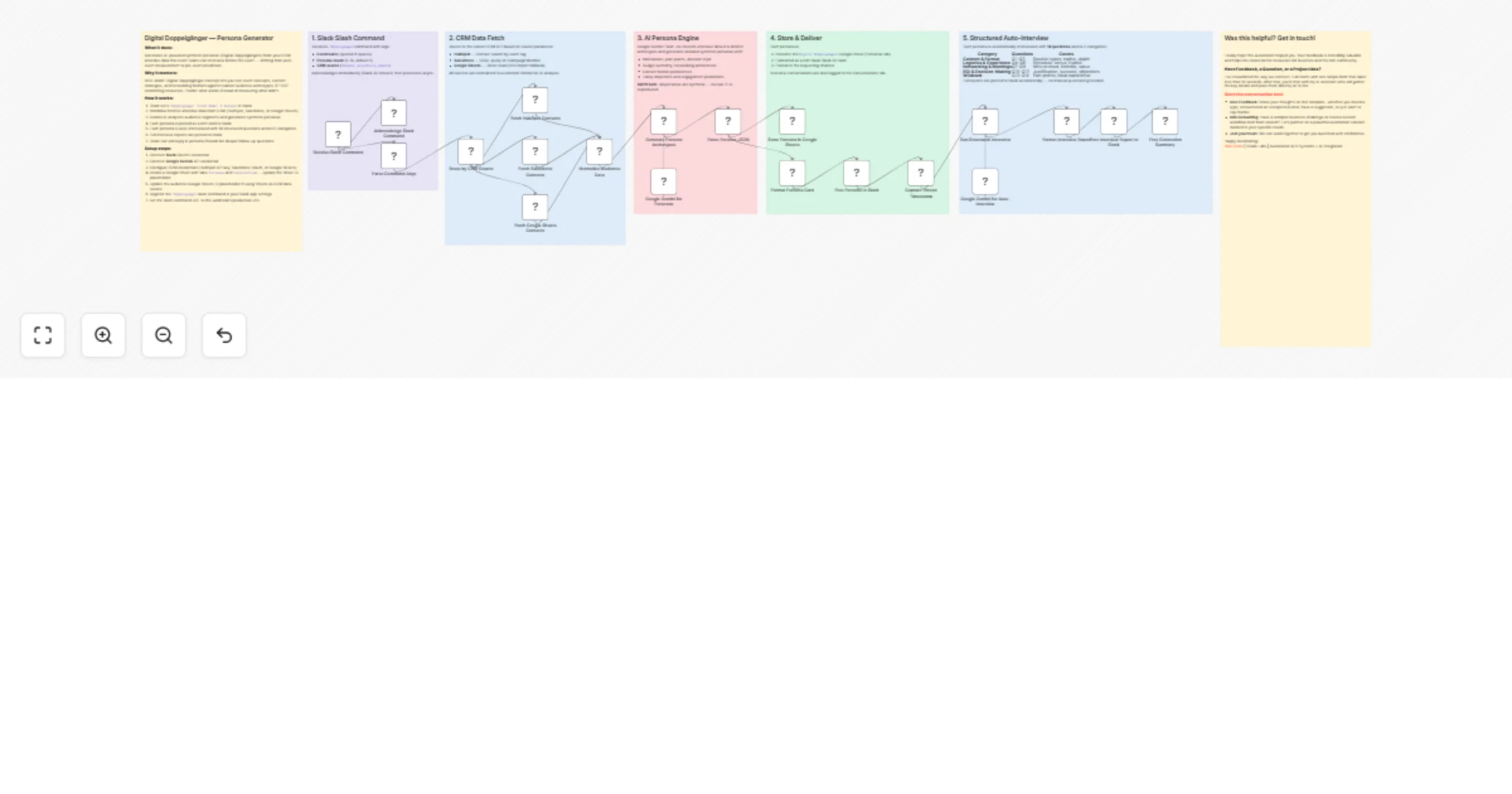
Generate conference synthetic personas with Slack, Gemini and Salesforce

Workflow preview

Workflow preview
100%
Generate conference synthetic personas with Slack, Gemini and Salesforce preview
Open on n8n.io

1. Workflow Overview

Conference Synthetic Personas: Slack → Gemini → CRM Insights Who is this for? Event strategists, conference organizers, and marketing teams planning content/networking who want to interview realist...

Best for

  • Market Research automation workflows
  • AI Chatbot automation workflows
  • advanced n8n builders looking for reusable templates

Tools used

n8n-nodes-base.webhook, n8n-nodes-base.respondtowebhook, n8n-nodes-base.code, n8n-nodes-base.switch, n8n-nodes-base.httprequest, n8n-nodes-base.googlesheets, @n8n/n8n-nodes-langchain.chainllm, @n8n/n8n-nodes-langchain.lmchatgooglegemini

Source and attribution

This workflow is cataloged by N8N Workflows and links back to its original n8n.io source page by Milo Bravo.

Original n8n.io source

1.1 Workflow description

Title
Generate conference synthetic personas with Slack, Gemini and Salesforce
Workflow name
Generate conference synthetic personas with Slack, Gemini and Salesforce

Conference Synthetic Personas: Slack → Gemini → CRM Insights

Who is this for? Event strategists, conference organizers, and marketing teams planning content/networking who want to interview realistic audience personas based on their participantants behavioural data before spending budget.


What problem is this workflow solving? Event deisgn and management is guesswork:

  • Content misses audience needs
  • Networking formats flop
  • No pre-validation of concepts

This workflow creates interviewable synthetic personas from your real CRM data, test ideas pre-event.


What this workflow does

  • Trigger: Slack /doppelganger "EventX" 5 hubspot
  • CRM Pull: HubSpot/Salesforce/Sheets attendee data
  • Gemini Analysis: Generates 5+ realistic personas per event
  • Slack Cards: Rich persona profiles + 14 auto-interview questions
  • Thread Replies: Team follow-ups in persona context
  • Sheets Log: Personas + conversations archived

Setup (8 minutes)

  • Slack: OAuth2 + /doppelganger slash command
  • Gemini: Google API key (Flash/Pro)
  • CRM: HubSpot API / Salesforce OAuth / Google Sheets
  • Sheets ID: Personas + Conversations tabs

Fully configurable, no code changes needed.


How to customize to your needs

  • CRMs: HubSpot → Salesforce → Sheets CSV
  • Personas: Speakers/Exhibitors/Attendees
  • Questions: Edit 14 interview prompts (5 categories)
  • Scale: Multi-event batching
  • Output: Add Teams/Notion sync

ROI:

  • 40% better content relevance (pre-validated)
  • 25% lower no-show rates (targeted comms)
  • 2h → 2min persona generation

Need help customizing?: Contact me for consulting and support: LinkedIn / Message


Keywords: event personas, synthetic audience, conference planning, attendee segmentation, event strategy automation

1.2 Logical Blocks

This catalog entry is organized from the workflow JSON. The node-level section below shows the executable blocks available for review before importing the template.

2. Block-by-Block Analysis

Block 1 - Receive Slash Command

Type / Role
n8n-nodes-base.webhook - webhook
Config choices
Version 2

Block 2 - Acknowledge Slack Command

Type / Role
n8n-nodes-base.respondToWebhook - respondToWebhook
Config choices
Version 1.1

Block 3 - Parse Command Args

Type / Role
n8n-nodes-base.code - code
Config choices
Version 2

Block 4 - Route by CRM Source

Type / Role
n8n-nodes-base.switch - switch
Config choices
Version 3.2

Block 5 - Fetch HubSpot Contacts

Type / Role
n8n-nodes-base.httpRequest - httpRequest
Config choices
Version 4.2

Block 6 - Fetch Salesforce Contacts

Type / Role
n8n-nodes-base.httpRequest - httpRequest
Config choices
Version 4.2

Block 7 - Fetch Google Sheets Contacts

Type / Role
n8n-nodes-base.googleSheets - googleSheets
Config choices
Version 4.5

Block 8 - Normalize Audience Data

Type / Role
n8n-nodes-base.code - code
Config choices
Version 2

Block 9 - Generate Persona Archetypes

Type / Role
@n8n/n8n-nodes-langchain.chainLlm - chainLlm
Config choices
Version 1.4

Block 10 - Google Gemini for Personas

Type / Role
@n8n/n8n-nodes-langchain.lmChatGoogleGemini - lmChatGoogleGemini
Config choices
Version 1

Block 11 - Parse Persona JSON

Type / Role
n8n-nodes-base.code - code
Config choices
Version 2

Block 12 - Store Persona in Google Sheets

Type / Role
n8n-nodes-base.googleSheets - googleSheets
Config choices
Version 4.5

Block 13 - Format Persona Card

Type / Role
n8n-nodes-base.code - code
Config choices
Version 2

Block 14 - Post Persona to Slack

Type / Role
n8n-nodes-base.slack - slack
Config choices
Version 2.3

Block 15 - Capture Thread Timestamp

Type / Role
n8n-nodes-base.code - code
Config choices
Version 2

Block 16 - Run Structured Interview

Type / Role
@n8n/n8n-nodes-langchain.chainLlm - chainLlm
Config choices
Version 1.4

Block 17 - Google Gemini for Auto-Interview

Type / Role
@n8n/n8n-nodes-langchain.lmChatGoogleGemini - lmChatGoogleGemini
Config choices
Version 1

Block 18 - Format Interview Report

Type / Role
n8n-nodes-base.code - code
Config choices
Version 2

Block 19 - Post Interview Report to Slack

Type / Role
n8n-nodes-base.slack - slack
Config choices
Version 2.3

Block 20 - Post Generation Summary

Type / Role
n8n-nodes-base.slack - slack
Config choices
Version 2.3

Block 21 - Intro — Persona Generator

Type / Role
n8n-nodes-base.stickyNote - stickyNote
Config choices
Version 1

Block 22 - Section — Slash Command

Type / Role
n8n-nodes-base.stickyNote - stickyNote
Config choices
Version 1

Block 23 - Section — CRM Integration

Type / Role
n8n-nodes-base.stickyNote - stickyNote
Config choices
Version 1

Block 24 - Section — AI Persona Engine

Type / Role
n8n-nodes-base.stickyNote - stickyNote
Config choices
Version 1

Showing the first 24 of 27 workflow blocks. Download the JSON for the full node graph.

3. Summary Table

Workflow Generate conference synthetic personas with Slack, Gemini and Salesforce
Complexity advanced
Nodes 27
Categories Market Research, AI Chatbot
Author Milo Bravo
Published 03 Mar 2026

4. Reproducing the Workflow from Scratch

  1. 1. Download the workflow JSON

    Use the JSON export at /data/workflows/13841/13841.json as the source template for this automation.

  2. 2. Import the template into n8n

    Open n8n, import the downloaded JSON, and review each node before activating the workflow.

  3. 3. Configure credentials and variables

    Replace placeholder credentials, API keys, webhook URLs, account IDs, and environment-specific values with your own settings.

  4. 4. Test with sample data

    Run the workflow manually or in a staging workspace, inspect node output, and confirm downstream systems receive the expected data.

  5. 5. Activate and monitor

    Enable the workflow only after testing, then monitor executions, errors, and rate limits during the first production runs.

5. General Notes & Resources

Review imported nodes carefully before activation. This catalog entry is intended to help you inspect the workflow structure, understand required services, and find related templates faster.

Node names, credentials, schedules, webhook paths, and external service limits may need adjustment for your workspace.

Frequently asked questions

What does Generate conference synthetic personas with Slack, Gemini and Salesforce do?

Conference Synthetic Personas: Slack → Gemini → CRM Insights Who is this for? Event strategists, conference organizers, and marketing teams planning content/networking who want to interview realist...

What do I need before importing this workflow?

Review the workflow JSON, configure any required credentials in n8n, and test the automation in a safe workspace before using it in production.

Can I customize this workflow?

Yes. Use the block-by-block analysis and the downloadable JSON to inspect each node, then adjust credentials, prompts, schedules, filters, or destinations for your Market Research, AI Chatbot use case.