Generate client contracts automatically using Google Docs, Drive, and GoHighLevel

Workflow preview

Workflow preview
100%
Generate client contracts automatically using Google Docs, Drive, and GoHighLevel preview
Open on n8n.io

1. Workflow Overview

Description This workflow is a fully automated contract generation and delivery system that converts structured client input into a finalized, professional PDF contract and uploads it directly t...

Best for

  • Document Extraction automation workflows
  • intermediate n8n builders looking for reusable templates

Tools used

n8n-nodes-base.stickynote, n8n-nodes-base.webhook, n8n-nodes-base.googledrive, n8n-nodes-base.googledocs, n8n-nodes-base.httprequest

Source and attribution

This workflow is cataloged by N8N Workflows and links back to its original n8n.io source page by Rahul Joshi.

Original n8n.io source

1.1 Workflow description

Title
Generate client contracts automatically using Google Docs, Drive, and GoHighLevel
Workflow name
Generate client contracts automatically using Google Docs, Drive, and GoHighLevel

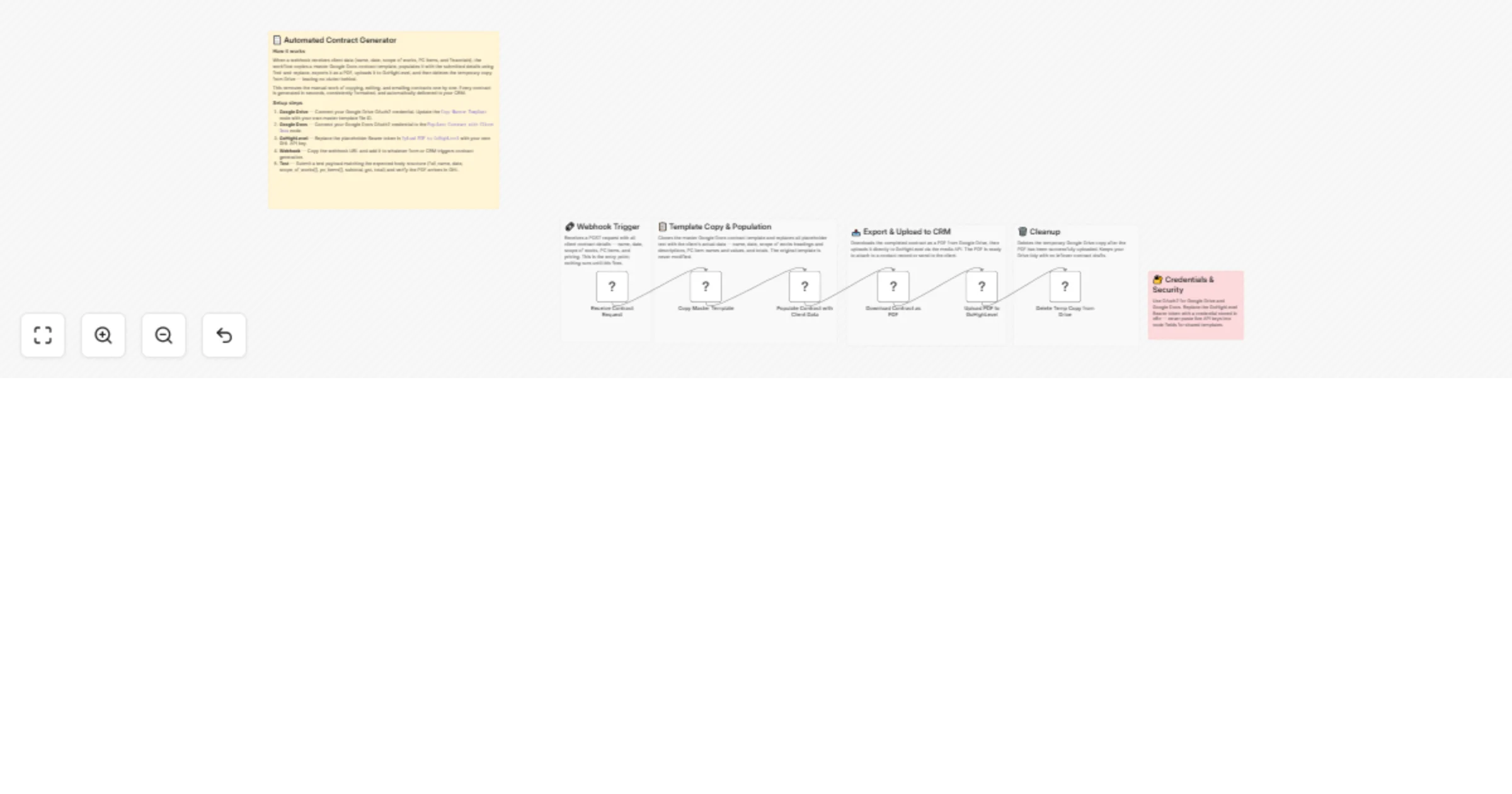
πŸ“˜ Description This workflow is a fully automated contract generation and delivery system that converts structured client input into a finalized, professional PDF contract and uploads it directly to your CRM. It eliminates manual document handling by dynamically populating a Google Docs template, exporting it as a PDF, and delivering it to GoHighLevel in a single flow, while ensuring no temporary files remain in storage.

βš™οΈ Step-by-Step Flow

  1. Receive Contract Request (Webhook)
  2. Accepts a POST request containing all contract data:
  • Client name
  • Date
  • Scope of works (array)
  • PC items (array)
  • Financials (subtotal, GST, total)
  • Copy Master Template (Google Drive)
  1. Creates a duplicate of the master contract template.
  2. Ensures the original template remains unchanged.
  3. Populate Contract with Client Data (Google Docs)
  4. Performs large-scale find-and-replace operations:
  • Replaces placeholders with dynamic client inputs
  • Injects scope of work sections
  • Maps PC items and pricing
  • Updates totals and metadata
  1. Download Contract as PDF (Google Drive)
  2. Exports the fully populated document as a PDF file.
  3. Upload PDF to GoHighLevel (HTTP Request)
  4. Uploads the generated PDF to GoHighLevel via API:
  • Makes it instantly available in CRM
  • Ready for attachment or client delivery
  1. Delete Temp Copy from Drive (Cleanup)
  2. Removes the temporary document copy from Google Drive.
  3. Prevents storage clutter and duplication.

🧩 Prerequisites

β€’ Google Drive OAuth2 β€’ Google Docs OAuth2 β€’ GoHighLevel API key (Bearer token) β€’ Webhook trigger source (form, CRM, or system)

πŸ’‘ Key Benefits

βœ” Zero manual contract creation βœ” Consistent formatting across all contracts βœ” Dynamic handling of complex data (arrays, pricing) βœ” Instant CRM upload (GoHighLevel) βœ” Automatic cleanup (no file clutter) βœ” Scalable for high-volume contract generation

πŸ‘₯ Perfect For

  • Construction and renovation businesses
  • Agencies generating client agreements
  • Sales teams automating proposal-to-contract flow
  • CRM-driven businesses using GoHighLevel

1.2 Logical Blocks

This catalog entry is organized from the workflow JSON. The node-level section below shows the executable blocks available for review before importing the template.

2. Block-by-Block Analysis

Block 1 - Sticky Note: Overview

Type / Role
n8n-nodes-base.stickyNote - stickyNote
Config choices
Version 1

Block 2 - Sticky Note: Webhook

Type / Role
n8n-nodes-base.stickyNote - stickyNote
Config choices
Version 1

Block 3 - Sticky Note: Template Population

Type / Role
n8n-nodes-base.stickyNote - stickyNote
Config choices
Version 1

Block 4 - Sticky Note: Export & Upload

Type / Role
n8n-nodes-base.stickyNote - stickyNote
Config choices
Version 1

Block 5 - Sticky Note: Cleanup

Type / Role
n8n-nodes-base.stickyNote - stickyNote
Config choices
Version 1

Block 6 - Sticky Note: Security

Type / Role
n8n-nodes-base.stickyNote - stickyNote
Config choices
Version 1

Block 7 - Receive Contract Request

Type / Role
n8n-nodes-base.webhook - webhook
Config choices
Version 2.1

Block 8 - Copy Master Template

Type / Role
n8n-nodes-base.googleDrive - googleDrive
Config choices
Version 3

Block 9 - Populate Contract with Client Data

Type / Role
n8n-nodes-base.googleDocs - googleDocs
Config choices
Version 2

Block 10 - Download Contract as PDF

Type / Role
n8n-nodes-base.googleDrive - googleDrive
Config choices
Version 3

Block 11 - Upload PDF to GoHighLevel

Type / Role
n8n-nodes-base.httpRequest - httpRequest
Config choices
Version 4.3

Block 12 - Delete Temp Copy from Drive

Type / Role
n8n-nodes-base.googleDrive - googleDrive
Config choices
Version 3

3. Summary Table

Workflow Generate client contracts automatically using Google Docs, Drive, and GoHighLevel
Complexity intermediate
Nodes 12
Categories Document Extraction
Author Rahul Joshi
Published 26 Mar 2026

4. Reproducing the Workflow from Scratch

  1. 1. Download the workflow JSON

    Use the JSON export at /data/workflows/14364/14364.json as the source template for this automation.

  2. 2. Import the template into n8n

    Open n8n, import the downloaded JSON, and review each node before activating the workflow.

  3. 3. Configure credentials and variables

    Replace placeholder credentials, API keys, webhook URLs, account IDs, and environment-specific values with your own settings.

  4. 4. Test with sample data

    Run the workflow manually or in a staging workspace, inspect node output, and confirm downstream systems receive the expected data.

  5. 5. Activate and monitor

    Enable the workflow only after testing, then monitor executions, errors, and rate limits during the first production runs.

5. General Notes & Resources

Review imported nodes carefully before activation. This catalog entry is intended to help you inspect the workflow structure, understand required services, and find related templates faster.

Node names, credentials, schedules, webhook paths, and external service limits may need adjustment for your workspace.

Frequently asked questions

What does Generate client contracts automatically using Google Docs, Drive, and GoHighLevel do?

Description This workflow is a fully automated contract generation and delivery system that converts structured client input into a finalized, professional PDF contract and uploads it directly t...

What do I need before importing this workflow?

Review the workflow JSON, configure any required credentials in n8n, and test the automation in a safe workspace before using it in production.

Can I customize this workflow?

Yes. Use the block-by-block analysis and the downloadable JSON to inspect each node, then adjust credentials, prompts, schedules, filters, or destinations for your Document Extraction use case.