Block 1 - Webhook: Clean Plate Request
- Type / Role
- n8n-nodes-base.webhook - webhook
- Config choices
- Version 2


 Early Deal
Description This workflow is an AI assisted clean plate and object removal pipeline built for modern VFX production environments. It transforms a single plate image and removal brief into multip...
n8n-nodes-base.webhook, n8n-nodes-base.code, n8n-nodes-base.httprequest, n8n-nodes-base.wait, n8n-nodes-base.if, n8n-nodes-base.googledrive, n8n-nodes-base.slack, n8n-nodes-base.notion
This workflow is cataloged by N8N Workflows and links back to its original n8n.io source page by Rahul Joshi.
Original n8n.io sourceThis workflow is an AI-assisted clean plate and object removal pipeline built for modern VFX production environments. It transforms a single plate image and removal brief into multiple high-quality clean plate variations, complete with automated quality evaluation, compositing-ready assets, and production-ready Nuke scripts—bridging the gap between manual paint workflows and fully automated AI-driven cleanup pipelines.
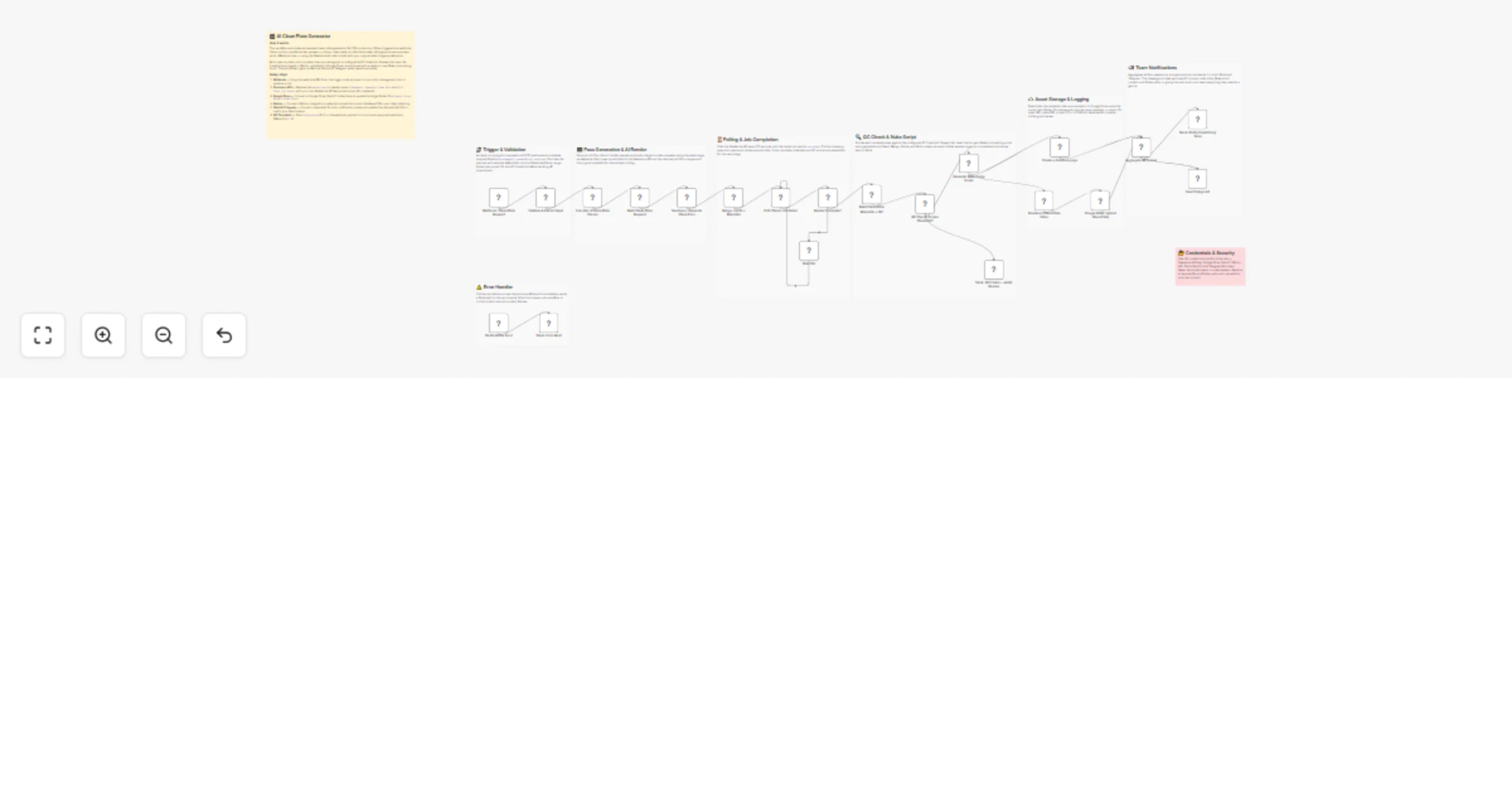
1 . The workflow begins with a webhook trigger that acts as the clean plate request intake layer, receiving a POST request containing the plate image URL, removal brief, shot code, and optional parameters such as object type, frame range, and QC thresholds. This input flows into a validation and data structuring stage, where required fields are verified, default values are assigned, and the payload is normalized to ensure consistency across downstream processes. The system then performs prompt engineering and expands the single removal brief into four specialized passes: a primary production-ready clean plate, an alternative variation, a foreground removal pass for background isolation, and a difference map for quality control visualization. Each pass is enriched with object-specific removal instructions, reconstruction constraints, and technical shot metadata to guide accurate AI generation.
2 . At the core of the pipeline, an image-to-video rendering process leverages the provided plate image as a reference and submits each variation as an independent job to the Seedance AI API, generating video-based clean plate outputs. A polling mechanism continuously tracks each job at fixed intervals, ensuring that processing only advances once rendering is successfully completed. Once outputs are available, a metadata and automated QC layer evaluates each pass by assigning a quality score based on resolution and consistency logic, comparing it against a predefined threshold to classify results as either auto-approved or flagged for review. A decision routing layer then determines the next step—allowing approved outputs to continue through the pipeline while immediately notifying the team via Slack in case of failures.
3 . Following this, the system generates a fully production-ready Nuke compositing script, automatically configuring nodes for the original plate, AI-generated clean plate, difference map visualization, merge operations, grading adjustments, and final output writes, all aligned with standardized folder structures and naming conventions. The asset pipeline then downloads the generated videos, uploads them to Google Drive using structured shot-based organization, and logs all associated metadata—including plate references, output variations, and project details—into a Notion database for centralized tracking. An aggregation layer consolidates all outputs into a unified structured response, combining QC results, video links, compositing scripts, and storage paths. Finally, a multi-channel notification system dispatches a detailed message to Slack and Telegram, presenting all clean plate variations with QC status, video previews, inline Nuke scripts, and direct access to delivery folders for seamless team review and integration into production workflows.
• Global error trigger • Sends failure alerts to Slack instantly • Prevents silent pipeline failures and data loss
• Seedance API (AI video generation) • Google Drive OAuth2 • Notion API • Slack + Telegram credentials • Webhook integration
✔ Fully automated clean plate generation with zero manual prep ✔ Multiple AI-generated passes for flexible compositing workflows ✔ Built-in QC validation with intelligent decision routing ✔ Auto-generated Nuke scripts ready for production use ✔ Structured asset storage and centralized tracking ✔ Real-time notifications for faster team collaboration
This catalog entry is organized from the workflow JSON. The node-level section below shows the executable blocks available for review before importing the template.
Showing the first 24 of 30 workflow blocks. Download the JSON for the full node graph.
| Workflow | Generate clean plates and automate object removal with Seedance AI |
|---|---|
| Complexity | advanced |
| Nodes | 30 |
| Categories | Content Creation, Multimodal AI |
| Author | Rahul Joshi |
| Published | 27 Mar 2026 |
Use the JSON export at /data/workflows/14387/14387.json as the source template for this automation.
Open n8n, import the downloaded JSON, and review each node before activating the workflow.
Replace placeholder credentials, API keys, webhook URLs, account IDs, and environment-specific values with your own settings.
Run the workflow manually or in a staging workspace, inspect node output, and confirm downstream systems receive the expected data.
Enable the workflow only after testing, then monitor executions, errors, and rate limits during the first production runs.
Review imported nodes carefully before activation. This catalog entry is intended to help you inspect the workflow structure, understand required services, and find related templates faster.
Node names, credentials, schedules, webhook paths, and external service limits may need adjustment for your workspace.
Description This workflow is an AI assisted clean plate and object removal pipeline built for modern VFX production environments. It transforms a single plate image and removal brief into multip...
Review the workflow JSON, configure any required credentials in n8n, and test the automation in a safe workspace before using it in production.
Yes. Use the block-by-block analysis and the downloadable JSON to inspect each node, then adjust credentials, prompts, schedules, filters, or destinations for your Content Creation, Multimodal AI use case.