Block 1 - Sticky Note
- Type / Role
- n8n-nodes-base.stickyNote - stickyNote
- Config choices
- Version 1


 Early Deal
️ Important: This workflow uses the Autype community node and requires a self hosted n8n instance. Send an...
n8n-nodes-base.stickynote, n8n-nodes-base.set, n8n-nodes-base.emailreadimap, n8n-nodes-base.code, n8n-nodes-base.if, n8n-nodes-base.splitinbatches, n8n-nodes-autype.autype, n8n-nodes-base.wait
This workflow is cataloged by N8N Workflows and links back to its original n8n.io source page by 8Automator.
Original n8n.io source⚠️ Important: This workflow uses the Autype community node and requires a self-hosted n8n instance.
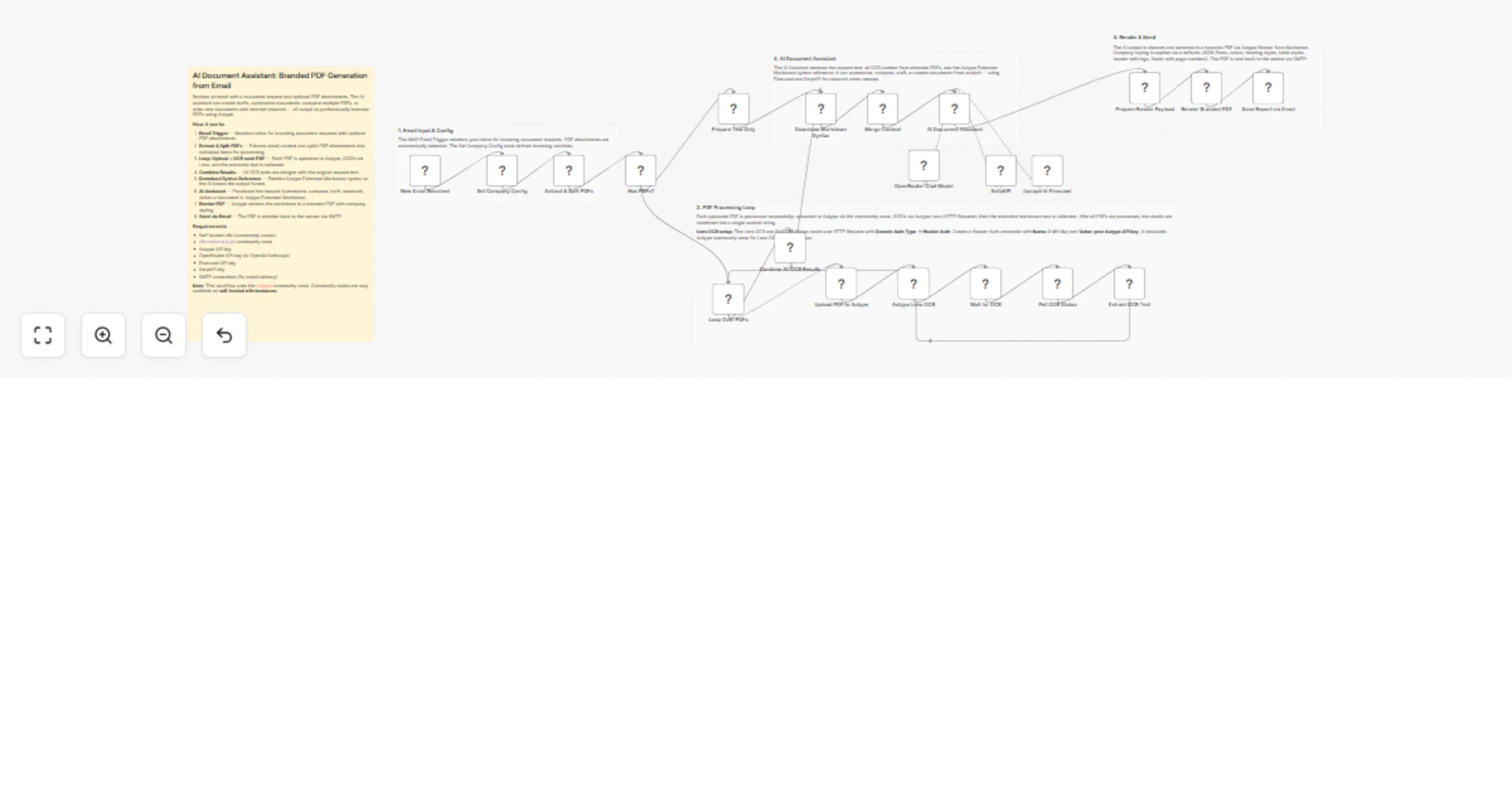
Send an email with a document request and optional PDF attachments. The AI assistant can summarize documents, compare multiple PDFs, draft new content, or create documents from scratch with internet research — all output as professionally branded PDFs using Autype. The finished document is delivered back to the sender via email.
Consultants, analysts, project managers, and teams who need on-demand document generation. Send an email and get a branded PDF back — whether it's a summary, comparison, draft, or a freshly researched document.
Concrete example: Attach 3 PDF proposals and write "Compare these proposals and recommend the best option" — each PDF is OCR'd via Autype Lens, the AI assistant produces a structured comparison with tables, and you receive a branded PDF within minutes.
This also works as an additional skill for an AI agent. Instead of an email trigger, connect the workflow to a webhook or chat trigger so an agent can call it when a user asks "create a summary of these documents."
On each incoming email, the workflow:
resource: file).outputFormat: "md". This uses Generic Auth Type → Header Auth with X-API-Key set to your Autype API key. Cost: 4 credits per page. A dedicated community node for Lens is planned.defaults JSON for company styling: Roboto font, heading colors from brand color, styled tables with colored headers, header with company logo, and footer with page numbers. See the defaults schema for all options.n8n-nodes-autype) via Settings > Community Nodes.X-API-KeycompanyName — Your company name (appears in header/footer)companyLogoUrl — URL to your company logo (PNG/JPEG, publicly accessible)brandColor — Hex color for headings and table headers (e.g. #1a5276)> Note: This is a community node. It is not maintained by the n8n team. You need a self-hosted n8n instance to use community nodes.
n8n-nodes-autype community node installeddefaults JSON in the Render Branded PDF node to change fonts, colors, heading styles, table designs, header/footer content, and spacing. See the defaults schema for all available options.This catalog entry is organized from the workflow JSON. The node-level section below shows the executable blocks available for review before importing the template.
Showing the first 24 of 26 workflow blocks. Download the JSON for the full node graph.
| Workflow | Generate branded PDF reports from incoming emails using Autype and OpenRouter |
|---|---|
| Complexity | advanced |
| Nodes | 26 |
| Categories | Document Extraction, Multimodal AI |
| Author | 8Automator |
| Published | 19 Mar 2026 |
Use the JSON export at /data/workflows/14184/14184.json as the source template for this automation.
Open n8n, import the downloaded JSON, and review each node before activating the workflow.
Replace placeholder credentials, API keys, webhook URLs, account IDs, and environment-specific values with your own settings.
Run the workflow manually or in a staging workspace, inspect node output, and confirm downstream systems receive the expected data.
Enable the workflow only after testing, then monitor executions, errors, and rate limits during the first production runs.
Review imported nodes carefully before activation. This catalog entry is intended to help you inspect the workflow structure, understand required services, and find related templates faster.
Node names, credentials, schedules, webhook paths, and external service limits may need adjustment for your workspace.
️ Important: This workflow uses the Autype community node and requires a self hosted n8n instance. Send an...
Review the workflow JSON, configure any required credentials in n8n, and test the automation in a safe workspace before using it in production.
Yes. Use the block-by-block analysis and the downloadable JSON to inspect each node, then adjust credentials, prompts, schedules, filters, or destinations for your Document Extraction, Multimodal AI use case.